
HiFuture ColorBuds2 White
HiFuture Colorbuds2 TWS Earphones User Manual
Model: ColorBuds2 White
Introduction
This manual provides essential information for the safe and effective use of your HiFuture Colorbuds2 TWS Earphones. Please read this manual thoroughly before using the product and retain it for future reference.

Image: The HiFuture Colorbuds2 TWS Earphones, white in color, resting within their open charging case. The earbuds are visible inside the case, ready for use or charging.
Package Contents
- HiFuture Colorbuds2 TWS Earphones (Left and Right)
- Charging Case
- USB Charging Cable
- User Manual
Setup
Initial Charging
Before first use, fully charge the earphones and the charging case. Connect the provided USB charging cable to the charging port on the case and a compatible USB power source. The indicator light on the case will show charging status.
Pairing with a Device
- Ensure the earphones are charged.
- Open the charging case. The earphones will automatically enter pairing mode, indicated by a flashing light (if applicable).
- On your device (smartphone, tablet, etc.), enable Bluetooth.
- Search for "HiFuture Colorbuds2" in the list of available Bluetooth devices.
- Select "HiFuture Colorbuds2" to connect. Once connected, a voice prompt will confirm successful pairing.
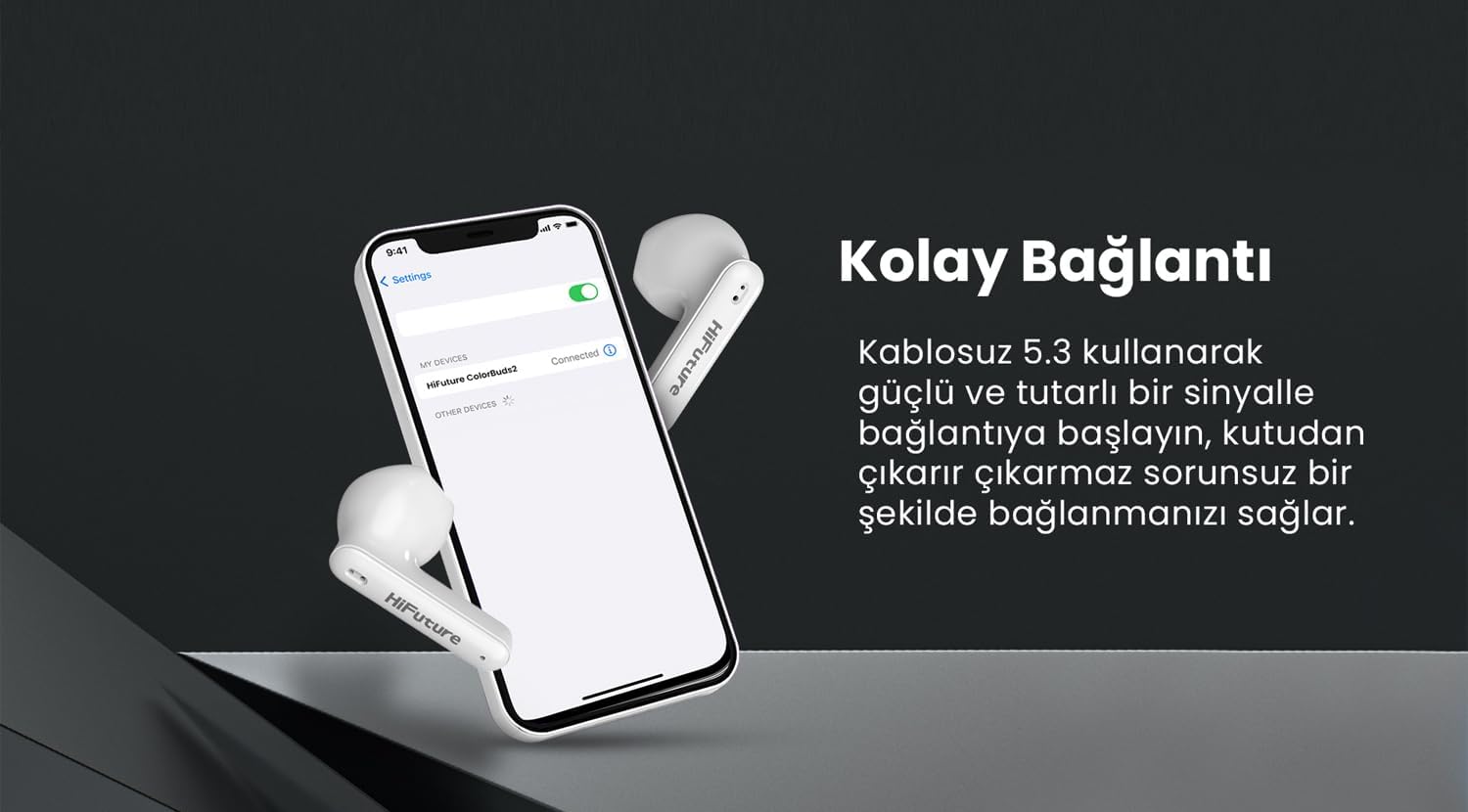
Image: A smartphone displaying its Bluetooth settings, with "HiFuture Colorbuds2" listed as a connected device, illustrating the pairing process.
Operating Instructions
Wearing the Earphones
Gently insert the earphones into your ears, ensuring a comfortable and secure fit. Adjust them until the sound is clear and the fit is snug to optimize audio quality and noise isolation.
Touch Controls
| Action | Function |
|---|---|
| Single Tap (Left/Right) | Play/Pause Music, Answer/End Call |
| Double Tap (Right) | Next Track |
| Double Tap (Left) | Previous Track |
| Triple Tap (Left/Right) | Activate Voice Assistant |
| Long Press (2 seconds) | Reject Call |
Call Management
The Colorbuds2 feature Environmental Noise Cancellation (ENC) for clear calls. Use the touch controls as described above to manage incoming and outgoing calls.

Image: A woman smiling while using a white HiFuture Colorbuds2 earbud, demonstrating its use for clear communication.
Maintenance
Cleaning
Regularly clean the earphones and charging case with a soft, dry, lint-free cloth. Do not use abrasive cleaners or solvents. For ear tips, gently wipe with a slightly damp cloth and allow to air dry completely before reattaching.
Storage
When not in use, store the earphones in their charging case to protect them and ensure they remain charged. Store in a cool, dry place away from direct sunlight and extreme temperatures.
Water Resistance (IPX5)
The Colorbuds2 are rated IPX5 sweatproof, meaning they can withstand splashes and sweat. They are not designed for submersion in water. Avoid exposing them to strong jets of water or swimming.

Image: A close-up of the HiFuture Colorbuds2 earbuds with small water droplets on their surface, illustrating their IPX5 sweatproof and splash-resistant design.
Troubleshooting
- No Sound: Ensure earphones are charged and properly paired. Check device volume.
- Cannot Pair: Make sure Bluetooth is enabled on your device. Turn off and on the earphones by placing them back in the case and taking them out. Forget the device on your phone and try pairing again.
- One Earbud Not Working: Place both earbuds back in the case, close it, wait a few seconds, then open it again. This often re-syncs them.
- Charging Issues: Ensure the charging cable is securely connected and the power source is working. Clean charging contacts on both earphones and case.
- Poor Call Quality: Ensure earphones are clean. Check network signal strength on your connected device.
Specifications
| Feature | Detail |
|---|---|
| Model Name | ColorBuds2 |
| Bluetooth Version | 5.3 |
| Playtime | Up to 20 Hours (with charging case) |
| Water Resistance Rating | IPX5 (Sweatproof) |
| Call Feature | Environmental Noise Cancellation (ENC) |
| Battery Type | Lithium Polymer |
| Product Dimensions | 6.5 x 3 x 5 cm |
| Weight | 80 g |
| Manufacturer | HiFuture Group |
Warranty Information
HiFuture products are covered by a limited warranty from the date of purchase. Please refer to the warranty card included in your product packaging or visit the official HiFuture website for detailed warranty terms and conditions. This warranty typically covers manufacturing defects but does not cover damage caused by misuse, accidents, or unauthorized modifications.
Customer Support
For technical assistance, troubleshooting, or warranty claims, please contact HiFuture customer support through their official website or the contact information provided in your product packaging. When contacting support, please have your product model number (ColorBuds2 White) and proof of purchase ready.
You can visit the official HiFuture store on Amazon for more information: HiFuture Store
Related documentsColorBuds2 White


Ask a question about this manual
Ask about setup, troubleshooting, compatibility, parts, safety, or missing instructions. Manuals+ will review the question and use this page’s manual context to help answer it.