
1. Introduction
Thank you for choosing the Bozily Smart Bird Feeder with 1080P Camera. This device allows you to observe and record bird activity in your backyard with its integrated high-definition camera, solar charging capabilities, and intelligent motion detection. This manual provides detailed instructions for setup, operation, and maintenance to ensure optimal performance and enjoyment.
2. Product Components
Please verify that all components are present in the package:
- Bozily Smart Bird Feeder with integrated 1080P HD Camera
- Solar Panel (integrated)
- Rechargeable Lithium Battery (integrated, 1000mAh)
- USB-C Charging Cable
- 32GB TF Card (pre-installed or included separately)
- Mounting Accessories (strap or clamp)
- Hummingbird Feeder Attachment
- Water Sink Attachment
- User Manual
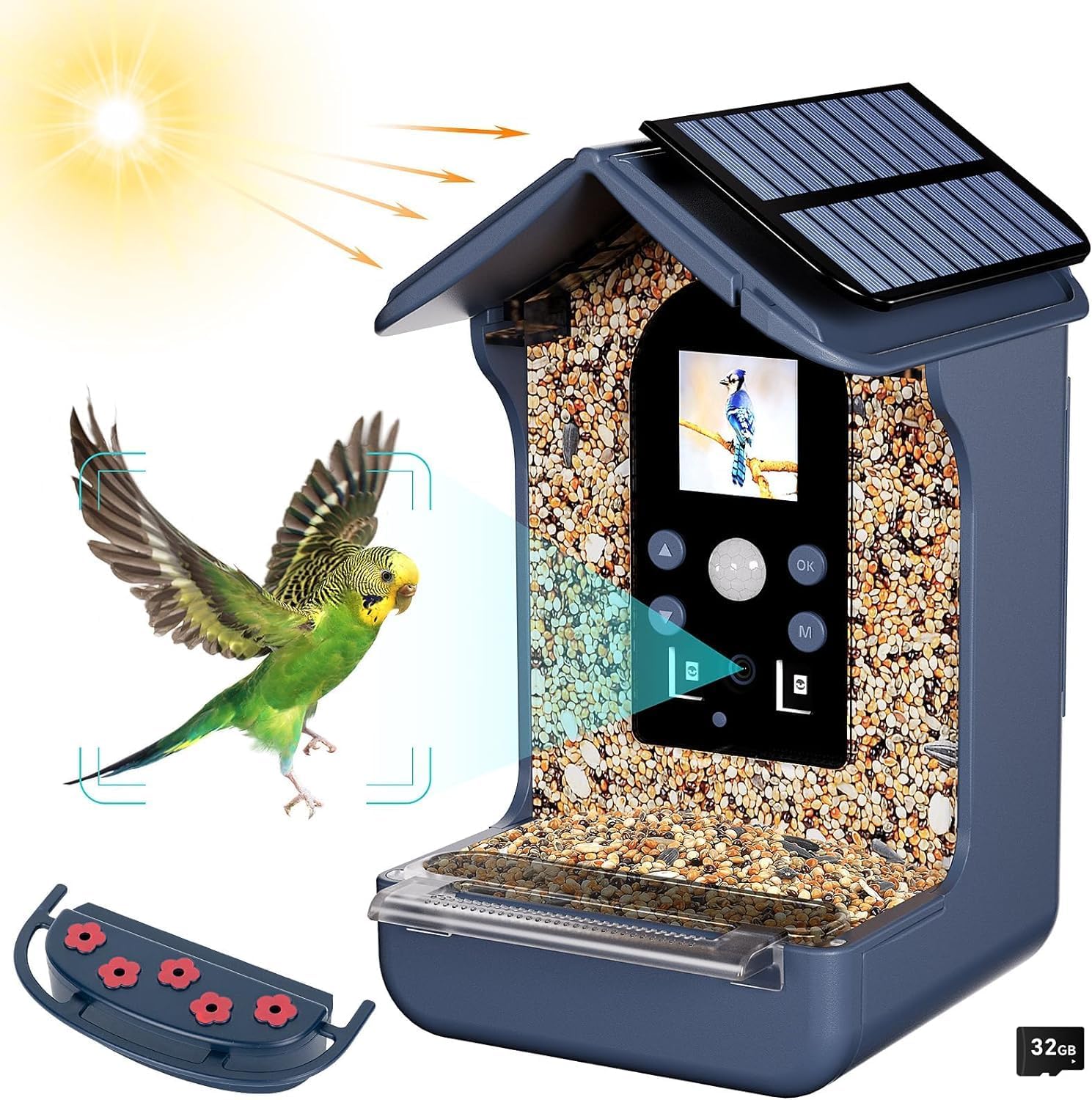
Image: Overview of the Bozily Smart Bird Feeder and its included accessories, such as the hummingbird feeder and water sink attachments.
3. Setup Guide
3.1 Initial Charging
Before first use, fully charge the integrated lithium battery using the provided USB-C cable. Connect the cable to the feeder's charging port and a standard USB power adapter (not included). The solar panel will maintain the charge during daylight hours, but an initial full charge ensures readiness.
3.2 TF Card Installation
Locate the TF card slot on the camera module. Insert the included 32GB TF card firmly until it clicks into place. Ensure the card is inserted correctly to avoid damage. This card stores all recorded photos and videos.
3.3 Mounting the Feeder
The bird feeder can be mounted using the provided strap or clamp. Choose a location that offers a clear view of bird activity, is easily accessible for refilling, and receives ample sunlight for the solar panel.
- Strap Mounting: Wrap the strap around a tree trunk or pole and secure the feeder.
- Clamp Mounting: Attach the clamp to a suitable surface and then secure the feeder.

Image: The bird feeder securely mounted on a tree, illustrating the internal rechargeable battery and the solar panel on the roof.
3.4 Filling the Feeder
The feeder offers dual options for attracting different bird species:
- Seed/Nectar Tray: Fill the main compartment with bird seeds. For hummingbirds, attach the specialized hummingbird feeder attachment and fill it with nectar.
- Water Sink: Use the separate water sink attachment to provide fresh water for birds to drink and bathe.

Image: The bird feeder showcasing its two-in-one feeding options: a tray for seeds or nectar (with hummingbird attachment) and a separate water basin.
4. Operating Instructions
4.1 Powering On/Off
The device typically powers on automatically when sufficient light is available for the solar panel or when the battery has charge. There may be a power button on the camera module for manual control; refer to the specific button layout on your device.
4.2 Camera Modes
The camera offers three operational modes, selectable via the control buttons on the camera module:
- Photo Mode: The camera automatically captures a series of photos (e.g., 3/5/10 pictures) when motion is detected.
- Video Mode: The camera automatically records video footage (e.g., 10s/30s/1min/3min) when motion is detected.
- Photo + Video Mode: The camera first captures a series of photos, then immediately records a video clip upon motion detection.

Image: Visual representation of the three available camera modes: Photo, Video, and a combined Photo + Video mode, demonstrating how the camera captures bird activity.
4.3 PIR Motion Detection
The Passive Infrared (PIR) sensor detects movement within approximately 10 meters of the feeder. When a bird enters this detection zone, the camera is triggered to begin recording according to the selected mode. This ensures that only relevant activity is captured, conserving battery life and storage space.
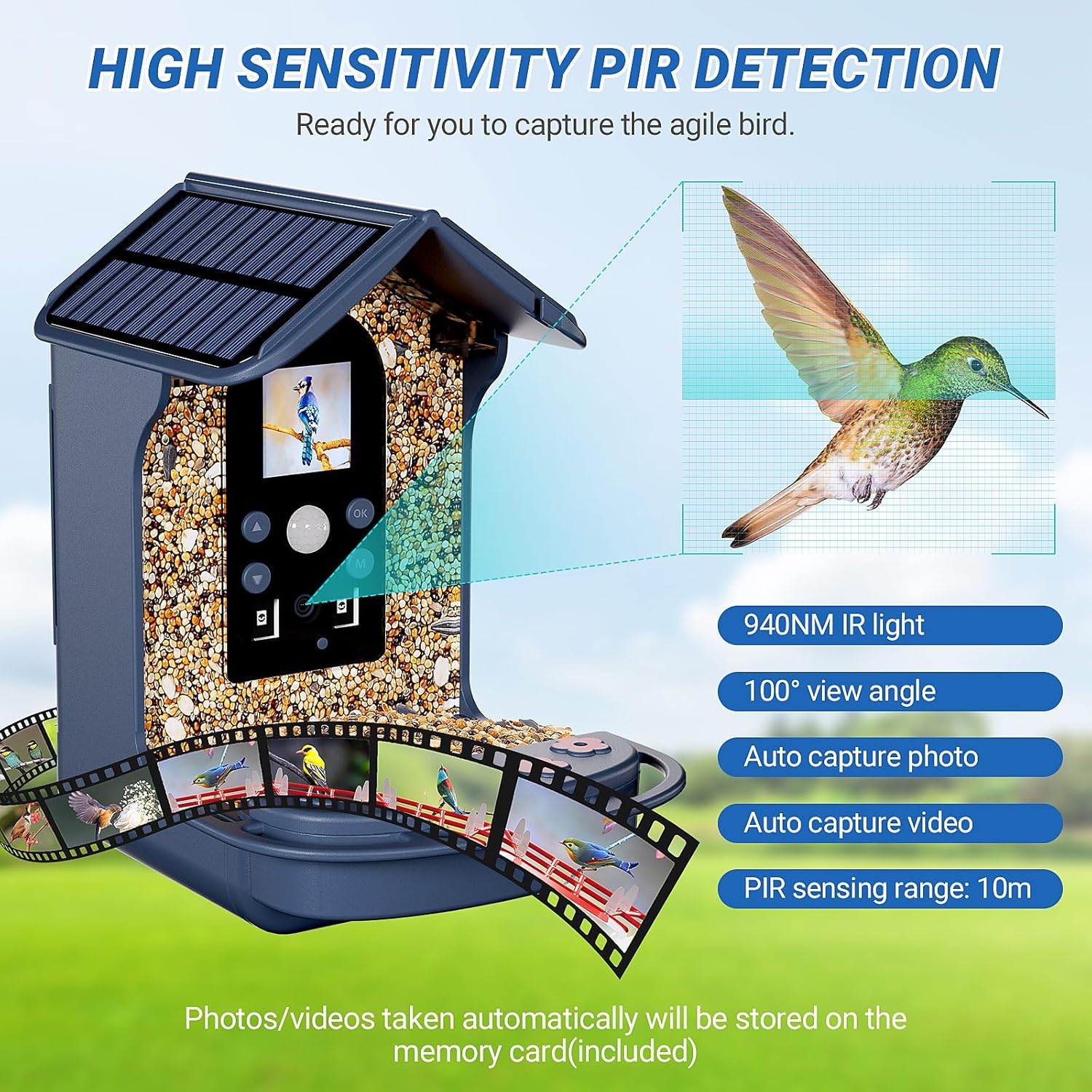
Image: The bird feeder illustrating its high-sensitivity PIR detection, 940NM IR light, 100-degree view angle, and 10-meter sensing range for automatic photo and video capture.
4.4 Day and Night Vision
The camera is equipped for both day and night recording:
- Daytime: Records in full-color 1080P HD, providing clear and vibrant images and videos.
- Nighttime: Automatically activates its 940NM infrared (IR) light in low-light conditions or darkness. Recordings will appear in black and white, allowing for continuous observation without disturbing birds with visible light.

Image: A side-by-side comparison showing the camera's ability to capture 1080P color footage during the day and clear black-and-white footage using 940nm IR at night.
4.5 Viewing Recordings
To view captured photos and videos, remove the TF card from the camera module. Insert the TF card into a compatible card reader connected to your computer or a device that supports TF card playback. You can then transfer, view, and share your recordings.
5. Maintenance
5.1 Cleaning the Feeder
Regular cleaning is essential for bird health and feeder longevity. Clean the seed/nectar trays and water sink regularly with mild soap and water. Rinse thoroughly and allow to dry completely before refilling. Periodically wipe the camera lens with a soft, dry cloth to ensure clear recordings.
5.2 Battery and Solar Panel Care
The integrated solar panel continuously charges the battery during daylight. Ensure the solar panel is free from dirt, leaves, or snow to maximize charging efficiency. If the feeder is in a shaded area or during prolonged cloudy periods, you may need to manually charge the battery using the USB-C cable.
5.3 Waterproof Design
The Bozily Smart Bird Feeder features an IP65 waterproof design, protecting it from rain and snow. This ensures the internal electronics remain dry and the bird feed stays fresh. While designed for outdoor use, avoid submerging the unit in water.

Image: The bird feeder shown enduring various weather conditions, including rain and snow, highlighting its IP65 waterproof construction.
6. Troubleshooting
- Camera not recording or poor quality:
- Ensure the 32GB TF card is correctly inserted and not full. Format the card if necessary (refer to camera module controls).
- Check battery level. Low battery can affect camera performance.
- Clean the camera lens with a soft cloth.
- Verify the PIR sensor is not obstructed and the feeder is placed within the 10-meter detection range.
- Battery not charging via solar panel:
- Ensure the solar panel is exposed to direct sunlight for several hours daily.
- Clean any dirt or debris from the solar panel surface.
- If solar charging is insufficient, use the provided USB-C cable to charge the battery manually.
- No Wi-Fi or App connectivity:
- This model (ABS-50BS) does not feature Wi-Fi connectivity or a dedicated mobile application for live viewing or remote control. All recordings are stored locally on the TF card.
7. Specifications
| Model Number | ABS-50BS |
| Dimensions (L x W x H) | 11.7 x 11.4 x 18 cm (approx. 4.6 x 4.5 x 7.1 inches) |
| Weight | 560 grams (approx. 1.23 lbs) |
| Material | Plastic |
| Power Source | Battery Powered (1000mAh rechargeable lithium battery) with Solar Charging |
| Camera Resolution | 1080P HD |
| Night Vision | 940NM Infrared (IR) Light |
| PIR Detection Range | Up to 10 meters (approx. 33 feet) |
| View Angle | 100° Wide Angle |
| Storage | 32GB TF Card (included) |
| Waterproof Rating | IP65 |
| Target Species | Birds |

Image: Diagram showing the key dimensions of the Bozily Smart Bird Feeder with camera.
8. Warranty and Support
Bozily offers a 90-day worry-free refund and a one-year warranty for this product. If you encounter any issues or have questions regarding your Smart Bird Feeder, please do not hesitate to contact our customer support. We are committed to providing assistance and resolving any problems you may experience.
For support, please refer to the contact information provided on the product packaging or the official Bozily website.