1. Introduction
This manual provides essential instructions for the safe and efficient operation of your Excalibur Performance Series 10-Tray Electric Food Dehydrator, Model DH10SSSS13. Please read all instructions carefully before initial use and retain this manual for future reference. This appliance is designed for dehydrating various food items such as fruits, vegetables, meats, and herbs, utilizing advanced drying technologies for consistent results.

Figure 1.1: Front view of the Excalibur Performance Series 10-Tray Electric Food Dehydrator with food items.
2. Important Safety Information
To reduce the risk of fire, electric shock, or injury, always follow basic safety precautions when using electrical appliances. This includes:
- Read all instructions before operating the dehydrator.
- Do not touch hot surfaces. Use handles or knobs.
- To protect against electrical hazards, do not immerse the cord, plugs, or the appliance housing in water or other liquids.
- Close supervision is necessary when any appliance is used by or near children.
- Unplug from outlet when not in use and before cleaning. Allow to cool before putting on or taking off parts.
- Do not operate any appliance with a damaged cord or plug, or after the appliance malfunctions or has been damaged in any manner.
- The use of accessory attachments not recommended by the appliance manufacturer may cause injuries.
- Do not use outdoors.
- Do not let the cord hang over the edge of a table or counter, or touch hot surfaces.
- Do not place on or near a hot gas or electric burner, or in a heated oven.
- Always attach the plug to the appliance first, then plug the cord into the wall outlet. To disconnect, turn any control to 'off', then remove the plug from the wall outlet.
- Do not use the appliance for other than intended use.
- This appliance has a polarized plug (one blade is wider than the other). To reduce the risk of electric shock, this plug is intended to fit into a polarized outlet only one way. If the plug does not fit fully into the outlet, reverse the plug. If it still does not fit, contact a qualified electrician. Do not attempt to modify the plug in any way.
3. Product Components
Your Excalibur Performance Series Dehydrator includes the following main components:
- Dehydrator Unit: The main housing containing the heating element, fan, and control panel.
- Stainless Steel Trays (10): For holding food items during dehydration.
- Crumb Tray (1): Located at the bottom to catch any food debris.
- Plastic Mesh Tray (1): Can be used for smaller items or to prevent sticking.
- Glass Drawbridge Door: Provides visibility and easy access to trays.
- Top View Window: Allows observation of the drying process without opening the door.
- LED Touchscreen Control Panel: For setting temperature and time.
- Power Cord: For connecting the unit to an electrical outlet.
- 'Preserve It Naturally' Book: A guide for recipes and preservation techniques.

Figure 3.1: Key features and components of the dehydrator.

Figure 3.2: Included accessories: stainless steel trays, crumb tray, mesh tray, and recipe book.
4. Setup and First Use
- Unpacking: Carefully remove the dehydrator and all accessories from the packaging. Retain packaging for storage or future shipping.
- Initial Cleaning: Before first use, wipe the interior and exterior of the dehydrator unit with a damp cloth. Wash the stainless steel trays, crumb tray, and plastic mesh tray with warm, soapy water. Rinse thoroughly and air dry. Do not wash the main unit in water.
- Placement: Place the dehydrator on a stable, level, heat-resistant surface. Ensure there is adequate air circulation around the unit, at least 6 inches (15 cm) of space on all sides. Do not place it near heat sources or flammable materials.
- Tray Installation: Insert the stainless steel trays into the designated slots within the dehydrator. The crumb tray should be placed at the very bottom.
- Power Connection: Plug the power cord into a grounded 120V AC electrical outlet.
5. Operating Instructions
The Excalibur Performance Series Dehydrator features an intuitive LED touchscreen control panel for easy operation.
5.1. Preparing Food for Dehydration
- Wash and prepare food items according to specific recipes or guidelines (e.g., slicing fruits, blanching vegetables, marinating meats).
- Arrange food in a single layer on the stainless steel trays, ensuring adequate space between pieces for optimal airflow. Do not overlap food.
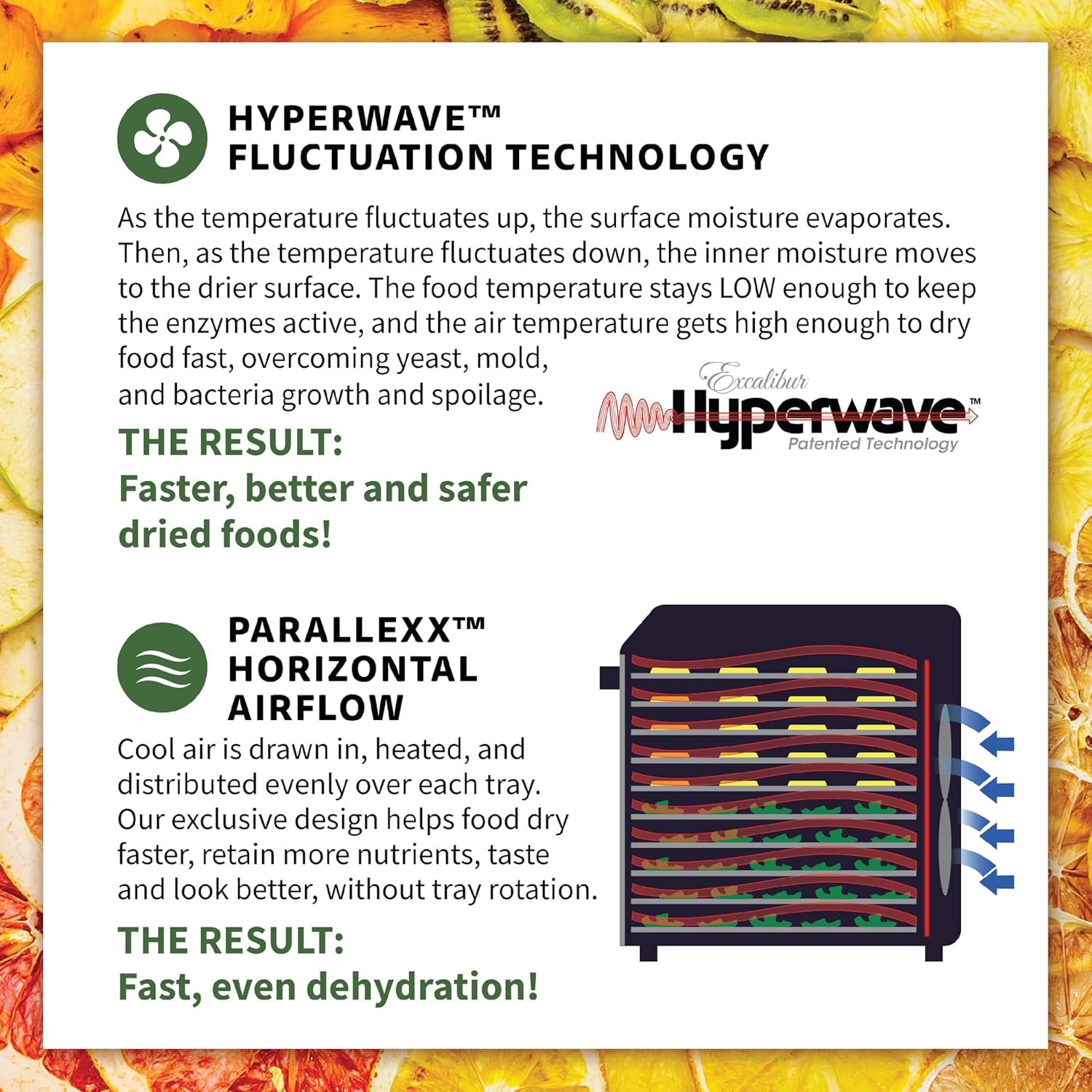
Figure 5.1: Trays loaded with various food items for dehydration.
5.2. Setting Temperature and Time
- Power On: Press the power button on the LED touchscreen.
- Set Temperature: Use the temperature control buttons (up/down arrows) to select the desired drying temperature. The range is 85°F to 165°F (29°C to 74°C). Refer to your recipe or a reliable dehydration guide for recommended temperatures.
- Set Timer: Use the timer control buttons (up/down arrows) to set the desired drying duration. The timer can be set for up to 80 hours.
- Start Dehydration: Press the start button to begin the dehydration process. The LED progress bar will illuminate to indicate operation.
5.3. Monitoring and Advanced Technologies
The dehydrator features Hyperwave Fluctuation Technology and Paralexx Horizontal Airflow to ensure efficient and even drying without tray rotation.
- Hyperwave Technology: The temperature fluctuates up and down, causing the surface moisture to evaporate. The inner moisture then moves to the drier surface. This keeps enzymes active and dries food quickly, preventing yeast, mold, and bacteria growth.
- Paralexx Airflow: Cool air is drawn in, heated, and distributed horizontally across each tray. This design ensures uniform drying and nutrient retention.
- Viewing Windows: The glass drawbridge door and top view window allow you to monitor the drying progress without opening the unit, maintaining a stable drying environment.
- LED Progress Bar: Provides a visual indication of the drying cycle's progression.

Figure 5.2: Example of jerky being dehydrated on the trays.
5.4. Removing Dehydrated Food
Once the drying cycle is complete and food has reached the desired dryness, turn off the dehydrator and unplug it. Allow the food to cool completely before storing it in airtight containers.

Figure 5.3: Opening the drawbridge door to access dried items.
6. Care and Maintenance
6.1. Cleaning
- Always unplug the dehydrator and allow it to cool completely before cleaning.
- Trays and Mesh: Hand wash the stainless steel trays and plastic mesh tray with warm, soapy water. Rinse thoroughly and air dry. Do not place these items in a dishwasher as it may affect their longevity.
- Crumb Tray: Remove and empty the crumb tray. Wash with warm, soapy water, rinse, and dry.
- Dehydrator Interior/Exterior: Wipe the interior and exterior surfaces of the dehydrator unit with a damp cloth. For stubborn stains, use a mild detergent. Ensure no water enters the control panel or fan area.
- Do not use abrasive cleaners or scouring pads, as they may scratch surfaces.
6.2. Storage
Store the dehydrator in a clean, dry place when not in use. Ensure all components are clean and dry before storage.
7. Troubleshooting
If you encounter issues with your dehydrator, refer to the following common problems and solutions:
| Problem | Possible Cause | Solution |
|---|---|---|
| Dehydrator does not turn on. | No power, loose plug, or tripped circuit breaker. | Check power cord connection. Ensure outlet is functional. Reset circuit breaker if necessary. |
| Food not drying evenly. | Overloaded trays, improper food preparation, or blocked airflow. | Ensure food is in a single layer with space for airflow. Slice food uniformly. Do not overload trays. |
| Drying takes too long. | Temperature too low, food too thick, or high humidity. | Increase temperature (within recommended range). Slice food thinner. Consider environmental humidity. |
| Unusual odors during operation. | New appliance odor, food residue, or foreign object. | Initial odors are normal. Ensure unit is clean. Check for any foreign objects. If odor persists or is strong/burning, unplug immediately. |
If the problem persists after attempting these solutions, please contact customer support.
8. Specifications
| Feature | Detail |
|---|---|
| Model Number | DH10SSSS13 |
| Brand | Excalibur |
| Material | Glass, Stainless Steel (Food Safe) |
| Color | Black |
| Wattage | 800 watts |
| Voltage | 120V |
| Product Dimensions (D x W x H) | 20.67" x 15.75" x 17.32" |
| Item Weight | 26.9 Pounds |
| Number of Trays | 10 |
| Temperature Range | 85°F - 165°F |
| Timer | Up to 80 hours |
| Dishwasher Safe | No (for trays and mesh) |
| UPC | 029743001464 |

Figure 8.1: Product dimensions.
9. Warranty and Support
For warranty information, please refer to the documentation included with your purchase or visit the official Excalibur website. Excalibur offers various protection plans for extended coverage. For technical support, replacement parts, or general inquiries, please contact Excalibur customer service directly.
Manufacturer: Excalibur
Website: Excalibur Official Store


