1. Introduction
This manual provides essential information for the safe and efficient operation of your VW 43-inch QL Frameless Series 4K Ultra HD Smart QLED TV. Please read this manual thoroughly before using the product and retain it for future reference.

Image: Front view of the VW 43-inch QL Frameless Series 4K Ultra HD Smart QLED TV, showcasing its frameless design and vibrant display.
2. Safety Information
Observe the following safety precautions to prevent damage to the TV and ensure personal safety:
- Do not block ventilation openings.
- Do not place the TV near heat sources or in direct sunlight.
- Protect the power cord from being walked on or pinched.
- Unplug the TV during lightning storms or when unused for long periods.
- Refer all servicing to qualified service personnel.
- Avoid exposing the TV to rain or moisture.
- Do not open the TV casing; there are no user-serviceable parts inside.
3. Package Contents
Verify that all items are present in the packaging:
- 1 LED TV
- 2 Table Stand Bases
- 1 Wall Mount Bracket
- 1 Warranty Card
- 1 Remote Control (Magic Remote)
4. Setup
4.1 Mounting the TV
Your TV can be mounted on a table stand or a wall. Ensure the mounting surface is stable and can support the TV's weight.
- Table Stand Installation: Attach the two table stand bases to the bottom of the TV using the provided screws. Place the TV on a flat, stable surface.
- Wall Mount Installation: Use the included wall mount bracket. Follow the instructions provided with the wall mount for secure installation. Professional installation is recommended for wall mounting.
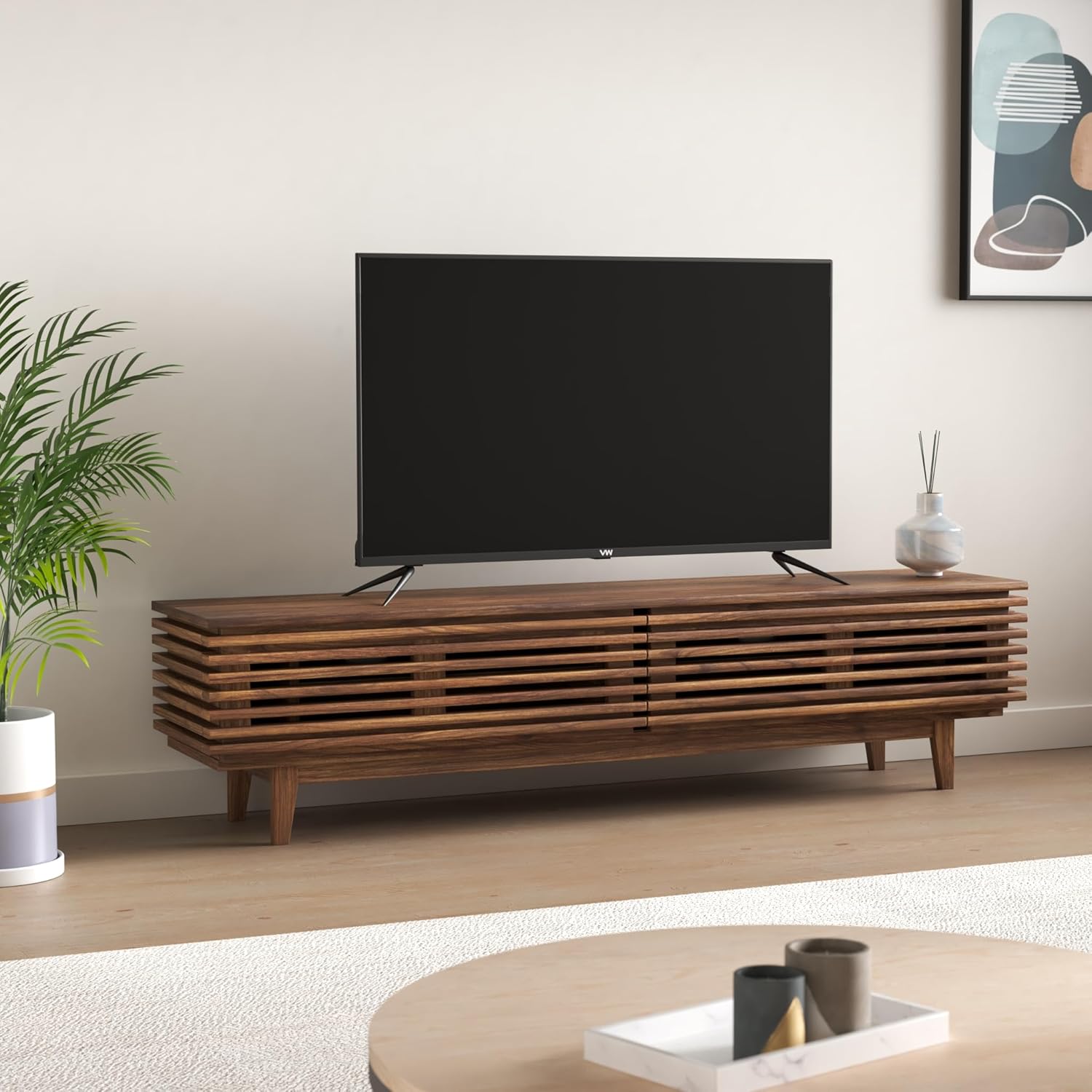
Image: The VW 43-inch QLED TV placed on a modern TV stand in a living room setting.
4.2 Connecting Peripherals
Connect external devices to your TV using the available ports. Refer to the image below for port locations.
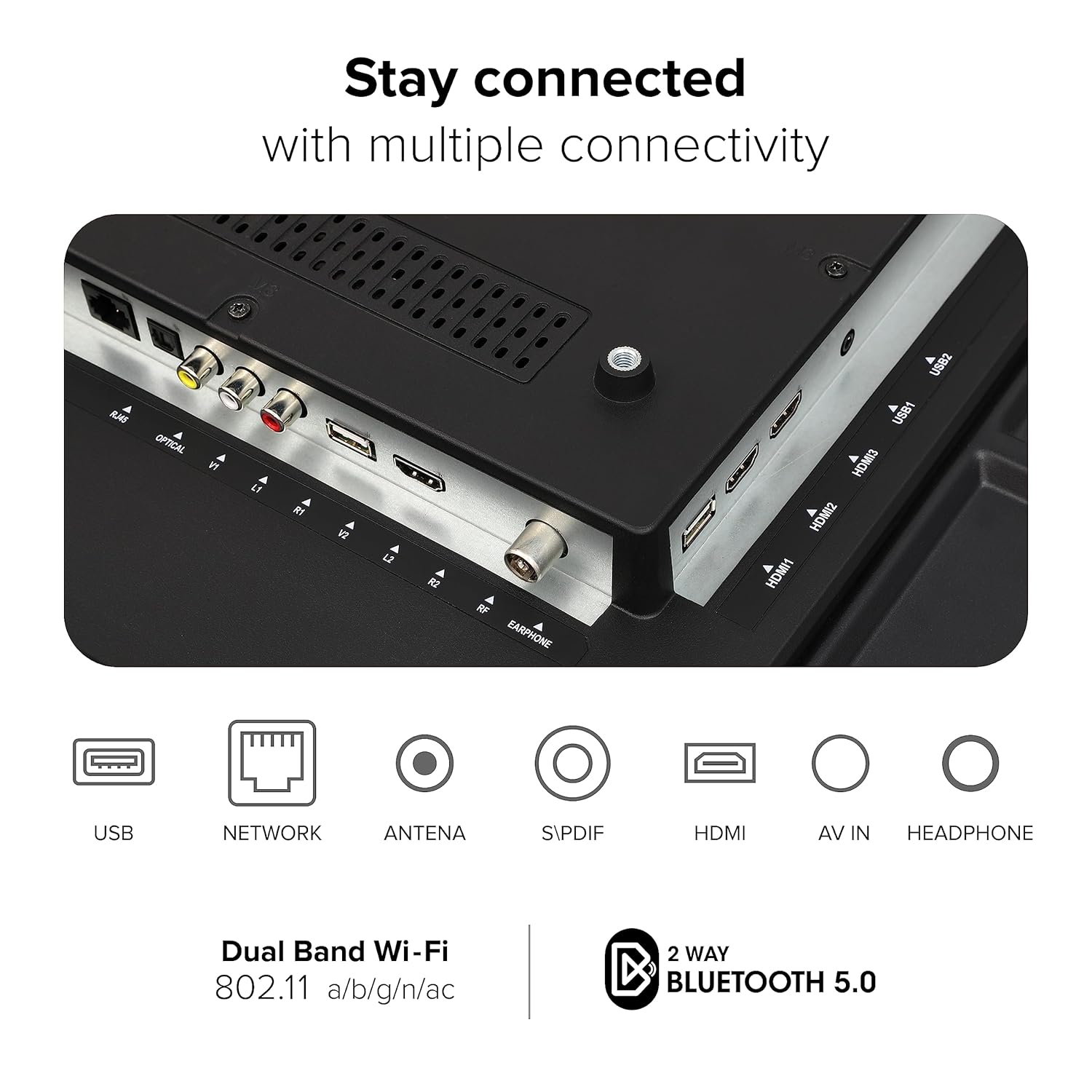
Image: Detailed view of the rear panel of the VW QLED TV, highlighting various connectivity ports including USB, Network, Antenna, S/PDIF, HDMI, AV In, and Headphone jacks.
- HDMI Ports (3): Connect gaming consoles, set-top boxes, Blu-ray players.
- USB Ports (2): Connect hard drives and other USB devices for media playback.
- Optical Output: For connecting to external audio systems.
- Ethernet Port: For wired internet connection.
- AV In: For connecting older devices with composite video and stereo audio.
- Headphone Jack: For private listening.
5. Operating the TV
5.1 Initial Setup and webOS TV
Upon first power-on, the TV will guide you through the initial setup process, including language selection, network connection, and channel scanning. The TV operates on webOS TV, providing a user-friendly interface.

Image: Screenshot of the webOS TV home screen, displaying recent input, TV functions, and a selection of popular streaming applications like Netflix, YouTube, and Prime Video.
5.2 Magic Remote Control
The included Magic Remote offers intuitive control over your TV and compatible connected devices.

Image: Diagram illustrating the features of the Magic Remote, including Air Mouse, Universal Control, Quick Access Buttons, Voice Control, Scroll Wheel, and dedicated hotkeys for Netflix and Prime Video.
- Air Mouse: Use the remote as a pointer for on-screen navigation.
- Voice Control: Utilize the ThinQ AI Voice Assistant for commands and searches.
- Universal Control: Manage compatible connected devices with a single remote.
- Quick Access Buttons: Customize shortcuts to your favorite apps or functions.
- Scroll Wheel: For easy scrolling through content.
- Dedicated Hotkeys: Direct access to popular streaming services like Netflix and Prime Video.
5.3 Smart TV Features
- ThinQ AI Voice Assistant: Control your TV and search for content using voice commands.
- Miracast: Wirelessly mirror content from compatible devices to your TV.
- Apple AirPlay & Apple Home: Stream content from Apple devices and integrate with your Apple Home ecosystem.
- Supported Applications: Access a wide range of apps including Netflix, YouTube, Prime Video, Disney+ Hotstar, SonyLiv, Zee5, Apple TV, Apple Music, Jio Cinema, and more.
- Personalized Settings: Customize picture and sound settings within individual applications.
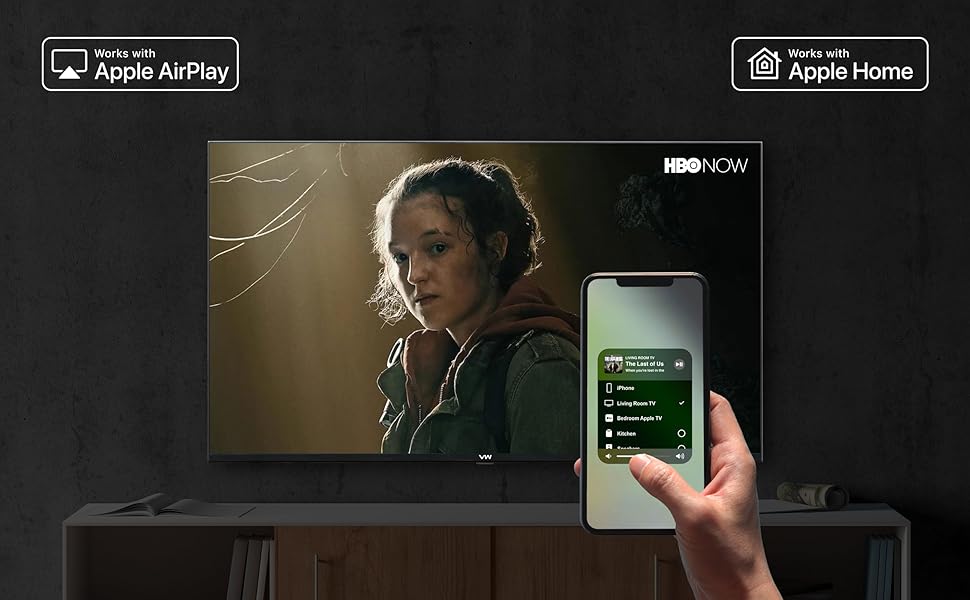
Image: An iPhone screen demonstrating Apple AirPlay functionality, mirroring content to the VW QLED TV, and showing integration with Apple Home for smart device control.
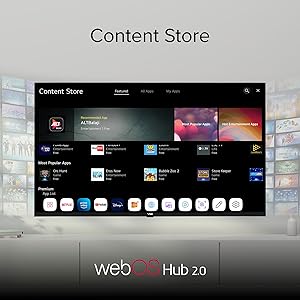
Image: The webOS Hub 2.0 Content Store interface on the VW QLED TV, displaying various categories like Featured, All Apps, and My Apps, with numerous application icons.
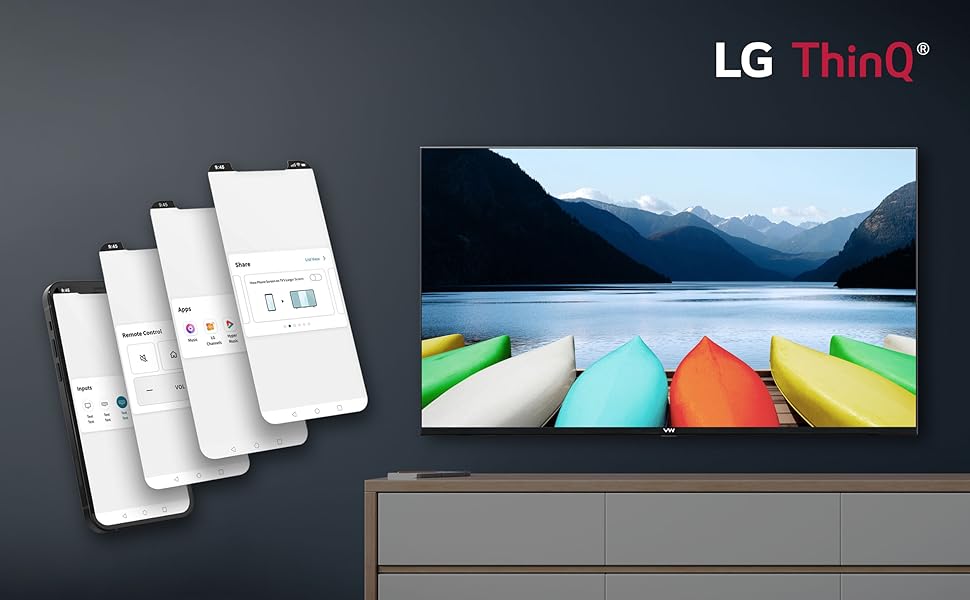
Image: Multiple smartphone screens showing the LG ThinQ app interface, demonstrating remote control, app management, and input selection for the VW QLED TV.
5.4 Gaming Features
The TV includes features optimized for gaming, such as a 60Hz refresh rate and a dedicated Game Dashboard.
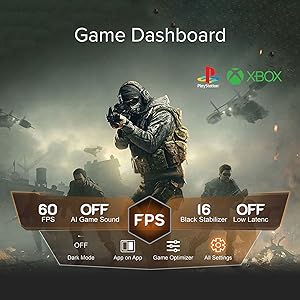
Image: The Game Dashboard interface on the VW QLED TV, showing settings for FPS, AI Game Sound, Black Stabilizer, Low Latency, Dark Mode, and Game Optimizer, with PlayStation and Xbox logos in the background.
6. Display and Audio Features
6.1 Display Technology
The VW QLED TV offers advanced display technologies for a superior viewing experience.

Image: A collage highlighting key features of the VW QLED TV, such as QLED DCI-P3 94%, 60Hz Game Accelerator, MEMC, Apple AirPlay, Dolby Audio, 4K Upscaling, LG ThinQ, 1.5GB RAM, 8GB ROM, HDR10+, and HLG.
- QLED Display: Quantum Dot LED technology delivers enhanced color volume and brightness, featuring 1.1 Billion Colors.
- 4K Ultra HD Resolution: (3840 x 2160) for sharp and detailed images.
- HDR10+ & HLG: Support for High Dynamic Range formats provides greater contrast and a wider range of colors.
- MEMC (Motion Estimation, Motion Compensation): Reduces motion blur and image judder for smoother fast-moving scenes.
- AMO Technology: Further enhances display performance.
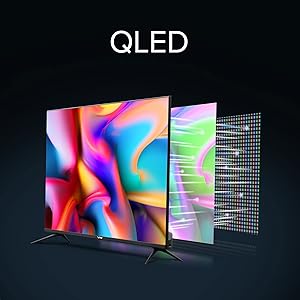
Image: Diagram illustrating the layers of a QLED display, showing how quantum dots enhance color and brightness compared to traditional LED screens.
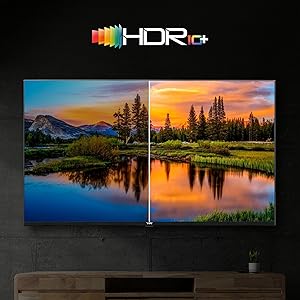
Image: A split-screen comparison demonstrating the enhanced contrast and color vibrancy of HDR10+ content versus standard dynamic range content on the VW QLED TV.
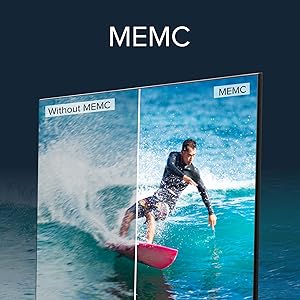
Image: A split-screen comparison showing the effect of MEMC (Motion Estimation, Motion Compensation) technology, with the MEMC side displaying smoother motion for a surfing scene compared to the non-MEMC side.
6.2 Audio System
- 30 Watts Output: Powerful speakers deliver clear audio.
- Dolby Audio: Provides an immersive sound experience.
7. Maintenance
Proper maintenance ensures the longevity and optimal performance of your TV:
- Cleaning the Screen: Gently wipe the screen with a soft, dry, lint-free cloth. For stubborn marks, use a screen-specific cleaning solution applied to the cloth, not directly to the screen.
- Cleaning the Casing: Use a soft, dry cloth to clean the TV casing. Avoid using abrasive cleaners or solvents.
- Ventilation: Ensure the ventilation openings on the back of the TV are not blocked to prevent overheating.
- Power Cord: Regularly check the power cord for any damage. If damaged, replace it immediately with an approved cord.
8. Troubleshooting
If you encounter issues with your TV, refer to the following common solutions:
- No Power: Ensure the power cord is securely plugged into both the TV and a working power outlet. Check the power indicator light on the TV.
- No Picture/Sound: Verify that the correct input source is selected. Check all cable connections (HDMI, AV).
- Remote Control Not Working: Check the batteries in the Magic Remote. Ensure there are no obstructions between the remote and the TV. Re-pair the remote if necessary (refer to the on-screen instructions).
- No Internet Connection: Check your Wi-Fi router and internet service. For Wi-Fi, ensure the correct password is entered. For wired connection, check the Ethernet cable.
- Poor Picture Quality: Adjust picture settings (brightness, contrast, sharpness). Ensure the input source is providing a high-quality signal.
For persistent issues, contact customer support.
9. Specifications
| Brand | VW |
| Model | VW43QUW1 |
| Screen Size | 43 Inches (109 cm) |
| Display Technology | QLED |
| Resolution | 4K Ultra HD (3840 x 2160) |
| Refresh Rate | 60 Hertz |
| Operating System | webOS |
| RAM | 1.5 GB |
| Storage (ROM) | 8 GB |
| Processor | IMG BXE4 GPU (700Mhz) / Realtek ARM Quad Core |
| Sound Output | 30 Watts |
| Audio Technology | Dolby Audio |
| HDMI Ports | 3 |
| USB Ports | 2 |
| Wireless Connectivity | Dual Band Wi-Fi (802.11 a/b/g/n/ac), Bluetooth 5.0 |
| Special Features | QLED display, 4K HDR, HDR10+, HLG, MEMC, Magic Remote, ThinQ AI Voice Assistant, Apple AirPlay, Apple Home |
| Product Dimensions (LxWxH) | 109 x 9 x 57 cm |
| Item Weight | 8.2 kg |

Image: Diagram showing the dimensions of the VW QLED TV, including height (57cm/22.44in), length (97cm/38.19in), and base width (22cm/8.66in), with a diagonal screen size of 109cm/42.91in.
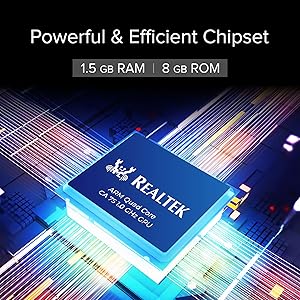
Image: Close-up of the Realtek ARM Quad Core chipset, highlighting the powerful and efficient processing unit within the VW QLED TV.
10. Warranty and Support
Warranty Information: Your VW QLED TV comes with a 12-month warranty provided by the manufacturer from the date of purchase.
Manufacturer: Beston Sky Vision Pvt Ltd
Contact Information:
- Address: A-51, Sector 63 Rd, A Block, Sector 63, Noida, Uttar Pradesh, India-201301
- Phone: 9532730000
- Email: info@bestonskyvision.com
- Importer Contact: 18001020777
For technical assistance or warranty claims, please contact the manufacturer directly using the provided details.