
1. Product Overview
The Navaris Dual Monitor Stand Riser is designed to elevate computer monitors to an ergonomic eye-level, promoting a more comfortable workspace. This stand also provides additional storage space underneath for keyboards, mice, and other desk accessories, contributing to a tidy and organized desk environment. Constructed from real wood, it offers a durable and stable platform for your display equipment.
Key Features:
- Ergonomic Design: Elevates monitors to eye level for improved posture.
- Space-Saving: Creates storage area beneath the stand.
- Dual Monitor Support: Wide design accommodates two monitors or a single large display.
- Durable Construction: Built to support significant weight.
- Wood Finish: Features a natural wood aesthetic.
2. Package Contents
Please verify that all components are present before beginning assembly:
- 1 x Wooden double monitor stand (main board)
- 2 x Side boards (legs)
- 4 x Mounting screws
- 4 x Connectors

Image: The monitor stand disassembled, showing the main board and two side boards.
3. Setup and Assembly
Assembly of the Navaris Dual Monitor Stand Riser is straightforward and requires no special tools. Follow these steps:
- Identify Components: Lay out the main board, two side boards, four mounting screws, and four connectors.
- Attach Side Boards: Align one side board with the pre-drilled holes at one end of the main board. Insert two mounting screws through the main board into the side board. Secure with the provided connectors on the underside.
- Repeat for Second Side Board: Attach the second side board to the opposite end of the main board using the remaining two mounting screws and connectors.
- Tighten Connections: Ensure all screws and connectors are securely tightened to provide a stable structure. Avoid over-tightening.
- Position Stand: Place the assembled monitor stand on your desk in the desired location.
4. Operating Instructions
Once assembled, the monitor stand is ready for use. Observe the following guidelines:
- Monitor Placement: Carefully place one or two monitors on the top surface of the stand. Ensure the weight is evenly distributed. The stand is designed to accommodate two standard monitors side-by-side.
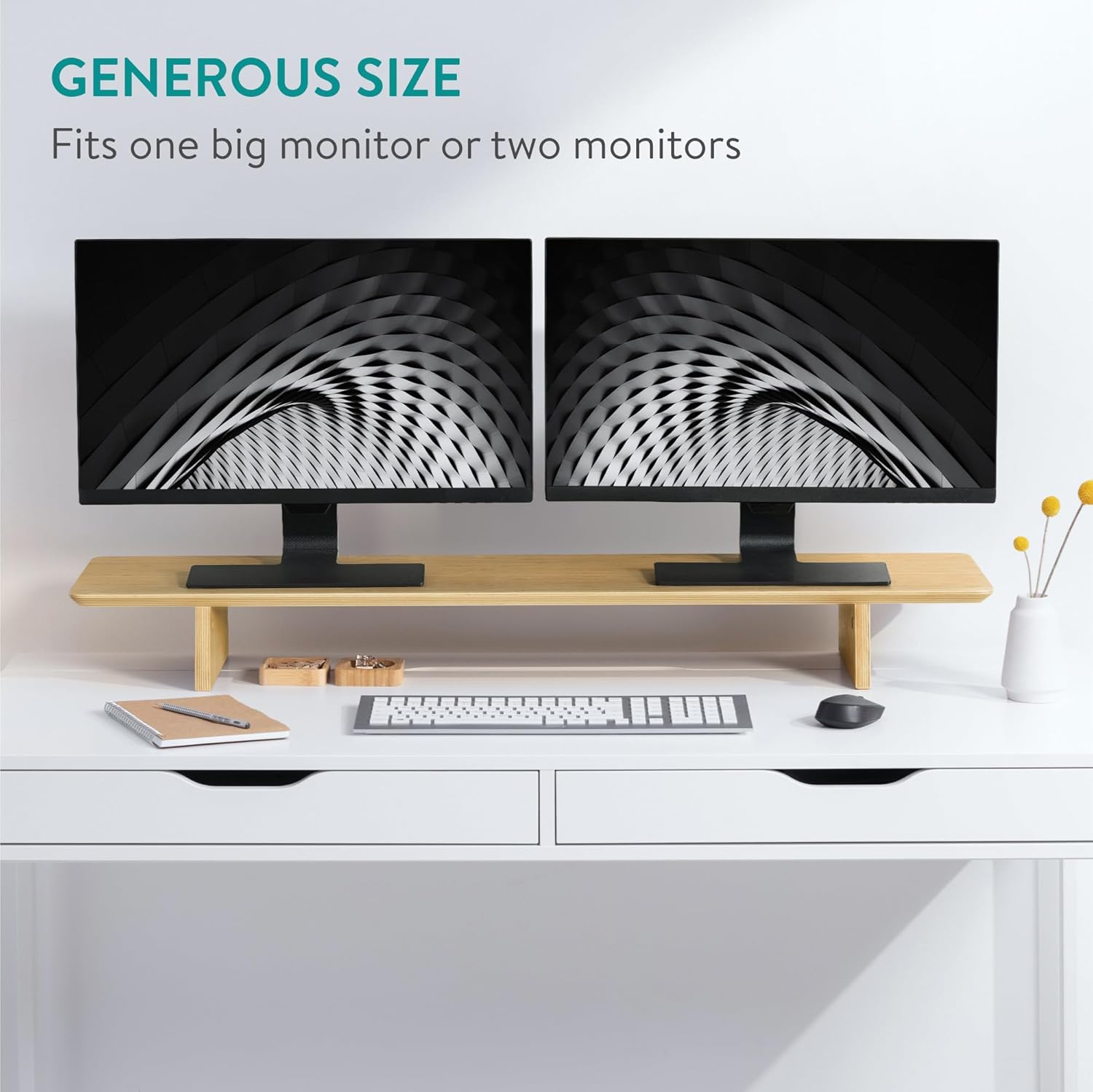
Image: The monitor stand supporting two computer monitors, demonstrating its generous size.
- Ergonomic Positioning: Adjust your monitors so that the top of the screen is at or slightly below eye level when you are seated comfortably. This helps maintain proper neck and back alignment.

Image: A monitor placed on the stand, illustrating how it raises the screen to eye level for ergonomic viewing.
- Under-Shelf Storage: Utilize the space beneath the stand to store your keyboard, mouse, notebooks, or other office supplies when not in use. This helps to declutter your desk surface.

Image: A keyboard and mouse neatly stored underneath the monitor stand, showcasing the available storage space.
5. Maintenance
To ensure the longevity and appearance of your Navaris Dual Monitor Stand Riser, follow these maintenance tips:
- Cleaning: Wipe the stand with a soft, dry, or slightly damp cloth. Avoid using harsh chemicals, abrasive cleaners, or excessive moisture, as these can damage the wood finish.
- Spills: In case of spills, wipe them immediately with a dry cloth to prevent water damage or staining.
- Sunlight Exposure: Avoid prolonged exposure to direct sunlight, which can cause the wood to fade or dry out.
- Weight Capacity: Do not exceed the maximum weight capacity of 110 lbs (50 kg) to prevent damage to the stand or your equipment.
6. Troubleshooting
If you encounter any issues with your monitor stand, consider the following:
- Instability: If the stand feels wobbly, check all mounting screws and connectors to ensure they are securely tightened. Uneven desk surfaces can also contribute to instability; consider using a leveling pad if necessary.
- Missing Parts: If any components were missing upon unboxing, please contact the seller or manufacturer's customer support for assistance.
- Damage During Assembly: If a component was damaged during assembly, cease assembly and contact customer support.
7. Specifications
| Feature | Detail |
|---|---|
| Model | B0C89ZL2R7 |
| Material | Wood (Bamboo) |
| Color | Light Brown |
| Dimensions (L x W x H) | 42.91 x 9.06 x 4.72 inches (109cm x 23cm x 12cm) |
| Item Weight | 3800 Grams |
| Load Capacity | 110 lbs (50 kg) |
| Number of Levels | 1 |
| Assembly Required | Yes |

Image: Visual representation of the monitor stand's dimensions and its maximum weight capacity.
8. Warranty and Support
This Navaris product is covered by standard consumer rights and guarantees. For any questions, concerns, or to report missing or damaged parts, please contact the seller or manufacturer directly through your purchase platform. Provide your product model number (B0C89ZL2R7) and details of the issue for prompt assistance.