
Wellshave HY-6005
Wellshave 2-in-1 Premium Hair Trimmer User Manual
Model: HY-6005
1. Product Overview
The Wellshave 2-in-1 Premium Hair Trimmer is designed for precise and comfortable grooming of nose and ear hair, as well as detailed eyebrow trimming. Featuring a powerful 8,000 RPM motor and SafeShave blades, it ensures efficient and pain-free hair removal. Its compact and lightweight design makes it ideal for both home use and travel.

Image 1.1: The Wellshave 2-in-1 Nose Trimmer set, highlighting its SkinGuard™ Technology for safe and painless trimming, powerful motor to prevent pulling, and sharp blades for a perfect shave.
2. Package Contents
Please check the box for the following items:
- Trimmer Unit
- Nose Trimmer Attachment
- Detail Trimmer Attachment
- USB Charging Cable
- User Manual

Image 2.1: Visual representation of the complete 2-in-1 nose trimmer set package contents, including the main trimmer unit, two attachments, charging cable, and manual.
3. Safety Instructions
To ensure safe operation and prolong the life of your trimmer, please read and follow these instructions carefully:
- Keep the device dry. Do not immerse the trimmer in water or use it in wet environments like showers or bathtubs.
- Do not attempt to disassemble or repair the trimmer yourself. Contact customer support for assistance.
- Keep out of reach of children. This device is not a toy.
- Use only the provided charging cable. Do not use damaged cables or chargers.
- Avoid applying excessive pressure to the skin during trimming to prevent irritation or injury.
- If you experience any discomfort or irritation, discontinue use immediately.
4. Setup
4.1 Charging the Trimmer
Before first use, fully charge the trimmer. Connect the USB charging cable to the trimmer's charging port and plug the other end into a compatible USB power source (e.g., computer, wall adapter). The LED indicator will show the charging status:
- Red Light: Battery is low and needs charging.
- White Light: Battery level is good.
A full charge takes approximately 3 hours and provides up to 1 hour of continuous use.

Image 4.1: Illustration of the USB rechargeable feature, showing the trimmer connected to a USB port and indicating a 3-hour charge time for 1 hour of use.
4.2 Attaching/Changing Trimmer Heads
The Wellshave trimmer comes with two interchangeable heads: a Nose Trimmer attachment and a Detail Trimmer attachment. To change heads:
- Ensure the trimmer is turned off.
- Gently twist and pull the current attachment upwards to remove it from the main unit.
- Align the desired attachment with the main unit and push it down firmly until it clicks into place.

Image 4.2: Depiction of the two multifunctional attachments: the Nose Trimmer for nose and eyebrow hair, and the Detail Trimmer for eyebrows and difficult spots.

Image 4.3: Shows the battery indicator (red light for low battery) and illustrates the easy process of changing trimmer attachments.
5. Operating Instructions
5.1 Using the Nose Trimmer Attachment
The nose trimmer attachment is designed for safely and effectively trimming nose and ear hair.
- Ensure the nose trimmer attachment is securely installed.
- Turn on the trimmer by pressing the power button.
- Gently insert the trimmer tip into your nostril or ear canal, no more than 5mm.
- Move the trimmer in a circular motion to trim unwanted hair. Avoid pushing too deep or applying excessive pressure.
- After use, turn off the trimmer and clean the attachment.
5.2 Using the Detail Trimmer Attachment
The detail trimmer attachment is perfect for shaping eyebrows and trimming hair in other difficult-to-reach areas.
- Ensure the detail trimmer attachment is securely installed.
- Turn on the trimmer.
- Carefully guide the trimmer along the desired area, such as the eyebrow line, to remove stray hairs or shape.
- Use short, gentle strokes.
- After use, turn off the trimmer and clean the attachment.

Image 5.1: A man demonstrating the use of the detail trimmer attachment for precise eyebrow grooming.
5.3 Safe Trimming with SkinGuard™ Technology
The Wellshave trimmer incorporates unique SkinGuard™ Technology designed to provide a safe and comfortable trimming experience. This technology helps to:
- Prevent hair pulling.
- Avoid nicks and cuts.
- Minimize skin irritation.
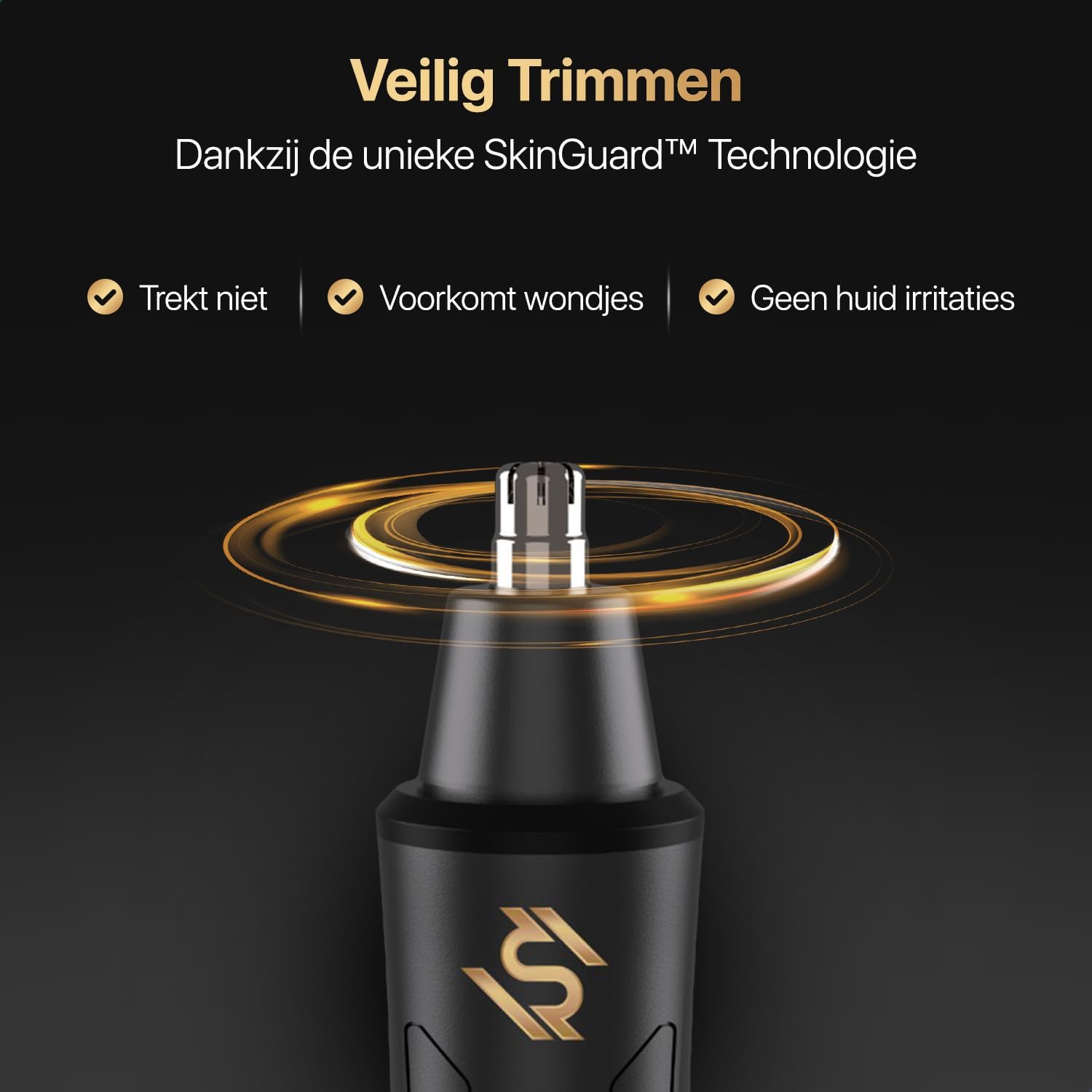
Image 5.2: Highlights the benefits of SkinGuard™ Technology, ensuring safe trimming without pulling, nicks, or skin irritation.
6. Maintenance and Cleaning
Regular cleaning ensures optimal performance and hygiene of your trimmer.
- Turn off the trimmer before cleaning.
- Remove the trimmer attachment.
- Rinse the attachment head under running water to remove hair clippings. The main trimmer body is not waterproof and should not be rinsed.
- Use the included cleaning brush (if applicable) to brush away any stubborn hair from the blades and inside the attachment.
- Allow the attachment to air dry completely before reattaching it to the trimmer body or storing.
- Store the trimmer in a cool, dry place away from direct sunlight.
7. Troubleshooting
If you encounter any issues with your Wellshave trimmer, please refer to the following common problems and solutions:
| Problem | Possible Cause | Solution |
|---|---|---|
| Trimmer does not turn on. | Battery is depleted. | Charge the trimmer for at least 3 hours. |
| Poor trimming performance. | Hair clippings are clogging the blades. | Clean the trimmer head thoroughly. |
| Trimmer pulls hair. | Blades are dull or clogged. | Ensure the trimmer is fully charged. Clean the blades. If problem persists, contact support. |
| LED indicator is red after charging. | Trimmer not fully charged or charging cable issue. | Ensure cable is securely connected. Try a different USB power source. Charge for the recommended time. |
If the problem persists after trying these solutions, please contact Wellshave customer support.
8. Specifications
- Model: HY-6005
- Brand: Wellshave
- Motor Speed: 8,000 RPM
- Battery Type: Li-Ion
- Charging Time: Approximately 3 hours
- Usage Time: Up to 1 hour per full charge
- Dimensions: Approximately 14.5 cm (length) x 2.7 cm (width)
- Power Source: USB Rechargeable

Image 8.1: The Wellshave trimmer, illustrating its light and compact design with approximate dimensions of 14.5 cm in length and 2.7 cm in width, making it easy to store and travel with.
9. Warranty and Support
Wellshave stands by the durability and quality of its products. This product comes with a 100% money-back guarantee. If you are not satisfied with your purchase for any reason, you may request a full refund.
For further assistance, troubleshooting, or warranty claims, please contact Wellshave customer support through the retailer's platform or the official Wellshave website.
Related documentsHY-6005


Ask a question about this manual
Ask about setup, troubleshooting, compatibility, parts, safety, or missing instructions. Manuals+ will review the question and use this page’s manual context to help answer it.