
Introduction
This manual provides detailed instructions for the installation, operation, and maintenance of your BEBASIA Smart Lock BD1-SQ. Please read this manual thoroughly before installation and use to ensure proper function and longevity of your smart lock.
Setup Guide
1. Package Contents
Before beginning installation, verify that all components are present:
- Exterior Handle Assembly
- Interior Handle Assembly
- Mortise Lock
- Strike Plate
- Mounting Hardware
- 2 Backup Keys
- 3 IC Cards
- User Manual
2. Door Preparation
Ensure your door meets the following specifications:
- Door Thickness: 1 3/8 inches to 2 3/16 inches (35mm-55mm)
- Backset: Standard 2 3/8 inches or 2 3/4 inches (60mm or 70mm)
Refer to the diagram below for detailed measurements.

Image: Detailed dimensions for the BEBASIA Smart Lock, indicating compatibility with door thicknesses between 35mm and 55mm (1-3/8" to 2-3/16").
3. Handle Direction Adjustment
The smart lock is designed to be compatible with both left-handed and right-handed doors. Adjust the rotary knob and the 'L/R Button' on the interior assembly according to the direction of your door. Consult the user manual included in the package for specific instructions on this adjustment.

Image: Illustration demonstrating the BEBASIA Smart Lock's adaptability for both left-handed and right-handed door installations.
4. Battery Installation
The lock requires 4 AA batteries (not included). Install them into the battery compartment on the interior assembly. Ensure correct polarity. The lock features a low battery reminder to alert you when batteries need replacement.

Image: Visual representation of the lock's battery life, low battery reminder, and touch-sensitive keypad feature.
5. Initial Programming
The BEBASIA Smart Lock features an OLED display and voice guide to assist you through the initial setup and programming process. Follow the on-screen prompts and voice instructions to set up administrator fingerprints, passcodes, and IC cards.

Image: The smart lock's OLED display and voice guide interface, simplifying user programming and settings management.
6. Installation Video
Video: An official BEBASIA video demonstrating the installation process and features of the BL1 Fingerprint Door Lock, which shares similar characteristics with the BD1-SQ model.
Operating Instructions
1. Multiple Unlock Methods
The BEBASIA Smart Lock offers four convenient ways to unlock your door:
- Fingerprint Unlock: Place your registered finger on the sensor for quick access (recognition time less than 0.3 seconds).
- Passcode Unlock: Enter your 6-12 digit passcode on the keypad. The anti-peeping function allows you to enter random digits before or after your actual code to prevent others from guessing it.
- IC Cards Unlock: Tap a registered IC card against the designated area on the lock.
- Backup Keys Unlock: Use the physical backup keys for traditional unlocking in emergencies or if batteries are depleted.

Image: A visual guide to the four primary methods of unlocking the BEBASIA Smart Lock: fingerprint, IC cards, passcode, and traditional backup keys.

Image: An example of using the anti-peeping password feature, where random digits are entered before and after the actual code for enhanced security.
2. Auto-Lock Function
The lock can be configured to automatically lock after a set period. You can adjust the auto-lock time to 5, 10, 15, or 20 seconds. Alternatively, you can use the one-touch keypad motorized locking feature.
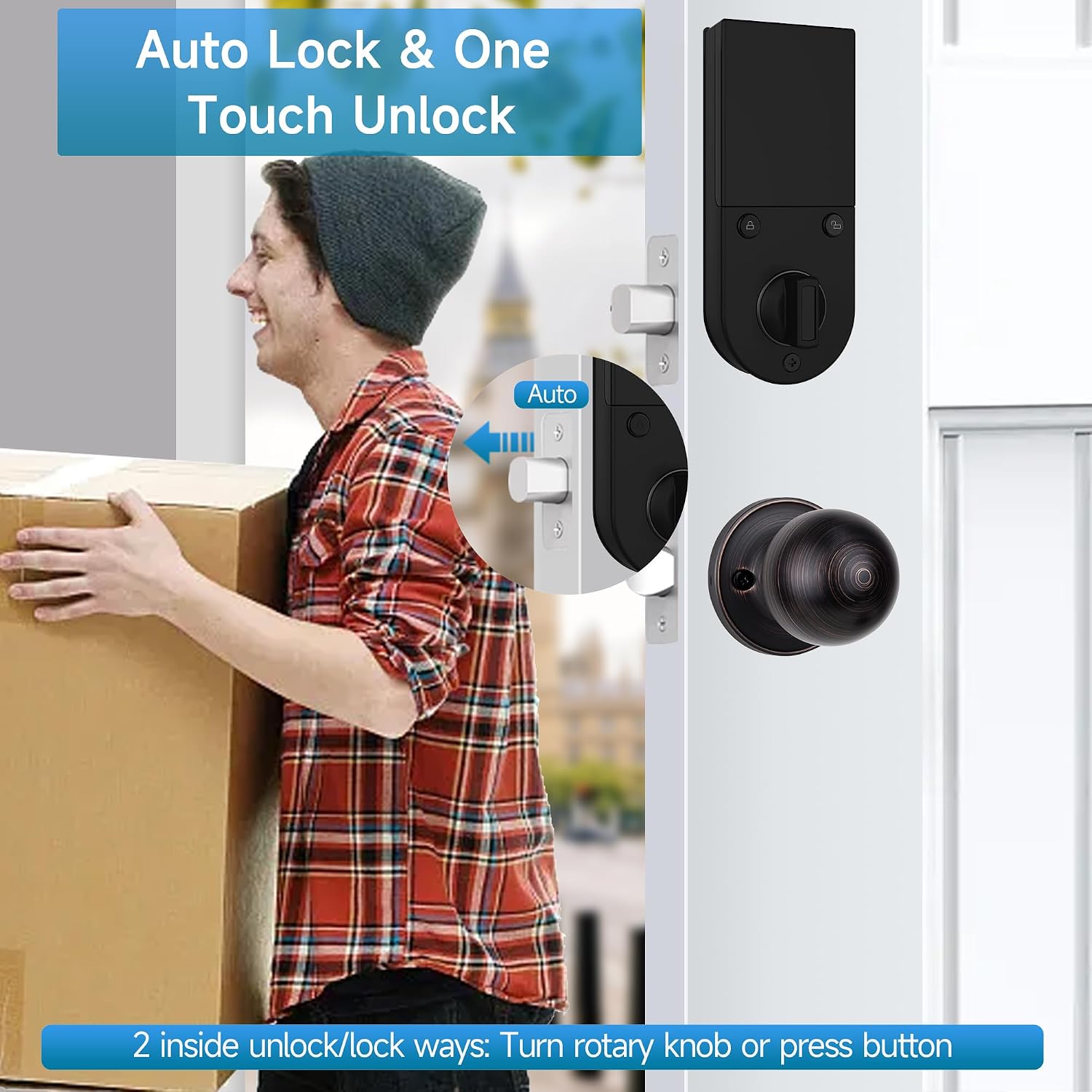
Image: The auto-lock mechanism of the smart lock, along with the internal rotary knob and button for manual locking and unlocking.
3. One-Time Passcode
Generate temporary one-time passcodes for guests or deliveries. These codes are valid for a single use, providing secure, temporary access without compromising your main passcodes.

Image: A scenario illustrating the convenience of a one-time password for granting temporary access, such as for a delivery person.
4. Mute Mode
Activate mute mode to silence all lock sounds, including keypad tones and voice prompts. This is useful for maintaining quiet environments, especially during late hours.

Image: The smart lock's mute mode feature, designed to operate silently for undisturbed environments.
Maintenance
1. Battery Management
The smart lock provides a low battery reminder. When this alert appears, replace the 4 AA batteries promptly to ensure continuous operation. In case of complete battery depletion, you can use the provided backup keys or connect a power bank (not included) to the emergency USB power port for temporary power.

Image: The emergency USB power supply port on the BEBASIA Smart Lock, allowing temporary power from a power bank if batteries are depleted.
2. Cleaning
To clean the smart lock, use a soft, dry cloth. Avoid abrasive cleaners, solvents, or harsh chemicals, as these can damage the finish and electronic components. Do not spray cleaning solutions directly onto the lock.
Troubleshooting
If you encounter issues with your BEBASIA Smart Lock, refer to the following common problems and solutions:
- Fingerprint Not Recognized:
Ensure your finger is clean and dry. Try re-registering your fingerprint. Ensure the fingerprint sensor is clean and free of debris. - Auto-Lock Malfunction:
Verify the auto-lock time setting in the lock's menu. Check battery levels, as low power can affect motorized functions. Ensure the door closes completely and the latch bolt extends fully into the strike plate. - Short Battery Life / Corrosion:
Use high-quality alkaline AA batteries. Avoid mixing old and new batteries. Ensure the battery compartment is dry and sealed properly. If corrosion occurs, clean the contacts carefully and replace batteries immediately. Consider environmental factors like extreme temperatures or humidity. - Handle Not Turning/Working:
Check if the lock is in a locked state. Ensure the interior thumb turn or handle is properly engaged. Verify that the installation is correct and no components are binding. If the issue persists, contact customer support. - Programming Difficulties:
Follow the voice guide and OLED display prompts carefully. If you make a mistake, restart the programming sequence. Refer to the detailed programming section in the included user manual.
Specifications
| Brand | BEBASIA |
| Model Number | BD1-SQ |
| Lock Type | Keypad, Fingerprint, IC Card, Key |
| Material | Zinc |
| Door Thickness Compatibility | 1 3/8 inch to 2 3/16 inch (35mm-55mm) |
| User Capacity | 300+ (Fingerprint, IC Card, Passcode) |
| Unlock Records | Up to 2000 |
| Battery Life | Up to 1 year (4 AA batteries, not included) |
| Special Features | Anti-peeping Password, Auto Lock, One Touch Unlock, Emergency USB Power Port, OLED Display, English Voice Guide, Mute Mode, Low Battery Reminder, IP65 Weather Resistant |
| Included Components | Door Handle Lock, Smart Deadbolt Lock, 2 Backup Keys, 3 IC Cards, Mounting Accessories, User Manual |
Warranty and Support
1. Warranty Information
For specific warranty details regarding your BEBASIA Smart Lock BD1-SQ, please refer to the warranty card included in your product packaging or contact BEBASIA customer support directly. Warranty terms typically cover manufacturing defects under normal use.
2. Customer Support
If you require further assistance, have questions not covered in this manual, or need to report a product issue, please contact BEBASIA customer support. Contact information can usually be found on the product packaging, the official BEBASIA website, or through your purchase platform.