1. Introduction and System Overview
The Pagertec Smart Stack PRO Paging System is a robust and efficient wireless calling solution designed to enhance communication and service in various professional environments such as restaurants, hospitals, offices, and hotels. This system is engineered to prevent staff chaos, improve work efficiency, and elevate customer satisfaction by providing reliable and customizable notification methods.
It consists of a high-power transmitter, multiple charging bases, and rugged coaster pagers. With over 200 available channels, the system minimizes interference, ensuring clear and consistent communication.

2. System Components
Your Pagertec Smart Stack PRO Paging System includes the following primary components:
- Transmitter: The central unit used to send calls to pagers. It features an easy-to-read LCD display and a keypad for operation.
- Charging Bases: Each base is designed to charge multiple pagers simultaneously (typically one charger for every 15 pagers).
- Coaster Pagers: Individual pagers that receive calls from the transmitter and notify customers or staff.

3. Setup Instructions
- Unpack Components: Carefully remove all components from the packaging.
- Connect Transmitter: Plug the power adapter into the transmitter and then into a standard electrical outlet.
- Connect Charging Bases: Connect each charging base to its power source.
- Place Pagers on Bases: Place the coaster pagers onto their respective charging bases. Ensure they are seated correctly to begin charging. The pagers will typically show a charging indicator.
- Select Channel: The system offers over 200 channels to avoid interference. Refer to the transmitter's manual for specific instructions on how to select and set the operating channel to ensure optimal performance in your environment.
4. Operating Instructions
4.1 Calling a Pager
- Ensure the transmitter is powered on.
- On the transmitter's keypad, enter the number of the pager you wish to call.
- Press the "SEND" button. The pager will activate with its programmed alert mode.
4.2 Alert Modes
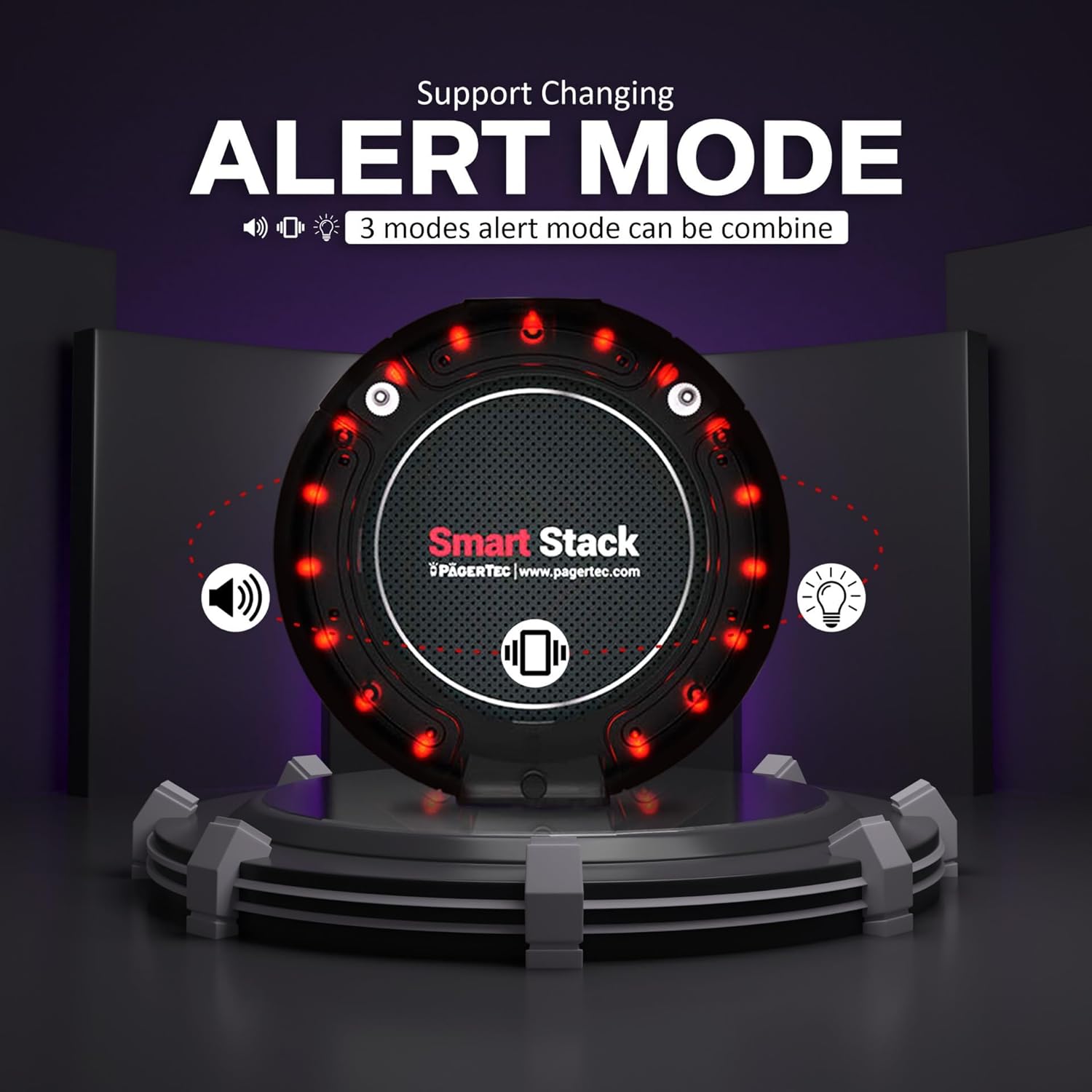
The pagers feature three distinct alert modes, which can be programmed individually or in combination:
- Bright LED Lights: Visual notification using flashing lights on the pager.
- Strong Vibration: Tactile notification for discreet alerts.
- Beep: Audible notification.
Alert settings are fully programmable to suit your specific needs. The alert duration can also be adjusted from 2 seconds to a continuous alert until the pager is returned to its charging base. Consult the transmitter's detailed manual for programming specific alert modes and durations.
4.3 Custom Branding
The pagers include a dedicated spot for custom branding. You can apply custom label stickers to advertise your brand or promotions directly on the pagers.

5. Battery Information
The pagers are equipped with commercial-grade rechargeable AAA batteries designed for extended use. A full charge typically takes 6-8 hours and provides up to 48 hours of standby time, ensuring all-day operation without frequent recharging.
Batteries are designed for easy replacement by the user, extending the lifespan of your pagers.
6. Maintenance
- Cleaning: Use a soft, dry cloth to clean the transmitter, charging bases, and pagers. For stubborn dirt, a slightly damp cloth with mild soap can be used, ensuring no liquid enters the devices.
- Storage: When not in use for extended periods, store the system in a cool, dry place. Ensure pagers are fully charged before storage to maintain battery health.
- Avoid Extreme Conditions: Do not expose the system to extreme temperatures, direct sunlight for prolonged periods, or excessive moisture.
7. Troubleshooting
Common Issues and Solutions:
- Pager not responding:
- Ensure the pager is fully charged.
- Verify the pager number entered on the transmitter is correct.
- Check if the pager is within the operational range of the transmitter (up to 2 miles in open air).
- Confirm the transmitter and pager are on the same channel.
- Interference:
- Change the operating channel on the transmitter to one of the over 200 available channels.
- Relocate the transmitter to a position with fewer obstructions or potential sources of interference.
- Short battery life:
- Ensure pagers are placed correctly on charging bases for the full 6-8 hour charging cycle.
- Consider replacing the rechargeable AAA battery if it no longer holds a charge effectively.
For persistent issues or advanced troubleshooting, please contact Pagertec's technical support team.
8. Specifications
| Feature | Detail |
|---|---|
| Brand | Pagertec |
| Model | Smart Stack PRO Paging System |
| Wireless Range | Up to 2 miles in open air |
| Channels | Over 200 channels to avoid interference |
| Pager Alert Modes | LED lights, Vibration, Beep (programmable) |
| Pager Battery Life | Up to 48 hours standby on a single charge |
| Pager Battery Type | Rechargeable AAA battery |
| Full Charge Time | 6-8 hours |
| Transmitter Display | LCD display |
Dimensions:

- Individual Pager: Approximately 4 inches (diameter)
- Transmitter: Approximately 4.50 inches (width) x 4.50 inches (height)
- Stacked Pagers (on base): Approximately 4.50 inches (height) for a stack of 10 pagers.
9. Warranty and Support
Pagertec is committed to providing exceptional customer service. Your Smart Stack PRO Paging System is backed by free-lifetime technical support.
Our award-winning US-based support team, located in Florida, is ready to assist you with any questions, setup guidance, troubleshooting, or service needs for your equipment. Whether you need to order replacements, service existing equipment, or change system settings, our technicians are here to help.
For support, please visit the official Pagertec website or contact our customer service line.


