
1. Introduction
This manual provides detailed instructions for the safe and efficient use of your Kymate CH10L27 Desk Charger. This charger is designed to provide reliable charging for compatible Hytera two-way radio batteries, specifically the BP2002 and BP2403 models, used with Hytera HP series radios.
2. Safety Information
⚠ CAUTION: Please read all charging instructions in this Owner's Manual carefully before using this product to prevent damage or injury.
- Use only the provided power adapter with the charger base.
- Do not expose the charger to rain or moisture.
- Do not operate the charger if it has been damaged in any way.
- Ensure proper ventilation around the charger during use.
- Keep out of reach of children.
- Disconnect the power adapter from the outlet before cleaning or when not in use for extended periods.
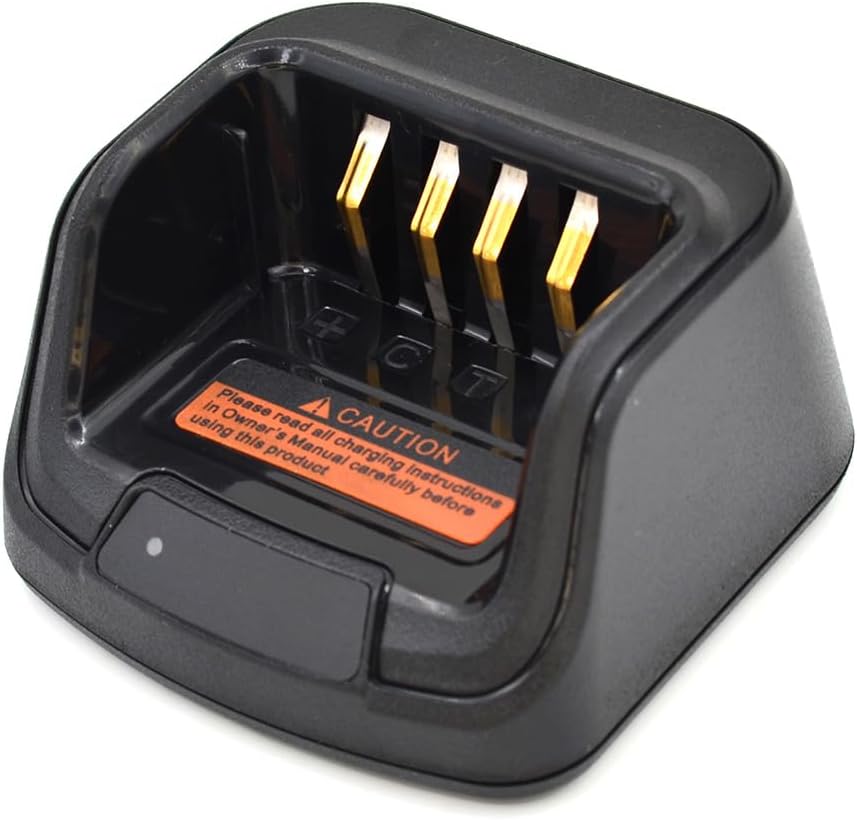
Image: Close-up of the charger base showing the caution label.
3. Package Contents
Verify that all items are present in your package:
- 1x Kymate CH10L27 Charger Base
- 1x AC Power Adapter (110-240V, 50/60Hz, 1A input; 12V, 800mA output)

Image: Kymate CH10L27 Charger Base and AC Power Adapter.
4. Setup
- Connect the AC Adapter: Insert the DC plug of the AC power adapter into the DC IN 12V port located on the side of the charger base.
- Plug into Power Outlet: Plug the AC power adapter into a standard electrical wall outlet (110-240V, 50/60Hz).
- Initial Indicator: The charger's LED indicator may briefly illuminate or flash upon connection, indicating it is ready for use.

Image: Side view of the charger base with the DC input port.
5. Operating Instructions
- Prepare Battery/Radio: Ensure the battery is properly attached to the radio, or if charging a standalone battery, ensure it is clean and free of debris.
- Place on Charger: Carefully place the radio with the battery attached, or the standalone battery, into the charging slot of the CH10L27 desk charger. Ensure the battery contacts align correctly with the charger's terminals.
- Monitor Charging Status: Observe the LED indicator on the charger base. Refer to the "LED Indicator Guide" section for detailed status interpretations.
- Remove When Charged: Once the LED indicates a full charge (Solid Green), carefully remove the radio or battery from the charger.
6. LED Indicator Guide
The LED indicator on the charger base provides visual feedback on the charging status:
- Red LED flashing slowly: Standby (no load)
- Solid Red LED: Charging
- Orange LED: Battery capacity is ≥90%
- Fast flashing Red LED: Error (e.g., battery fault, incorrect placement, temperature issue)
- Solid Green LED: Fully charged
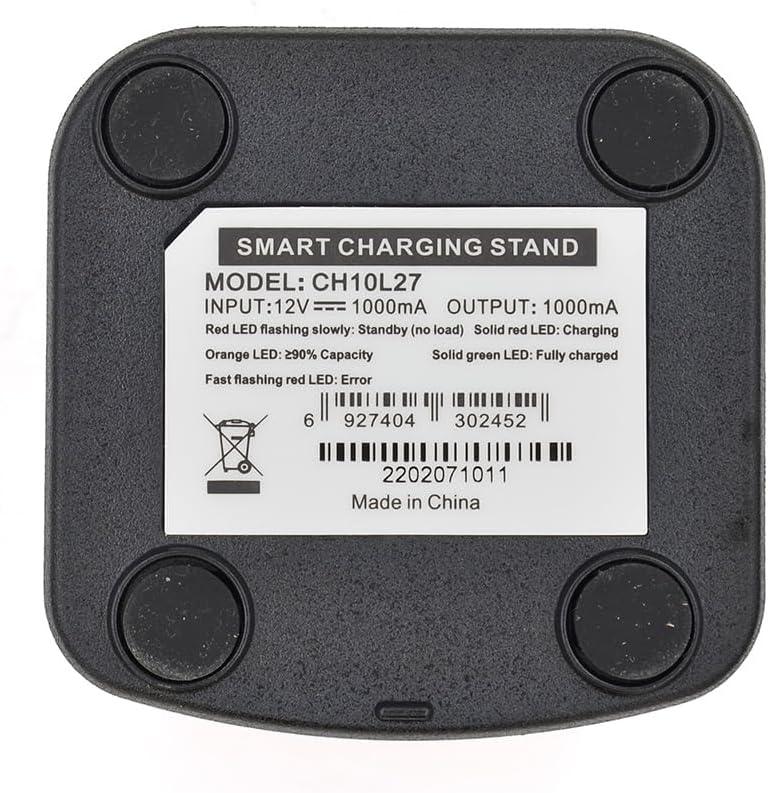
Image: Bottom label of the charger base detailing LED indicator meanings.
7. Compatible Models
The Kymate CH10L27 Desk Charger is compatible with the following Hytera radio models and battery types:
Compatible Hytera Radio Models:
- HP502, HP562, HP602, HP682, HP702, HP782
- HP505, HP555, HP605, HP685, HP705, HP785
- BP506, HP566, HP606, HP686, HP706, HP786
- HP508, HP568, HP608, HP688, HP708, HP788
- HP500, HP560, HP600, HP680, HP700, HP780
- HP50X, HP56X, HP60X, HP68X, HP70X, HP78X (where 'X' denotes any digit)
Compatible Battery Models:
- BP2002
- BP2403
8. Maintenance
- Cleaning: Disconnect the charger from power. Use a soft, dry cloth to wipe the exterior of the charger. Do not use liquid cleaners or solvents.
- Storage: Store the charger in a cool, dry place away from direct sunlight and extreme temperatures when not in use.
- Contact Points: Periodically inspect the charging contacts on the base for any dirt or corrosion. Clean gently with a dry cotton swab if necessary.
9. Troubleshooting
| Problem | Possible Cause | Solution |
|---|---|---|
| Charger LED is off | No power supply or loose connection. | Ensure the AC adapter is securely plugged into both the charger base and the wall outlet. Check if the outlet is functional. |
| Fast flashing Red LED | Battery fault, incorrect battery placement, or temperature issue. | Remove and re-insert the battery/radio, ensuring proper contact. Check if the battery or charger is too hot or too cold. Try charging a different compatible battery if available. |
| Battery not charging (Solid Red LED not appearing) | Battery not seated correctly, or battery is fully charged (Green LED). | Re-seat the battery/radio firmly into the charger. Verify the LED status; if it's green, the battery is already charged. |
10. Specifications
| Feature | Detail |
|---|---|
| Model Number | CH10L27 |
| Input Voltage (Adapter) | 110-240V AC, 50/60Hz, 1A |
| Output Voltage (Charger) | 12V DC, 800mA |
| Product Dimensions | 6.5 x 3.5 x 1.5 inches (Charger Base) |
| Item Weight | 6.4 ounces |
| Certifications | CE, FCC |
11. Warranty and Support
This product is manufactured by Kymate. For warranty information or technical support, please refer to the documentation provided with your purchase or contact your retailer or the manufacturer directly. Keep your purchase receipt as proof of purchase.