
1. Introduction
The BSIDE K7 EMF Meter is a versatile digital instrument designed to detect electromagnetic field (EMF) radiation, electric field strength, and ambient temperature. This device is intended for use in various environments, including homes, offices, and outdoor settings, to help identify potential sources of electromagnetic emissions. It features a large LCD display for clear readings and incorporates multiple sensors for comprehensive measurements.
This manual provides detailed instructions for the proper setup, operation, and maintenance of your BSIDE K7 EMF Meter to ensure accurate and reliable performance.
2. Package Contents
Upon opening the package, please verify that all items listed below are present and in good condition:
- 1 x BSIDE K7 EMF Tester
- 3 x AAA Batteries
- 1 x User Manual (this document)
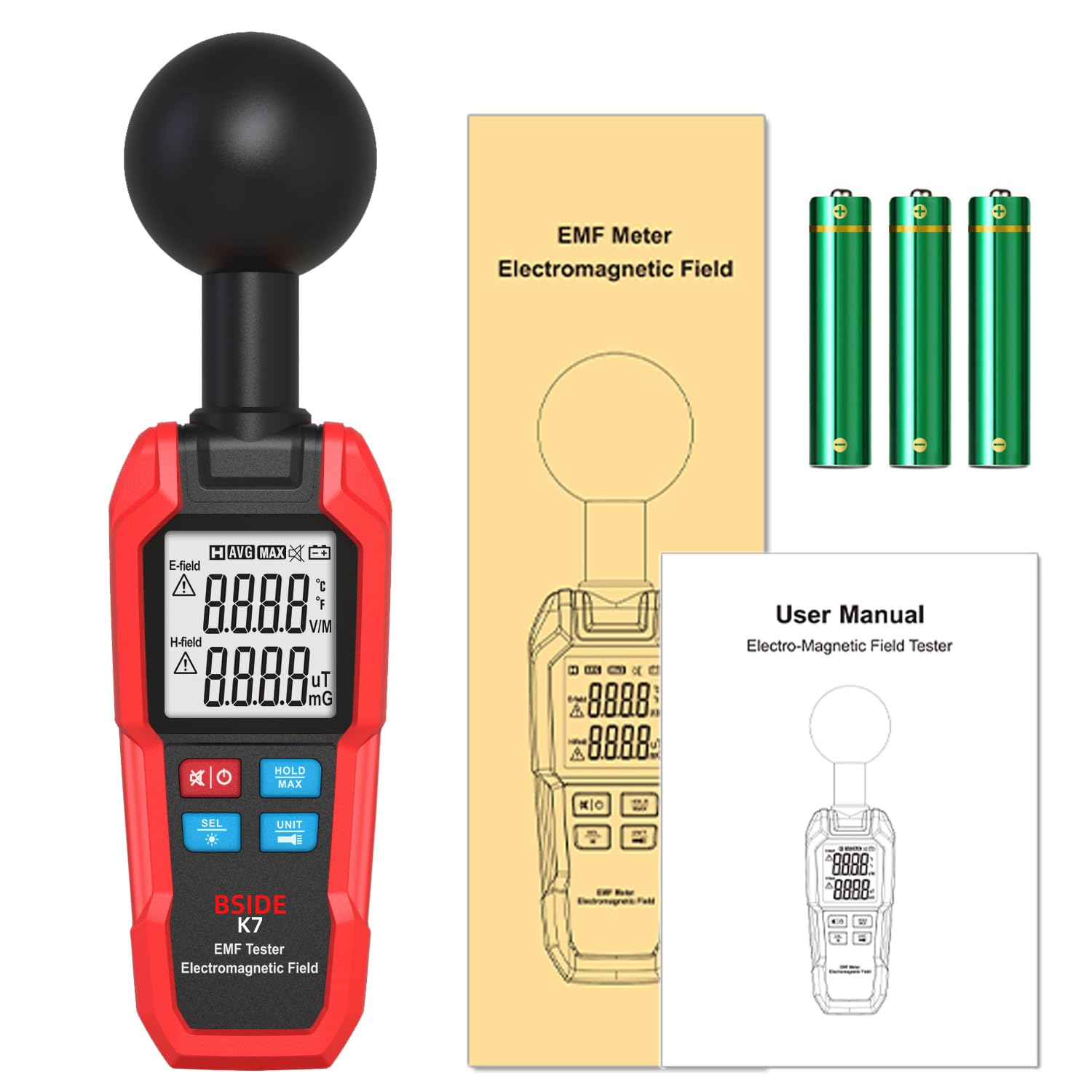
Image: The BSIDE K7 EMF Meter, its packaging box, three AAA batteries, and the user manual, as included in the product package.
3. Product Features
The BSIDE K7 EMF Meter is equipped with advanced features for accurate and convenient measurement:
- Multiple Radiation Sensors: Features three built-in electromagnetic radiation sensors for enhanced detection capabilities.
- 3-in-1 Functionality: Capable of measuring magnetic fields, electric fields, and ambient temperature.
- Sound and Light Alarm: Provides audible and visual alerts when detected radiation levels exceed predefined safe thresholds.
- MAX and Data Hold Function: Allows users to capture and display the maximum measured value and to freeze the current reading on the screen.
- Integrated Flashlight: A built-in flashlight provides illumination for use in low-light conditions.

Image: A visual comparison highlighting the BSIDE K7's advanced sensor array for 360-degree measurement accuracy versus a device with a single sensor.

Image: The BSIDE K7 EMF Meter held in hand, with its display showing the different measurement modes: Electric Field (EF) in V/M, Radio Frequency (RF) in mG/µT, and Room Temperature (RT) in °C/°F, along with their measurement ranges.
4. Device Layout and Controls
Familiarize yourself with the physical components and control buttons of the BSIDE K7 EMF Meter:

Image: A clear view of the BSIDE K7 EMF Meter, highlighting its LCD screen, the spherical sensor at the top, and the operational buttons at the bottom. Three AAA batteries are shown next to the device.
- Spherical Sensor Head: Located at the top, this component houses the sensors for detecting electromagnetic and electric fields.
- LCD Display: Shows measurement readings, units, alarm indicators, and battery status.
- Power Button (⏻): Press to turn the device on or off.
- SEL Button (SEL *): Used to select different measurement modes or functions.
- HOLD/MAX Button (HOLD MAX): Toggles between data hold and maximum value display.
- UNIT Button (UNIT): Changes the measurement unit for temperature or field strength.
5. Battery Installation
The BSIDE K7 EMF Meter requires 3 AAA batteries for operation. Follow these steps to install the batteries:
- Locate the battery compartment cover on the back of the device.
- Slide or unclip the cover to open the compartment.
- Insert 3 AAA batteries, ensuring correct polarity (+ and - terminals match the markings inside the compartment).
- Close the battery compartment cover securely.
6. Basic Operation
6.1 Power On/Off
- To power on the device, press the ⏻ button. The LCD display will illuminate.
- To power off the device, press and hold the ⏻ button until the display turns off.
6.2 Measurement Modes
The device can measure electromagnetic fields (H-Field), electric fields (E-Field), and ambient temperature. Use the SEL * button to cycle through these modes.
6.2.1 Electromagnetic Field (H-Field) Measurement
In this mode, the device measures magnetic field radiation. The reading will be displayed in mG (milligauss) or µT (microtesla). Use the UNIT button to switch between mG and µT.
6.2.2 Electric Field (E-Field) Measurement
This mode measures the strength of the electric field, displayed in V/M (volts per meter).
6.2.3 Ambient Temperature Measurement
The device can also display the surrounding air temperature. Use the UNIT button to switch between Celsius (°C) and Fahrenheit (°F).

Image: The BSIDE K7 EMF Meter held against a wall, with its LCD screen clearly showing a temperature reading of 77.0°F, demonstrating its function as an environment temperature tester.
6.3 Alarm Function
The BSIDE K7 EMF Meter features a sound and light alarm. When the detected electromagnetic or electric field strength exceeds the preset safe value, the device will emit an audible alarm and display a dangerous symbol on the screen. This indicates a potentially high radiation level.

Image: The BSIDE K7 EMF Meter held near a computer monitor, with its display showing a high reading and an alarm icon, accompanied by visual representations of sound waves, indicating an active sound and light alarm.
6.4 Data Hold and MAX Measurement
Press the HOLD MAX button to:
- Hold Data: Freeze the current reading on the display. Press again to release.
- MAX Measurement: Display the maximum value recorded since the device was powered on or the MAX function was reset.
6.5 Flashlight Function
The integrated flashlight can be activated for use in dark environments. Refer to the device's specific button layout for flashlight activation, typically a dedicated button or a long press of an existing button.

Image: The rear view of the BSIDE K7 EMF Meter, with its integrated flashlight actively emitting light, demonstrating its utility in dark conditions.
7. Applications
The BSIDE K7 EMF Meter can be used in a wide range of environments to detect electromagnetic and electric fields from various electronic devices:
- Home: Inspect appliances like televisions, microwaves, refrigerators, and Wi-Fi routers.
- Office: Check computers, monitors, printers, and other office equipment.
- Outdoor: Detect fields from power lines, cell towers, and other external sources.

Image: A collage of four scenarios demonstrating the BSIDE K7 EMF Meter in use, measuring electromagnetic fields near a television, a laptop, a microwave oven, and a Wi-Fi router, illustrating its broad application range.
8. Specifications
| Measurement Type | Range | Resolution | Alarm Threshold |
| Electromagnetic Field (H-Field) | 0.1-199.9 mG / 0.01-19.99 µT | 0.1 mG / 0.01 µT | > 4.0 mG / > 0.4 µT |
| Electric Field (E-Field) | 1-1999 V/M | 1 V/M | > 40 V/M |
| Ambient Temperature | 10~50℃ / 50~122℉ | 2℃ / ℉ | N/A |
- Power: 3 x 1.5V AAA Batteries
- Dimensions: 220 x 60 x 55 mm
- Weight: 185 g
- Model Number: K7 EMF Meter
- Manufacturer: BSIDE
9. Maintenance
To ensure the longevity and accuracy of your BSIDE K7 EMF Meter, follow these maintenance guidelines:
- Cleaning: Wipe the device with a soft, dry cloth. Do not use abrasive cleaners or solvents.
- Storage: Store the meter in a cool, dry place away from direct sunlight and extreme temperatures.
- Battery Replacement: Replace batteries promptly when the low battery indicator appears on the display. Remove batteries if the device will not be used for an extended period to prevent leakage.
- Avoid Impact: Protect the device from drops and strong impacts, especially the spherical sensor head.
10. Troubleshooting
If you encounter issues with your BSIDE K7 EMF Meter, consider the following general troubleshooting steps:
- Device Not Powering On: Check if the batteries are correctly installed and have sufficient charge. Replace with new batteries if necessary.
- Inaccurate Readings: Ensure the device is not near strong magnetic fields or other sources of interference that could affect readings. Calibrate if a calibration option is available (refer to specific device instructions if applicable).
- Display Issues: If the display is dim or flickering, replace the batteries.
For persistent issues, please contact customer support.
11. Warranty and Support
Information regarding specific warranty terms and customer support contact details is typically provided with your purchase documentation or on the manufacturer's official website. Please refer to those resources for assistance with warranty claims or technical support inquiries.