
1. Introduction
The FOREO UFO 3 mini is an advanced 4-in-1 smart mask device designed to elevate your skincare routine. It combines warming thermo-therapy, T-Sonic™ pulsations, and full-spectrum LED light therapy to enhance the absorption of mask ingredients and improve skin health. This manual provides essential information for the safe and effective use of your device.

Image: The FOREO UFO 3 mini device in its packaging, showcasing its compact design and pearl pink color.
2. What's in the Box?
Upon unboxing your FOREO UFO 3 mini, please verify that all components are present:
- FOREO UFO 3 mini (Pearl Pink)
- Device Stand
- Quick Start Guide
- USB Charging Cable
- General Manual

Image: A visual representation of all items included in the FOREO UFO 3 mini product box, including the device, stand, cables, and documentation.
3. Setup and First Use
Charging the Device
Before initial use, fully charge your UFO 3 mini. Connect the provided USB charging cable to the device and a suitable power source. The device will indicate charging status. A full charge typically takes up to 2 hours.
Unlocking and Registering Your Device
The FOREO UFO 3 mini requires activation and registration via the FOREO For You mobile application for full functionality. Follow these steps:
- Download the FOREO For You app from your mobile phone's app store.
- Log in to your existing account or sign up for a new one.
- Add your device within the app (usually found at the top of your screen).
- Choose the correct device series.
- Press and hold the Power button on your UFO 3 mini to connect it to the mobile app.
- Complete the purchase information as prompted by the app.
Your device is now ready for use.

Image: A detailed guide on how to unlock your FOREO device using the mobile app and common troubleshooting steps.
For app download, visit: www.foreo.com/app
4. Operating the Device
The FOREO UFO 3 mini offers a comprehensive facial treatment experience through its integrated technologies:
- Warming Thermo-Therapy: This feature gently heats the skin, helping to open pores and enhance the absorption of active ingredients from your mask.
- T-Sonic™ Massage: Patented pulsations gently relax facial muscle tension points, improve microcirculation, and facilitate deeper penetration of skincare products.
- Full-Spectrum LED Light Therapy: The device incorporates 8 different LED light colors, each targeting specific skin concerns to rejuvenate and refine the complexion.
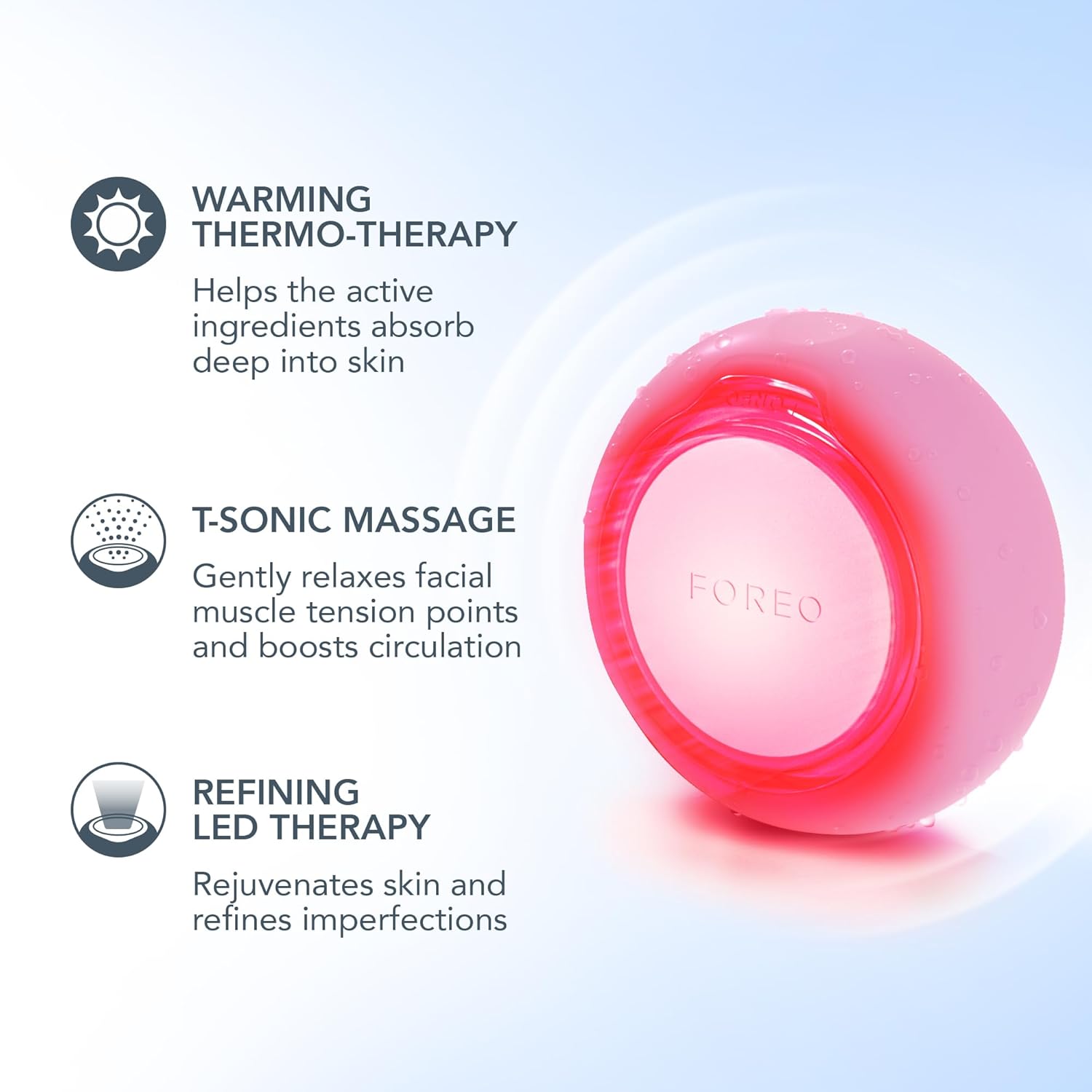
Image: An infographic detailing the three core technologies of the UFO 3 mini: Warming Thermo-Therapy, T-Sonic Massage, and Refining LED Therapy.
Using UFO-Activated Masks
For optimal results, use your UFO 3 mini with FOREO's UFO-Activated Masks. These masks are formulated to work synergistically with the device's technologies. The device comes with 22 pre-programmed routines, with 14 accessible via the app and 8 manually accessible directly on the device.
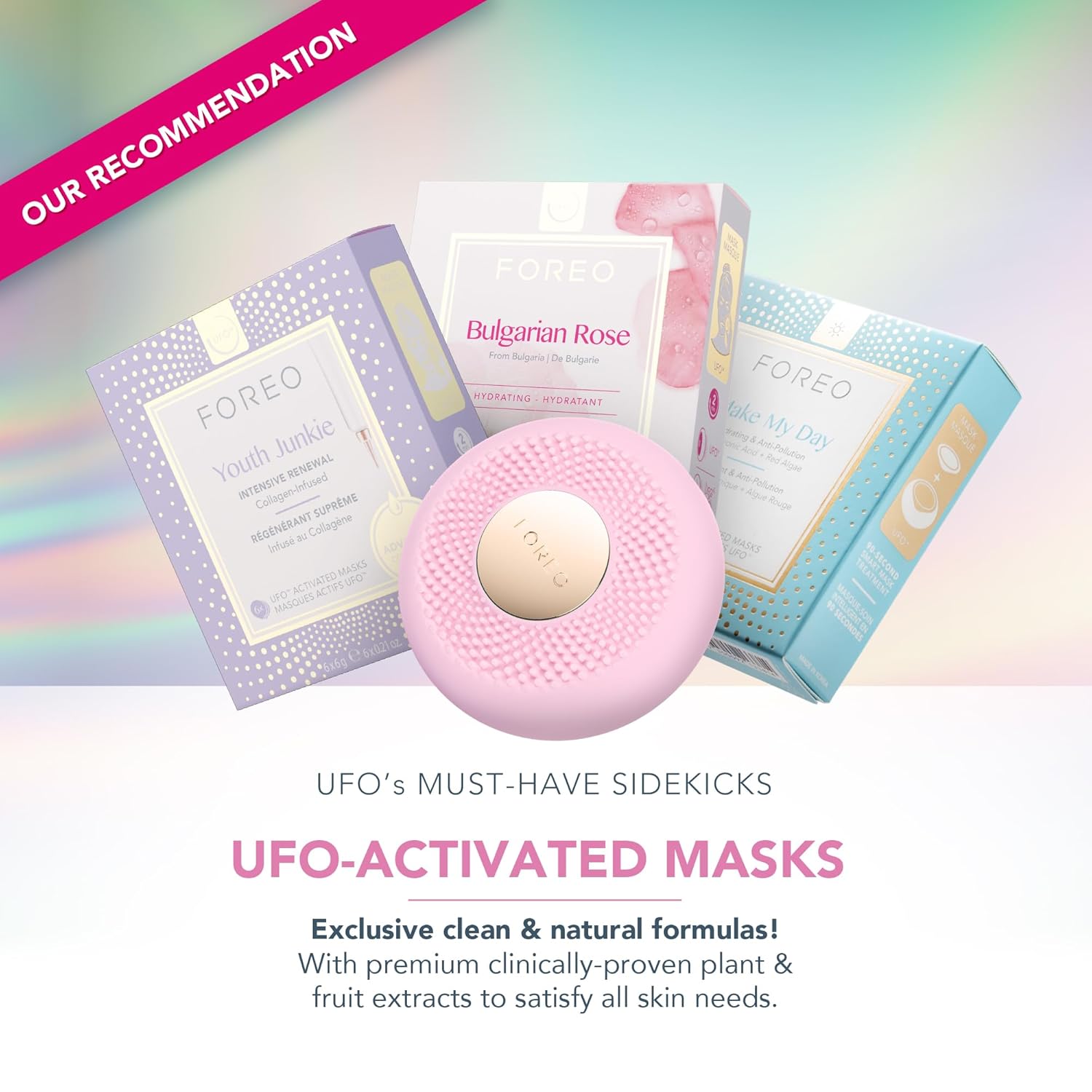
Image: A display of various FOREO UFO-Activated Masks, designed to complement the UFO 3 mini device for enhanced skincare benefits.
Benefits of Regular Use
Consistent use of the FOREO UFO 3 mini can lead to significant improvements in skin hydration and appearance:
- Clinically proven to increase skin moisture levels by 126% in just 2 minutes.
- Reduces the appearance of wrinkles in 1 week.
- Keeps skin moisturized for up to 6 hours.
- Deeply nourishes, depuffs, brightens, and minimizes fine lines.

Image: Before and after comparison photos demonstrating the effects of using the UFO 3 mini, highlighting improvements in skin nourishment, puffiness, and fine lines.

Image: A woman using the UFO 3 mini, with text indicating that the device reduces the appearance of wrinkles in 1 week and keeps skin moisturized for up to 6 hours.

Image: An illustration explaining the benefits of each full-spectrum LED light color available on the UFO 3 mini, including red, blue, green, white, purple, orange, yellow, and cyan.
5. Maintenance and Care
To ensure the longevity and optimal performance of your FOREO UFO 3 mini, follow these maintenance guidelines:
- Cleaning: After each use, wash the device with soap and water. Rinse thoroughly and pat dry with a lint-free cloth. Avoid using cleaning products containing alcohol, petrol, or acetone, as these may damage the silicone.
- Storage: Store your device in a cool, dry place, away from direct sunlight and extreme temperatures. Use the provided stand for convenient and hygienic storage.
- Battery Care: To maintain battery health, avoid fully depleting the battery frequently. Recharge the device when the battery indicator is low.
6. Troubleshooting
If you encounter issues with your FOREO UFO 3 mini, refer to the following common troubleshooting steps:
Device Not Activating (No Response from Center Button)
- Battery Empty: Recharge the device using the USB charging cable for up to 2 hours until fully charged. Then, restart the device by holding down the power button.
- Device Malfunction: If the device cannot be switched off or if interface buttons do not respond, the microprocessor may be temporarily malfunctioning. Press and hold the power button to restart the device.
Device Not Syncing to FOREO App
- Ensure your device is fully charged and that Bluetooth is turned on on your mobile device.
- Switch your Bluetooth off and then on again to attempt reconnection.
- Close the FOREO app and then reopen it to restart the connection process.
- Delete and reinstall the application; this may resolve issues related to outdated app versions.
- After deleting and reinstalling the app, restart your phone.
- Clear your phone's cookies and cache memory.
- Ensure your mobile operating system has been updated to the latest version.
7. Specifications
| Feature | Detail |
|---|---|
| Product Dimensions | 1.42 x 5.91 x 4.72 inches |
| Weight | 8.47 ounces |
| Batteries | 1 Lithium Ion battery (included) |
| Manufacturer | FOREO |
| Item Form | Device |
| Skin Type | All |
| Product Benefits | Radiant & fresh skin, clinically proven to increase skin moisture by 126% in 2 mins & diminish wrinkles in 1 week. |
| Active Ingredients (associated) | Rose (often found in compatible masks) |
8. Warranty and Support
For detailed warranty information and customer support, please refer to the official FOREO website or the documentation included with your product. FOREO typically offers a limited warranty on its devices, covering manufacturing defects. Registration of your device via the FOREO For You app may be required to activate your warranty.
For further assistance, visit the FOREO support page or contact their customer service directly.
9. Important Safety Information
Please read all safety instructions carefully before using your FOREO UFO 3 mini. Keep this manual for future reference.
- Do not use the device on broken or irritated skin.
- Consult a dermatologist if you have any pre-existing skin conditions.
- Keep out of reach of children.
- Do not immerse the device in water for extended periods.
- Use only the provided charging cable.


