1. Introduction
This manual provides detailed instructions for the installation, operation, and maintenance of your Ehaho 17 Inch UTV Sound Bar, Model MT4100. Please read this manual thoroughly before using the product to ensure proper function and safety.

Image 1.1: The Ehaho 17 Inch UTV Sound Bar installed on a vehicle's roll cage, showcasing its illuminated blue LED speakers.
2. Safety Information
Observe the following safety precautions to prevent injury and damage to the device:
- Ensure proper voltage (12 Volts) is supplied to the sound bar. Incorrect voltage can cause damage.
- Do not attempt to disassemble or modify the unit. This may void the warranty and cause electrical hazards.
- Securely mount the sound bar to prevent it from dislodging during vehicle operation.
- While the unit is IP66 waterproof, avoid prolonged submersion or high-pressure water jets.
- Keep the sound bar away from extreme heat sources.
- Always use the provided fuse for electrical protection.
3. What's in the Box
Verify that all components are present before beginning installation:
- Ehaho 17 Inch UTV Sound Bar
- Mounting Kits (Brackets, Screws, Allen Wrench)
- Remote Control
- 3.5mm AUX Cable
- Fuse
- Cigarette Lighter Power Cord (91 inch)
- Cigarette Lighter Power Cord (130 inch)
- Cigarette Lighter Socket
- User Guide
- Zipper Ties (10 pieces)

Image 3.1: Contents of the Ehaho UTV Sound Bar package, showing all included accessories.
4. Product Overview
The Ehaho MT4100 is a 17-inch amplified sound bar designed for outdoor vehicles. It features a robust, IP66 waterproof and dust-resistant housing, making it suitable for various environments. The sound bar integrates two 1-inch tweeters and two 4-inch mid/woofers, powered by a built-in Class D amplifier delivering up to 400 watts of peak power. It also includes RGB multi-color LED lights with music sync capabilities.

Image 4.1: Internal speaker configuration, detailing the tweeters and mid-woofers for optimal sound output.

Image 4.2: The sound bar demonstrating its IP66 waterproof capability in an outdoor, wet environment.
5. Setup and Installation
The sound bar is designed for easy mounting on off-road vehicles with 1" to 2" roll cages.
5.1 Mounting the Sound Bar
- Select a suitable location on your vehicle's roll cage (1" to 2" diameter) that does not obstruct your view or interfere with vehicle controls.
- Attach the universal mounting brackets to the sound bar using the provided screws.
- Position the sound bar on the roll cage and secure the brackets firmly. Ensure the sound bar is stable and does not move.
- Use the included zipper ties for additional cable management and security, if needed.

Image 5.1: Examples of the sound bar mounted on different outdoor vehicles, highlighting its versatile bracket system.
5.2 Power Connection
- Connect the appropriate cigarette lighter power cord (91 inch or 130 inch) to the sound bar.
- Insert the cigarette lighter plug into your vehicle's 12V power outlet.
- Ensure the connection is secure. The sound bar requires a 12-volt power supply.
- The included fuse should be integrated into the power line for protection.
6. Operation
The Ehaho MT4100 offers multiple connectivity options and control methods.
6.1 Powering On/Off
- Press the power button on the control panel or remote control to turn the sound bar on or off.
6.2 Connectivity Options
The sound bar supports Bluetooth, USB, and 3.5mm AUX input/output.
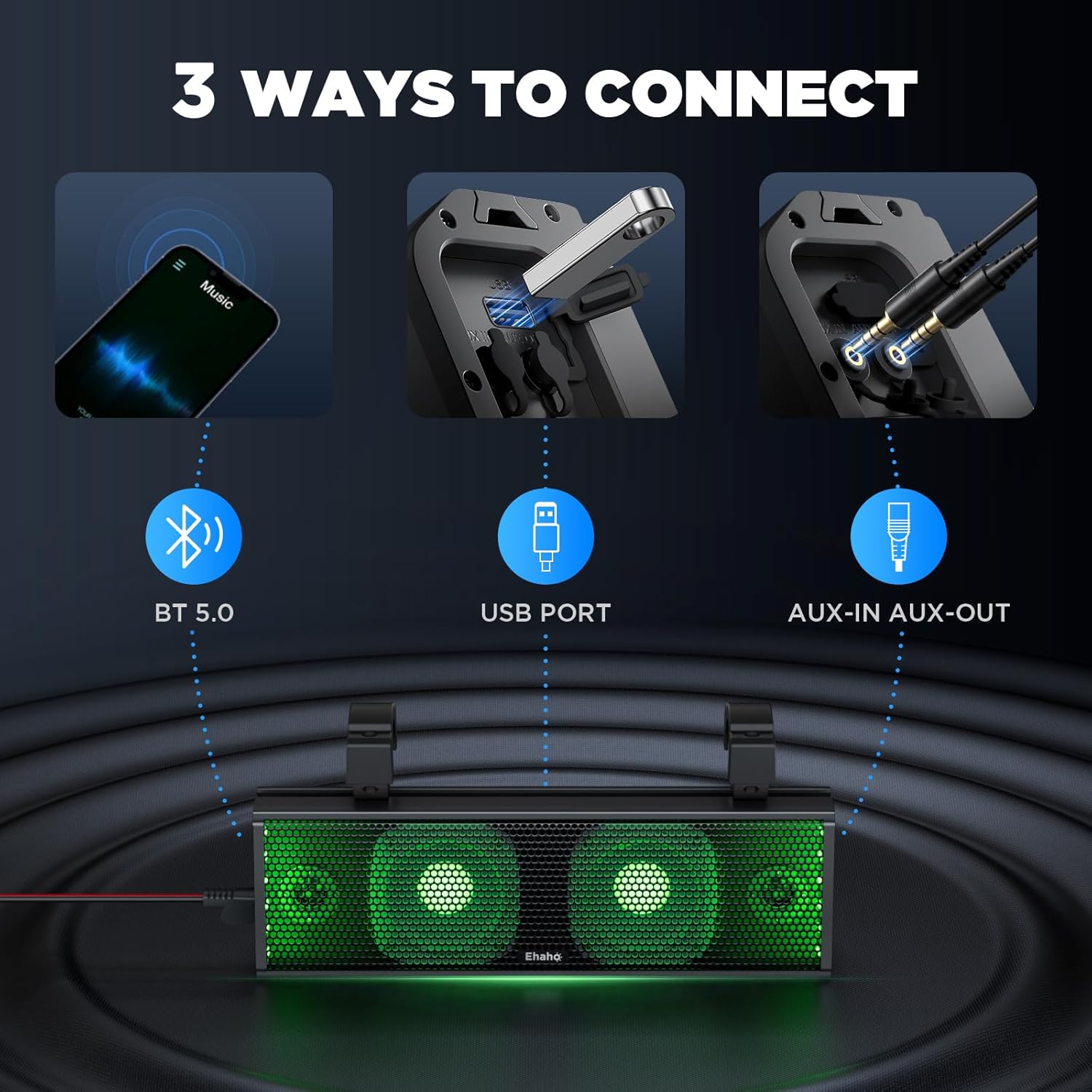
Image 6.1: Overview of the sound bar's three primary connectivity options.
6.2.1 Bluetooth Connection (BT 5.0)
- Ensure the sound bar is powered on.
- Activate Bluetooth on your mobile device (smartphone, tablet, etc.).
- Search for "MT4100" or similar device name in your device's Bluetooth settings.
- Select the sound bar to pair. A confirmation tone will indicate successful pairing.
- The Bluetooth range is approximately 33 feet (10 meters).
6.2.2 USB Audio Playback
- Insert a USB drive containing audio files into the USB port on the sound bar.
- The sound bar will automatically switch to USB mode and begin playback.
- Use the control panel or remote to navigate tracks and adjust volume.
6.2.3 3.5mm AUX Input/Output
- Connect an external audio device (e.g., MP3 player) to the AUX-IN port using the provided 3.5mm AUX cable.
- The sound bar will switch to AUX mode.
- The AUX-OUT port can be used to connect to another audio device or amplifier.
6.3 RGB Lighting Control
The sound bar features RGB multi-color LED lights that can be controlled via the control panel or remote.
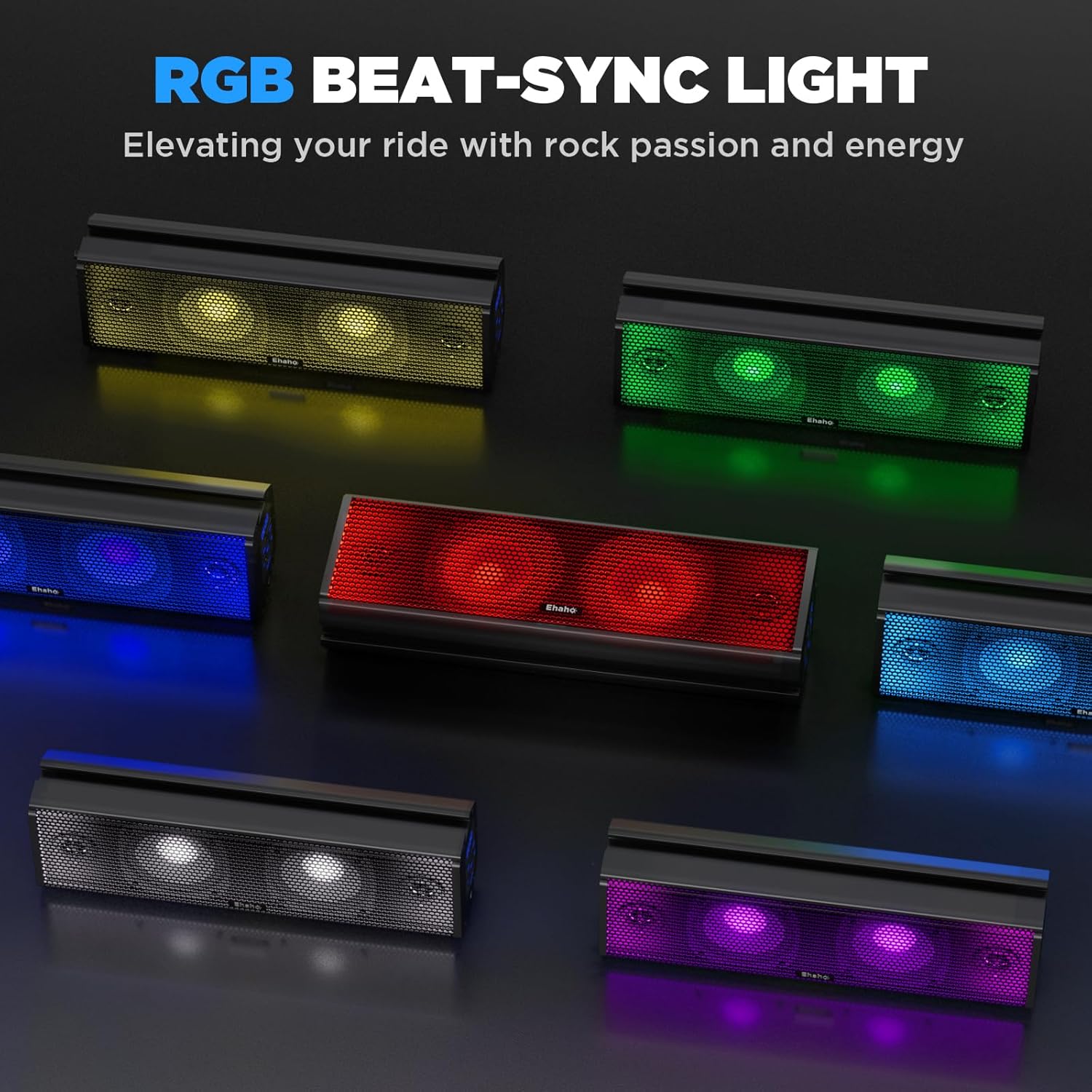
Image 6.2: Various RGB lighting options available on the sound bar.
- Use the dedicated light button on the control panel or remote to cycle through different colors and lighting modes.
- The sound bar supports music-syncing light patterns, where the lights react to the rhythm of the audio.
- Lights can be set to a steady color or a blinking pattern.
6.4 Control Methods
- Control Panel: Located on the side of the sound bar, it provides basic controls for power, volume, mode selection, and light control.
- Wireless Remote Control: Offers full control over playback, volume, mode, and RGB lighting from a distance of up to 33 feet (10 meters).
7. Maintenance
Proper maintenance ensures the longevity and performance of your sound bar.
- Cleaning: Wipe the sound bar with a soft, damp cloth. Avoid using harsh chemicals or abrasive cleaners.
- Water Exposure: While IP66 rated, it is recommended to clean off mud and debris after off-road use. Do not use high-pressure washers directly on the speaker grilles.
- Storage: If storing the vehicle for extended periods, disconnect the sound bar from power.
- Battery Replacement (Remote): The remote control requires 2 CR2032 batteries. Replace them when the remote's range or responsiveness decreases.
8. Troubleshooting
Refer to this section for common issues and their solutions.
| Problem | Possible Cause | Solution |
|---|---|---|
| No power | Loose power connection, blown fuse, vehicle's 12V outlet not active. | Check power cord connection. Inspect and replace fuse if blown. Ensure vehicle's ignition is on. |
| No sound | Volume too low, incorrect input mode, device not paired (Bluetooth), faulty AUX cable. | Increase volume. Select correct input mode (BT, USB, AUX). Re-pair Bluetooth device. Test with a different AUX cable. |
| Bluetooth disconnects frequently | Device out of range, interference, low battery on connected device. | Move device closer to the sound bar. Avoid sources of strong electromagnetic interference. Charge connected device. |
| Remote control not working | Low or dead batteries, obstruction between remote and sound bar. | Replace CR2032 batteries in the remote. Ensure a clear line of sight to the sound bar's receiver. |
| RGB lights not working | Light mode off, internal fault. | Press the light button on the control panel or remote to activate/cycle modes. If issue persists, contact support. |
9. Specifications
| Feature | Detail |
|---|---|
| Model Name | MT4100 |
| Input Voltage | 12 Volts |
| Speaker Type | 2x 1" Tweeters, 2x 4" Mid/Woofers |
| Maximum Output Power | 400 Watts (Peak) |
| Connectivity Technology | Bluetooth V5.0, USB, 3.5mm Auxiliary |
| Bluetooth Range | 33 Feet (10 meters) |
| Water Resistance Level | IP66 Waterproof |
| Control Method | Control Panel, Wireless Remote |
| Special Features | RGB Multi-color LED Lights (7 colors), Music Sync, Built-in Class D Amplifier |
| Mounting Type | Bracket Mounting (fits 1"~2" roll cages) |
| Product Dimensions | 3.66"D x 16.7"W x 5"H |
| Item Weight | 8.9 pounds |
| Material | Acrylonitrile Butadiene Styrene (ABS), Aluminum |
| Remote Battery Type | 2 CR2032 batteries (required) |

Image 9.1: Dimensional specifications of the Ehaho UTV Sound Bar.
10. Warranty and Support
10.1 Warranty Information
The Ehaho MT4100 UTV Sound Bar comes with a 1-Year Warranty from the date of purchase. This warranty covers manufacturing defects and malfunctions under normal use. It does not cover damage caused by misuse, accidents, unauthorized modifications, or improper installation.
Please retain your proof of purchase for warranty claims.
10.2 Customer Support
For technical assistance, troubleshooting beyond this manual, or warranty inquiries, please contact Ehaho customer support through the retailer where the product was purchased or visit the official Ehaho brand store online.
Ehaho Brand Store: https://www.amazon.com/stores/Ehaho/page/60D0C55A-C58F-48C2-9CC4-FA105EB50B43


