
HiFuture FLYBUDS3-BK
Contents
HiFuture FlyBuds3 TWS Earbuds User Manual
Model: FLYBUDS3-BK
Introduction
Thank you for choosing the HiFuture FlyBuds3 TWS Earbuds. This manual provides essential information for setting up, operating, and maintaining your earbuds to ensure optimal performance and longevity. Please read this manual thoroughly before using the product.

Image: HiFuture FlyBuds3 TWS Earbuds in their open charging case, showcasing the sleek black design and the transparent lid.
Key Features
- Extended Playtime: Up to 30 hours of combined playtime with the charging case.
- Clear Calls: Equipped with AI ENC Microphone for superior call clarity by blocking background noise.
- Immersive Audio: Custom-tuned drivers deliver powerful bass and crisp treble.
- Durable Design: IPX5 splashproof rating for resistance against sweat and light splashes.
- Low Latency: Ultra-low latency for synchronized audio in movies and gaming.

Image: A collage illustrating key features of the HiFuture FlyBuds3, including Environmental Noise Cancellation (ENC), soft bass, up to 30 hours of playback, and IPX5 water resistance.
Package Contents
- HiFuture FlyBuds3 TWS Earbuds (Left and Right)
- Charging Case
- USB Charging Cable
- User Manual
Setup
1. Initial Charging
Before first use, fully charge the earbuds and the charging case. Connect the provided USB cable to the charging port on the case and a power source. The indicator light on the case will show charging status.
2. Pairing with Your Device
- Open the charging case. The earbuds will automatically enter pairing mode, indicated by a flashing light.
- On your device (smartphone, tablet, etc.), enable Bluetooth.
- Search for "HiFuture FlyBuds3" in the list of available Bluetooth devices.
- Select "HiFuture FlyBuds3" to connect. Once connected, the indicator light on the earbuds will stop flashing.

Image: HiFuture FlyBuds3 charging cases in black, white, and blue, with a single white earbud displayed, highlighting the product's design and color options.
Operating Instructions
Power On/Off
- Power On: Open the charging case, or long-press the touch area on both earbuds for 3 seconds.
- Power Off: Place the earbuds back into the charging case and close the lid, or long-press the touch area on both earbuds for 5 seconds.
Music Playback
- Play/Pause: Single tap on either earbud.
- Next Track: Double tap on the right earbud.
- Previous Track: Double tap on the left earbud.
- Volume Up: Triple tap on the right earbud.
- Volume Down: Triple tap on the left earbud.
Call Management
- Answer/End Call: Single tap on either earbud.
- Reject Call: Long-press on either earbud for 2 seconds.
Voice Assistant
- Activate Voice Assistant: Long-press on either earbud for 3 seconds (when not on a call).

Image: A close-up of a white HiFuture FlyBuds3 earbud, emphasizing its design and the "BOLD BASS" feature, indicating powerful audio performance.

Image: A transparent view of a HiFuture FlyBuds3 earbud, highlighting the internal components related to its Environmental Noise Cancellation (ENC) technology.
Battery and Charging
The HiFuture FlyBuds3 offer extended playtime. A single charge provides up to 6 hours of listening, and the charging case provides an additional 24 hours, totaling up to 30 hours of combined playtime. For optimal battery life, ensure the earbuds and case are fully charged before extended use.

Image: HiFuture FlyBuds3 earbuds in their charging case, with a graphic indicating "30 hrs" playtime, signifying the extended battery life provided by the charging case.
Comfort and Fit
The FlyBuds3 are designed to be lightweight and conform comfortably to the ear structure, ensuring a secure fit even during extended periods of use or physical activity. Proper fit is crucial for optimal sound quality and noise isolation.

Image: A HiFuture FlyBuds3 earbud positioned in an ear, illustrating its ergonomic design that conforms to the ear structure for a comfortable and secure fit.
Maintenance
- Cleaning: Use a soft, dry cloth to clean the earbuds and charging case. Do not use harsh chemicals or abrasive materials.
- Storage: Store the earbuds in their charging case when not in use to protect them and keep them charged.
- Water Resistance: The FlyBuds3 are IPX5 splashproof. Avoid submerging them in water or exposing them to heavy rain. Dry them thoroughly if they get wet.

Image: HiFuture FlyBuds3 earbuds shown with water droplets, illustrating their IPX5 water-resistant capability, suitable for workouts and light splashes.
Troubleshooting
| Problem | Solution |
|---|---|
| Earbuds not pairing | Ensure earbuds are charged. Place them back in the case, close the lid, then open again to re-enter pairing mode. Check your device's Bluetooth settings. |
| No sound from one earbud | Ensure both earbuds are charged. Try resetting the earbuds by placing them in the case and then reconnecting. |
| Low volume | Adjust volume on both your device and the earbuds. Ensure earbuds are properly seated in your ears. |
| Charging issue | Check the charging cable and power adapter. Ensure the charging contacts on the earbuds and case are clean. |
Specifications
- Model Name: FlyBuds 3
- Model Number: FLYBUDS3-BK
- Connectivity: Wireless, Bluetooth 5.3
- Water Resistance: IPX5 Splashproof
- Battery Life: Up to 6 hours (earbuds), up to 30 hours (with charging case)
- Microphone: AI ENC Microphone
- Control Type: Touch Control (Volume Control)
- Compatible Devices: Phones, Tablets
- Material: Plastic
- Item Weight: 80 Grams
- Product Dimensions: 6.5 x 3 x 5 cm
Warranty and Support
For warranty information and technical support, please refer to the warranty card included in your product packaging or visit the official HiFuture website. Keep your purchase receipt for warranty claims.
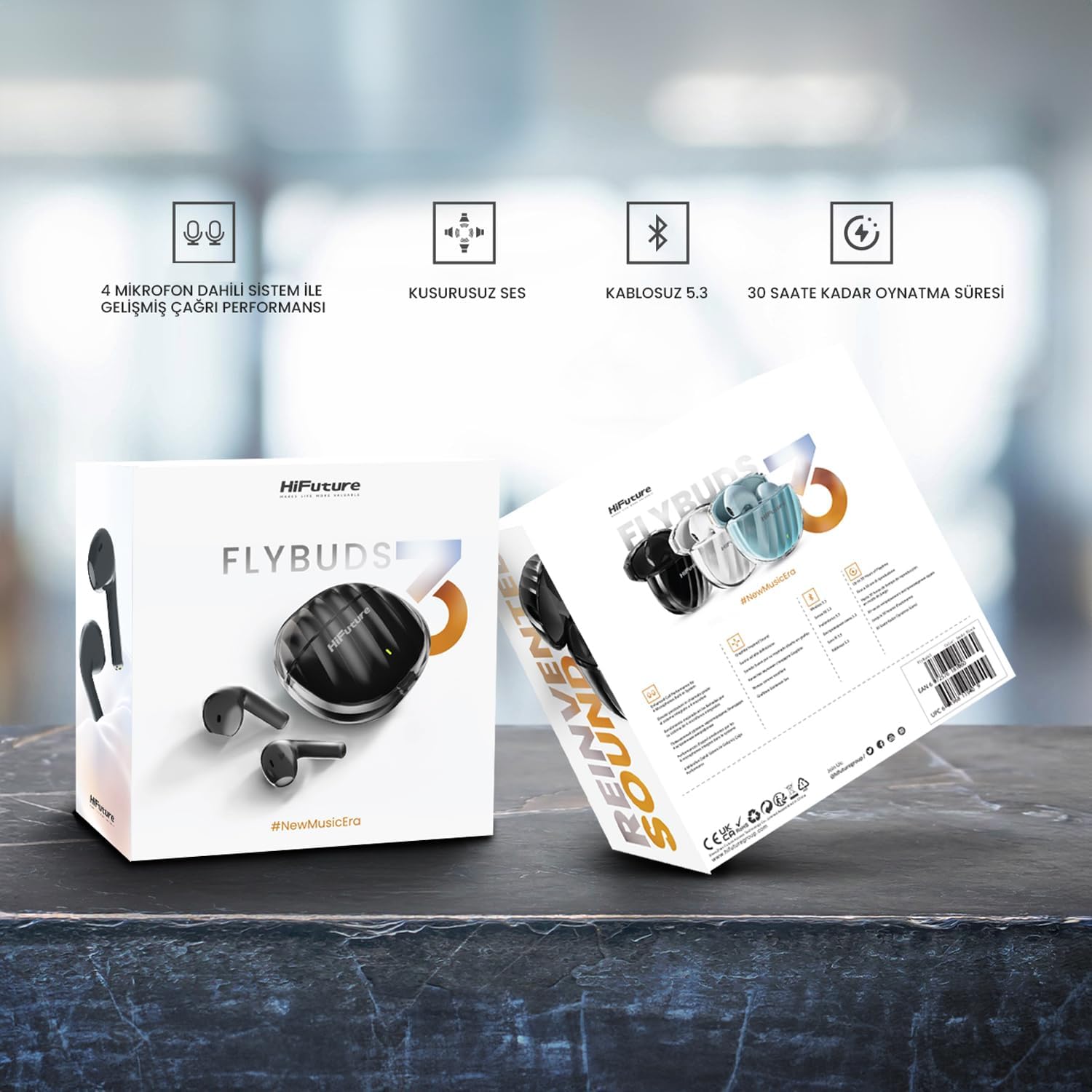
Image: The retail packaging for HiFuture FlyBuds3, displaying key features such as 4 microphones, perfect sound, Bluetooth 5.3, and 30 hours of playtime.
Ask a question about this manual
Ask about setup, troubleshooting, compatibility, parts, safety, or missing instructions. Manuals+ will review the question and use this page’s manual context to help answer it.