
Introduction
Thank you for choosing the A4 TECH 2DRUMTEK B25 True Wireless Earbuds. These earbuds feature advanced Bluetooth 5.2 technology for stable connectivity, Hybrid Active Noise Cancelling for an immersive audio experience, and an IPX4 rating for water and dust resistance, making them suitable for active lifestyles. The M.O.C.I (Mycelium of Carbon IT) hybrid diaphragm ensures clear highs, balanced mids, and deep bass. This manual provides detailed instructions for setup, operation, maintenance, and troubleshooting to help you get the most out of your device.
Package Contents
- 2DRUMTEK B25 True Wireless Earbuds (Left and Right)
- Charging Case
- Charging Cable
- User Manual
Product Overview
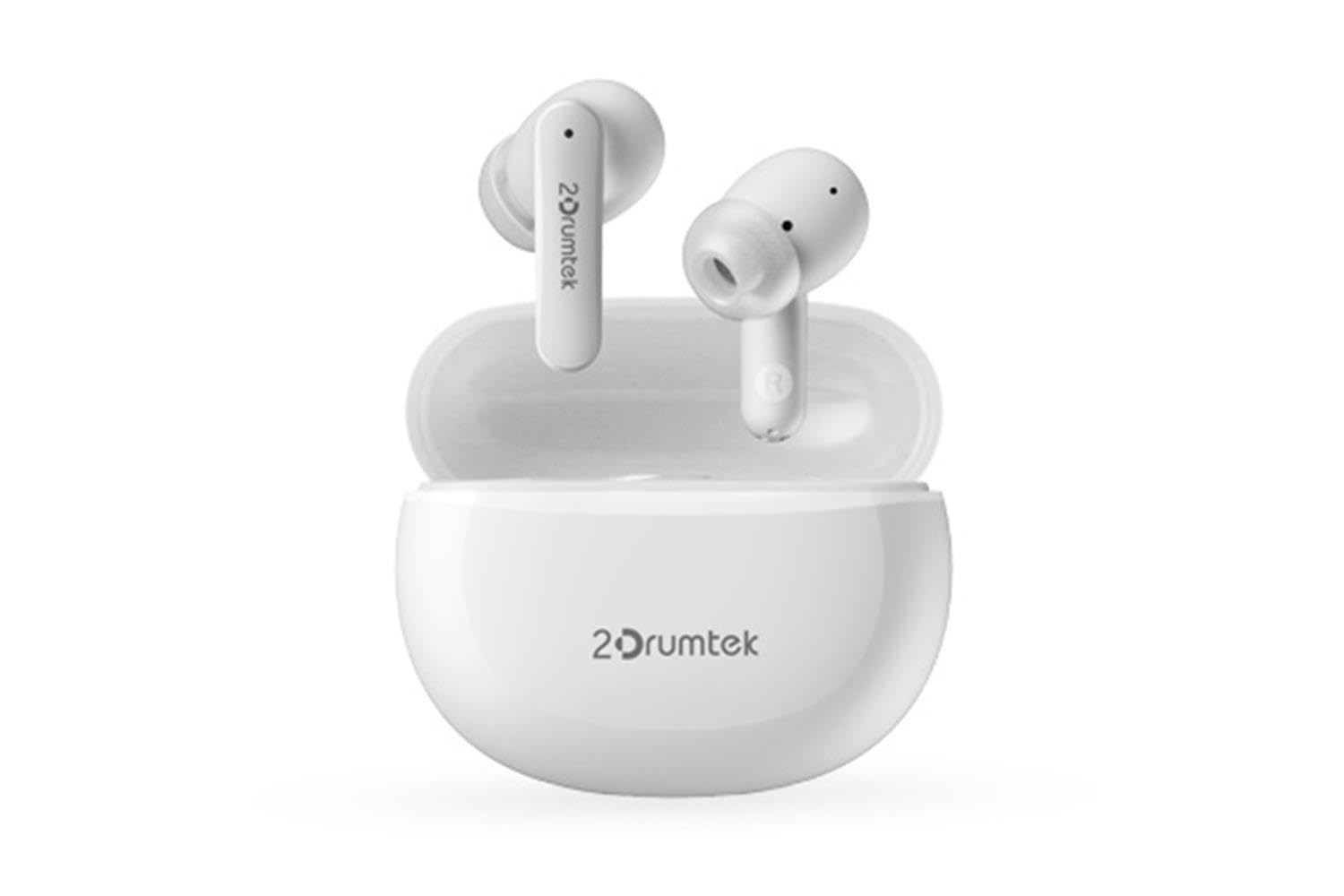
Image: A pair of white A4 TECH 2DRUMTEK B25 True Wireless Earbuds, showing their in-ear design and the '2Drumtek' branding on the stems.
The 2DRUMTEK B25 earbuds feature an ergonomic in-ear design. Each earbud includes a touch control area for various functions, a microphone for calls and voice assistant, and charging contacts at the bottom of the stem. An LED indicator provides status updates for pairing and battery life.
Setup
1. Charging the Earbuds and Charging Case
Before first use, fully charge the earbuds and the charging case. Place the earbuds into the charging case. Connect the charging cable to the case and a USB power source. The LED indicators on the case and earbuds will show charging status. A full charge provides up to 5 hours of playback for the earbuds, with an additional 15 hours from the charging case.
2. Initial Pairing
- Open the charging case. The earbuds will automatically enter pairing mode.
- On your device (smartphone, tablet, PC), enable Bluetooth.
- Search for available Bluetooth devices and select "2DRUMTEK B25".
- Once connected, you will hear a confirmation tone, and the LED indicator on the earbuds will change.
3. Automatic Reconnection
After the initial pairing, the earbuds will automatically connect to your previously paired device when you open the charging case and take them out, provided Bluetooth is enabled on your device.
Operating Instructions
1. Power On/Off
- Power On: Open the charging case, and the earbuds will power on automatically.
- Power Off: Place the earbuds back into the charging case and close the lid. They will power off automatically.
2. Music Playback (Touch Control)
- Play/Pause: Single tap on either earbud.
- Next Song: Double tap the right earbud.
- Previous Song: Double tap the left earbud.
3. Call Management (Touch Control)
- Answer/End Call: Single tap on either earbud.
- Reject Call: Press and hold either earbud for 2 seconds.
4. Voice Assistant (Touch Control)
Triple tap on either earbud to activate your device's voice assistant (e.g., Siri, Google Assistant, Amazon Alexa).
5. Active Noise Cancelling (ANC)
The earbuds feature Hybrid Active Noise Cancelling. Refer to the specific touch control gestures in the quick start guide for activating and deactivating ANC mode, as these can vary.
Maintenance
- Cleaning: Regularly clean the earbuds, especially the ear tips and charging contacts, with a soft, dry cloth. Avoid using harsh chemicals or abrasive materials.
- Storage: When not in use, store the earbuds in their charging case to protect them from dust and damage.
- Water and Dust Resistance (IPX4): The earbuds are rated IPX4, meaning they are resistant to splashing water and sweat from any direction. They are suitable for workouts and outdoor activities but should not be submerged in water. Ensure the earbuds are dry before placing them back in the charging case to prevent damage.
- Battery Care: To prolong battery life, avoid fully discharging the earbuds frequently. Charge them regularly, even if not in constant use.
Troubleshooting
- Earbuds not pairing: Ensure both earbuds are charged. Place them back in the case, close the lid, then open it again to re-enter pairing mode. Check your device's Bluetooth settings and try reconnecting.
- Only one earbud working: Ensure both earbuds are charged. Try resetting the earbuds by placing them in the case and then taking them out. Re-pair with your device if necessary.
- No sound: Check the volume level on your connected device. Ensure the earbuds are properly paired and connected.
- Charging issues: Ensure the charging cable is securely connected to both the case and the power source. Clean the charging contacts on the earbuds and inside the case.
- Poor sound quality: Ensure the earbuds are properly seated in your ears. Try different ear tip sizes for a better seal.
Specifications
| Feature | Description |
|---|---|
| Model Name | 2DRUMTEK B25 |
| Connectivity Technology | Wireless (Bluetooth 5.2) |
| Noise Cancellation | Hybrid Active Noise Cancellation |
| Water Resistance Level | IPX4 (Water Resistant) |
| Ear Placement | In-Ear |
| Control Type | Touch Control |
| Compatible Devices | PCs, Laptops, Mobile Phones, Tablets, Other Bluetooth Devices |
| Material | Plastic, Metal, Carbon Fiber |
| Battery Life (Earbuds) | Up to 5 hours per charge |
| Total Playtime (with Case) | Up to 20 hours |
Safety Information
- Do not disassemble or modify the product.
- Keep away from extreme temperatures and direct sunlight.
- Avoid exposing the product to fire or high heat.
- Do not use the earbuds at excessively high volumes for prolonged periods to prevent hearing damage.
- Keep out of reach of children and pets.
Warranty and Support
This product comes with a standard manufacturer's warranty. For detailed warranty information, please refer to the warranty card included in your package or visit the official A4 TECH website. If you encounter any issues or require technical assistance, please contact A4 TECH customer support through their official channels. Please have your model number (B25) and proof of purchase ready when contacting support.


