1. Introduction
This manual provides essential information for the safe installation, operation, and maintenance of your Philips Amigo Compact DC Motor Ceiling Fan with Integrated LED Light. Please read this manual thoroughly before installation and use, and retain it for future reference.

Image 1.1: Philips Amigo Ceiling Fan product packaging.
The Philips Amigo ceiling fan combines efficient air circulation with integrated LED lighting, offering adjustable light color temperatures and fan speeds for year-round comfort. Its compact design and DC motor ensure quiet operation and energy efficiency.

Image 1.2: Philips Amigo Ceiling Fan installed in a living space.
2. Important Safety Information
WARNING: To reduce the risk of fire, electric shock, or personal injury, always follow these instructions.
- Ensure the main power supply is disconnected before installation, maintenance, or cleaning.
- Installation must be performed by a qualified electrician in accordance with local electrical codes.
- Mount the fan securely to a ceiling joist or structure capable of supporting the fan's weight.
- Do not insert objects into the fan blades while the fan is operating.
- This product is designed for indoor use only.
- Keep children away from the fan during operation and maintenance.
- Do not attempt to repair or modify the fan or light components yourself. Contact qualified service personnel.
3. Package Contents
Verify that all components are present and undamaged before proceeding with installation:
- Philips Amigo Ceiling Fan unit with integrated LED light
- Remote control
- Mounting hardware (screws, anchors, etc.)
- User Manual (this document)
4. Installation and Setup
Professional installation is recommended for this ceiling fan. Ensure all electrical connections comply with local regulations.
4.1 Pre-Installation Checks
- Turn off power at the circuit breaker.
- Ensure the mounting location can support the fan's weight (approximately 2 kg).
- Verify that the ceiling height allows for safe fan operation, maintaining adequate clearance from the floor and walls.
4.2 Mounting the Fan
Follow the detailed instructions provided in the separate installation guide for mounting the fan bracket and securing the fan unit to the ceiling. Ensure all wiring is connected correctly according to the wiring diagram.

Image 4.1: The Philips Amigo fan features a DC motor for quiet and efficient operation.
4.3 Initial Power-Up
Once installation is complete, restore power at the circuit breaker. The fan and light are now ready for operation via the remote control.
5. Operating Instructions
The Philips Amigo ceiling fan is controlled using the included remote control. Ensure the remote has working batteries.

Image 5.1: Philips Amigo Ceiling Fan and remote control.
5.1 Remote Control Functions
- ON/OFF: Powers the fan and light on or off.
- Fan Speed Control: Adjusts fan speed (typically 3-6 settings).
- Light ON/OFF: Toggles the integrated LED light.
- Color Temperature Adjustment: Cycles through 3 color temperatures (e.g., warm white, neutral white, cool white).
- Brightness Dimming: Adjusts the light intensity.
- SceneSwitch: Allows switching between 3 distinct brightness levels for the light.
- Natural Breeze Function: Provides dynamic fan speed adjustments to simulate a natural breeze.
- Summer/Winter Mode: Reverses fan direction for optimal air circulation in different seasons.
- Timer Function: Sets the fan or light to turn off after a specified period.
5.2 Light Control
The integrated LED light offers adjustable brightness and color temperature. Use the dedicated buttons on the remote to cycle through the available settings (e.g., 2700K, 4000K, 6500K).

Image 5.2: Demonstrating tunable light color temperatures.
5.3 Fan Modes (Summer/Winter)
The fan features reversible blade rotation to optimize air circulation for different seasons. In summer mode, the fan creates a downward airflow for a cooling effect. In winter mode, it creates an upward airflow to redistribute warm air trapped near the ceiling.
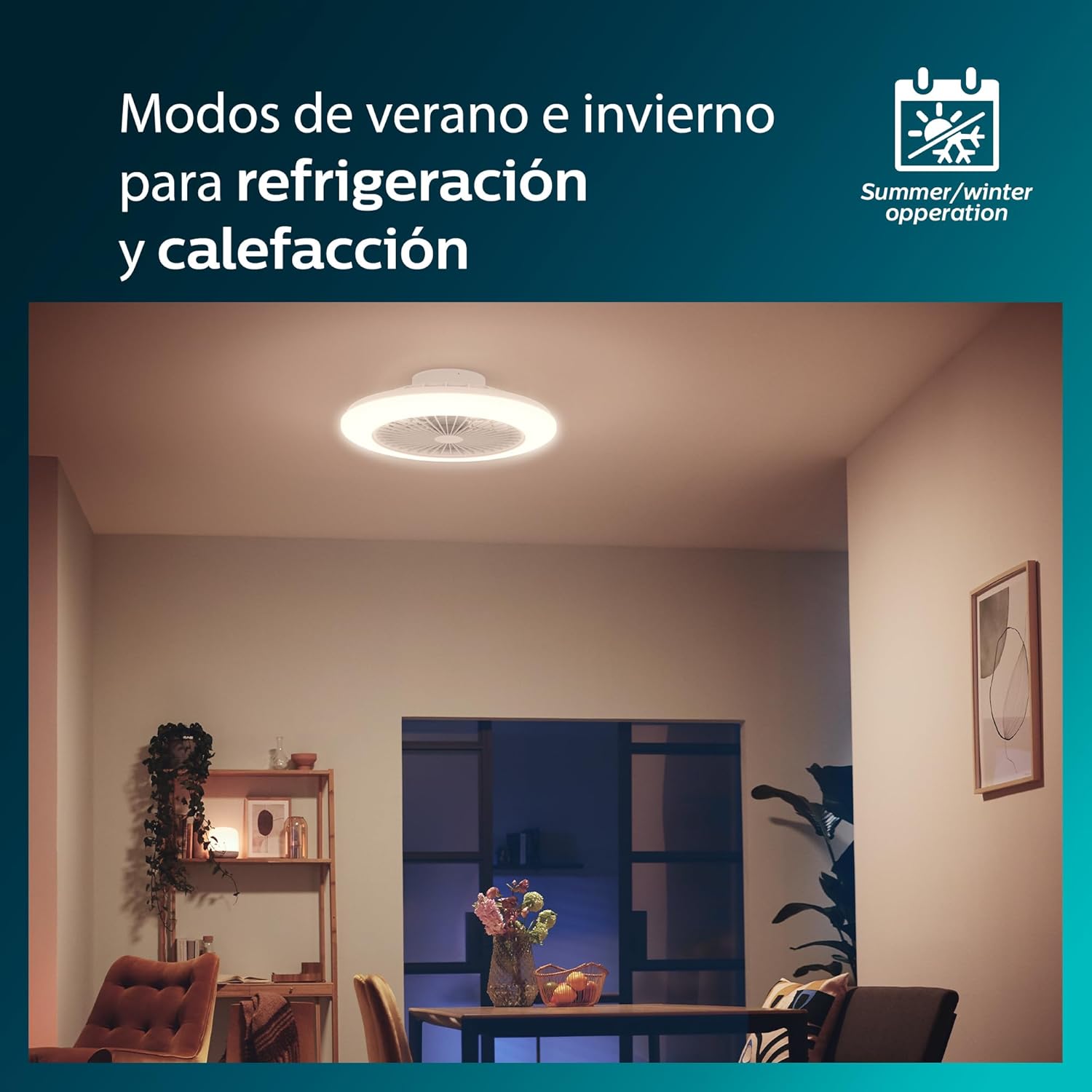
Image 5.3: Summer and Winter operation modes for year-round comfort.
6. Maintenance
Regular maintenance ensures optimal performance and longevity of your Philips Amigo ceiling fan.
6.1 Cleaning
- Always disconnect power before cleaning.
- Wipe the fan housing and blades with a soft, damp cloth. Do not use abrasive cleaners or solvents.
- For the integrated LED light, gently wipe the diffuser with a dry, soft cloth. Avoid direct contact with water.
- Refer to specific recycling information for LED components if replacement or disposal is necessary.
6.2 Bulb Recycling and Cleaning
For information on recycling and cleaning of LED components, please consult the official Philips website or local waste management guidelines. Do not attempt to disassemble the integrated LED light source.
7. Troubleshooting
If you encounter issues with your Philips Amigo ceiling fan, refer to the following common problems and solutions:
| Problem | Possible Cause | Solution |
|---|---|---|
| Fan does not operate. | No power supply; remote control batteries depleted; loose wiring. | Check circuit breaker; replace remote batteries; verify wiring connections (consult electrician). |
| Light does not turn on. | No power supply; remote control batteries depleted; LED module fault. | Check circuit breaker; replace remote batteries; contact customer support if LED module is faulty. |
| Fan makes unusual noise. | Loose mounting screws; unbalanced blades; internal motor issue. | Ensure all mounting screws are tight; check for any obstructions; contact customer support. |
| Remote control not responding. | Depleted batteries; remote out of range; interference. | Replace batteries; ensure clear line of sight to fan; reduce interference from other devices. |
8. Product Specifications
| Feature | Detail |
|---|---|
| Brand | Philips |
| Model Number | 24876200 |
| Product Dimensions | 57.7 cm (diameter) x 14.2 cm (height) |
| Weight | 2 kg |
| Light Power | 25W LED (5500 lumens) |
| Color Temperature | Adjustable (3 settings, e.g., 2700K/4000K/6500K) |
| Fan Motor Type | DC Motor |
| Control Method | Remote Control |
| Material | Metal |
| Indoor/Outdoor Use | Indoor |
| Power Source | Corded Electric |

Image 8.1: Dimensional drawing of the Philips Amigo Ceiling Fan.
9. Warranty and Support
Philips products are manufactured to the highest standards and come with a limited warranty. Please refer to the warranty card included with your product or visit the official Philips website for detailed warranty terms and conditions specific to your region.
For technical support, troubleshooting assistance, or to inquire about replacement parts, please contact Philips Customer Service. Contact information can typically be found on the Philips website or on your product's packaging.
When contacting support, please have your product model number (24876200) and proof of purchase readily available.


