
1. Product Overview
The Trevi LTV 2010 S2 is a compact and versatile 10.1-inch portable mini television designed for high-quality visual experiences on the go. Its features include a DVB-T2 digital terrestrial tuner, multimedia playback capabilities, and flexible power options, making it suitable for various environments.
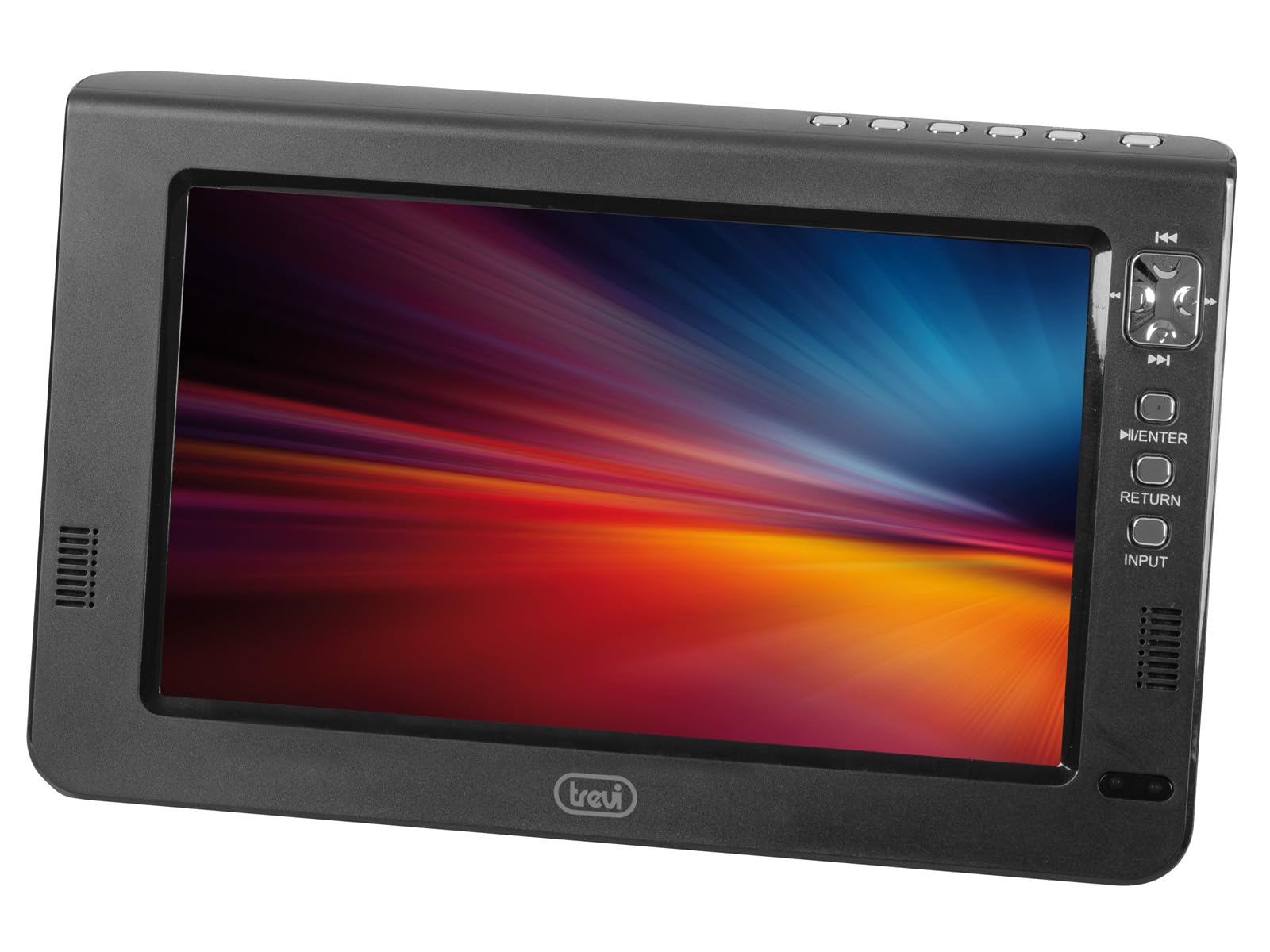
Figure 1: Front view of the Trevi LTV 2010 S2 Portable Mini TV with its included antenna.
2. What's in the Box
Verify that all components are present in the packaging:
- Trevi LTV 2010 S2 Portable Mini TV
- Antenna
- 12V Power Adapter
- User Manual
- Warranty Certificate
3. Product Features
- 10.1-inch Display: Provides a comfortable viewing experience in a portable form factor.
- Integrated DVB-T2 Digital Terrestrial Tuner: Allows reception of high-definition (HD) terrestrial TV channels in MPEG2 and MPEG4 formats.
- Multimedia Player: Supports playback of movies, music, and photos from external storage.
- Multiple Connectivity Options: Includes USB, Micro SD, and HDMI inputs for connecting various external devices.
- Triple Power Supply: Can be powered by AC current, a rechargeable lithium battery, or a 12V car cigarette lighter adapter.
4. Setup Guide
4.1. Initial Assembly
- Attach the Stand: If using the TV on a flat surface, securely attach the provided stand to the back of the unit. Ensure it clicks into place or is fastened with screws if applicable.
- Connect the Antenna: Screw the included antenna into the antenna input port on the TV. For optimal signal reception, place the antenna near a window or in an open area.

Figure 2: Back view of the TV showing the stand and various ports.
4.2. Powering On
The TV offers three power options:
- AC Power: Connect the provided 12V power adapter to the DC IN port on the TV and plug it into a standard wall outlet.
- Rechargeable Battery: The TV includes a built-in rechargeable lithium battery for portable use. Ensure the battery is charged before use.
- 12V Car Adapter: For in-car use, connect the provided 12V car cigarette lighter adapter to the DC IN port and plug it into your vehicle's cigarette lighter socket.
Once powered, press the POWER button on the TV or remote control to turn on the device.
5. Operating Instructions
5.1. Automatic Channel Tuning
- After turning on the TV for the first time, the initial setup wizard may appear.
- Select your preferred language and country/region.
- Initiate the automatic channel scan (Auto Tuning) to find available digital terrestrial channels. This process may take several minutes.
- Once the scan is complete, the TV will display the first available channel.
5.2. Basic Controls
- Volume: Use the VOL+ and VOL- buttons on the TV or remote to adjust the volume.
- Channel: Use the CH+ and CH- buttons to change channels.
- Menu: Press the MENU button to access the TV's settings menu. Use the arrow keys to navigate and OK/ENTER to confirm selections.
- Input Source: Press the INPUT/SOURCE button to switch between different input sources (DTV, ATV, HDMI, AV, USB, Micro SD).
6. Connecting External Devices
The Trevi LTV 2010 S2 offers various ports for connecting external devices:
- HDMI Input: Connect devices like gaming consoles, laptops, or media players using an HDMI cable for high-definition audio and video.
- AV Input: Use the AV input for older devices such as DVD players or VCRs.
- USB Port: Insert a USB flash drive to play multimedia files (photos, music, videos).
- Micro SD Card Slot: Insert a Micro SD card to play multimedia files.
- Headphone Output: Connect headphones for private listening.
7. Troubleshooting
If you encounter issues with your Trevi LTV 2010 S2, refer to the following common problems and solutions:
- No Power:
- Ensure the power adapter is securely connected to both the TV and the power outlet.
- If using battery power, ensure the battery is charged.
- Check if the power switch is in the ON position.
- No Signal / Poor Picture Quality:
- Verify the antenna is correctly connected and positioned for optimal reception. Try repositioning the antenna.
- Perform an automatic channel scan again.
- If using an external device (HDMI/AV), ensure the correct input source is selected.
- Check all cable connections for looseness or damage.
- No Sound:
- Increase the volume using the VOL+ button.
- Check if the TV is muted. Press the MUTE button on the remote control.
- If using external speakers or headphones, ensure they are properly connected.
- Remote Control Not Working:
- Ensure there are no obstructions between the remote control and the TV's IR sensor.
- Replace the batteries in the remote control.
8. Specifications
| Feature | Specification |
|---|---|
| Model Number | LTV 2010 S2 |
| Screen Size | 10.1 inches (26 Centimeters) |
| Screen Technology | LED |
| Resolution | 1024 x 600 |
| Refresh Rate | 120 Hz |
| Aspect Ratio | 16:9 |
| Connectivity Technology | Wired (HDMI, AV, USB, Micro SD) |
| Product Dimensions | 31P x 29l x 18.3H cm |
| Item Weight | 1.46 kg |
9. Maintenance
To ensure the longevity and optimal performance of your Trevi LTV 2010 S2, follow these maintenance guidelines:
- Cleaning: Use a soft, dry cloth to clean the screen and exterior surfaces. For stubborn marks, slightly dampen the cloth with water or a mild, non-abrasive cleaner specifically designed for electronics. Avoid using harsh chemicals or abrasive materials.
- Storage: When not in use for extended periods, store the TV in a cool, dry place away from direct sunlight and extreme temperatures.
- Battery Care: If using the rechargeable battery, avoid fully discharging it frequently. For long-term storage, charge the battery to about 50-60% to preserve its lifespan.
- Ventilation: Ensure the ventilation openings on the TV are not blocked to prevent overheating.
10. Warranty and Support
Your Trevi LTV 2010 S2 Portable Mini TV comes with a warranty certificate included in the box. Please refer to this document for specific warranty terms and conditions.
For technical support, service, or any questions not covered in this manual, please contact Trevi customer service or the retailer from whom you purchased the product. Keep your purchase receipt and warranty certificate handy when contacting support.


