
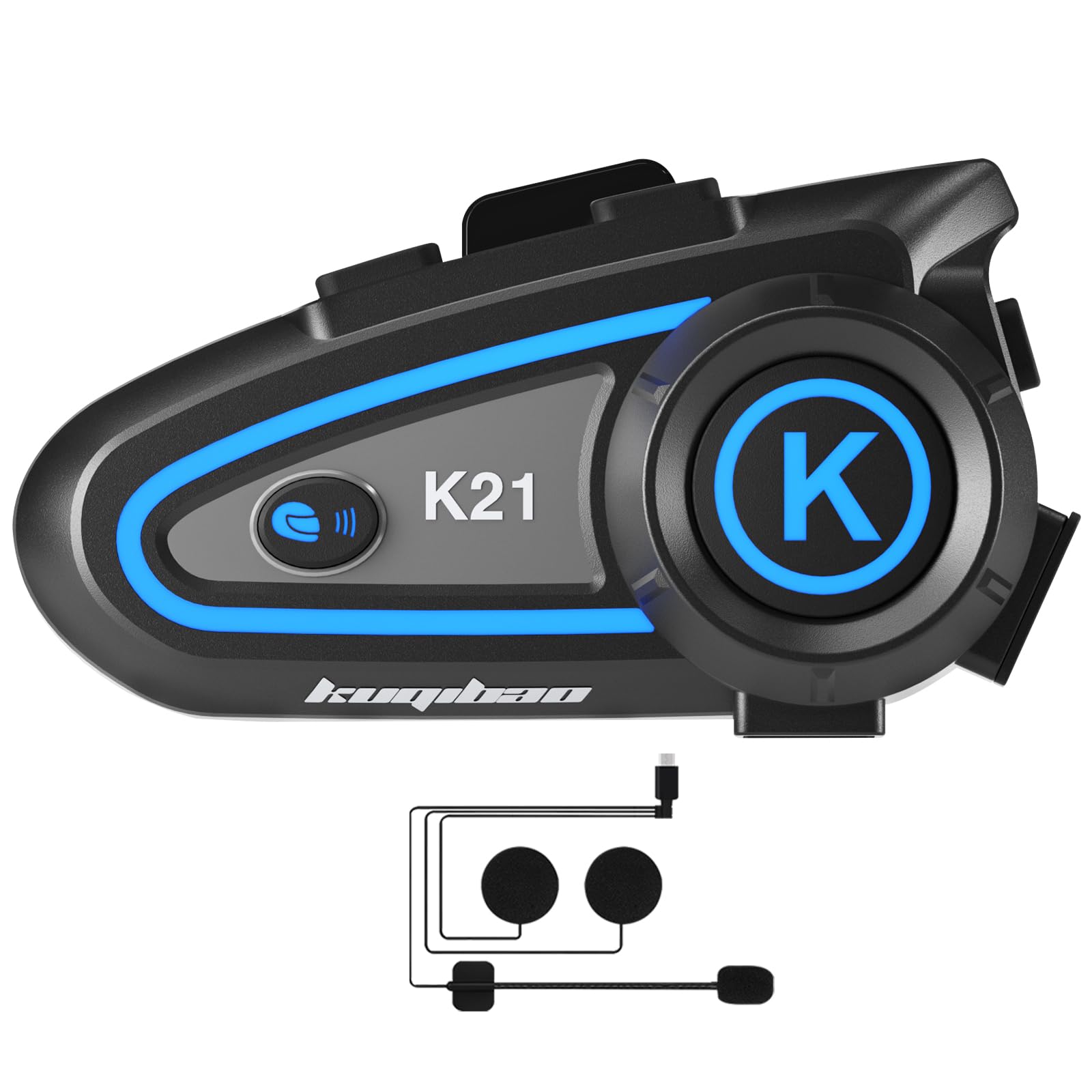
Image: The KUQIBAO K21 Bluetooth Headset shown mounted on the side of a motorcycle helmet, illustrating its integrated design.
1. Introduction
The KUQIBAO K21 Motorcycle Helmet Bluetooth Headset provides efficient and convenient communication and entertainment during riding. This headset features a strong signal connection, automatic answering, and high-quality stereo sound with DSP noise cancellation. It is designed for outdoor use with IPX7 waterproofing and dustproof technology.
Key features include:
- Effective Bluetooth range of 20 meters, connecting to two mobile devices simultaneously.
- Long battery life: up to 60 hours of continuous talk/play time and 120 hours standby, with a 1200mAh rechargeable battery.
- IPX7 waterproof and dustproof design using Nano coating technology.
- DSP noise cancelling technology for clear audio.
- Voice control functionality for hands-free operation.
- Easy installation compatible with various helmet types.
2. What's in the Box
Please verify that all items are present in the package:
- KUQIBAO K21 Bluetooth Headset Unit
- User Manual
- USB Charging Cable
- Mounting Clips/Adhesive Base
- Speakers and Microphone Kit
3. Setup and Installation
The K21 headset is designed for easy installation and is compatible with various helmet types, including full-face, off-road, half, uncovered, and vintage helmets.

Image: The KUQIBAO K21 Bluetooth Headset shown installed on different helmet styles, including full-face, off-road, half, and vintage helmets, demonstrating its versatile mounting options.
3.1 Mounting the Headset Unit
- Choose Mounting Method: The Bluetooth host can be fixed using either the provided clips or the adhesive base. Select the method most suitable for your helmet and preference.
- Positioning: Attach the main headset unit to the side of your helmet, ensuring it does not obstruct your vision or helmet functionality.
- Secure Attachment: If using clips, ensure they are firmly secured to the helmet edge. If using adhesive, clean the helmet surface thoroughly before applying for optimal adhesion.
3.2 Speaker and Microphone Installation
- Speaker Placement: Position the speakers inside the helmet's ear pockets, ensuring they are aligned with your ears for optimal sound quality.
- Microphone Placement: Attach the microphone to the inside of the helmet, near your mouth, for clear voice transmission. Ensure it is not obstructed by padding.
- Cable Management: Route all cables neatly under the helmet padding to prevent interference and ensure comfort.
- Connect to Headset Unit: Plug the speaker/microphone cable into the designated port on the main headset unit.
4. Operating Instructions
Familiarize yourself with the controls and functions of your K21 headset for a seamless experience.

Image: A detailed diagram illustrating the various buttons and ports on the KUQIBAO K21 Bluetooth Headset, including the On/Off/Play/Pause/Answer key, Volume Plus/Next Song, Volume Minus/Previous Song, AI Voice Key, Light Switch Button, Work Indicators (blue and red), Speaker/Mic Interface, and Charging Port.
4.1 Power On/Off and Pairing
- Power On: Press and hold the On/Off/Play/Pause/Answer key until the indicator light turns on.
- Power Off: Press and hold the On/Off/Play/Pause/Answer key until the indicator light turns off.
- Pairing: With the headset off, press and hold the On/Off/Play/Pause/Answer key until the indicator light flashes rapidly (usually blue and red alternately), indicating pairing mode. On your mobile device, search for "K21" in the Bluetooth settings and connect. The headset can connect to two mobile devices simultaneously.
4.2 Call Control
- Answer Call: Short press the On/Off/Play/Pause/Answer key.
- End Call: Short press the On/Off/Play/Pause/Answer key during a call.
- Reject Call: Press and hold the On/Off/Play/Pause/Answer key for 2 seconds.
- Automatic Answering: The headset supports automatic answering of incoming calls after a few rings.
4.3 Music Playback
- Play/Pause: Short press the On/Off/Play/Pause/Answer key.
- Next Song: Short press the Volume Plus/Next Song button.
- Previous Song: Short press the Volume Minus/Previous Song button.
- Volume Up: Press and hold the Volume Plus/Next Song button.
- Volume Down: Press and hold the Volume Minus/Previous Song button.
4.4 Voice Control (AI Voice Key)
The K21 supports voice assistant activation for hands-free control.

Image: An illustration demonstrating the voice control capabilities of the KUQIBAO K21 Bluetooth Headset, showing commands like "Open Google Navigation," "Turn off the sound," "Open QQ Music," "Music on a song," and "Music next song."
- Activate Voice Assistant: Short press the AI Voice Key to wake up your phone's voice assistant (e.g., Siri, Google Assistant).
- Once activated, you can issue commands such as:
- "Open navigation"
- "Play music"
- "Call [Contact Name]"
- "What's the weather?"
5. Maintenance
To ensure the longevity and optimal performance of your KUQIBAO K21 headset, follow these maintenance guidelines:

Image: The KUQIBAO K21 Bluetooth Headset depicted in a rainy setting, emphasizing its IPX7 waterproof and dustproof features, designed to withstand challenging outdoor conditions.
- Cleaning: Wipe the headset unit with a soft, damp cloth. Avoid using harsh chemicals or abrasive cleaners.
- Water Resistance: The headset features IPX7 waterproofing. While it is protected against rain and snow, avoid submerging it in water for extended periods.
- Storage: Store the headset in a cool, dry place when not in use. Avoid extreme temperatures.
- Charging: Use the provided USB charging cable. Do not overcharge the battery. Charge time is approximately 3 hours.
- Battery Care: For optimal battery life, avoid fully discharging the battery frequently. Charge it regularly, even if not in constant use.
6. Troubleshooting
If you encounter issues with your K21 headset, refer to the following common problems and solutions:
- No Power:
- Ensure the battery is charged. Connect the headset to a power source using the USB cable.
- Verify the charging cable and port are clean and undamaged.
- Cannot Pair with Device:
- Ensure the headset is in pairing mode (indicator light flashing rapidly).
- Turn off and on your phone's Bluetooth.
- Move the headset closer to your phone.
- Clear previous Bluetooth connections on your phone and try pairing again.
- No Sound or Low Volume:
- Check the volume levels on both the headset and your connected device.
- Ensure speakers are correctly positioned and connected to the headset unit.
- Verify the headset is properly paired and connected to your device.
- Poor Call Quality/Noise:
- Ensure the microphone is positioned correctly near your mouth and not obstructed.
- Check for strong Bluetooth signal; move closer to the connected device if necessary.
- External environmental noise can affect call quality, though the headset has DSP noise cancellation.
- Intermittent Connection:
- Ensure no physical obstructions are between the headset and the connected device.
- Avoid environments with high electromagnetic interference.
- Re-pair the headset with your device.
7. Specifications

Image: The KUQIBAO K21 Bluetooth Headset displayed with a graphic representing its triple intelligent noise reduction technology, emphasizing clear audio quality.
| Feature | Detail |
|---|---|
| Model Name | K21 |
| Brand | KUQIBAO |
| Connectivity Technology | Wireless (Bluetooth) |
| Effective Distance | Up to 20 meters |
| Battery Capacity | 1200mAh Li-ion |
| Continuous Talk/Play Time | Up to 60 hours |
| Standby Time | Up to 120 hours |
| Charging Time | Approximately 3 hours |
| Water Resistance Level | IPX7 (Waterproof and Dustproof) |
| Noise Cancellation | DSP Noise Cancelling Technology |
| Control Type | Call Control, Music Control, Voice Control |
| Control Method | Touch/Button |
| Material | Plastic |
| Compatibility | All smartphones with Bluetooth, various helmet types |
| Certifications | FCC Certified |
8. Warranty Information
The KUQIBAO K21 Motorcycle Helmet Bluetooth Headset comes with a one-year warranty covering quality issues from the date of purchase. Please retain your proof of purchase for warranty claims. This warranty does not cover damage caused by misuse, accidents, unauthorized modifications, or normal wear and tear.
9. Support
For further assistance, technical support, or warranty inquiries, please contact KUQIBAO customer service through the retailer where you purchased the product or visit the official KUQIBAO website for contact information.
Online Resources: For additional information and FAQs, please refer to the KUQIBAO brand store on Amazon: KUQIBAO Store


