
Introduction
This manual provides detailed instructions for the installation, operation, and maintenance of your KUQIBAO K20 Motorcycle Helmet Bluetooth Headset. Please read this manual thoroughly before use to ensure proper functionality and safety.
Safety Information
- Always prioritize road safety. Do not operate the device in a manner that distracts you from riding.
- Ensure the device is securely installed to prevent detachment during operation.
- Do not attempt to disassemble or modify the device, as this may void the warranty and cause damage.
- Keep the device away from extreme temperatures and open flames.
- Dispose of the battery according to local regulations.
Package Contents
Please check the package for the following items:
- KUQIBAO K20 Bluetooth Headset Unit
- Speaker and Microphone Set (Soft Wheat type)
- USB Charging Cable
- Helmet Mounting Clip
- Adhesive Mount
- User Manual (this document)
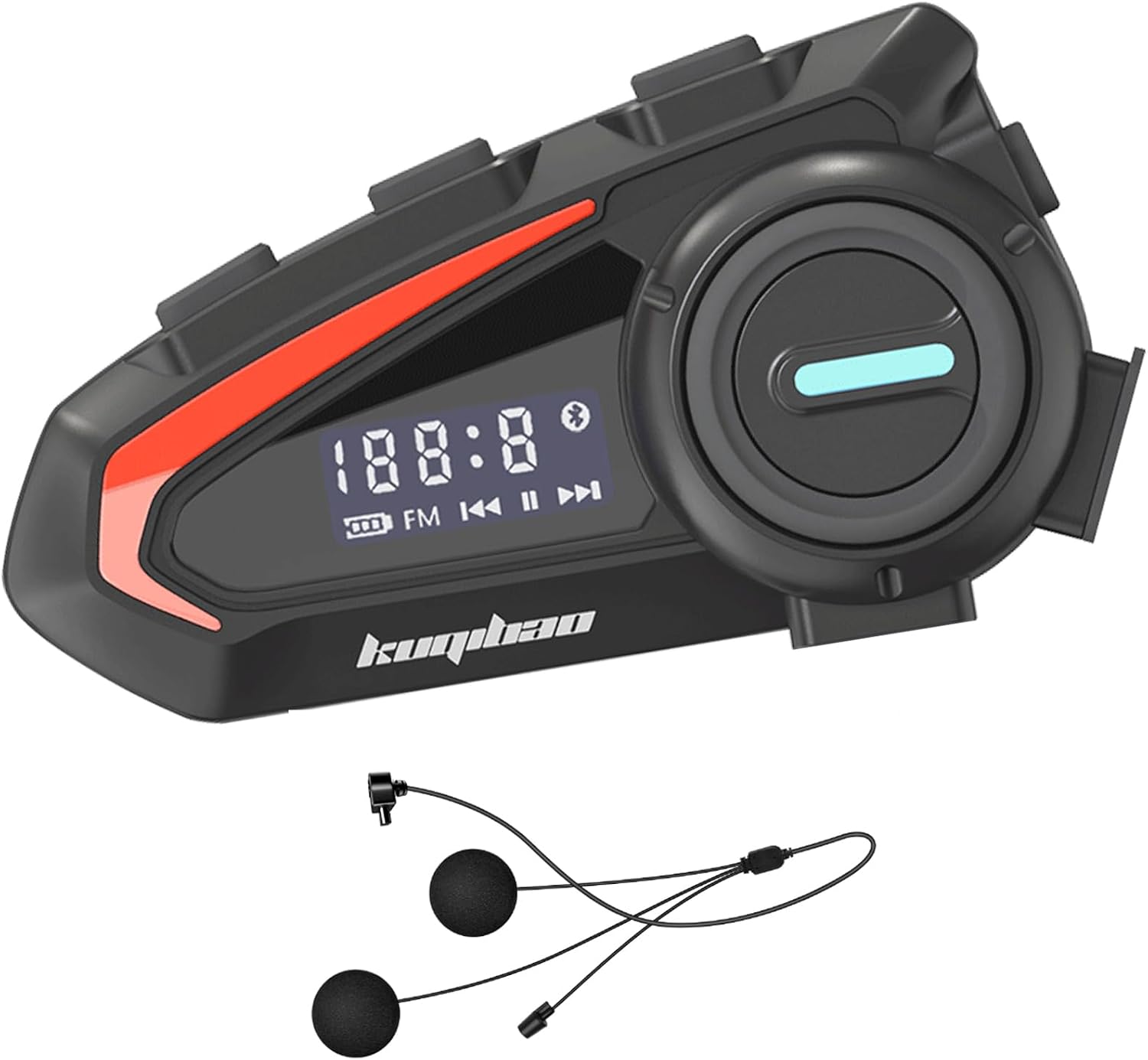
Image: The KUQIBAO K20 Bluetooth headset unit shown with the wired speaker and microphone set. The main unit is black with red accents and a digital display.
Product Overview
Familiarize yourself with the various components and controls of your K20 headset.

Image: A detailed diagram labeling the components of the K20 headset. Key labels include PTT Key, Minus Key, Plus Key, Power Button, Display, Audio Port, Charging Port, and Phone Key.
- Power Button: Used to power the device on/off and for various functions.
- PTT Key: Push-to-Talk key, often used to activate voice assistant.
- Plus Key (+): Volume up, next track, or other navigation.
- Minus Key (-): Volume down, previous track, or other navigation.
- Phone Key: For call management (answer, end, reject).
- Display: Shows status information like battery level, FM frequency, and connection status.
- Audio Port: Connects the speaker and microphone set.
- Charging Port: For connecting the USB charging cable.
Setup
1. Charging the Device
Before first use, fully charge the K20 headset.
- Connect the provided USB charging cable to the charging port on the headset.
- Connect the other end of the cable to a USB power adapter (not included) or a computer's USB port.
- The display will indicate charging status. A full charge takes approximately 3 hours.
- The device supports displaying battery level on your connected phone.
2. Installing on Helmet
The K20 headset can be installed using either the mounting clip or adhesive mount. It is compatible with various helmet types including full, off-road, half, uncovered, and vintage helmets.

Image: A motorcycle helmet with the K20 Bluetooth headset unit securely attached to the side. This demonstrates a typical installation.

Image: An illustration showing different helmet types (full helmet, off-road helmet, half helmet, uncovered helmet, vintage helmet) and how the K20 headset can be installed on each.
Using the Mounting Clip:
- Loosen the screws on the mounting clip.
- Slide the clip between the helmet shell and the inner padding, positioning it on the left side of the helmet.
- Tighten the screws to secure the clip firmly.
- Slide the K20 headset unit onto the clip until it clicks into place.
Using the Adhesive Mount:
- Clean the desired mounting area on the left side of your helmet thoroughly.
- Peel off the protective backing from the adhesive mount.
- Press the adhesive mount firmly onto the helmet surface for at least 30 seconds. Allow it to cure for 24 hours before attaching the headset.
- Slide the K20 headset unit onto the adhesive mount until it clicks into place.
3. Connecting Speakers and Microphone
- Connect the speaker and microphone cable to the audio port on the K20 headset.
- Carefully route the speaker wires inside the helmet, placing the speakers into the ear pockets. Use the provided Velcro pads if necessary to secure them.
- Position the microphone near your mouth, ensuring it is not obstructed by padding or the helmet visor.
Operating Instructions
1. Power On/Off
- Power On: Press and hold the Power Button for approximately 3 seconds until the display lights up and you hear an audible prompt.
- Power Off: Press and hold the Power Button for approximately 3 seconds until the display turns off and you hear an audible prompt.
2. Bluetooth Pairing
The K20 headset can connect wirelessly to two mobile devices simultaneously.
- With the headset powered off, press and hold the Power Button for approximately 5-7 seconds until the display shows a pairing indicator (e.g., flashing Bluetooth icon) and you hear "Pairing".
- On your mobile device, enable Bluetooth and search for "K20" (or similar device name).
- Select "K20" from the list of available devices to connect. Once connected, the display will show a steady Bluetooth icon and you will hear "Connected".
- To connect a second device, repeat steps 1-3. The headset will automatically connect to previously paired devices when powered on.
3. Music Playback
After pairing with your mobile device, you can control music playback.
- Play/Pause: Short press the Power Button.
- Next Track: Short press the Plus Key (+).
- Previous Track: Short press the Minus Key (-).
- Volume Up: Long press the Plus Key (+).
- Volume Down: Long press the Minus Key (-).
4. Call Management
The K20 headset supports hands-free calling with automatic answering.
- Answer Call: The headset will automatically answer incoming calls after a few rings. Alternatively, short press the Phone Key to answer.
- End Call: Short press the Phone Key.
- Reject Call: Long press the Phone Key.
- Redial Last Number: Double-press the Phone Key.
5. Voice Control (Siri/Google Assistant)
Activate your phone's voice assistant for hands-free commands.

Image: An illustration demonstrating the voice control functionality of the K20 headset, showing a smartphone screen with a voice assistant interface and examples of commands like "Open Google Navigation" or "Music Next Song".
- Activate Voice Assistant: Short press the PTT Key.
- Once activated, you can issue commands such as "Open Google Navigation," "Turn off the sound," "Open QQ Music," "Music on a song," or "Music next song."
Maintenance
1. Waterproofing
The K20 headset features IPX7 waterproofing and dustproof design using Nano coating technology.
Image: The K20 headset shown with water splashing over it, illustrating its waterproof design. A motorcycle race track is in the background.
- The device is protected against temporary immersion in water (up to 1 meter for 30 minutes).
- While designed to withstand rain and snow, avoid prolonged submersion or high-pressure water jets.
- Ensure the charging port cover is securely closed when not charging to maintain water resistance.
2. Cleaning
- Wipe the headset unit with a soft, damp cloth.
- Do not use abrasive cleaners or solvents.
- Ensure the device is completely dry before charging or storing.
3. Battery Care
The K20 headset is equipped with a built-in 1200mAh rechargeable Li-ion battery.
- For optimal battery life, avoid fully discharging the battery frequently.
- If storing the device for an extended period, charge it to about 50% and recharge every few months.
- Operating time is approximately 60 hours of continuous talking/playing, with 120 hours standby time.
Troubleshooting
| Problem | Solution |
|---|---|
| Device does not power on. | Ensure the battery is charged. Connect to a power source and try again. |
| Cannot pair with phone. | Ensure the headset is in pairing mode (flashing Bluetooth icon). Turn off and on your phone's Bluetooth. Forget previous pairings on your phone and try again. |
| No sound from speakers. | Check if the speaker cable is securely connected to the headset. Ensure volume is not muted or too low on both the headset and your phone. |
| Poor sound quality / Noise. | Ensure the microphone is positioned correctly and not obstructed. DSP noise cancelling technology is active, but extreme wind or external noise can still affect quality. |
| Device disconnects frequently. | Ensure your phone is within the effective range (up to 20m). Avoid strong electromagnetic interference. |
Specifications
| Feature | Detail |
|---|---|
| Model | K20 |
| Wireless Communication | Bluetooth |
| Effective Distance | Up to 20 meters |
| Battery | 1200mAh Li-ion (rechargeable) |
| Charging Time | Approximately 3 hours |
| Talk/Music Play Time | Up to 60 hours |
| Standby Time | Up to 120 hours |
| Water Resistance | IPX7 (Waterproof and Dustproof) |
| Noise Cancellation | DSP Noise Cancelling Technology |
| Control Type | Touch, Siri (Voice Control) |
| Material | Plastic |
| Item Weight | 8.8 ounces |
| Package Dimensions | 7.87 x 5.51 x 1.26 inches |
Warranty and Support
For warranty information and technical support, please refer to the contact details provided on the product packaging or the official KUQIBAO website. Keep your purchase receipt for warranty claims.


