
QUTWOB DY1695-42WH
QUTWOB 42-inch Wood Ceiling Fan with Lights and Remote Control
Model: DY1695-42WH
1. Safety Instructions
Please read and understand all instructions before beginning installation. Failure to follow these instructions may result in electric shock, fire, or personal injury.
- Ensure the power is turned off at the circuit breaker before installation or maintenance.
- All electrical connections must be in accordance with local codes, ordinances, or national electrical codes. If you are unfamiliar with electrical wiring, consult a qualified electrician.
- The mounting structure must be capable of supporting the weight of the fan (approximately 5.54 kg).
- Keep a minimum clearance of 7 feet from the floor to the bottom of the fan blades.
- Do not operate the fan if any part is damaged.
2. Package Contents
Verify that all components are present before proceeding with installation.

Image: All components included in the QUTWOB 42-inch ceiling fan package.
- DC Motor Housing
- 3 Solid Wood Fan Blades
- Downrods (5-inch, 10-inch, 14-inch options)
- Mounting Bracket
- Remote Control with Holder
- Integrated LED Light Kit
- Canopy and Screws/Hardware
3. Setup and Installation
Follow these steps for proper assembly and installation. For a visual guide, please refer to the official installation video below.
Video: Detailed field installation guide for the QUTWOB ceiling fan with light.
- Attach Fan Blades: Secure the three solid wood blades to the motor housing using the provided screws. Ensure they are firmly attached.
- Install Light Kit: Connect the LED light kit to the motor housing and secure it.
- Assemble Downrod: Choose the appropriate downrod length (5", 10", or 14") for your ceiling height. Feed the fan wires through the downrod and attach the downrod to the motor assembly.
- Mounting Bracket: Secure the mounting bracket to your ceiling's electrical junction box. Ensure the bracket is properly anchored to a ceiling joist or a fan-rated support.
- Wiring Connections: Carefully connect the fan's electrical wires to your household wiring according to the wiring diagram in the detailed manual. Ensure all connections are secure and insulated.
- Hang Fan: Lift the fan assembly and hang it onto the mounting bracket.
- Attach Canopy: Slide the canopy up to the ceiling and secure it to the mounting bracket, covering all wiring.
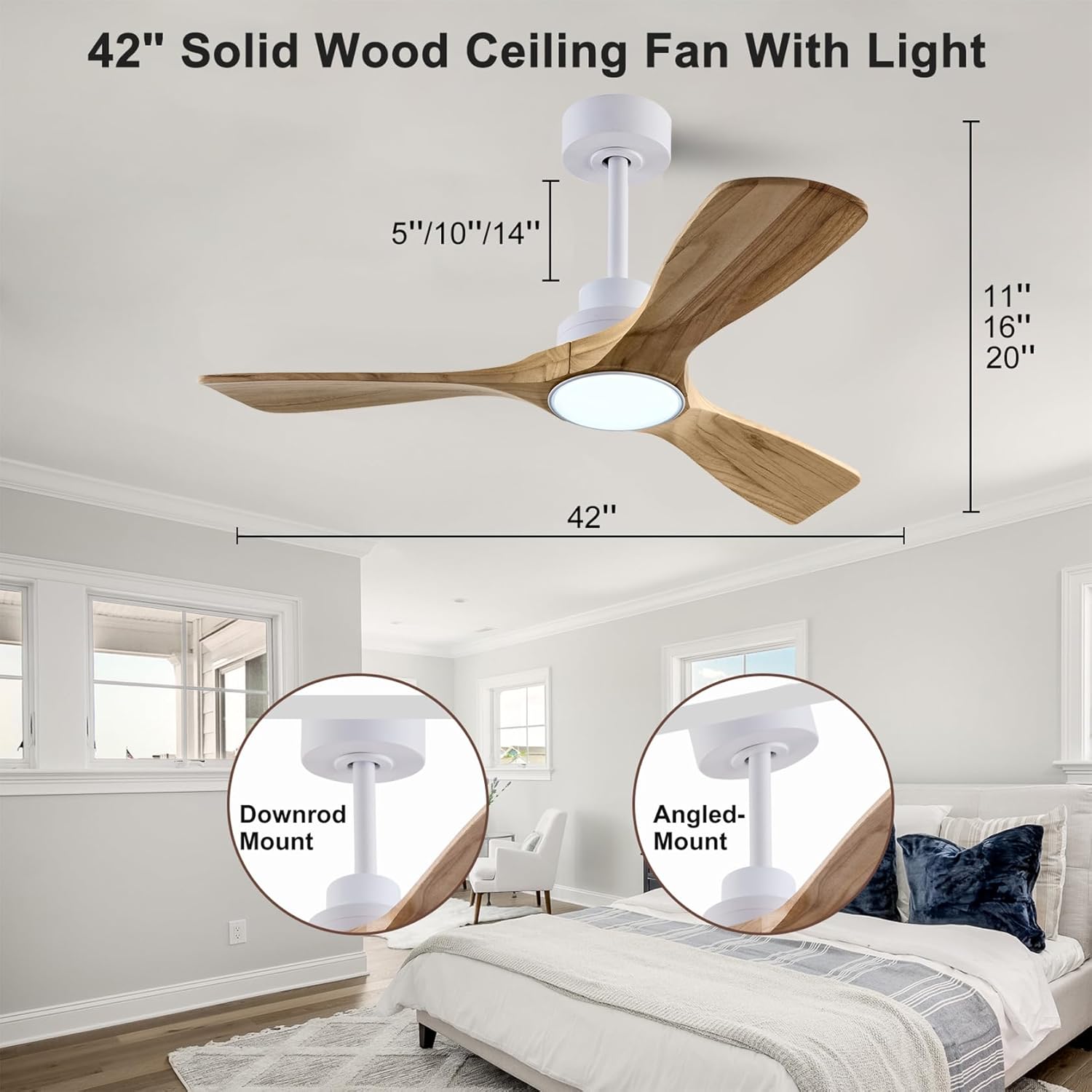
Image: Fan dimensions and mounting options (Downrod Mount, Angled Mount).
4. Operating Instructions
Your QUTWOB ceiling fan is operated via the included remote control. Ensure the remote has fresh batteries installed.

Image: QUTWOB ceiling fan with remote control.
- Power On/Off: Press the power button to turn the fan and light on or off.
- Fan Speed: Use buttons 1-6 to select your desired fan speed. 1 is the lowest, 6 is the highest.
- Light Control: Press the light button to turn the LED light on or off. Hold the light button to dim or brighten the light.
- Light Color Temperature: The LED light offers three color temperatures: 3000K Warm White, 4500K Neutral White, and 6000K Cold White. Cycle through these by pressing the light color temperature button.
- Timer Function: Set the fan to turn off automatically after 1 hour, 2 hours, or 4 hours using the dedicated timer buttons.
- Forward/Reverse Mode (F/R): This fan features a reversible DC motor. Press the F/R button to switch between summer mode (downward airflow for cooling) and winter mode (upward airflow for heat circulation).
- Breeze Mode: Activates a natural breeze effect by fluctuating fan speeds.
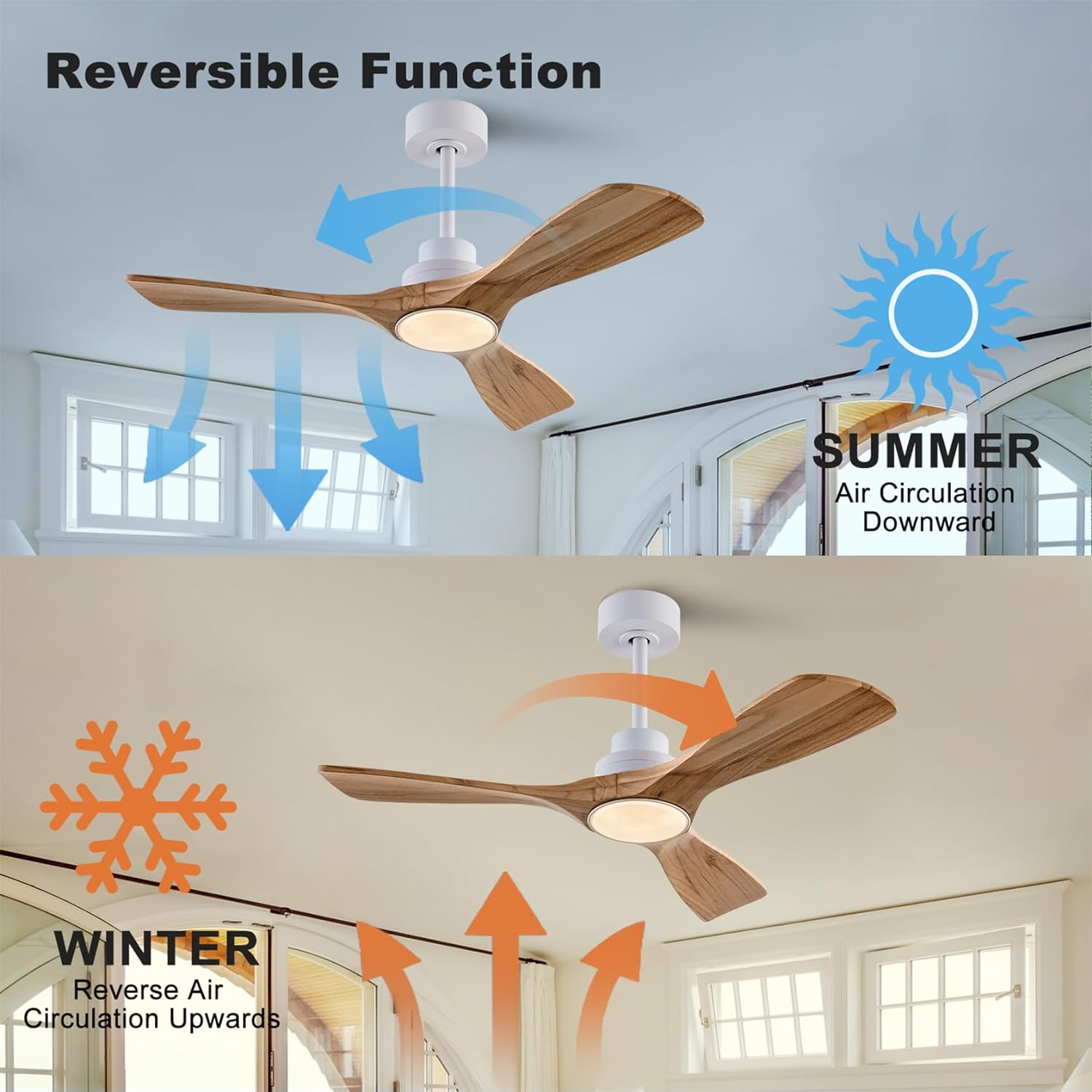
Image: Reversible function for Summer (downward airflow) and Winter (upward airflow).
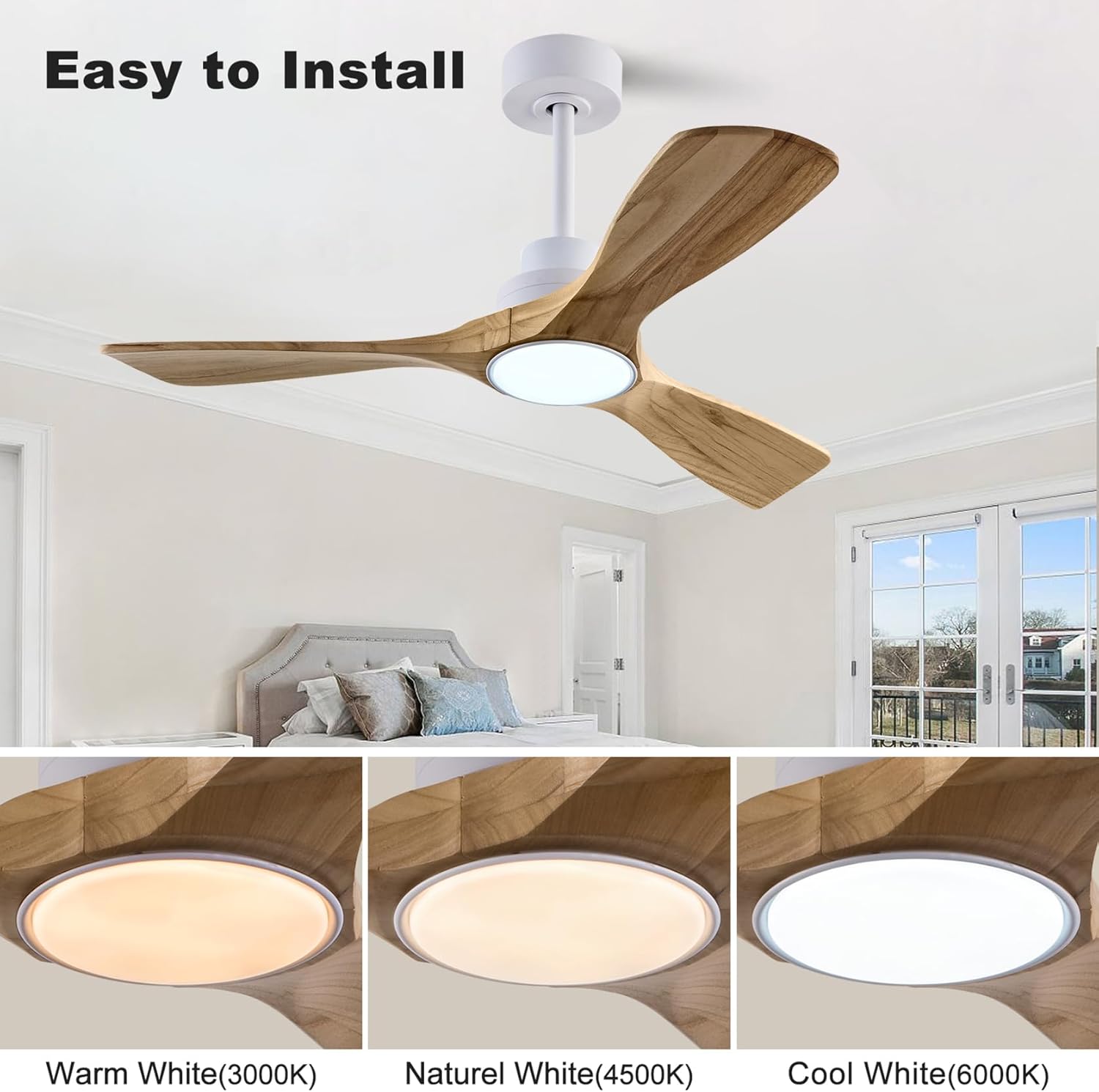
Image: Light color temperature options: Warm White (3000K), Natural White (4500K), Cool White (6000K).
Video: Demonstration of the QUTWOB solid wood ceiling fan with light, highlighting its features and operation.
5. Maintenance
Regular maintenance ensures optimal performance and longevity of your ceiling fan.
- Cleaning: Use a soft, damp cloth to clean the fan blades and motor housing. Do not use abrasive cleaners or solvents.
- Check Connections: Periodically check all screws and connections for tightness. Retighten as necessary.
- Blade Balance: If the fan wobbles, ensure all blades are securely attached and consider using a blade balancing kit if needed.
6. Troubleshooting
If you encounter issues with your fan, refer to the following common solutions:
| Problem | Possible Cause | Solution |
|---|---|---|
| Fan does not start | No power to fan; Loose wire connections; Remote control battery low or not paired. | Check circuit breaker; Verify all wiring connections; Replace remote battery or re-pair remote. |
| Light does not work | Light switch off; Loose wire connection to light kit; LED light kit failure. | Ensure light switch is on; Check light kit wiring; Contact support for replacement if LED is faulty. |
| Fan wobbles | Loose blades; Unbalanced blades; Loose mounting bracket. | Tighten all blade screws; Use a blade balancing kit; Ensure mounting bracket is securely fastened. |
| Noisy operation | Loose screws; Motor issues. | Check and tighten all screws; If noise persists, contact customer service. |
| Remote not responding | Low battery; Remote not paired; Interference. | Replace remote battery; Follow pairing instructions in the full manual; Ensure no obstructions between remote and receiver. |
7. Specifications
- Brand: QUTWOB
- Model Name: DY1695-42WH
- Product Dimensions: 42"D x 42"W x 15.7"H
- Color: White + Raw wood
- Material: Wood
- Blade Material: Wood
- Number of Blades: 3
- Electric Fan Design: Ceiling Fan
- Power Source: AC/DC
- Motor Type: Quiet DC Inverter Motor
- Number of Speeds: 6
- Speed: 185 RPM (Max)
- Noise Level: 20 Decibels (at minimum speed)
- Light Type: LED
- Wattage: 15 watts (LED)
- Control Method: Remote Control
- Indoor/Outdoor Usage: Indoor, Outdoor
- Item Weight: 5.54 Kilograms
8. Warranty and Support
QUTWOB stands behind the quality of its products.
- Motor Warranty: 10-year warranty on the DC motor.
- Full Product Warranty: 2-year worry-free warranty on the entire ceiling fan.
- Remote Replacement: In case the remote control is lost or damaged, a free replacement will be provided.
For further assistance or warranty claims, please contact QUTWOB customer service through your purchase platform or visit the official QUTWOB store online.
Ask a question about this manual
Ask about setup, troubleshooting, compatibility, parts, safety, or missing instructions. Manuals+ will review the question and use this page’s manual context to help answer it.