
FUNMILY 2-in-1 Portable Walking Pad Treadmill User Manual
Model: 2-in-1 Portable Walking Pad Treadmill
1. Introduction
Thank you for choosing the FUNMILY 2-in-1 Portable Walking Pad Treadmill. This compact and versatile fitness equipment is designed for both walking and light running, suitable for home and office environments. Its space-saving design, powerful motor, and user-friendly features make it an excellent choice for maintaining an active lifestyle. Please read this manual thoroughly before initial use to ensure safe operation and optimal performance.

Image 1.1: User operating the FUNMILY Walking Pad Treadmill.
2. Important Safety Instructions
To reduce the risk of electric shock, fire, and personal injury, please observe the following precautions:
- Read all instructions in this manual before using the treadmill.
- Keep children and pets away from the treadmill during operation.
- Place the treadmill on a flat, stable surface with adequate clearance around it.
- Ensure the power cord is not damaged and is properly plugged into a grounded outlet.
- Do not use the treadmill if it has been damaged or submerged in water.
- Wear appropriate athletic footwear and clothing during use.
- Do not exceed the maximum weight capacity of 300 lbs (136 kg).
- Always hold onto the handrails (if applicable) when starting or stopping the treadmill.
- Stop exercising immediately if you feel faint, dizzy, or experience pain. Consult a physician.
- Unplug the treadmill from the power source before cleaning, maintenance, or moving.
- Do not place the treadmill against a wall in a way that could cause scratches or damage to the unit or wall.

Image 2.1: The treadmill features a flexible shock absorption system designed to protect joints during exercise.
3. Package Contents
Please check the package contents to ensure all items are present:
- FUNMILY Walking Pad Treadmill Unit
- Remote Control
- Power Cord
- User Manual
- Lubricant (if included)
4. Setup and Assembly
The FUNMILY Walking Pad Treadmill is designed for minimal setup. It arrives largely pre-assembled and is ready to use out of the box.
4.1 Unpacking
- Carefully remove the treadmill from its packaging.
- Place the treadmill on a flat, level surface.
- Remove all protective materials.
4.2 Positioning
Ensure there is sufficient clear space around the treadmill for safe operation. For under-desk use, position the treadmill directly beneath your standing desk, ensuring the desk height allows for comfortable walking posture.

Image 4.1: The treadmill is suitable for use under a standing desk, featuring a 5% incline for ergonomic movement.
4.3 Storage
The compact design and built-in wheels allow for easy movement and storage. When not in use, the treadmill can be stored under a bed, sofa, or desk. Avoid storing it upright against a wall to prevent damage.

Image 4.2: Proper storage methods for the treadmill, emphasizing not to lean it against a wall.
5. Operation Guide
5.1 Power On/Off
- Plug the power cord into a grounded electrical outlet.
- Locate the power switch (usually at the front or rear of the unit) and turn it to the 'ON' position.
- The LED display will illuminate.
- To power off, turn the switch to 'OFF' and unplug the unit.
5.2 Using the Remote Control
The treadmill is controlled via the included remote control. Ensure the remote has working batteries.
- Start/Stop Button: Press to start or pause the treadmill belt.
- Speed +/- Buttons: Use to increase or decrease the belt speed.
5.3 Speed Modes
The treadmill offers a speed range of 0.5 to 4.0 mph, accommodating various activity levels:
- Walking Mode: 0.5 - 1.5 mph
- Working Mode: 0.6 - 1.5 mph (ideal for under-desk use)
- Hiking Mode: 1.0 - 2.5 mph
- Running Mode: 3.0 - 4.0 mph (light jogging)
5.4 LED Display
The integrated LED display provides real-time exercise data:
- Time: Duration of your workout.
- Speed: Current speed of the treadmill belt.
- Distance: Total distance covered during the session.
- Calories: Estimated calories burned.

Image 5.1: The LED display provides key workout metrics and indicates a 300 lbs weight capacity.
5.5 Incline Feature
This treadmill features a professional incline design, which can help increase calorie expenditure and provide a more challenging workout. The incline is fixed at 5% for an ergonomic and effective exercise experience.

Image 5.2: A user engaging in a workout on the treadmill, demonstrating its operational use.
5.6 Optional FITSHOW App Integration
While not a primary control method, the treadmill may be compatible with the FITSHOW app for enhanced tracking and workout programs. Refer to the app's instructions for pairing and usage.

Image 5.3: Overview of the FITSHOW app, which can be used to track and manage workouts.
6. Maintenance
Regular maintenance ensures the longevity and optimal performance of your treadmill.
6.1 Cleaning
- Unplug the treadmill before cleaning.
- Wipe down the display and exterior surfaces with a soft, damp cloth. Avoid abrasive cleaners.
- Periodically vacuum dust from around the motor cover.
6.2 Belt Lubrication
The running belt requires periodic lubrication to reduce friction and extend its lifespan. Refer to the specific instructions provided with your lubricant or contact customer service for guidance.
- Typically, lubrication is needed every few months, depending on usage.
- Apply silicone lubricant under the running belt as directed.
7. Troubleshooting
If you encounter issues with your treadmill, refer to the following common problems and solutions:
- Treadmill not powering on: Check if the power cord is securely plugged in and the power switch is in the 'ON' position. Verify the outlet is functional.
- Belt not moving: Ensure the safety key (if applicable) is correctly placed. Check if the remote control batteries need replacement.
- Unusual noise: Inspect the belt for debris. Ensure the treadmill is on a level surface. If noise persists, contact customer service.
- Remote control not responding: Replace the batteries in the remote control. Ensure there are no obstructions between the remote and the treadmill's receiver.
For problems not listed here, or if solutions do not resolve the issue, please contact FUNMILY customer service.
8. Product Specifications
| Feature | Specification |
|---|---|
| Brand | FUNMILY |
| Model | 2-in-1 Portable Walking Pad Treadmill |
| Motor Horsepower | 2.5 HP |
| Speed Range | 0.5 - 4.0 mph |
| Maximum Weight Capacity | 300 lbs (136 kg) |
| Incline Percentage | 5% (Fixed) |
| Noise Level | Below 45 dB |
| Running Area (L x W) | Approx. 40 inches x 16 inches |
| Product Dimensions (L x W x H) | 52"D x 23"W x 6"H |
| Material | Alloy Steel |
| Power Source | Corded Electric |
| Input Power | 1390 Watts |

Image 8.1: Illustration of the 2.5HP powerful and silent motor, operating below 45 dB.
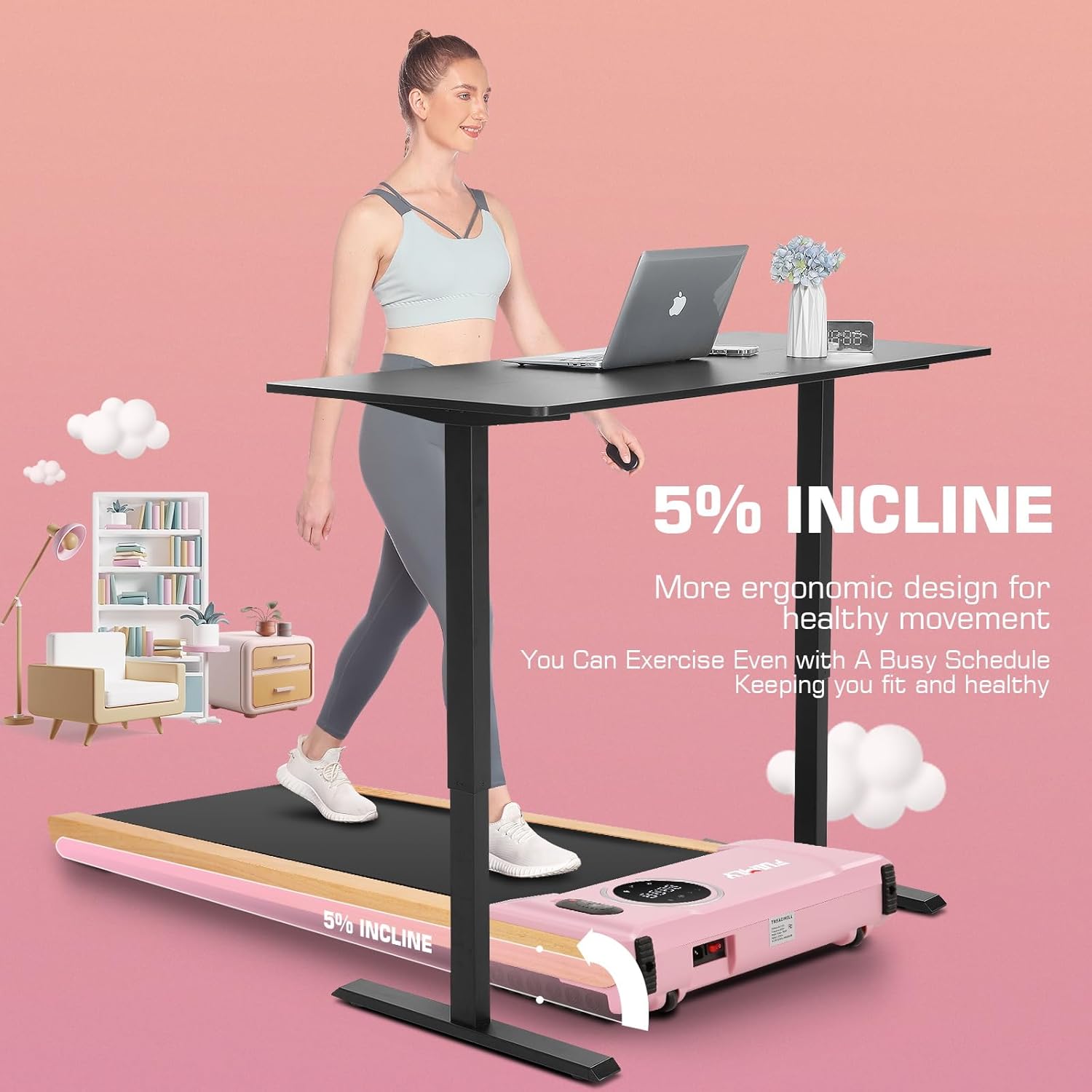
Image 8.2: Dimensions of the running area, indicating a 40-inch length and 16-inch width.

Image 8.3: Overall product dimensions, showing a length of 59.84 inches and a width of 29.92 inches.
9. Warranty and Support
FUNMILY stands by the quality of its products. This treadmill comes with a 12-month guarantee from the date of purchase.
If you have any questions, concerns, or require assistance with your FUNMILY Walking Pad Treadmill, please do not hesitate to contact our professional customer service team. We are committed to providing excellent support before and after your purchase.
Please refer to your purchase documentation or the FUNMILY official website for specific contact details.