
Janboe CAD-6171-SR
Contents
Janboe LED Medicine Cabinet User Manual
Model: CAD-6171-SR
Introduction
Thank you for choosing the Janboe LED Medicine Cabinet. This cabinet is designed to enhance your bathroom with its integrated LED lighting, demister function, and convenient USB shaver socket. It offers both surface and recess mounting options to suit various bathroom aesthetics. This manual provides essential information for safe installation, operation, and maintenance of your new medicine cabinet.

Image: The Janboe LED Medicine Cabinet, showcasing its illuminated mirror and sleek design above a modern bathroom vanity.
Important Safety Information
CAUTION: This product contains electrical components and glass shelves. Always unplug the power cord before cleaning or installing the cabinet. Do not install the cabinet in a location where it may come into contact with water. Use appropriate safety gear and techniques when installing the cabinet, and be cautious when handling the glass shelves to prevent injury. Always follow the manufacturer's instructions for safe installation, use, and maintenance.
- Ensure power is disconnected before any installation or maintenance.
- Handle glass components with care to prevent breakage and injury.
- Do not expose electrical components to direct water spray.
- Consult a qualified electrician if you are unsure about wiring or installation.
Package Contents
Please verify that all components are present and undamaged before beginning installation.
- Janboe LED Medicine Cabinet Unit
- Adjustable Tempered Glass Shelves (Quantity: 1)
- Installation Brackets (Large and Small)
- Mounting Hardware (Screws, Wall Anchors)
- User Manual
Video: This video demonstrates the unboxing process, highlighting the location of the glass shelves and installation brackets within the packaging. (Duration: 0:18)
Setup and Installation
The Janboe LED Medicine Cabinet supports both surface mounted and recess mounted installations. Choose the method that best suits your bathroom design and wall structure.
Mounting Options

Image: Visual comparison of surface mount and recess mount installations for the medicine cabinet.
For recess mounting, ensure you have a wall opening of approximately 23.213 inches in width and 27.213 inches in height. The cabinet dimensions are 24 inches wide by 28 inches high by 4.92 inches deep.

Image: Detailed dimensions for preparing the wall opening for recess mounting.
Installation Steps
- Prepare the Wall: Identify suitable mounting points, ensuring they are structurally sound. For recess mount, create the appropriate opening.
- Mount the Large Bracket: Secure the large installation bracket to the wall using the provided hardware. Ensure it is level and firmly attached.
- Place the Cabinet: Carefully lift the medicine cabinet and place it onto the large bracket, ensuring it is properly seated and supported.
- Secure Small Brackets: Secure the small brackets into the grooves on the top side of the mirror cabinet. Fix these brackets to the wall with screws to fully secure the cabinet.
- Connect Power: Connect the cabinet's power cord to a suitable electrical outlet. If hardwiring, consult a qualified electrician.
- Install Glass Shelves: Insert the adjustable tempered glass shelves into the desired positions inside the cabinet.

Image: Visual guide illustrating the three main steps for mounting the medicine cabinet.
Operating Instructions
Adjustable Lighting
The LED lighting features adjustable brightness and three color temperatures (3000K, 4500K, 6500K).
- Brightness Adjustment: Long press the light control button on the mirror surface to cycle through brightness levels from 10% to 100%. Release the button at your desired brightness.
- Color Temperature Change: Short click the light control button to switch between 3000K (Warm), 4500K (Natural), and 6500K (Cool) light settings.
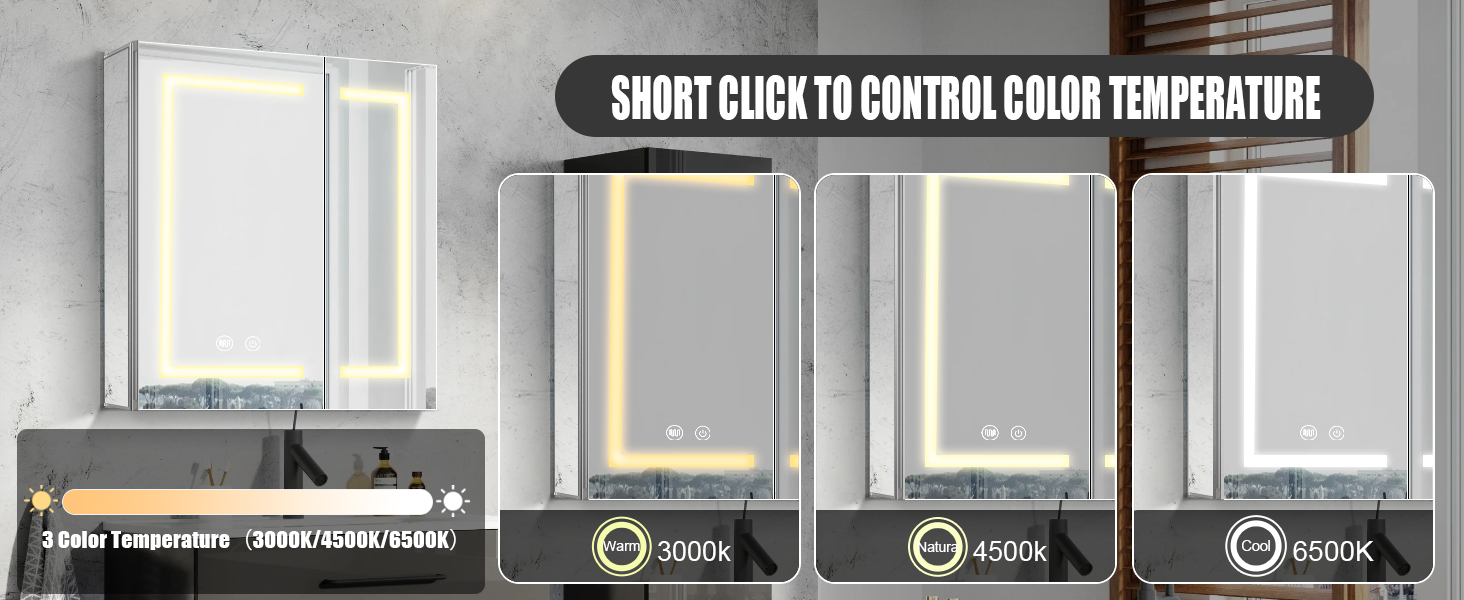
Image: Illustration of long-pressing the button to adjust light brightness from 10% to 100%.
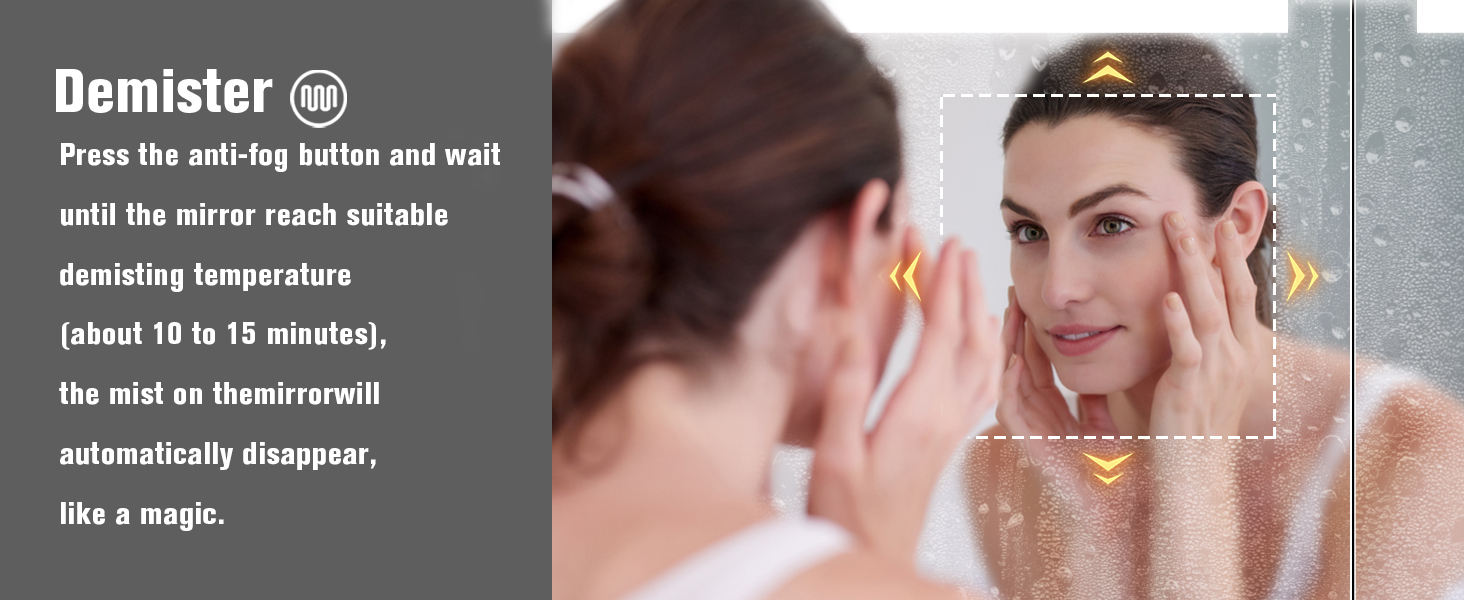
Image: Illustration of short-clicking the button to change light color temperature (3000K, 4500K, 6500K).
Demister Function
The integrated demister pad prevents fogging on the mirror surface.
- Activate Demister: Press the anti-fog button on the mirror surface. The demister will begin to heat the mirror.
- Defogging Time: Allow approximately 10 to 15 minutes for the mirror to reach the optimal demisting temperature and for the mist to clear.

Image: A woman looking into the medicine cabinet mirror, demonstrating the effectiveness of the demister function in a steamy environment.
USB Shaver Socket & Inner Illumination
The cabinet includes a convenient USB shaver socket for charging devices and an internal light that activates when the door is opened.
- USB Shaver Socket: Located inside the cabinet, this socket provides power for electric shavers, toothbrushes, or other small USB-powered devices.
- Inner Illumination: An integrated light inside the cabinet automatically turns on when the cabinet door is opened, providing visibility to contents.

Image: An interior view of the medicine cabinet, highlighting the inner illumination and the integrated USB shaver socket.
Maintenance
Regular cleaning and proper care will ensure the longevity and optimal performance of your medicine cabinet.
- Cleaning the Mirror: Use a soft, lint-free cloth and a non-abrasive glass cleaner. Spray the cleaner onto the cloth, not directly onto the mirror, to avoid liquid seeping into electrical components.
- Cleaning the Cabinet: Wipe down the aluminum frame and interior surfaces with a soft, damp cloth. Avoid harsh chemicals or abrasive cleaners.
- Glass Shelves: The tempered glass shelves can be removed for thorough cleaning. Wash with mild soap and water, then dry completely before reinserting.
- Electrical Components: Ensure the cabinet is unplugged before cleaning any electrical parts. Do not use wet cloths near the USB socket or wiring.
Troubleshooting
| Problem | Possible Cause | Solution |
|---|---|---|
| LED lights not turning on. | No power supply; loose connection; faulty LED driver. | Check power outlet and connections. Ensure the cabinet is plugged in or hardwired correctly. If issues persist, contact customer support. |
| Demister not clearing fog. | Demister not activated; insufficient warm-up time; faulty demister pad. | Press the anti-fog button. Allow 10-15 minutes for the demister to heat up. If still not working, contact customer support. |
| USB shaver socket not working. | No power; device incompatibility; faulty socket. | Ensure the cabinet has power. Test with another compatible device. If the issue persists, contact customer support. |
| Cabinet door not closing smoothly. | Misaligned hinges; obstruction. | Check for any obstructions. Inspect hinges for misalignment and adjust if necessary. |
| Missing parts upon arrival. | Packaging error. | Immediately contact Janboe Home customer support with your order details for assistance. |
Specifications
| Feature | Detail |
|---|---|
| Brand | Janboe |
| Model Number | CAD-6171-SR |
| Product Dimensions | 4.92"D x 24"W x 28"H |
| Item Weight | 50.6 pounds (23 Kilograms) |
| Material | Aluminum (Frame, Back), Tempered Glass (Shelves) |
| Mounting Type | Wall Mount or Recess Mount |
| Lighting Features | Adjustable Brightness (10%-100%), 3 Color Temperatures (3000K/4500K/6500K) |
| Special Features | Demister, USB Shaver Socket, Inner Illumination |
| Number of Shelves | 1 (Adjustable) |
| Door Style | Mirrored |
| Finish Type | Glossy |
| UPC | 787309389820 |
Warranty and Support
For any product inquiries, technical support, or warranty claims, please contact Janboe Home customer service. Refer to your purchase documentation for specific warranty terms and contact information.
You can typically find support contact details on the seller's page or through your order history on the platform where you purchased the product. For Amazon purchases, you can visit the Janboe Store on Amazon.
Ask a question about this manual
Ask about setup, troubleshooting, compatibility, parts, safety, or missing instructions. Manuals+ will review the question and use this page’s manual context to help answer it.