
Introduction
Thank you for choosing the Xtreme Lit 16.4ft RGBW Color-Changing Indoor LED Light Strip. This product is designed to provide versatile and customizable lighting for various indoor spaces, including bedrooms, gaming rooms, dorms, headboards, cabinets, home offices, and kitchens. With its easy DIY installation and remote control functionality, you can effortlessly transform your environment with vibrant colors and dynamic lighting modes.
What's in the Box
Please ensure all components are present before beginning installation:
- 16.4ft (5m) RGBW LED Light Strip
- Wireless Remote Control
- 12V Power Adapter with 56-inch cord
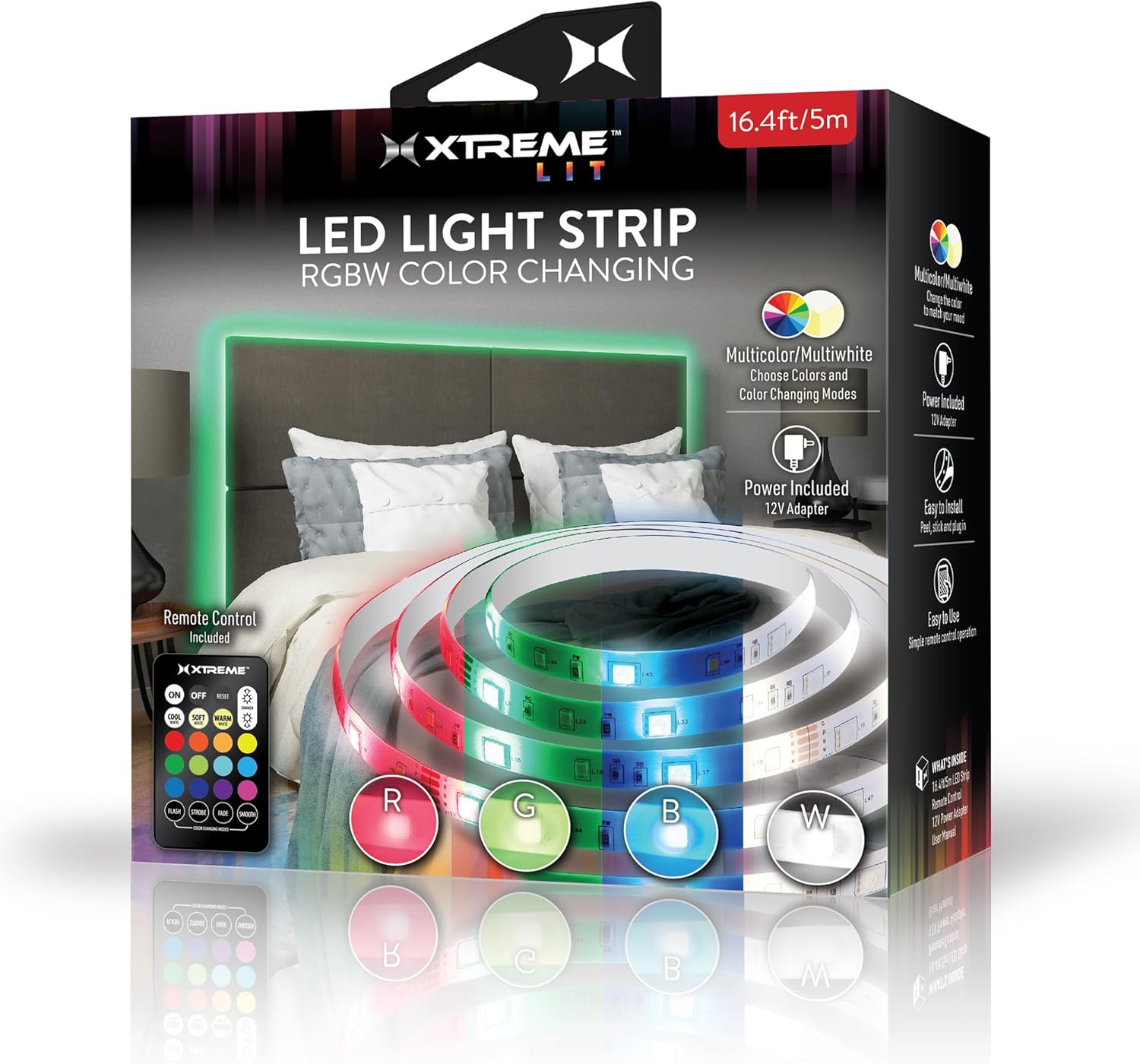
Image: All components included in the package: the LED light strip, remote control, and power adapter.
Setup and Installation
The Xtreme Lit LED Light Strip features an easy peel-and-stick installation process. Follow these steps for optimal results:
- Prepare the Surface: Choose a clean, dry, and smooth surface for installation. Ensure the area is free of dust, grease, or moisture. For best adhesion, clean the surface with a damp cloth and allow it to dry completely.
- Measure and Plan: Before peeling the adhesive, unroll the LED strip and temporarily position it along your desired path to ensure it fits and to plan for corners or obstacles. Avoid sharp bends that could damage the strip.
- Peel and Stick: Starting from one end, carefully peel off a small section of the adhesive backing (approximately 6-12 inches at a time). Press the exposed adhesive side of the LED strip firmly onto the prepared surface. Continue peeling and sticking in small sections, applying even pressure along the entire length of the strip.

Image: Demonstrating the peel-off backing for easy adhesive application.
- Connect the Power Adapter: Once the LED strip is fully adhered, connect the end of the LED strip to the 12V power adapter. Ensure the connection is secure.
- Plug In: Plug the 12V power adapter into any standard wall outlet. The LED strip should now be ready for operation.
Operating Instructions
Control your Xtreme Lit LED Light Strip using the included wireless remote control. The remote allows you to customize colors, brightness, and lighting modes.

Image: The Xtreme Lit LED Light Strip with its remote control.
Remote Control Functions:
- ON/OFF: Power the lights on or off.
- RESET: Resets the light settings to default.
- Brightness Control: Use the sun icons (dimmer/brighter) to adjust the light intensity.
- Color Selection: Choose from over 110 Multicolor and 110 Multi-White options using the color palette buttons.
- White Tones: Select between COOL WHITE, SOFT WHITE, and WARM WHITE.
- Dynamic Modes: Activate various lighting effects:
- FLASH: Rapid color changes.
- STROBE: Flashing effect with a single color.
- FADE: Gradual transition between colors.
- SMOOTH: Smooth transition through the color spectrum.
The remote control has an effective range of up to 26 feet, allowing for convenient adjustments from a distance.
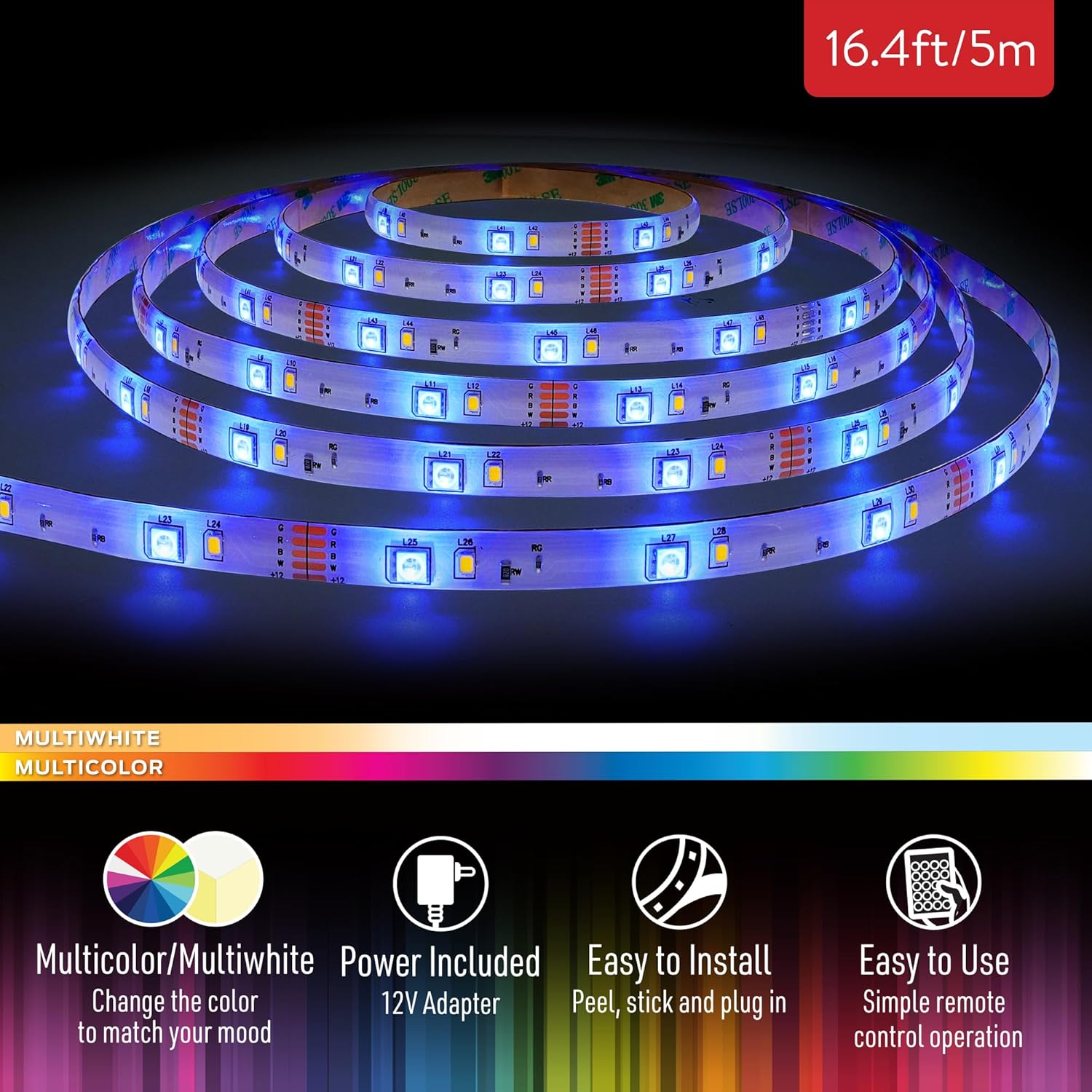
Image: Detail of the LED strip, highlighting its multiwhite and multicolor capabilities.
Maintenance
To ensure the longevity and optimal performance of your LED light strip, follow these simple maintenance guidelines:
- Cleaning: Gently wipe the LED strip with a dry, soft cloth to remove dust. For stubborn dirt, slightly dampen the cloth with water, ensuring the strip is unplugged and completely dry before reconnecting power. Do not use harsh chemicals or abrasive cleaners.
- Adhesive Care: If the adhesive begins to lose its grip in certain areas, gently press the strip back onto the surface. For persistent issues, a small amount of additional clear adhesive tape can be used to secure the strip in place, particularly in corners or high-tension areas.
- Storage: If you need to store the light strip, carefully unpeel it from the surface and coil it loosely. Store it in a cool, dry place away from direct sunlight.
Troubleshooting
If you encounter any issues with your Xtreme Lit LED Light Strip, please refer to the following common problems and solutions:
| Problem | Possible Cause | Solution |
|---|---|---|
| Lights do not turn on. | Power adapter not connected or plugged in. Remote control battery is dead. Strip or adapter is damaged. | Ensure the power adapter is securely connected to the strip and plugged into a working outlet. Replace the remote control battery. Contact customer support if damage is suspected. |
| Remote control is not working. | Remote battery is dead or inserted incorrectly. Obstruction between remote and receiver. Remote is out of range. | Check and replace the remote battery, ensuring correct polarity. Remove any objects blocking the signal. Move closer to the LED strip's receiver (within 26 feet). |
| Lights are dim or flickering. | Low power supply. Loose connection. | Ensure the power adapter is fully plugged in. Check all connections between the strip and adapter. |
| Adhesive is not sticking. | Surface was not clean or smooth. Excessive tension on the strip. | Ensure the surface is clean, dry, and smooth before application. Apply additional clear adhesive tape to secure loose sections, especially around corners. |
Specifications
| Feature | Detail |
|---|---|
| Model Number | XLB7-1091-RGB |
| Length | 16.4 feet (5 meters) |
| Light Type | RGBW LED |
| Color Options | Over 110 Multicolor and 110 Multi-White options |
| Power Source | 12V DC Adapter (Corded Electric) |
| Adapter Cord Length | 56 inches |
| Control Method | Remote Control |
| Remote Range | Up to 26 feet |
| Indoor/Outdoor Usage | Indoor Use Only |
| Material | Resin |
| Item Weight | 9.9 ounces |
| Manufacturer | Jem Accessories |
| UPC | 805106232627 |
Warranty and Support
Xtreme Digital Lifestyle Accessories products are designed for quality and reliability. For specific warranty information regarding your Xtreme Lit LED Light Strip, please refer to the product packaging or the official Xtreme Digital Lifestyle Accessories website. If you require technical assistance or have questions not covered in this manual, please visit the brand's official support channels or contact their customer service department.
For more information, visit the XTREME DIGITAL LIFESTYLE ACCESSORIES Store.