
SIMATE P6
SIMATE P6 Scooter User Manual
Model: P6
Introduction
Thank you for choosing the SIMATE P6 Scooter. This self-balancing electric scooter is designed for users of all ages, offering an enjoyable and convenient riding experience. It features integrated Bluetooth speakers, LED light-up wheels, and can be controlled via a mobile application. Please read this manual thoroughly before operating your scooter to ensure safe use and optimal performance.
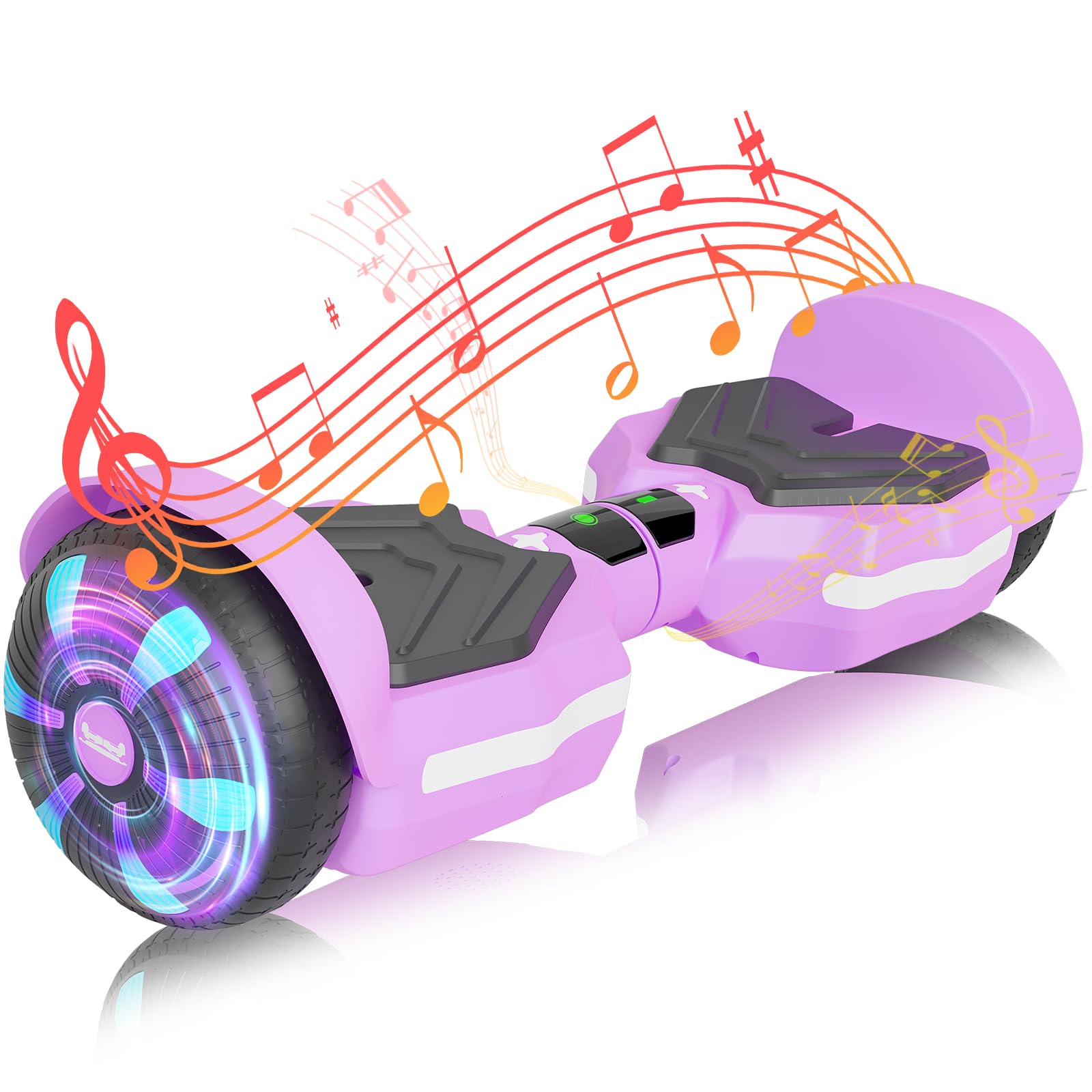
Image: The SIMATE P6 Scooter, showcasing its design and LED lights.
Safety Information
Your safety is paramount. The SIMATE P6 electric scooter has passed UL2272 Safety Certification, complying with all U.S. safety regulations. However, it is crucial to follow all safety guidelines during operation.
- Always wear a helmet and appropriate protective gear (knee pads, elbow pads, wrist guards) when riding.
- Ensure the scooter is fully charged before each use.
- Do not ride under the influence of alcohol or drugs.
- Avoid riding in heavy traffic, on uneven surfaces, or in wet conditions.
- Maintain a safe distance from other riders and pedestrians.
- The maximum load capacity is 220 lbs. Do not exceed this limit.
- Children should always be supervised by an adult while riding.

Image: Key safety and functional components of the SIMATE P6 Scooter, including the UL Certified label.
What's in the Box
Upon unpacking, please ensure all items are present:
- SIMATE P6 Scooter
- Charger
- User Manual
Setup
1. Initial Charging
Before first use, fully charge your SIMATE P6 Scooter. Connect the charger to the charging port on the scooter and then to a power outlet. The charging indicator light on the charger will change (e.g., from red to green) when charging is complete. Charging typically takes approximately 2.5 hours.
2. Power On/Off
To power on the scooter, press the power button located near the charging port. The LED lights will illuminate, and a sound indicator may confirm it is on. To power off, press and hold the power button until the lights turn off.
Operating Instructions
1. Self-Balancing System
The SIMATE P6 Scooter features a self-balancing control system, making it easy to learn and ride. To operate:
- Place one foot firmly on a footpad.
- Once the scooter stabilizes, quickly step on with your other foot.
- Lean slightly forward to move forward, and lean backward to slow down or move in reverse.
- To turn, apply gentle pressure with your left foot to turn right, and with your right foot to turn left.

Image: Visual guide on using the self-balancing system for movement.
2. Bluetooth Music Speakers
The scooter includes a built-in Bluetooth speaker. To connect:
- Ensure the scooter is powered on.
- Enable Bluetooth on your smartphone or other device.
- Search for available Bluetooth devices and select "SIMATE Scooter" (or similar name).
- Once paired, you can play music or audio through the scooter's speakers.

Image: A rider enjoying music through the scooter's Bluetooth speakers.
3. LED Lights and Light-Up Wheels
The SIMATE P6 Scooter features integrated LED lights and light-up wheels that activate automatically when the scooter is powered on. These lights enhance visibility and add to the riding experience.
4. APP Control and Speed Modes
For enhanced control and customization, download the official SIMATE app on your smartphone. The app allows you to:
- Adjust LED light settings.
- Monitor battery status.
- Select from three adjustable speed modes:
- Safe Mode: Maximum speed 5 mph (suitable for beginners).
- Beginner Mode: Maximum speed 6.5 mph (suitable for novices).
- Sports Mode: Maximum speed 8.5 mph (suitable for proficient users).

Image: The SIMATE app interface for controlling scooter features and selecting speed modes.
Video: Official SIMATE video demonstrating the scooter's colorful LED lights and features.
Maintenance
- Cleaning: Wipe the scooter with a damp cloth. Do not use harsh chemicals or immerse in water.
- Storage: Store the scooter in a cool, dry place away from direct sunlight and extreme temperatures.
- Battery Care: Charge the battery regularly, even if not in use, to maintain its lifespan. Avoid completely draining the battery.
- Tire Inspection: Periodically check the 6.5-inch solid rubber wheels for wear and tear.
Troubleshooting
If you encounter any issues with your SIMATE P6 Scooter, please consider the following general advice:
- Scooter not turning on: Ensure the battery is charged. Check the power button for proper function.
- Difficulty balancing: Practice in a safe, open area. Ensure your feet are properly positioned on the footpads.
- Bluetooth connectivity issues: Ensure the scooter is powered on and your device's Bluetooth is enabled. Try restarting both devices.
- Reduced performance: Check battery level. Ensure the scooter is not overloaded.
For persistent problems, please refer to the Warranty and Support section for contact information.
Specifications
| Brand | SIMATE |
| Model Name | Scooter (P6) |
| Color | Purple |
| Age Range (Description) | Kid & Adults |
| Special Features | Built-In Bluetooth speaker, LED Light, Light Up Wheel, Lightweight, Long Battery Life, Non-Slip Deck, Rechargeable |
| Maximum Speed | 7.5 - 8.5 mph (depending on mode) |
| Maximum Range | 8 miles |
| Motor Power | Dual 250W Motors |
| Battery Charge Time | 2.5 hours |
| Wheel Size | 6.5 inches |
| Wheel Material | Rubber |
| Frame Material | Aluminum |
| Maximum Load | 220 lbs |
| Item Dimensions (L x W x H) | 24"L x 7.28"W x 6.88"H |
| Safety Certification | UL2272 |

Image: Visual representation of key performance specifications for the SIMATE P6 Scooter.
Warranty and Support
The SIMATE P6 Scooter comes with a 1-year warranty from the date of purchase, covering manufacturing defects. For any questions, technical assistance, or warranty claims, please contact SIMATE customer support.
SIMATE offers 24/7 online service and 365 days of after-sales support to ensure you receive excellent value and assistance.
For support, please visit the official SIMATE website or contact us through your purchase platform.
Related documentsP6


Ask a question about this manual
Ask about setup, troubleshooting, compatibility, parts, safety, or missing instructions. Manuals+ will review the question and use this page’s manual context to help answer it.