
SIMATE P6
SIMATE 6.5" Self-Balancing Scooter
User Manual
Model: P6
Introduction
Welcome to the world of personal mobility with your new SIMATE 6.5" Self-Balancing Scooter. This manual provides essential information for the safe operation, maintenance, and troubleshooting of your device. Designed for effortless learning and reliable performance, this scooter features a built-in Bluetooth speaker, vibrant LED lights, and dual 250W motors for a smooth and enjoyable ride. Please read this manual thoroughly before your first use to ensure a safe and optimal experience.
Safety Information
Your safety is paramount. This SIMATE Self-Balancing Scooter is meticulously designed and manufactured to meet the rigorous UL2272 Safety Standard, ensuring it has successfully passed all necessary safety tests. Adhering to the following guidelines will help prevent accidents and injuries.
- Always wear appropriate safety gear, including a helmet, knee pads, and elbow pads.
- Operate the scooter on flat, dry surfaces free of obstacles. Avoid wet conditions, loose gravel, or steep inclines.
- Do not exceed the maximum weight limit.
- Children should always be supervised by an adult while riding. Recommended for ages 6-12.
- Familiarize yourself with local laws and regulations regarding the use of self-balancing scooters.
- Avoid sudden turns or rapid acceleration/deceleration, especially at high speeds.
- Do not operate the scooter under the influence of alcohol or drugs.
- Regularly inspect the scooter for any damage or loose parts before each use.

Image: The SIMATE Self-Balancing Scooter highlighting its UL tested and approved status, ensuring a safe and reliable ride.
Setup
- Unboxing: Carefully remove the scooter and all accessories from the packaging. Ensure all components listed in the packing list are present: Hoverboard, Charger, Manual.
- Initial Charging: Before first use, fully charge the scooter.
- Locate the charging port on the scooter.
- Connect the charger to the scooter's charging port, then plug the charger into a standard wall outlet.
- The indicator light on the charger will typically turn red during charging and green when fully charged.
- Do not overcharge. Disconnect the charger once the battery is full.
- Power On: Press the power button located on the scooter to turn it on. The indicator lights will illuminate, and the self-balancing system will activate.

Image: The SIMATE 6.5-inch Self-Balancing Scooter in black, showcasing its sleek design and illuminated wheels, ready for use after initial setup.
Operating Instructions
- Mounting:
- Place the scooter on a flat surface.
- Step onto one side of the footpad with one foot, ensuring the scooter is level.
- Quickly step onto the other footpad with your second foot. Maintain balance by keeping your body upright and relaxed.
- Riding:
- To move forward, gently lean your body slightly forward.
- To move backward, gently lean your body slightly backward.
- To turn, apply more pressure to the footpad on the side you wish to turn away from (e.g., press left footpad to turn right).
- To stop, return to an upright, neutral position.
- Dismounting: Step off the scooter one foot at a time, preferably backward, ensuring the scooter remains stable.
- Bluetooth Speaker Pairing:
- Ensure the scooter is powered on.
- Activate Bluetooth on your mobile device (smartphone, tablet, etc.).
- Search for available devices. The scooter will appear as "SIMATE" or a similar name.
- Select the scooter to pair. Once connected, you can play audio through the scooter's built-in speaker.
- LED Lights: The scooter features vibrant LED lights on the wheels and sides, which illuminate automatically when the scooter is powered on and in motion, enhancing visibility and style.

Image: The SIMATE Self-Balancing Scooter demonstrating its built-in Bluetooth speaker functionality, allowing users to enjoy music while riding.

Image: A close-up of the SIMATE Self-Balancing Scooter's wheel, showcasing the vibrant and colorful LED lights that enhance visibility and add style during operation.
Maintenance
- Charging: Always use the original charger provided. Do not leave the scooter charging unattended for extended periods. Store the scooter with a partial charge if not used for a long time to preserve battery life.
- Cleaning: Wipe the scooter with a damp cloth. Do not use harsh chemicals or abrasive cleaners. Avoid direct water spray or submersion.
- Storage: Store the scooter in a cool, dry place away from direct sunlight and extreme temperatures.
- Tires: The scooter is equipped with solid tires, which require minimal maintenance. Regularly check for any embedded debris.
- General Inspection: Periodically check all screws and connections to ensure they are tight and secure.
Troubleshooting
| Problem | Possible Cause | Solution |
|---|---|---|
| Scooter does not turn on. | Low battery; Power button not pressed correctly. | Charge the scooter fully; Ensure the power button is pressed firmly. |
| Scooter is not balancing. | Uneven surface; Rider not centered; Calibration needed. | Move to a flat surface; Adjust riding posture; Refer to calibration instructions (if applicable, usually in a separate quick start guide). |
| Bluetooth not connecting. | Scooter not in pairing mode; Bluetooth off on device; Interference. | Ensure scooter is on; Turn Bluetooth off/on on your device; Move closer to the scooter. |
| Reduced range or speed. | Low battery; Overweight rider; Riding on inclines. | Charge the battery; Ensure rider weight is within limits; Ride on flat surfaces. |
Specifications
| Model Number | P6 |
| Wheel Size | 6.5 inches |
| Motor Power | Dual 250W Motors |
| Maximum Speed | Up to 7.5 mph |
| Maximum Range | Up to 8.5 miles (varies by terrain and rider weight) |
| Item Weight | 13 Pounds |
| Item Dimensions (LxWxH) | 24 x 9 x 9 inches |
| Material | Aluminum |
| Safety Certification | UL2272 Certified |
| Special Features | Built-in Bluetooth Speaker, LED Lights (wheels & sides) |
| Included Components | Hoverboard, Charger, Manual |
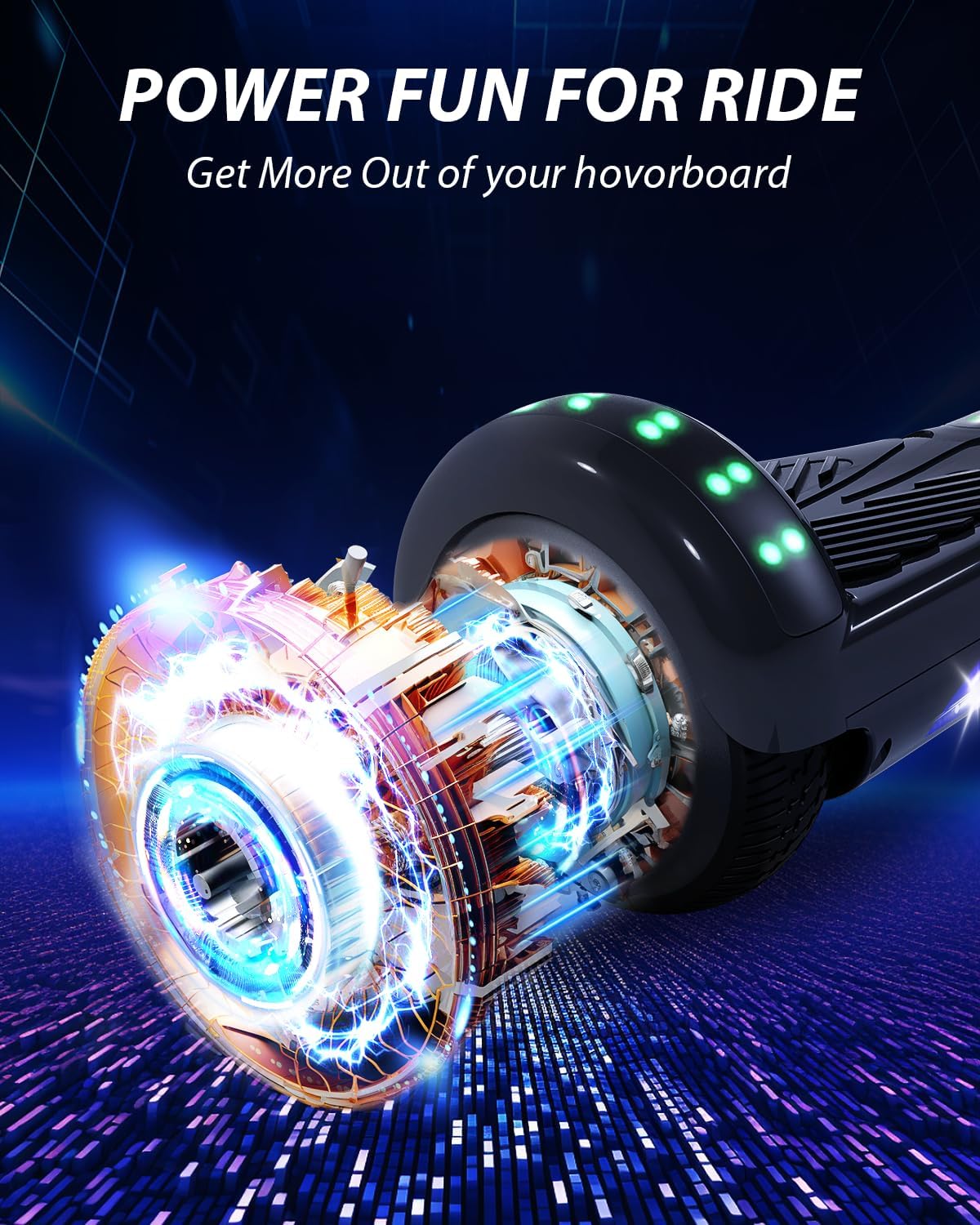
Image: An illustrative view of the internal components, highlighting the powerful dual 250W motor system that drives the SIMATE Self-Balancing Scooter.
Warranty and Support
SIMATE stands behind the quality of its products. This scooter comes with a One-Year Warranty from the date of purchase, covering manufacturing defects.
For warranty claims, technical support, or any questions regarding your SIMATE Self-Balancing Scooter, please contact our dedicated customer service team. Refer to the contact information provided on the product packaging or the official SIMATE website for the most up-to-date support channels.
Your satisfaction is our top priority, and our team is ready to provide unparalleled assistance.
Related documentsP6


Ask a question about this manual
Ask about setup, troubleshooting, compatibility, parts, safety, or missing instructions. Manuals+ will review the question and use this page’s manual context to help answer it.