
1. Product Overview
This manual provides instructions for the aoonav 13.6 Inch Android 13 Car Stereo Radio, designed as an upgrade for specific Toyota Tundra and Sequoia models. The unit features a high-definition touchscreen, an 8-core CPU, and 64GB of internal memory, offering advanced multimedia and navigation capabilities.
Applicable Vehicle Models:
- Toyota Tundra: 2007, 2008, 2009, 2010, 2011
- Toyota Sequoia: 2008, 2009, 2010, 2011, 2012, 2013, 2014, 2015, 2016, 2017, 2018
The unit is compatible with both automatic and manual air conditioning systems in these vehicles.

Image 1.1: Front view of the aoonav 13.6 Inch Android 13 Car Stereo Radio unit.
2. Setup and Installation
The aoonav car stereo is designed for a plug-and-play installation process. It replaces the factory display screen and climate control center, integrating climate controls onto the new multi-touch panel.
2.1 Package Contents
Before installation, verify that all components are present:
- Android Screen Unit
- Power Adapter
- Necessary Accessories (cables, GPS antenna, etc.)
2.2 Installation Process
- Carefully remove the original factory radio and climate control panel from your vehicle's dashboard. Refer to your vehicle's service manual for specific removal instructions.
- Connect the provided wiring harness from the aoonav unit to the vehicle's existing wiring. Ensure all connections are secure.
- Mount the new aoonav unit into the dashboard opening. Ensure it is properly seated and secured.
- Test the unit's functionality, including power, audio, climate control, and steering wheel controls, before fully reassembling the dashboard.

Image 2.1: Visual comparison of the dashboard before and after installing the aoonav car stereo, showing compatibility with both auto and manual AC.
2.3 Steering Wheel Controls
The unit supports integration with your vehicle's original steering wheel controls, allowing for convenient operation of audio and other functions without taking your hands off the wheel.

Image 2.2: Illustration of the car stereo supporting original steering wheel buttons for various functions.
3. Operating Instructions
The aoonav car stereo operates on the Android 13 system, providing a user-friendly interface and access to various features.
3.1 Basic Operation
- Power On/Off: The unit powers on automatically with the vehicle's ignition. To manually power off or restart, use the designated power button or on-screen option.
- Touchscreen Interface: Navigate through menus and applications using the 13.6-inch IPS capacitive touchscreen. The display supports HD 1920x1080 resolution and 4K video playback.
- Day/Night Mode: The system can automatically switch to a dark theme interface at night or when the car lights are activated, enhancing driving safety. Manual switching is also available.

Image 3.1: Comparison of 1920x1080 HD IPS touchscreen display quality versus lower resolution.
3.2 Connectivity
- Wireless Apple CarPlay & Android Auto: Connect your smartphone via charging cable or Bluetooth to access music, navigation, and phone calls directly on the stereo's touchscreen.
- Bluetooth 5.0: Pair your mobile phone for hands-free calls and audio streaming.
- Wi-Fi & 4G LTE: Built-in 4G LTE card reader and Wi-Fi support allow for internet access and app downloads.
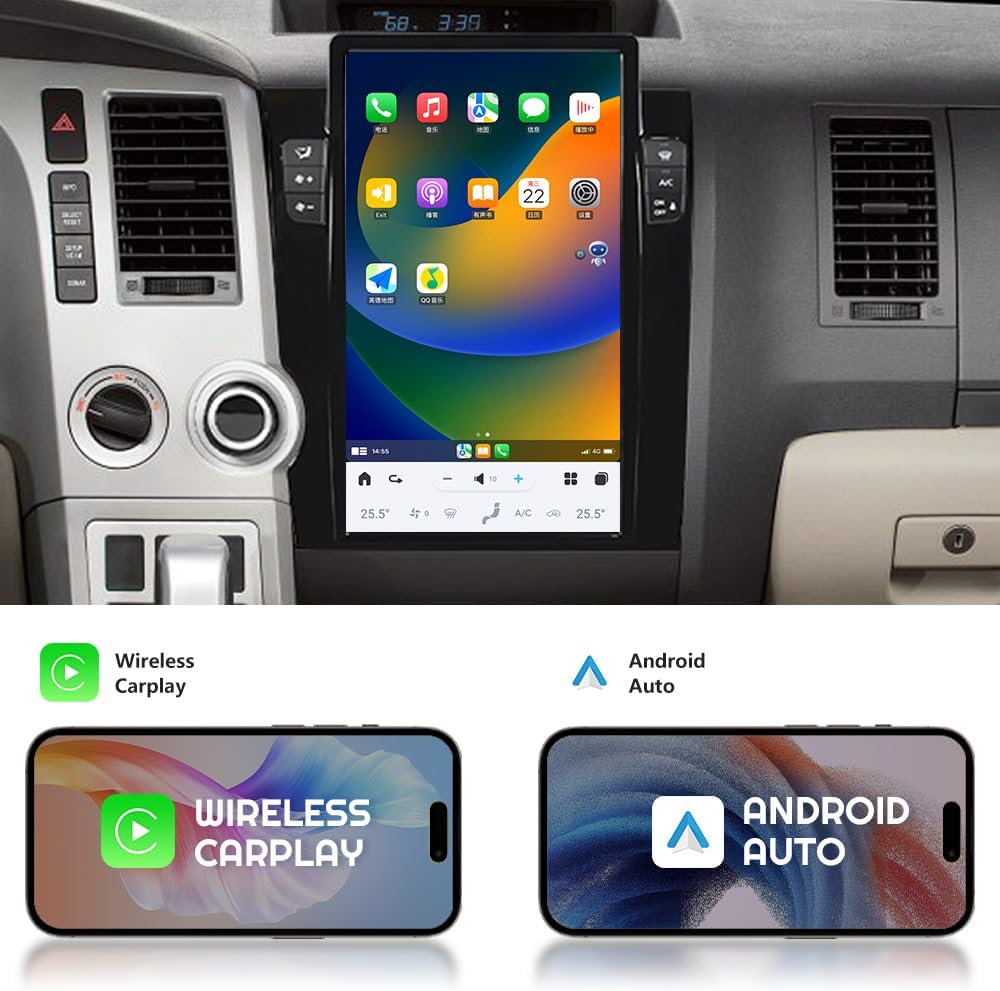
Image 3.2: Display showing Wireless Carplay and Android Auto interfaces.

Image 3.3: Bluetooth 5.0 interface for connecting mobile devices for calls and music playback.

Image 3.4: Screen displaying various applications accessible via Wi-Fi connection.
3.3 Navigation
The unit includes built-in GPS navigation, supporting both online and offline map applications such as Google Maps, Igo Maps, and Waze. It supports GPS, Beidou, and GLONASS satellite positioning for accurate location tracking.
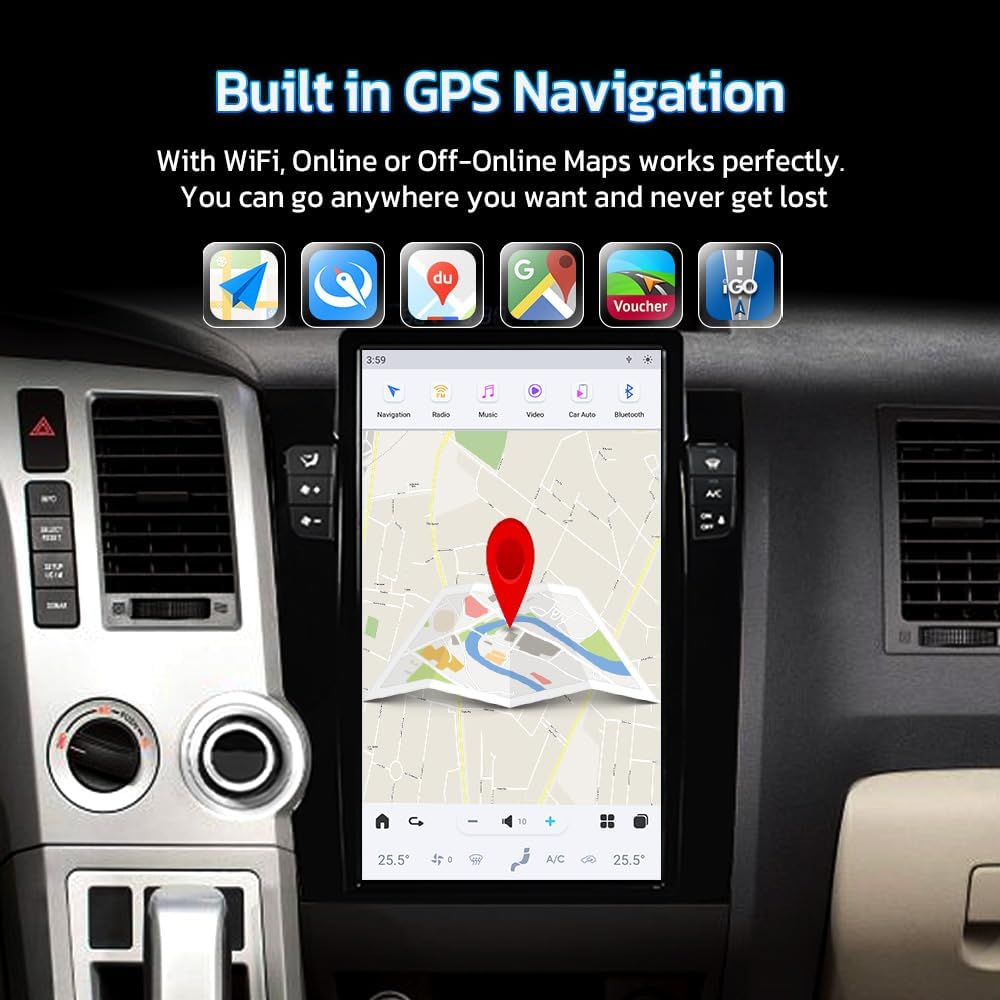
Image 3.5: Display showing the built-in GPS navigation interface with map applications.

Image 3.6: Illustration of online and offline navigation modes, emphasizing the need to download offline maps.
3.4 Audio Features
- Dynamic Sound Effects: Adjust audio settings with features like subwoofer and high-pitch controls to customize your listening experience.

Image 3.7: Screen displaying the equalizer and dynamic sound effects settings.
3.5 Camera Support
The unit supports your vehicle's original factory camera systems, including OEM 360 cameras or rearview cameras. The rearview camera automatically activates when shifting into reverse gear, aiding in eliminating blind spots and improving safety.

Image 3.8: Display showing rearview camera view on the car stereo screen.
4. Maintenance
To ensure the longevity and optimal performance of your aoonav car stereo, follow these general maintenance guidelines:
- Screen Cleaning: Use a soft, lint-free cloth specifically designed for electronics to clean the touchscreen. Avoid abrasive materials or harsh chemical cleaners, which can damage the screen.
- Software Updates: Periodically check for available software updates to ensure your system has the latest features and security enhancements. Follow the on-screen prompts for installation.
- Environmental Conditions: Avoid exposing the unit to extreme temperatures or direct sunlight for prolonged periods when the vehicle is parked, as this can affect performance and lifespan.
5. Troubleshooting
If you encounter any issues with your aoonav car stereo, consider the following basic troubleshooting steps:
- No Power: Check all power connections to ensure they are secure. Verify the vehicle's fuse for the radio is intact.
- No Sound: Check volume settings, ensure speakers are properly connected, and verify audio output settings.
- Touchscreen Unresponsive: Try restarting the unit. If the issue persists, a factory reset might be necessary (note: this will erase personal data and settings).
- GPS Signal Issues: Ensure the GPS antenna is correctly installed and has a clear view of the sky.
- Bluetooth Connection Problems: Ensure Bluetooth is enabled on both the stereo and your mobile device. Try unpairing and re-pairing the devices.
For persistent issues or complex problems, please refer to the support section for contact information.
6. Specifications
| Feature | Detail |
|---|---|
| Brand | aoonav |
| Model Name | RM |
| Operating System | Android 13 |
| Processor | Qualcomm QCM6125 (Snapdragon 665) |
| RAM | 4GB |
| ROM | 64GB |
| Display Size | 13.6 Inches |
| Screen Resolution | 1920x1080 HD IPS |
| Connectivity Technology | Bluetooth 5.0, Ethernet, USB, Wi-Fi, 4G LTE |
| Special Features | Wireless Apple CarPlay, Android Auto, Built-in GPS, Touchscreen, Day/Night Mode, Dynamic Sound Effects, Original Car Button Support |
| Map Type | Worldwide (Online/Offline) |
| Audio Output Mode | AUX |
| Item Weight | 7.04 pounds |
| Package Dimensions | 17 x 14.5 x 7 inches |
7. Warranty and Support
aoonav is committed to providing high-quality products and customer service.
7.1 Warranty Information
This product comes with a one-year warranty from the date of purchase. Additionally, aoonav offers lifetime after-sales service for technical support and assistance.
7.2 Customer Support
If you have any questions regarding installation, operation, or require technical assistance, please do not hesitate to contact aoonav customer support. Support is available via:
- Amazon Messaging: You can send a message through the Amazon platform to the seller, Autostereo.
- Email: autostereo@163.com
Customer inquiries are typically responded to within 24 hours.

Image 7.1: Aoonav customer service representative ready to assist.

Image 7.2: Summary of aoonav's support commitments.