
1. Introduction
This manual provides detailed instructions for the safe and effective operation of your Godox MF-R76C TTL Macro Ring Flash. Please read this manual thoroughly before use to ensure proper functionality and to prevent damage to the product or injury to yourself.
The Godox MF-R76C is a dedicated macro ring flash designed for Canon cameras, featuring TTL auto-flash, High-Speed Sync (HSS), and a 2.4G wireless system. Its dual-flash tube design and focus assist lamps make it suitable for various macro photography applications.
2. Safety Information
- Do not disassemble or modify the flash unit. High voltage components are present.
- Keep the product dry. Do not handle with wet hands or immerse in water.
- Do not use the flash in the presence of flammable gases, chemicals, or other materials.
- Avoid direct eye exposure to the flash light, especially at close range, as it may cause visual impairment.
- Keep out of reach of children.
- Use only the specified battery and charger.
- Ensure the flash is securely mounted to prevent accidental drops.
3. Package Contents
Verify that all items listed below are included in your package. If any items are missing or damaged, please contact your retailer.

Image: Diagram illustrating the contents of the product package.
- MF-R76C Macro Ring Flash Unit x 1
- Lithium Battery (3000mAh) x 1
- USB Charger x 1
- Type-C USB Charging Cable x 1
- Adapter Rings (49mm, 52mm, 55mm, 58mm, 62mm, 67mm, 72mm, 77mm) x 8
- Storage Bag x 1
4. Product Overview
4.1 Main Components

Image: The Godox MF-R76C Macro Ring Flash unit shown with its control unit, coiled cable, and various adapter rings.
- Ring Flash Head: Contains dual flash tubes and focus assist lamps.
- Control Unit: Houses the LCD display, control buttons, battery compartment, and hot shoe mount.
- Coiled Cable: Connects the ring flash head to the control unit.
- Adapter Rings: For mounting the ring flash head to various lens filter threads.
4.2 Control Unit Layout

Image: Detailed view of the control unit's LCD screen displaying flash power settings and mode buttons.
- LCD Display: Shows current settings, flash mode, power output, and battery status.
- Mode Button: Cycles through flash modes (TTL, Manual).
- SET Button/Dial: Confirms selections and adjusts values.
- Ratio Button: Adjusts the power ratio between the left and right flash tubes.
- Focus Assist Lamp Button: Activates/deactivates and adjusts the brightness of the focus assist lamps.
- Test Button: Fires a test flash.
5. Setup
5.1 Charging the Battery
- Insert the lithium battery into the USB charger.
- Connect the USB charger to a power source using the provided Type-C USB cable.
- The charging indicator on the charger will show the charging status. Charge until fully charged.

Image: The rechargeable lithium battery for the MF-R76C flash.
5.2 Installing the Battery
- Open the battery compartment cover on the control unit.
- Insert the fully charged lithium battery according to the polarity indicators.
- Close the battery compartment cover securely.
5.3 Attaching the Ring Flash to Your Lens
- Determine the filter thread size of your camera lens.
- Select the appropriate adapter ring from the included set (e.g., 67mm).
- Screw the selected adapter ring onto the front filter thread of your lens.
- Align the ring flash head with the adapter ring and twist to lock it into place. Ensure it is securely attached.

Image: Illustration demonstrating the attachment of an adapter ring to the ring flash head.
5.4 Mounting the Control Unit to Your Camera
- Slide the control unit's hot shoe onto your camera's hot shoe mount.
- Tighten the locking ring on the control unit to secure it to the camera.
- Connect the coiled cable from the ring flash head to the designated port on the control unit.
6. Operating Instructions
6.1 Power On/Off
Press and hold the power button on the control unit to turn the flash on or off.
6.2 Flash Modes
Press the MODE button to cycle through available flash modes:
- TTL Auto Flash: The flash output is automatically adjusted by the camera's metering system. This mode simplifies exposure control.
- Manual Flash (M): Allows you to manually set the flash power output from 1/1 to 1/128 in 1/3 stop increments.
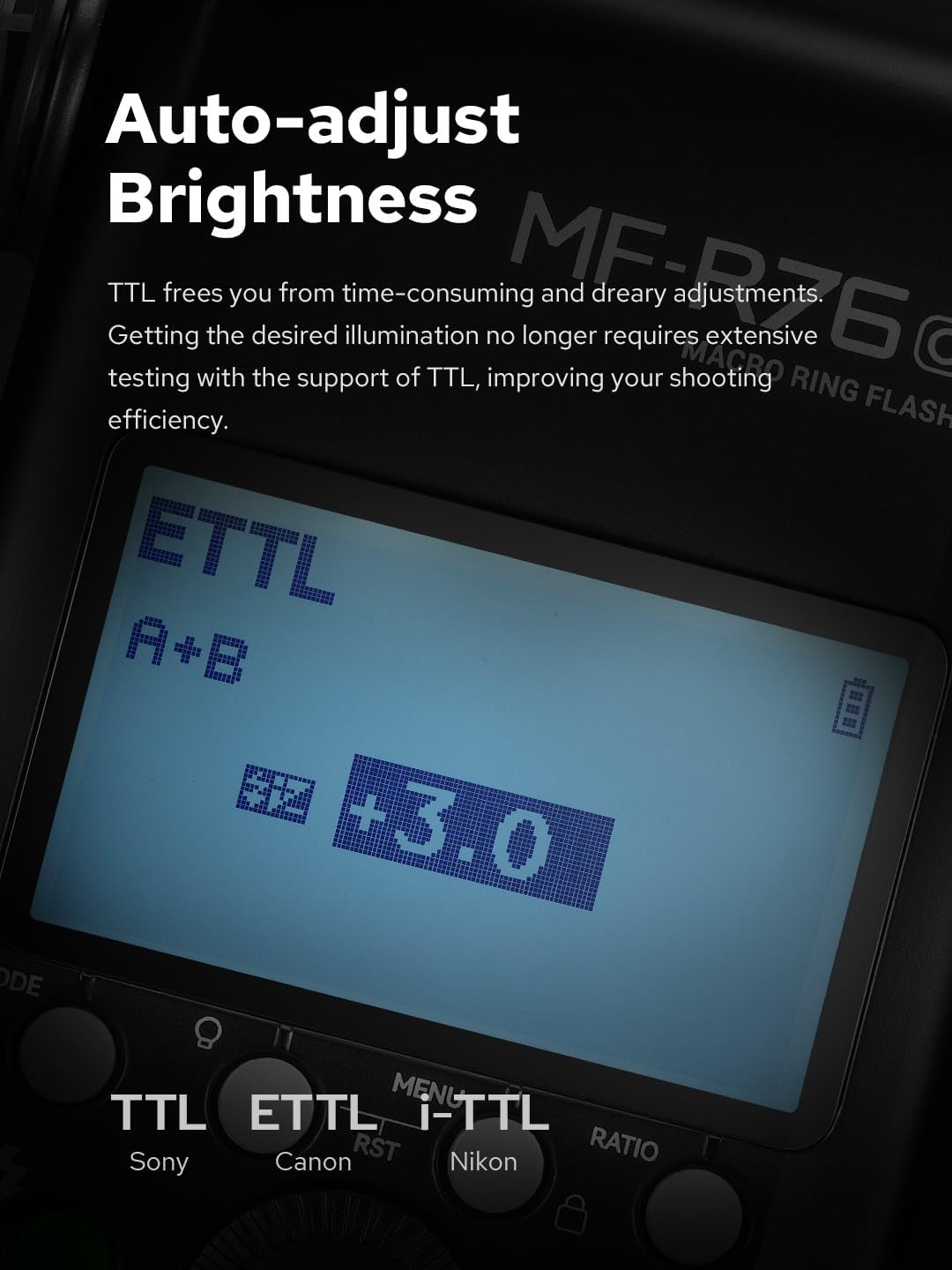
Image: The LCD display showing the flash operating in TTL mode with automatic brightness adjustment.
6.3 Adjusting Flash Power (Manual Mode)
In Manual mode, rotate the SET dial to adjust the flash power output. Press SET to confirm.
6.4 Adjusting Flash Ratio
The MF-R76C features dual flash tubes (A and B). Press the RATIO button to adjust the power ratio between the left and right tubes. This allows for creative lighting effects, emphasizing one side of the subject over the other.
6.5 Focus Assist Lamps
Press the Focus Assist Lamp button to turn the modeling lamps on or off. Rotate the SET dial to adjust their brightness (10 levels available). These lamps aid in focusing in low-light conditions.
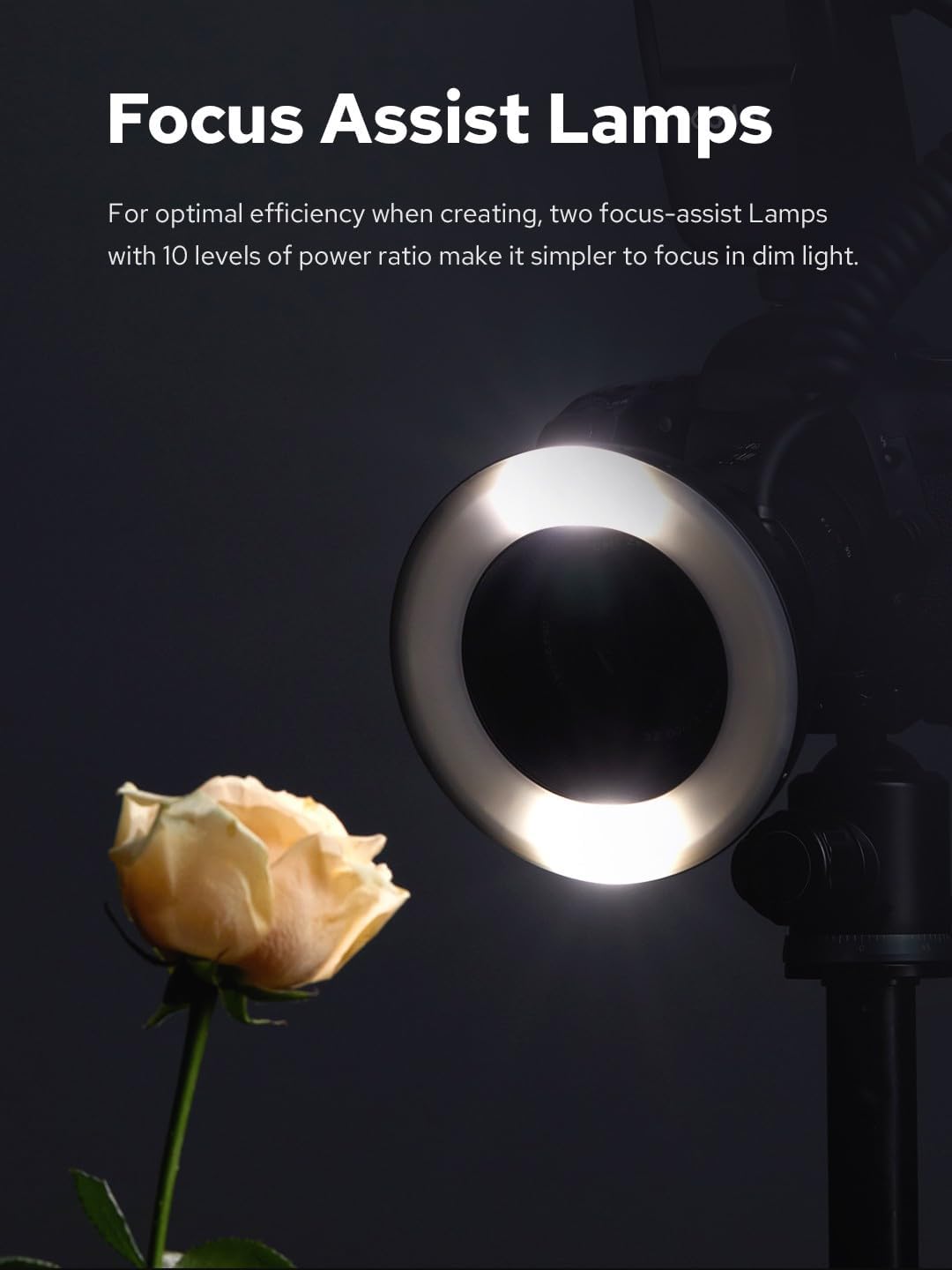
Image: The ring flash head with its focus assist lamps illuminated, providing light for a flower.
6.6 High-Speed Sync (HSS)
When used with compatible Canon cameras, the MF-R76C supports High-Speed Sync, allowing you to use flash at shutter speeds faster than your camera's native flash sync speed. This is useful for freezing fast motion or using wider apertures in bright conditions.

Image: A butterfly in motion, demonstrating the ability to capture sharp images with high-speed sync.
6.7 2.4G Wireless System
The MF-R76C integrates with the Godox 2.4G wireless X system. This allows it to function as a master or slave unit with other Godox 2.4G compatible flashes, enabling complex multi-flash setups for diverse lighting effects.

Image: The MF-R76C control unit showing wireless channel and group settings, alongside other Godox wireless flashes.
7. Maintenance
- Cleaning: Use a soft, dry cloth to clean the flash unit. For stubborn dirt, a slightly damp cloth can be used, followed by a dry cloth. Do not use solvents or abrasive cleaners.
- Storage: When not in use for extended periods, remove the battery and store the flash in a cool, dry place.
- Battery Care: Recharge the battery regularly, even if not in use, to maintain its lifespan. Avoid fully discharging the battery.
8. Troubleshooting
| Problem | Possible Cause | Solution |
|---|---|---|
| Flash does not fire. | Battery is low or not inserted correctly. Flash is not powered on. Hot shoe connection is loose. Camera settings are incorrect. | Check battery level and insertion. Turn on the flash. Ensure secure hot shoe connection. Verify camera flash settings. |
| Flash output is inconsistent or incorrect. | TTL metering issues. Manual power setting is incorrect. Obstruction in front of flash sensor. | Ensure TTL mode is appropriate for the scene. Adjust manual power. Clear any obstructions. |
| Focus assist lamps do not turn on. | Lamps are turned off. Battery is too low. | Press the Focus Assist Lamp button. Recharge the battery. |
| Wireless function not working. | Incorrect channel/group settings. Distance too far. Interference. | Verify channel and group settings on all units. Reduce distance. Change channel. |
9. Specifications
| Feature | Specification |
|---|---|
| Model | MF-R76C |
| Compatible Cameras | Canon EOS series cameras |
| Guide Number | GN14 (ISO100, in meters) |
| Flash Power | 76Ws (Full Power) |
| Flash Modes | TTL Auto Flash, Manual Flash (1/1 to 1/128) |
| Recycle Time | Approx. 0.1-1.5 seconds |
| Full Power Flashes | Approx. 550 |
| Color Temperature | 5900K ± 200K |
| Focus Assist Lamps | 2 x 0.5W LED, 10 levels of brightness |
| Wireless Function | 2.4G Wireless X System (Master/Slave) |
| Power Source | 3000mAh Lithium Battery |
| Dimensions | 7.87 x 7.87 x 1.97 inches (approx.) |
| Weight | 1.32 pounds (approx.) |
10. Warranty and Support
Godox products are covered by a limited warranty. For specific warranty terms and conditions, please refer to the warranty card included with your product or visit the official Godox website.
For technical support, service, or inquiries, please contact your local Godox distributor or visit the Godox Store on Amazon.