
GODOX MF-R76N
Contents
Godox MF-R76N TTL LED Micro Ring Flash User Manual
Model: MF-R76N
Introduction
This manual provides detailed instructions for the safe and effective operation of your Godox MF-R76N TTL LED Micro Ring Flash. Please read this manual thoroughly before use to ensure optimal performance and to prevent damage to the product.

Figure 1: Godox MF-R76N TTL LED Micro Ring Flash with included adapter rings, battery, charger, and cleaning cloth.
Package Contents
Verify that all items listed below are included in your package:
- Macro Ring Flash (MF-R76N) x 1
- Lithium Battery x 1
- USB Charger x 1
- Adapter Rings (49mm, 52mm, 55mm, 58mm, 62mm, 67mm, 72mm, 77mm) x 8
- Type-C USB Charging Cable x 1
- Storage Bag x 1
- Cleaning Cloth x 1

Figure 2: All components included in the Godox MF-R76N product package.
Setup
1. Battery Installation and Charging
The MF-R76N uses a rechargeable lithium battery. Ensure the battery is fully charged before first use.
- Insert the lithium battery into the battery compartment on the flash unit.
- Connect the Type-C USB charging cable to the flash unit and a USB power source (e.g., USB charger, computer USB port).
- The charging indicator on the flash unit will show charging status.

Figure 3: The rechargeable lithium battery for the MF-R76N.
2. Attaching to Camera and Lens
The MF-R76N is designed for Nikon cameras and comes with various adapter rings for lens compatibility.
- Select the appropriate adapter ring (49mm, 52mm, 55mm, 58mm, 62mm, 67mm, 72mm, or 77mm) that matches your camera lens filter thread size.
- Screw the selected adapter ring onto the front of your camera lens.
- Attach the ring flash head to the adapter ring by aligning the mounting points and twisting until it locks securely.
- Mount the flash control unit onto your camera's hot shoe and secure it with the locking mechanism.

Figure 4: The MF-R76N ring flash head and control unit, ready for assembly.
Operating Instructions
1. Power On/Off and Basic Controls
Press and hold the power button to turn the flash unit on or off. The LCD display will illuminate, showing current settings.

Figure 5: The control panel of the MF-R76N, featuring the LCD display and various control buttons.
2. TTL Automatic Flash Mode
The TTL (Through-The-Lens) mode automatically adjusts flash output for optimal exposure, simplifying operation.
- Select TTL mode on the flash unit.
- The flash will communicate with your Nikon camera to determine the correct light output.
- This mode is ideal for quick and efficient shooting without manual power adjustments.
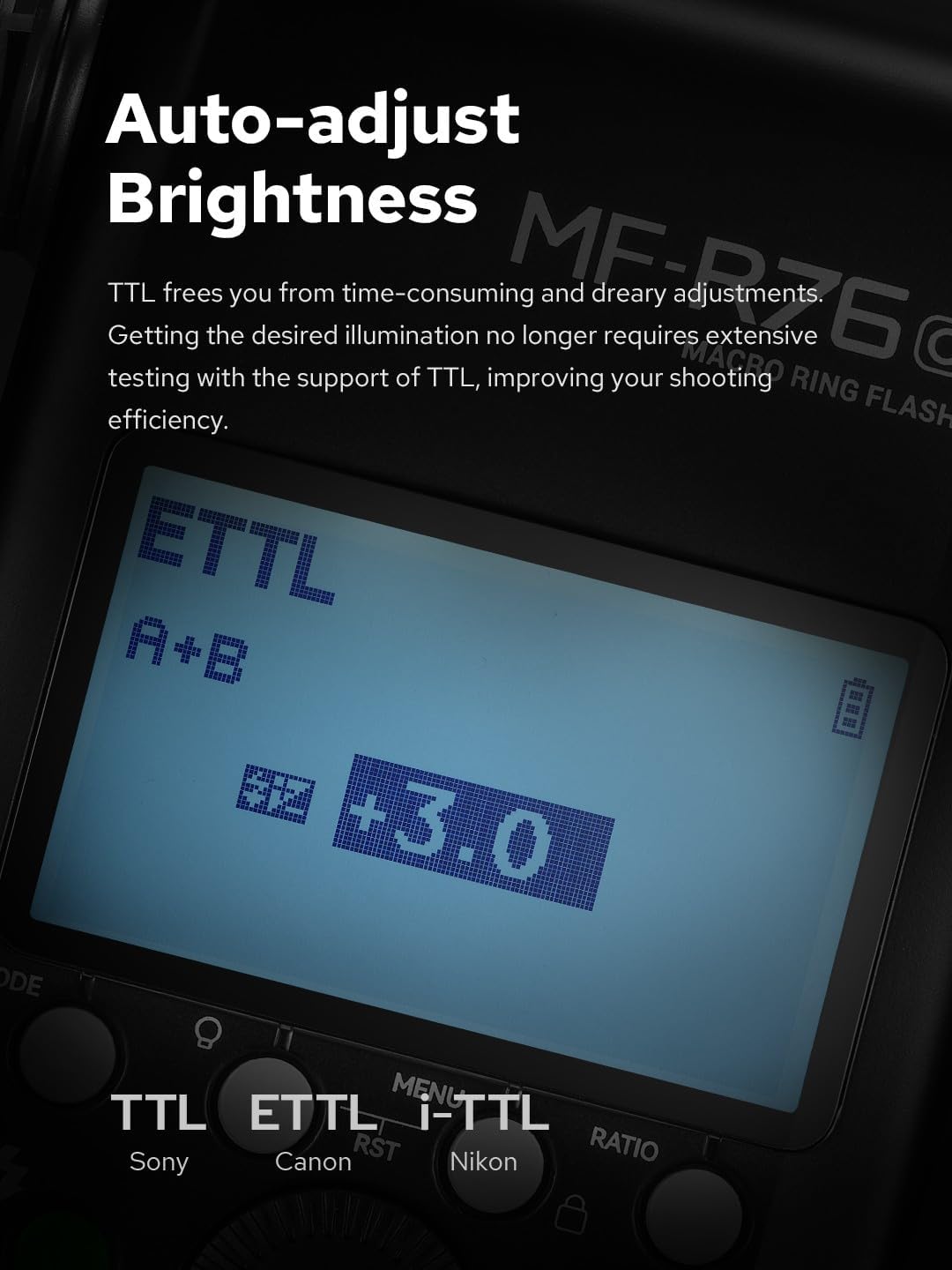
Figure 6: The LCD screen displaying TTL mode with exposure compensation settings.
3. Manual Flash Mode and Power Ratio
For precise control, switch to Manual mode. The twin-tube design allows independent power adjustment for each flash tube (A and B).
- Select Manual mode.
- Use the control dial to adjust the power output for the entire flash or for individual tubes (A and B) to create variable contrast.
- Power ratios typically range from 1/1 (full power) to 1/128 or finer increments.
4. Sync Functions (HSS, Front/Rear Curtain)
The MF-R76N supports advanced sync functions for creative photography.
- High-Speed Sync (HSS): Allows flash synchronization at shutter speeds faster than the camera's native sync speed, useful for shooting with wide apertures in bright conditions.
- Front Curtain Sync: The flash fires at the beginning of the exposure.
- Rear Curtain Sync: The flash fires just before the shutter closes, useful for capturing motion blur with a sharp trailing image.

Figure 7: An example of how sync functions can capture dynamic subjects with clarity.
5. Focus Assist Lamps
Two built-in focus assist lamps help achieve accurate focus in low-light conditions. They offer 10 levels of power adjustment.
- Activate the focus assist lamps via the control unit.
- Adjust their brightness as needed to illuminate your subject for focusing.
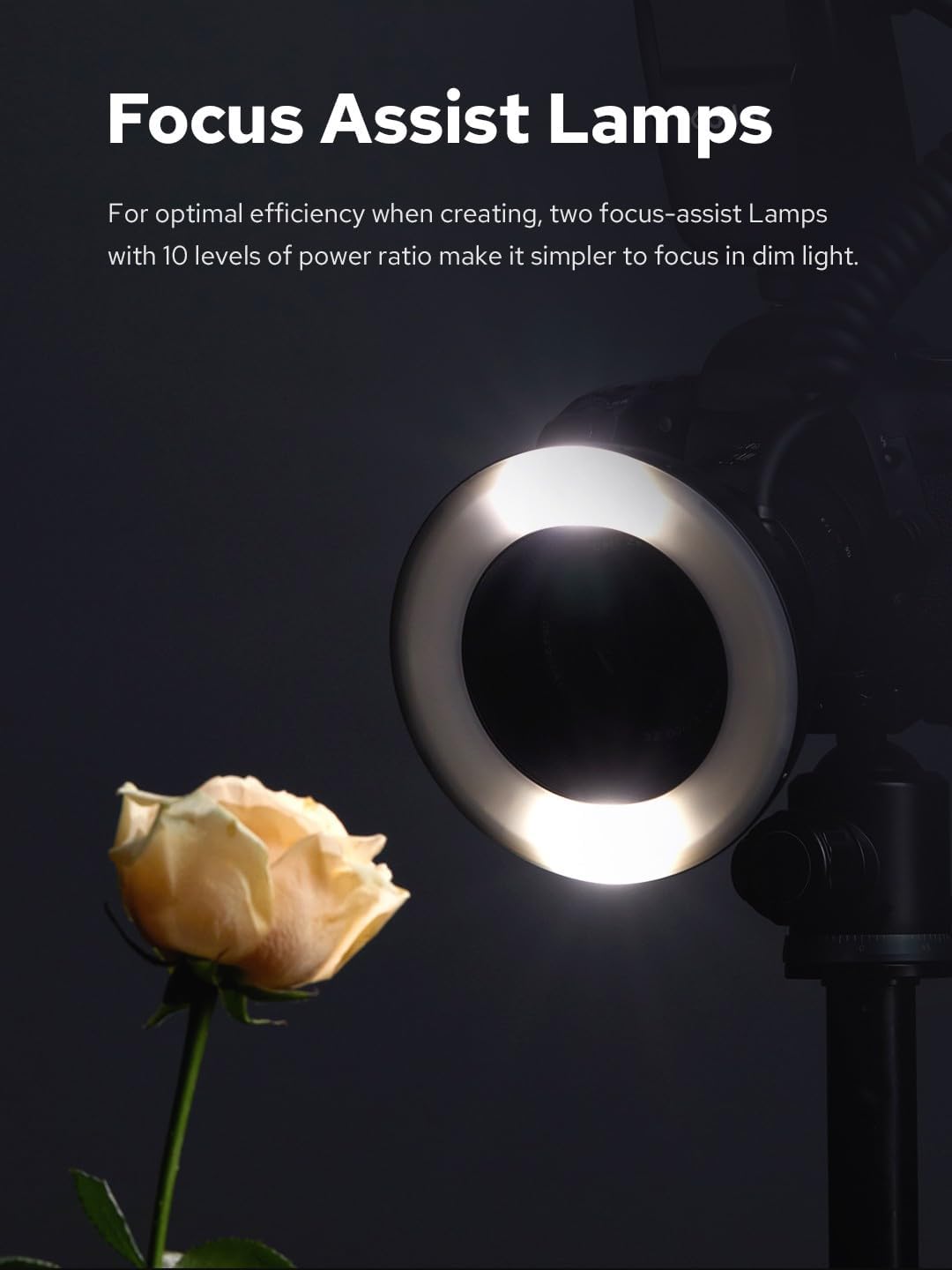
Figure 8: The focus assist lamps providing illumination for precise focusing on a subject.
6. 2.4G Wireless System
The MF-R76N features a 2.4G wireless system, allowing it to integrate with other Godox 2.4G wireless X system lights for complex lighting setups.
- Refer to the Godox 2.4G wireless X system manual for detailed instructions on setting up multi-flash configurations.
- Ensure all units are set to the same channel and group for proper communication.

Figure 9: The MF-R76N integrated into a wireless lighting setup with other Godox flash units.
Maintenance
- Cleaning: Use a soft, dry cloth to clean the flash unit. For stubborn dirt, a slightly damp cloth can be used, followed by a dry cloth. Do not use solvents or abrasive cleaners.
- Storage: When not in use for extended periods, remove the battery and store the flash unit in a cool, dry place, preferably in its storage bag.
- Battery Care: Recharge the lithium battery regularly, even if not in use, to maintain its lifespan. Avoid fully discharging the battery frequently.
- Adapter Rings: Keep adapter rings clean and free of debris to ensure smooth attachment to lenses.
Troubleshooting
| Problem | Possible Cause | Solution |
|---|---|---|
| Flash does not fire. | Battery low or depleted. Flash not securely mounted. Incorrect camera settings. | Charge or replace battery. Ensure flash is properly seated on hot shoe. Check camera flash settings. |
| Flash output is too bright/dark. | Incorrect TTL exposure compensation or manual power setting. | Adjust TTL exposure compensation or manual power level. |
| Wireless communication failure. | Different channels/groups. Obstructions. Distance too far. | Ensure all units are on the same channel and group. Reduce distance or clear obstructions. |
| Adapter ring does not fit lens. | Incorrect adapter ring size selected. | Verify your lens filter thread size and select the corresponding adapter ring. |
Specifications
| Feature | Detail |
|---|---|
| Model | MF-R76N |
| Brand | GODOX |
| Compatible Mountings | Nikon |
| Camera Flash Type | Macro Ring Flash |
| Color Temperature | 5900K±200K |
| Battery Type | 3000mAh Lithium Battery (550 full-power flashes) |
| Recycle Time | 0.1-1s |
| Wireless System | 2.4G Godox X System |
| Focus Assist Lamps | Yes, with 10 levels of power ratio |
| Product Dimensions | 7.87 x 7.87 x 1.97 inches |
| Item Weight | 1.32 pounds |
| Included Adapter Rings | 49mm, 52mm, 55mm, 58mm, 62mm, 67mm, 72mm, 77mm |
Warranty and Support
For warranty information and technical support, please refer to the official Godox website or contact your local distributor. Keep your purchase receipt as proof of purchase for warranty claims.
Manufacturer: Godox
Ask a question about this manual
Ask about setup, troubleshooting, compatibility, parts, safety, or missing instructions. Manuals+ will review the question and use this page’s manual context to help answer it.