
GODOX MF-R76S
Contents
Godox MF-R76S TTL LED Micro Ring Flash Instruction Manual
Model: MF-R76S
For Sony Cameras
1. Product Overview
The Godox MF-R76S TTL LED Micro Ring Flash is designed for macro photography with Sony cameras. It features TTL auto-adjust brightness, high-speed sync, and a 2.4G wireless system for versatile lighting control. The twin-tube design allows for individual power ratio adjustments, and two focus-assist lamps aid in low-light conditions. It is powered by a rechargeable lithium battery for extended use.

Figure 1: Godox MF-R76S TTL Macro Ring Flash mounted on a camera lens, illustrating its compact design and ring light.
2. What's in the Box
The package includes the following components:
- 1x Godox MF-R76S Micro Ring Flash
- 1x USB Charger
- 1x Type-C USB Charging Cable
- 1x Lithium Battery (VB26A)
- 8x Adapter Rings (49mm, 52mm, 55mm, 58mm, 62mm, 67mm, 72mm, 77mm)
- 1x Storage Bag

Figure 2: All components included in the Godox MF-R76S package.
3. Setup Instructions
3.1 Installing the Battery
- Open the battery compartment on the controller unit.
- Insert the provided VB26A lithium battery, ensuring correct polarity.
- Close the battery compartment securely.
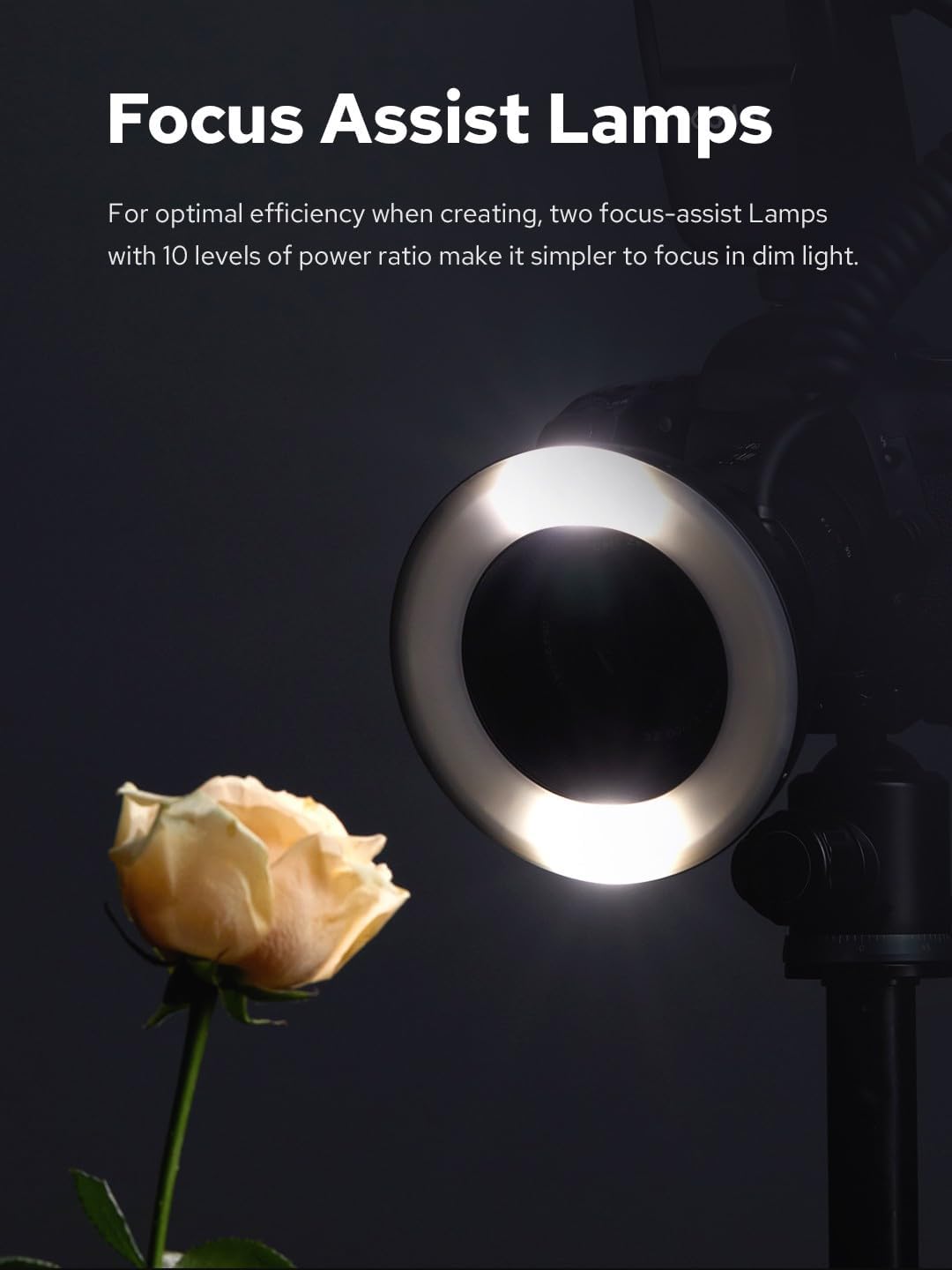
Figure 3: Battery installation in the controller unit.
3.2 Attaching the Adapter Ring
- Select the appropriate adapter ring (49mm, 52mm, 55mm, 58mm, 62mm, 67mm, 72mm, or 77mm) that matches your camera lens filter thread size.
- Screw the chosen adapter ring onto the front of your camera lens.

Figure 4: Attaching an adapter ring to the ring flash.
3.3 Mounting the Ring Flash and Controller
- Slide the controller unit onto your Sony camera's hot shoe and secure it.
- Attach the ring flash head to the adapter ring on your lens. Ensure it clicks into place.
Video 1: Installation guide for the Godox MF-R76 Macro Ring Flash, demonstrating how to attach the adapter ring, battery, controller, and ring flash head to a camera.
4. Operating Instructions
4.1 Power On/Off
Press and hold the power button on the controller unit to turn the flash on or off.
4.2 Adjusting Flash Output (TTL & Manual)
The MF-R76S supports both TTL (Through-The-Lens) and Manual flash modes.
- TTL Mode: The flash automatically adjusts brightness for optimal exposure. This mode is suitable for quick and efficient shooting.
- Manual Mode: Allows precise control over flash output. Use the dial on the controller to set the power from 1/1 (full power) down to 1/128, with 1/3 stop increments.

Figure 5: TTL mode display on the controller.
4.3 Wireless System
The 2.4G wireless capability allows the MF-R76S to integrate with other Godox 2.4G wireless X system lights, enabling diverse lighting setups and effects.
Video 2: Godox MF-R76 Macro Ring Flash Operation Tutorial, demonstrating flash mode, wireless channel setup, and lamp body reset.
4.4 Focus Assist Lamps
Two focus-assist lamps with 10 adjustable power levels are integrated to assist in focusing in dim lighting conditions.

Figure 6: Focus assist lamps illuminating a subject.
4.5 Sync Functions
The MF-R76S supports High-Speed Sync (HSS) for capturing fast-moving subjects, as well as front and rear curtain sync capabilities for creative image making.
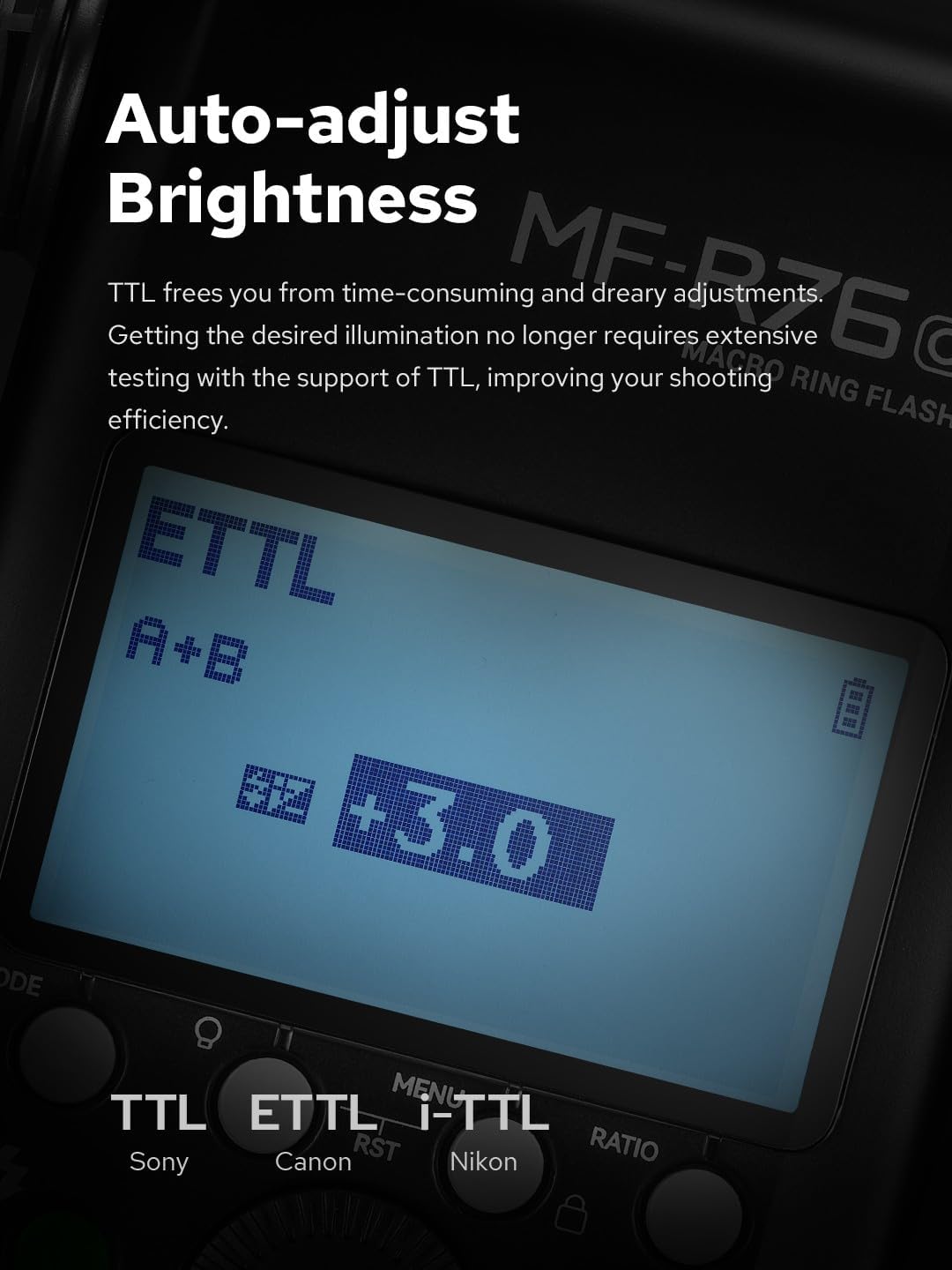
Figure 7: Example of using sync functions to capture a moving subject.
4.6 Ratio Adjustment
The twin-tube design allows for independent adjustment of each flash tube's power ratio, providing control over lighting contrast.

Figure 8: Controller display showing A/B group ratio adjustment.
4.7 Auto Sleep Setting
The unit features an auto-sleep function to conserve battery life. This can be configured in the custom function settings.
4.8 Background Light Setting
The background light setting can be adjusted via the custom function menu to control ambient illumination.
5. Maintenance
To ensure the longevity and optimal performance of your Godox MF-R76S, follow these maintenance guidelines:
- Keep the unit dry and clean. Avoid exposure to dust, dirt, and moisture.
- Use a soft, dry cloth to clean the exterior of the flash and controller.
- For lens and flash head cleaning, use specialized lens cleaning solutions and cloths to avoid scratches.
- Store the unit in the provided storage bag when not in use to protect it from physical damage.
- Remove the battery if the unit will not be used for an extended period.
6. Troubleshooting
If you encounter issues with your MF-R76S, consider the following common troubleshooting steps:
- Flash not firing: Check if the battery is fully charged and correctly inserted. Ensure the unit is powered on and securely mounted on the camera's hot shoe. Verify camera and flash sync settings.
- Inconsistent exposure: In TTL mode, ensure your camera's metering is set appropriately. In Manual mode, adjust the flash power output. Check for any obstructions between the flash and subject.
- Wireless connection issues: Confirm that the wireless channel and ID settings on the MF-R76S and any other connected Godox X system devices match. Ensure devices are within range.
- Focus assist lamps not working: Check the brightness setting for the focus assist lamps in the custom function menu.
For persistent issues, refer to the detailed user manual provided with the product or contact Godox customer support.
7. Specifications
| Feature | Specification |
|---|---|
| Product Dimensions | 7.87 x 7.87 x 1.97 inches |
| Item Weight | 1.32 pounds |
| Item Model Number | Godox MF-R76S |
| Brand | GODOX |
| Compatible Mountings | Sony Alpha |
| Camera Flash Type | Hotshoe |
| Flash Sync Speed | 1/250s |
| Included Components | 1*Godox MF-R76 Micro Ring Flash, 1*USB charge, 1*TYPE-C-USB, 1*Charging cable, 1*Lithium battery, 1* Adapter Rings x8 |
8. Warranty and Support
For warranty information and customer support, please refer to the official Godox website or the warranty card included in your product packaging. You may also contact the seller directly for assistance.
Ask a question about this manual
Ask about setup, troubleshooting, compatibility, parts, safety, or missing instructions. Manuals+ will review the question and use this page’s manual context to help answer it.