
1. Introduction
This manual provides essential information for the safe and effective operation of your VOLTCRAFT DSO-2202H + AFG Handheld Oscilloscope. This versatile device combines the functions of an oscilloscope, a multimeter, and an arbitrary function generator (AFG) into a single portable unit. Please read this manual thoroughly before using the device to ensure proper handling and to prevent damage or injury.
2. Safety Information
Always observe the following safety precautions to avoid personal injury and prevent damage to the instrument or other equipment.
- Read all instructions: Before operating the device, read and understand all safety and operating instructions.
- Use proper probes: Use only probes and accessories rated for the voltage and current of the measurement.
- Avoid wet conditions: Do not operate the device in wet or damp environments.
- Grounding: Ensure proper grounding when connecting to mains power or high-voltage circuits.
- Do not open the casing: Refer all servicing to qualified service personnel. Opening the casing may expose you to dangerous voltages.
- Observe all ratings: Do not exceed the maximum input ratings of the device.
3. Product Overview
The VOLTCRAFT DSO-2202H + AFG is a compact, multi-functional test instrument designed for various electrical measurement tasks. It features a clear color LCD display and intuitive controls.
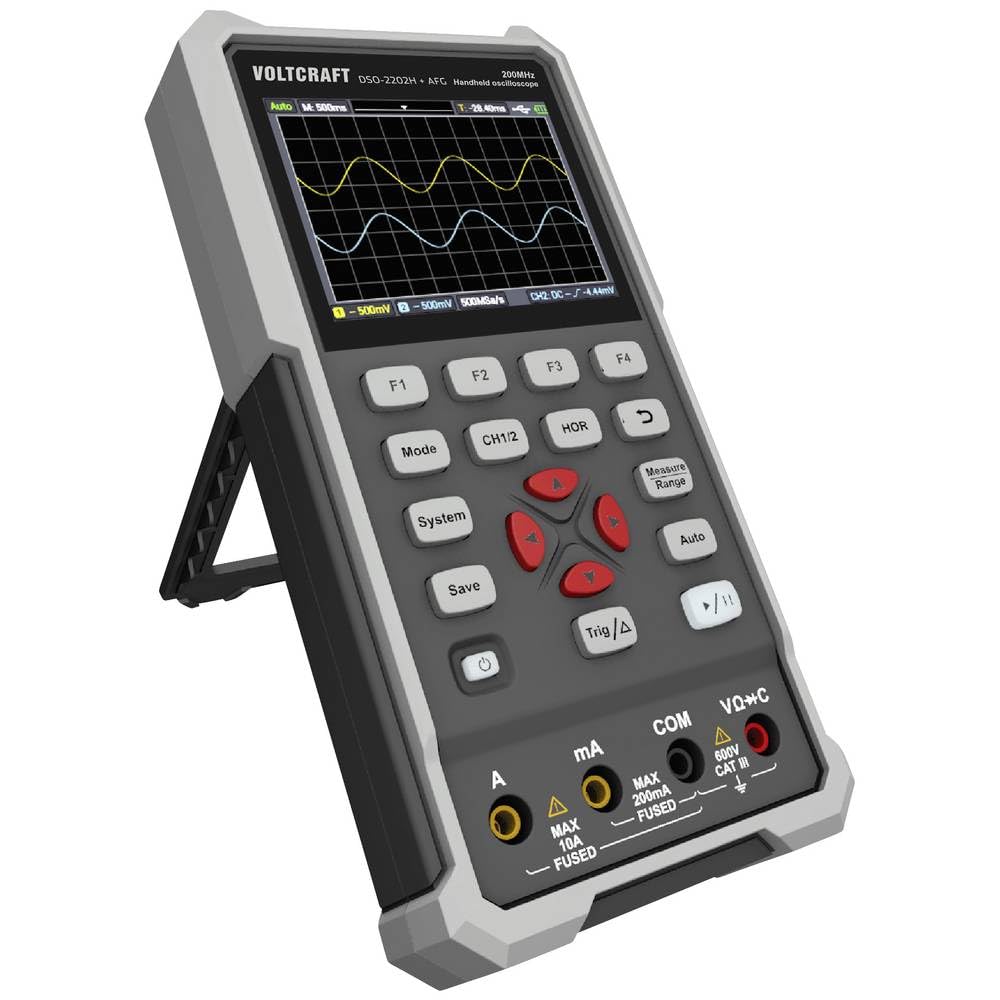
Figure 1: Front view of the VOLTCRAFT DSO-2202H + AFG Handheld Oscilloscope with connected test probes. The display shows a voltage reading, and the control panel with function buttons and navigation keys is visible below.
Key Features:
- 3-in-1 Oscilloscope, Multimeter, and Waveform Generator
- 3.5-inch (8.89 cm) Color LCD Screen (320 x 240 pixels)
- USB Type-C Interface for connectivity and data storage
- Durable and robust design
4. Setup
Follow these steps for initial setup of your device.
4.1 Powering On/Off
- To power on the device, press and hold the Power button located on the side/top panel.
- The color LCD screen will illuminate, displaying the startup sequence.
- To power off, press and hold the Power button again until the device shuts down.
4.2 Connecting Probes
For oscilloscope functions, connect the oscilloscope probes to the BNC connectors. For multimeter functions, connect the test leads to the appropriate input jacks (VΩ+C, mA, A, COM) at the bottom of the device.
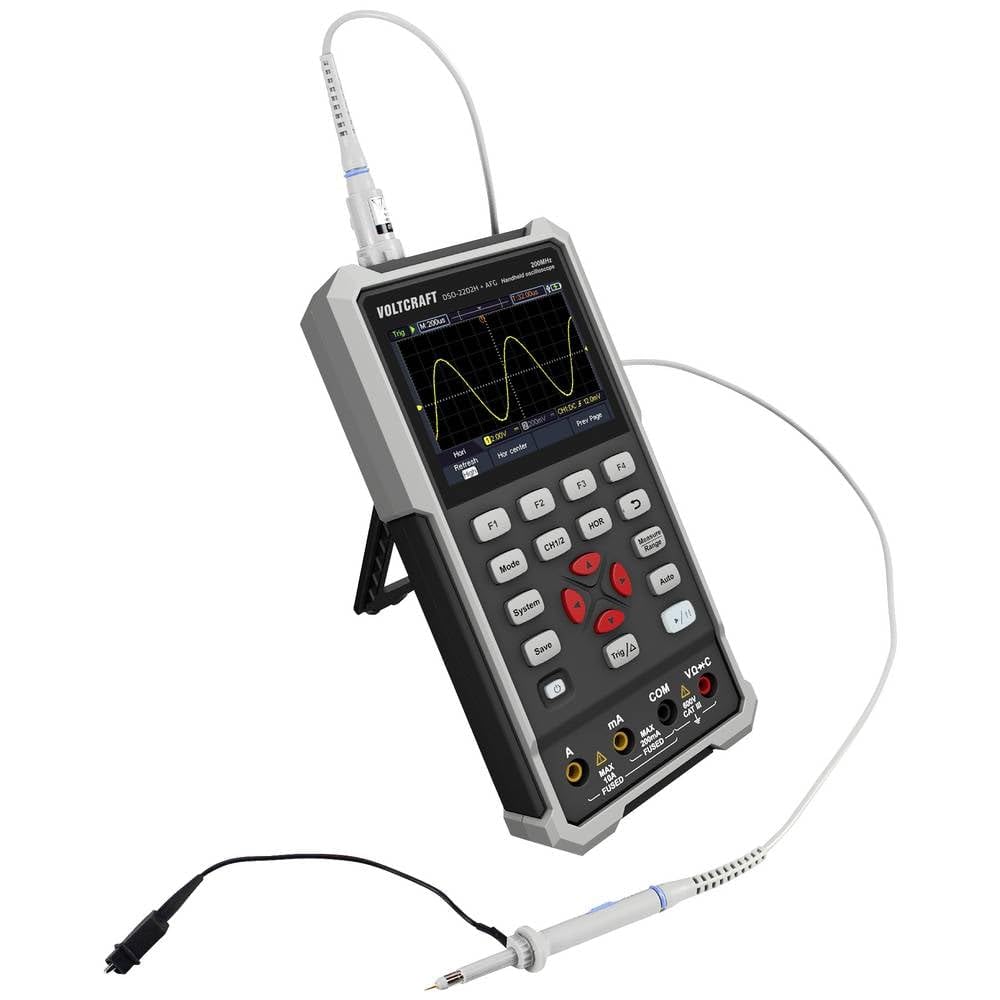
Figure 2: Side view of the device showing the kickstand extended for desktop use and an oscilloscope probe connected to the BNC input. The multimeter input jacks are visible at the bottom.
5. Operating Instructions
The DSO-2202H + AFG offers three primary modes of operation: Oscilloscope, Multimeter, and Arbitrary Function Generator.
5.1 Oscilloscope Mode
This mode allows you to visualize and analyze electrical signals. The device features 2 channels and a 200MHz bandwidth.
- Press the Mode button to select Oscilloscope mode.
- Connect the oscilloscope probe(s) to the circuit under test.
- Use the CH1/2 button to switch between channels or view both.
- Adjust the vertical sensitivity (V/div) and horizontal time base (s/div) using the navigation buttons.
- Use the Trig/Δ button to set trigger conditions for stable waveform display.
- The Auto button can automatically adjust settings for a stable waveform.

Figure 3: The device displaying a waveform in oscilloscope mode. The screen shows voltage and time divisions, indicating a signal measurement.
5.2 Multimeter Mode
The multimeter function allows for precise measurements of voltage, current, resistance, capacitance, and continuity.
- Press the Mode button to select Multimeter mode.
- Connect the test leads to the appropriate input jacks (e.g., VΩ+C for voltage/resistance/capacitance, A or mA for current, COM for common).
- Select the desired measurement function (e.g., DC Voltage, AC Voltage, Resistance) using the function buttons (F1-F4) or navigation keys.
- Read the measurement value on the display.
5.3 Arbitrary Function Generator (AFG) Mode
The AFG allows you to generate various waveforms for testing circuits.
- Press the Mode button to select AFG mode.
- Connect the output of the AFG to the circuit requiring a signal input.
- Use the function buttons (F1-F4) and navigation keys to select waveform type (sine, square, triangle, etc.), frequency, amplitude, and offset.
- Adjust parameters as needed for your application.
5.4 Data Storage
The USB Type-C port can be used for data storage. Connect the device to a computer using a USB Type-C cable to transfer saved waveforms or measurement data.
6. Maintenance
Proper maintenance ensures the longevity and accuracy of your device.
- Cleaning: Clean the device regularly with a soft, dry cloth. Do not use abrasive cleaners or solvents.
- Storage: Store the device in a cool, dry place away from direct sunlight and extreme temperatures.
- Battery Care: If the device has an internal rechargeable battery, ensure it is charged periodically if stored for long periods to maintain battery health.
- Probe Care: Inspect probes and test leads for damage before each use. Replace any damaged accessories immediately.
7. Troubleshooting
If you encounter issues with your device, refer to the following common troubleshooting steps.
- Device does not power on: Ensure the device is charged or connected to a power source. Check the power button for proper engagement.
- No display: If the device powers on but the screen is blank, try adjusting the display brightness (if available) or restarting the device.
- Incorrect readings: Verify that probes and test leads are correctly connected and not damaged. Ensure the correct measurement mode and range are selected. Calibrate the device if necessary (refer to advanced settings or contact support).
- Unstable waveform: In oscilloscope mode, adjust the trigger level, trigger source, and time base settings. Use the Auto button for initial setup.
For persistent issues, contact VOLTCRAFT customer support or your retailer.
8. Specifications
| Specification | Value |
|---|---|
| Manufacturer | VOLTCRAFT |
| Model Number | VC-13438620 (DSO-2202H + AFG) |
| Product Dimensions (L x W x H) | 17 x 12 x 40 cm |
| Weight | 600 grams |
| Material | Plastic |
| Oscilloscope Bandwidth | 200 MHz |
| Channels | 2-Channel |
| Sample Rate | 1 GSa/s |
| Memory Depth | 8 kpts |
| Resolution | 8 Bit |
| Display | 3.5-inch (8.89 cm) Color LCD (320 x 240 pixels) |
| Interface | USB Type-C |
| Measurement System | Metric |
| Batteries Included | No |
| Batteries Required | No |
9. Warranty and Support
For warranty information, please refer to the documentation provided with your purchase or contact your retailer. For technical support, visit the official VOLTCRAFT website or contact their customer service department.


