
SERVOMASTER SM02
SERVOMASTER SM02 Cordless Electric Air Compressor User Manual
Model: SM02
1. Introduction
Thank you for purchasing the SERVOMASTER SM02 Cordless Electric Air Compressor. This portable and powerful device is designed to quickly and safely inflate a variety of items, including vehicle tires (cars, motorcycles, bicycles), balls, and other inflatables. With its intelligent modes, automatic stop function, and dual power supply options, it offers convenience and reliability for both everyday use and emergencies. Please read this manual thoroughly before operation to ensure proper use and to maximize the product's lifespan.
2. Safety Information
To ensure safe operation and prevent damage, please observe the following safety guidelines:
- Always read the entire user manual before operating the device.
- Keep the air compressor out of reach of children.
- Do not leave the device unattended while in operation.
- Ensure the correct pressure is set for the item being inflated to avoid over-inflation and potential damage or injury.
- Avoid exposing the device to extreme temperatures, direct sunlight, or water.
- Do not use the device if it is damaged or malfunctioning.
- Use only the provided accessories and adapters.
- The device may become warm during prolonged use. Allow it to cool down before storing.
3. Package Contents
Verify that all items are present in your package:
- SERVOMASTER SM02 Electric Air Compressor Unit
- Air Hose (50cm) with US-type valve
- English-type valve adapter
- French-type valve adapter
- Ball needle adapter
- Float nozzle adapter
- USB-C Charging Cable
- Storage Bag
- User Manual
4. Product Overview
The SERVOMASTER SM02 is designed for ease of use and portability. Its compact size and lightweight construction make it ideal for storage in your car, backpack, or even pocket.

Image: The SERVOMASTER SM02 Electric Air Compressor main unit.
4.1. Key Features
- Digital Display: Large digital screen shows real-time and preset pressure values.
- Control Buttons: Intuitive buttons for power, mode selection, and pressure adjustment.
- LED Light: Integrated LED light with 3 modes (illumination, strobe, SOS) for visibility in low-light conditions or emergencies.
- USB Output: Functions as a power bank to charge mobile devices.
- Type-C Input: For convenient charging of the air compressor itself.
- Heat Dissipation: Designed with ventilation for efficient heat dissipation during operation.

Image: Close-up of the digital display showing real-time and preset pressure values.

Image: The integrated LED light providing illumination.
5. Setup
5.1. Initial Charging
Before first use, fully charge the air compressor using the provided USB-C cable and a compatible power adapter (not included). The battery indicator on the digital display will show the charging status.
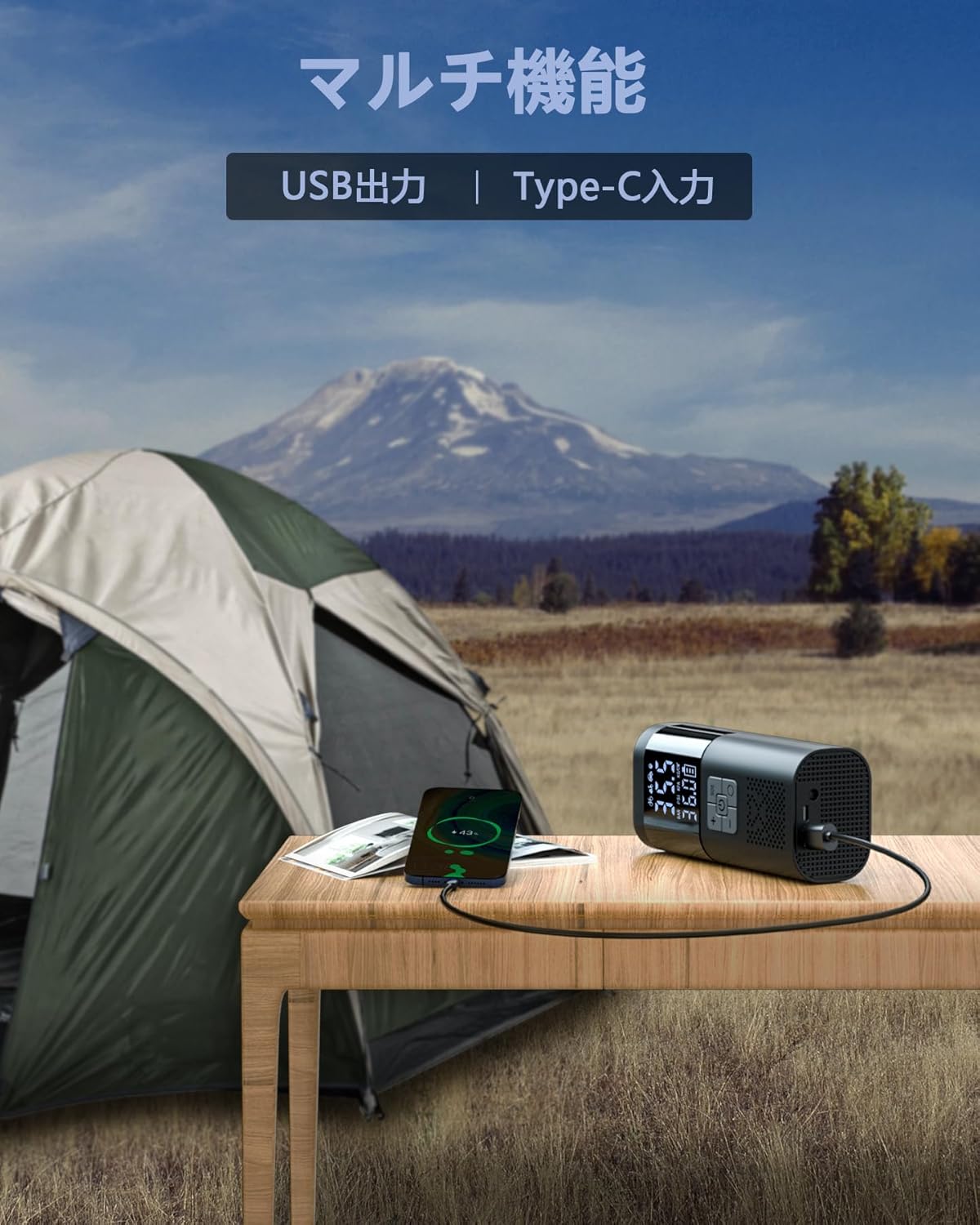
Image: The air compressor connected via USB-C, also showing its power bank capability.
5.2. Attaching the Air Hose
Screw the air hose securely into the air outlet port at the top of the compressor unit. Ensure it is tightly fastened to prevent air leakage.
6. Operating Instructions
The SM02 features multiple intelligent modes and an automatic stop function for precise inflation.

Image: Visual representation of the multi-inflation modes (car, motorcycle, bicycle, ball, custom).
6.1. General Inflation Steps
- Power On: Press and hold the power button for 3 seconds to turn on the device.
- Connect Hose: Attach the air hose to the item's valve. The real-time pressure will be displayed.
- Select Mode: Press the mode button to cycle through the 5 inflation modes (Car, Motorcycle, Bicycle, Ball, Custom).
- Set Pressure: Use the '+' and '-' buttons to adjust the desired target pressure. The maximum pressure is 150 PSI.
- Start Inflation: Press the power button to begin inflation. The device will automatically stop once the target pressure is reached.
- Disconnect: Carefully disconnect the air hose from the valve and the compressor.

Image: Visual step-by-step guide for connecting, setting pressure, and starting inflation.
6.2. Understanding Inflation Modes
The SM02 offers 4 preset intelligent modes and 1 custom mode:
- Car Mode: Preset pressure range for car tires.
- Motorcycle Mode: Preset pressure range for motorcycle tires.
- Bicycle Mode: Preset pressure range for bicycle tires.
- Ball Mode: Preset pressure range for various sports balls.
- Custom Mode: Allows manual setting of any desired pressure within the device's range (2-150 PSI).
You can also switch between pressure units: PSI, BAR, KPA, and kg/cm² by long-pressing the mode button.

Image: The air compressor being used to inflate a car tire, bicycle tire, and a ball, demonstrating its wide range of applications.
6.3. Automatic Stop Function
The device will automatically stop inflating once the preset target pressure is reached, preventing over-inflation and ensuring safety.

Image: The air compressor connected to a tire, highlighting the automatic shut-off feature.
6.4. Emergency LED Light
Press the light button to activate the LED light. Cycle through constant illumination, strobe, and SOS modes as needed for roadside emergencies or night-time inflation.
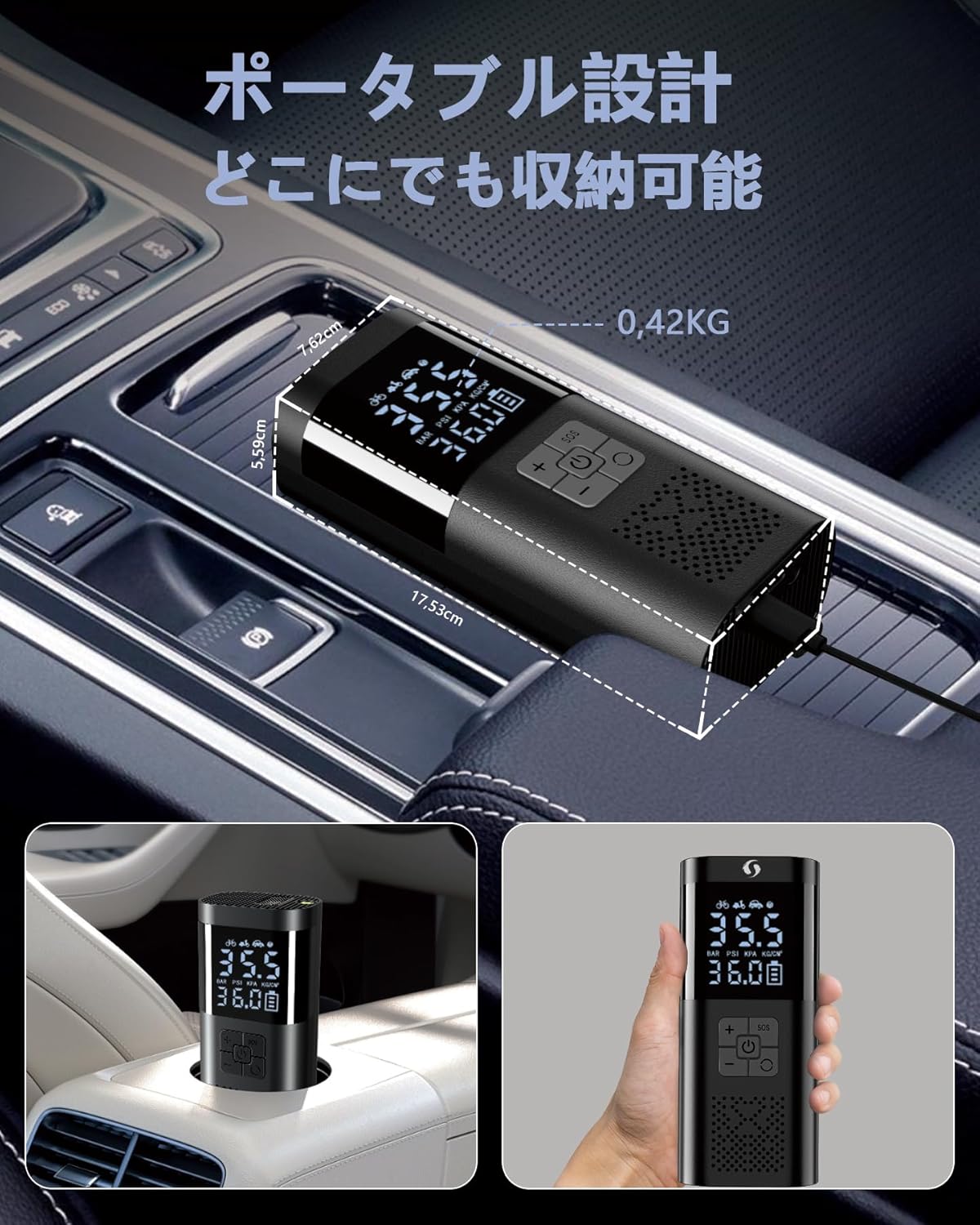
Image: The air compressor's LED light illuminating a tire in a dark environment.
6.5. Power Bank Function
The SM02 can also serve as a power bank. Connect your mobile device to the USB-A output port using a compatible cable to charge it.
Video: A detailed demonstration of the ASMAX T10 (similar model) electric air pump, including unboxing, features, and practical usage for inflating motorcycle tires and using it as a power bank. This video highlights the product's versatility and ease of use.
7. Maintenance
Proper maintenance ensures the longevity and optimal performance of your air compressor.
- Cleaning: Wipe the device with a soft, dry cloth. Do not use harsh chemicals or immerse it in water.
- Storage: Store the air compressor in a cool, dry place, away from direct sunlight and extreme temperatures. Use the provided storage bag for protection.
- Battery Care: For optimal battery life, charge the device at least once every 3 months if not in regular use.
8. Troubleshooting
If you encounter any issues, please refer to the following common problems and solutions:
| Problem | Possible Cause | Solution |
|---|---|---|
| Device does not turn on | Low battery; Power button not pressed long enough | Charge the device fully; Press and hold the power button for 3 seconds |
| No air output / Slow inflation | Air hose not securely connected; Valve adapter not properly attached; Blockage in hose/nozzle | Ensure all connections are tight; Check for any obstructions |
| Inaccurate pressure reading | Loose connection; Device malfunction | Check hose connection; Contact customer support if issue persists |
| Device stops unexpectedly | Target pressure reached; Overheating; Low battery | Check preset pressure; Allow device to cool; Recharge battery |
9. Specifications
| Feature | Detail |
|---|---|
| Brand | SERVOMASTER |
| Model Number | SM02 |
| Product Dimensions | 7 x 5 x 17 cm |
| Item Weight | 710 g |
| Power Source | Battery Powered (12V) |
| Max Pressure | 150 PSI |
| Battery Capacity | 7500mAh (as per feature bullets, not in specs table directly) |
| Charging Type | Type-C |
| Additional Features | Digital Display, Auto-Stop, SOS/LED Flashlight, Power Bank Function |
10. Warranty and Support
SERVOMASTER products are designed for quality and durability. For warranty information or technical support, please refer to the contact details provided on the product packaging or the official SERVOMASTER website. Keep your purchase receipt as proof of purchase.