
1. Introduction
This manual provides detailed instructions for the safe and effective use of your GESKE SmartAppGuided MicroDermabrasion Blackhead Remover. This 7-in-1 device is designed to cleanse pores, remove impurities, and rejuvenate your skin through advanced technologies.

Image: Overview of the GESKE SmartAppGuided MicroDermabrasion Blackhead Remover highlighting its key features.
2. Safety Information
- Always start by cleaning your face and the device before each use.
- Do not hold the device stationary in one spot on your skin to avoid bruising or irritation.
- If you experience discomfort, redness, or irritation, discontinue use or reduce the suction level.
- Avoid the sensitive skin around the eyes.
- Consult a healthcare professional if blemishes persist or worsen.
- Keep out of reach of children.
- Do not use on broken, irritated, or infected skin.
3. Product Features
The GESKE SmartAppGuided MicroDermabrasion Blackhead Remover incorporates 7-in-1 technologies for comprehensive skin care:
- MicroDermabrasion Technology: Gently exfoliates the skin, removing dead skin cells and impurities.
- AirPulse Suction Deep Pore Cleansing: Effectively removes make-up residue, excess oil, blackheads, and whitehead pimples through targeted suction.
- Red Light Active Regeneration Technology: Triggers the cell renewal system, activating the skin's natural healing processes and promoting rejuvenation.
- UltraSpin Exfoliation Technology: Gently removes dead skin cells and dirt from the skin surface.
- Skin Rejuvenation Technology: Fights early signs of aging and promotes a lasting glow.
- 5 Full-Spectrum Cleansing Modes: Customizable settings for various skin needs.
- Extended Range of UltraSpin Discs: Includes discs for face, body, and blackhead removal.

Image: Device features including 15-year guarantee, skin-friendly silicone, suitability for all skin types, dermatologist approval, and magnetic charging.
4. Getting Started & Setup
- Charge the Device: Ensure the device is fully charged before first use. It features magnetic charging.
- Cleanse Your Face: Start with a clean, makeup-free face.
- Attach Exfoliation Disc: Place an exfoliation disc of your desired intensity into the device.
- Secure Face Cap: Secure the face cap over the disc.
- Power On: Turn on the device by holding the power button for two seconds. This activates the MicroDermabrasion Technology and Red Light Active Regeneration Technology.
- Select Intensity: Use the plus (+) and minus (-) buttons to select the desired UltraSpin Exfoliation intensity.
5. Operating Instructions
Follow these steps for effective use of your MicroDermabrasion Blackhead Remover:
- Practice First: Before applying to your face, practice on your arm or leg to familiarize yourself with the device's suction and movement.
- Glide Motion: Place the device on the bottom of your chin and glide it in an outward and upward motion, following the jawline to the ear.
- Repeat Strokes: Start again from the chin and make another stroke above the last one. Continue these strokes, covering the entire side of the face up to the hairline.
- Skin Tension: Pull the skin taut for smoother motion and better contact.
- Forehead: For the forehead, glide the device from the center outwards towards the temples.
- Avoid Eye Area: Avoid the sensitive skin around the eye. Only do one pass per path.
- Repeat on Other Side: Repeat the entire process on the other side of your face.
- Duration: For best results, use the device regularly as part of your skincare routine.
- Power Off: Turn the device off by holding the power button for two seconds after use.
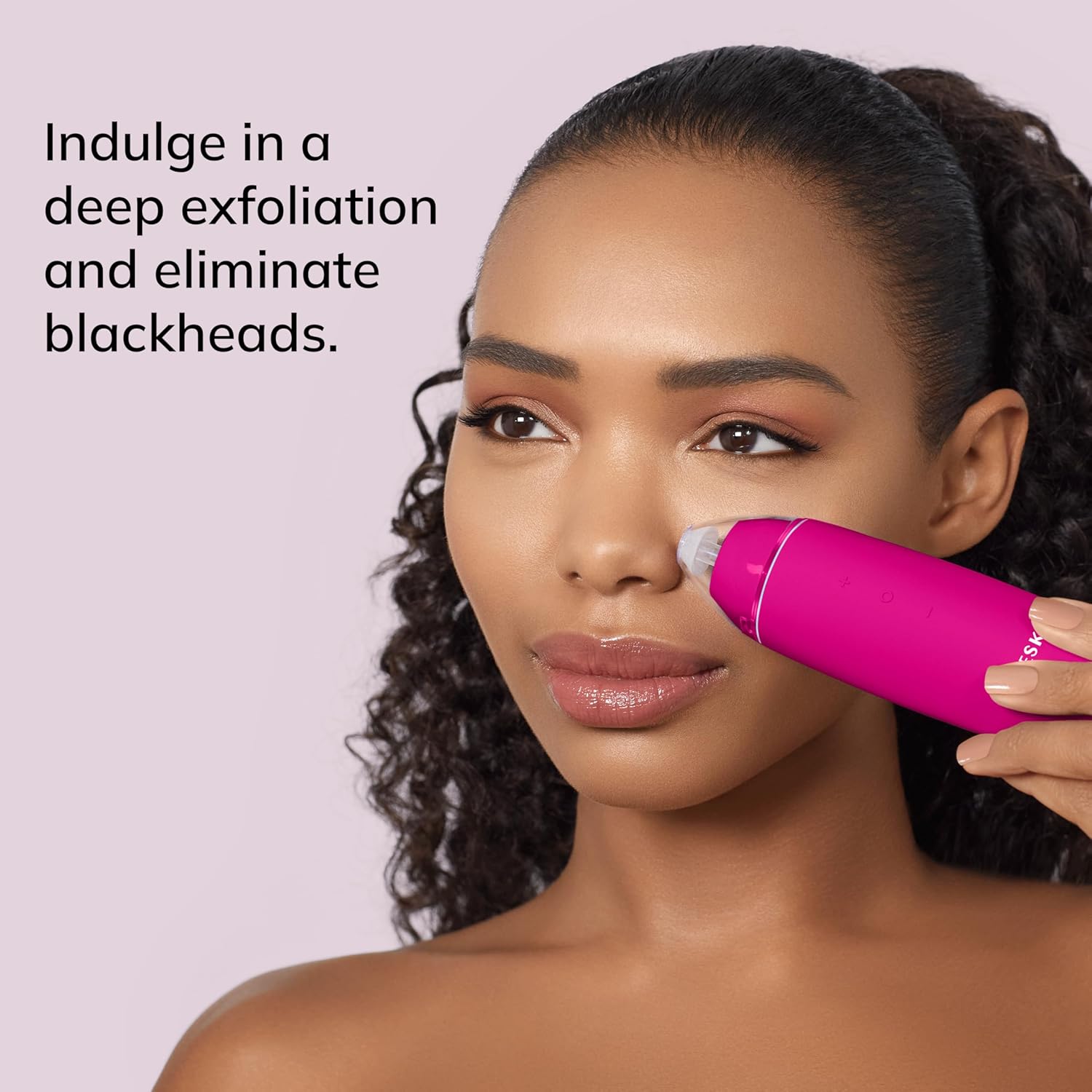
Image: Demonstrating the use of the device on the nose area for blackhead removal.
Instructional Video:
Video: A detailed "How-To" guide for using the GESKE MicroDermabrasion Blackhead Remover 7-in-1, demonstrating proper technique and device functions.
6. Smart App Integration
Enhance your skincare routine with the GESKE SmartAppGuided app:
- Skin Scan: Utilize the app to scan your skin and receive a personalized analysis.
- Personalized Beauty Routine: Get a customized skincare routine tailored to your skin's needs.
- How-to Videos: Access hundreds of hours of video-guided sessions for all GESKE devices, ensuring optimal usage.

Image: The SmartAppGuided app interface, demonstrating skin scanning and personalized routine guidance.
Download the app: https://www.geske.com/app
7. Maintenance and Care
- Cleaning: After each use, clean the device and any used exfoliation discs thoroughly. Refer to the app for specific cleaning instructions if available.
- Storage: Store the device in a cool, dry place away from direct sunlight.
- Disposal: Dispose of used exfoliation discs responsibly according to local regulations.
8. Troubleshooting
| Problem | Possible Cause | Solution |
|---|---|---|
| Device turns off when touching skin. | Low battery or potential defect. | Ensure the device is fully charged. If the issue persists, contact customer support. |
| Weak suction. | Incorrect disc attachment, low battery, or clogged filter. | Check that the exfoliation disc and face cap are securely attached. Ensure the device is fully charged. Clean the device and check for any blockages. |
| Skin redness or irritation. | High suction level, prolonged use in one area, or sensitive skin. | Reduce the suction level. Ensure continuous movement of the device; do not hold it stationary. If irritation persists, discontinue use. |
9. Specifications
- Model Number: GK000012MG01
- Product Dimensions: 1.69 x 1.69 x 5.91 inches
- Item Weight: 6.53 ounces (185 Grams)
- Batteries: 1 Lithium Ion battery (included)
- Material: Plastic
- Color: Magenta (This specific variant)
- Manufacturer: GESKE Beauty Tech Inc.
10. Warranty and Support
Your GESKE SmartAppGuided MicroDermabrasion Blackhead Remover comes with a 15-year guarantee, ensuring long-term reliability and performance.
For further assistance, troubleshooting, or warranty claims, please visit the official GESKE website or contact GESKE customer support. The SmartAppGuided app also provides extensive video-guided sessions and personalized support.
Manufacturer: GESKE Beauty Tech Inc.

