
1. Introduction
This manual provides essential instructions for the setup, operation, and maintenance of your UBITracer Multi-Sensor GPS, model ZS-300L. This device is designed for advanced tracking and environmental monitoring, offering real-time data on location, temperature, humidity, light, atmospheric pressure, shock, motion, drop, and tilt. Please read this manual thoroughly to ensure proper use and to maximize the device's capabilities.
2. Product Overview
2.1 Key Features
- Multi-Sensor Monitoring: Tracks Location, Temperature, Humidity, Light, Atmospheric Pressure, Shock, Motion, Drop, and Tilt.
- Global Coverage: Operates in over 180 countries using cellular data.
- Ultra-Long Battery Life: Designed for extended operation without frequent recharging.
- Industrial Precision: Provides medical-grade measurement accuracy and continuous monitoring.
- Real-time Alerts: Customizable alerts for critical changes in conditions.
- Rugged Design: Waterproof and built for durability in various environments.
- Advanced Features: Includes automatic airplane mode, theft and tampering detection via light and motion sensors, and an option to disable the power switch.
2.2 What's in the Box
- UBITracer Multi-Sensor GPS ZS-300L Device
- Charging Cable
- Velcro Tape
- Quick Starter Guide & Mobile Application Instruction

Image: UBITracer ZS-300L device, charging cable, Velcro tape, and quick start guide.
3. Setup
3.1 Initial Charging
Before first use, fully charge the UBITracer ZS-300L device. Connect the provided charging cable to the charging interface on the device and a standard USB power source. The charging indicator will illuminate during charging.
3.2 Device Activation and App Installation
- Download the UBITracer mobile application from your device's app store (Android or iOS).
- Follow the instructions in the included Quick Starter Guide to create an account and activate your device. A subscription plan is required for full functionality.
- To bind your device, you may use the activation code found on the device itself. For example, use the link: https://device.ubitracer.com/ubitracer/bind/010521071/03067 or enter the code 0100010521071 manually.
- Ensure the device has a strong cellular signal for successful activation and data transmission. You may need to move the device to different locations to establish a connection.
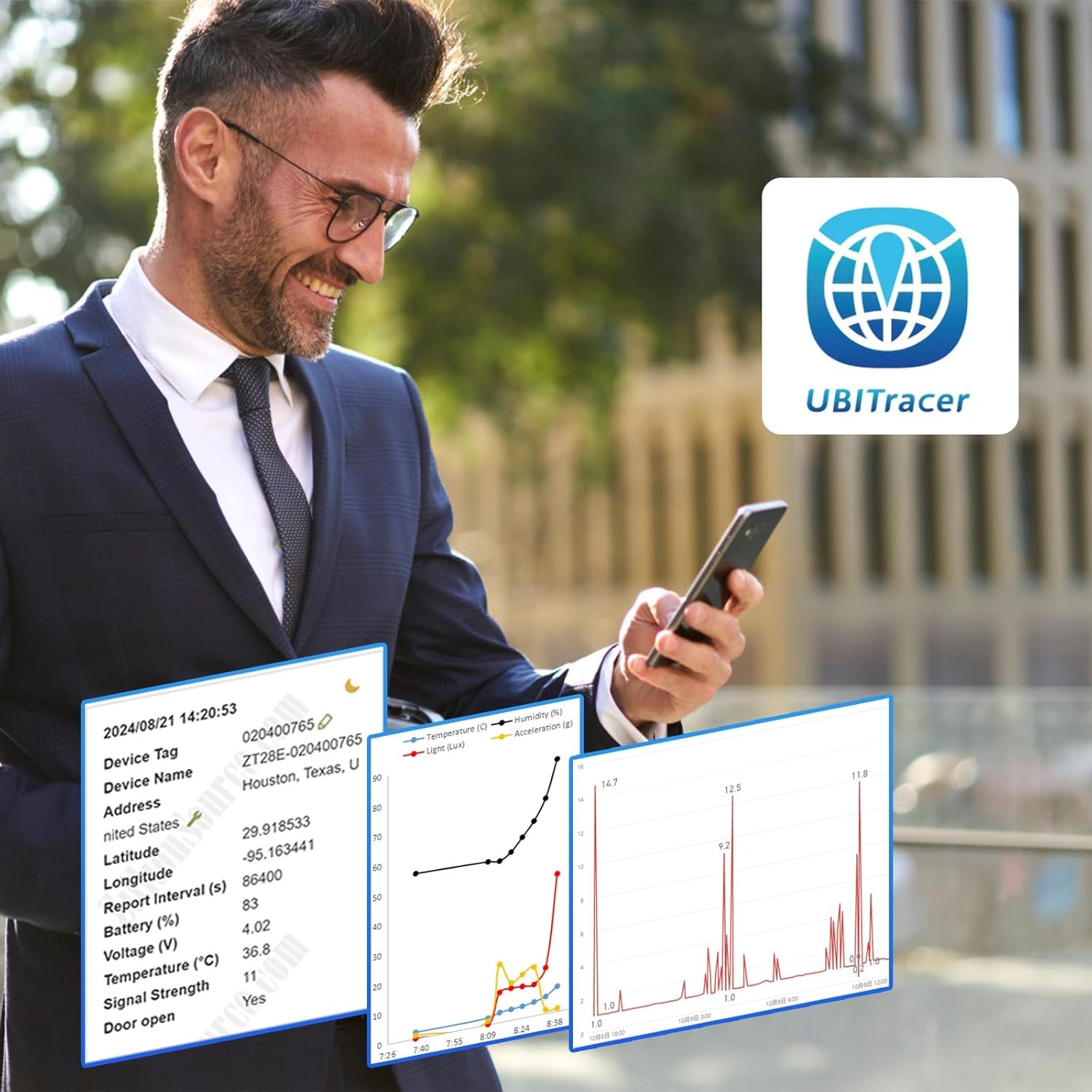
Image: The UBITracer ZS-300L device shown with its mobile application displaying a tracked route on a map.
4. Operating Instructions
4.1 Real-time Tracking and Monitoring
Once activated, the UBITracer ZS-300L will begin collecting data based on your subscription plan and configured settings. Data collection frequency can be set as often as every 10 minutes.
- Location: View the current and historical location of your device on the mobile app or web portal.
- Environmental Sensors: Monitor temperature, humidity, light exposure, and atmospheric pressure in real-time.
- Motion and Shock: Detect movement, drops, tilts, and significant impacts.

Image: A user interacting with the UBITracer mobile application, showing detailed sensor data and location information.
4.2 Customizing Alerts
Configure custom alerts within the mobile app or web portal to receive notifications for specific events, such as:
- Temperature exceeding or falling below a set threshold.
- Detection of shock, motion, or tampering (via light sensor).
- Device entering or exiting a predefined geofence area.

Image: A map displaying a tracked route with various data points, indicating movement and location history.
4.3 Advanced Features
- Automatic Airplane Mode: The device can automatically enter airplane mode when certain conditions are met, conserving battery.
- Theft and Tampering Detection: Utilize light and motion sensors to detect unauthorized access or movement.
- Disable Power Switch: An option to prevent unauthorized shut-off, ensuring continuous monitoring.
- Web Portal for Business Users: Access an enterprise-grade web portal for advanced device management, rule configuration, and data interchange.
5. Maintenance
5.1 Battery Management
The UBITracer ZS-300L features an ultra-long battery life, providing months of service depending on reporting frequency and environmental conditions. Recharge the device when the battery level is low, indicated by the mobile app or device status lights.
5.2 Device Care
The device is designed with a rugged, waterproof casing (IP65 rated). While durable, avoid exposing it to extreme temperatures beyond its operating range or harsh chemicals. Clean the device with a soft, dry cloth.
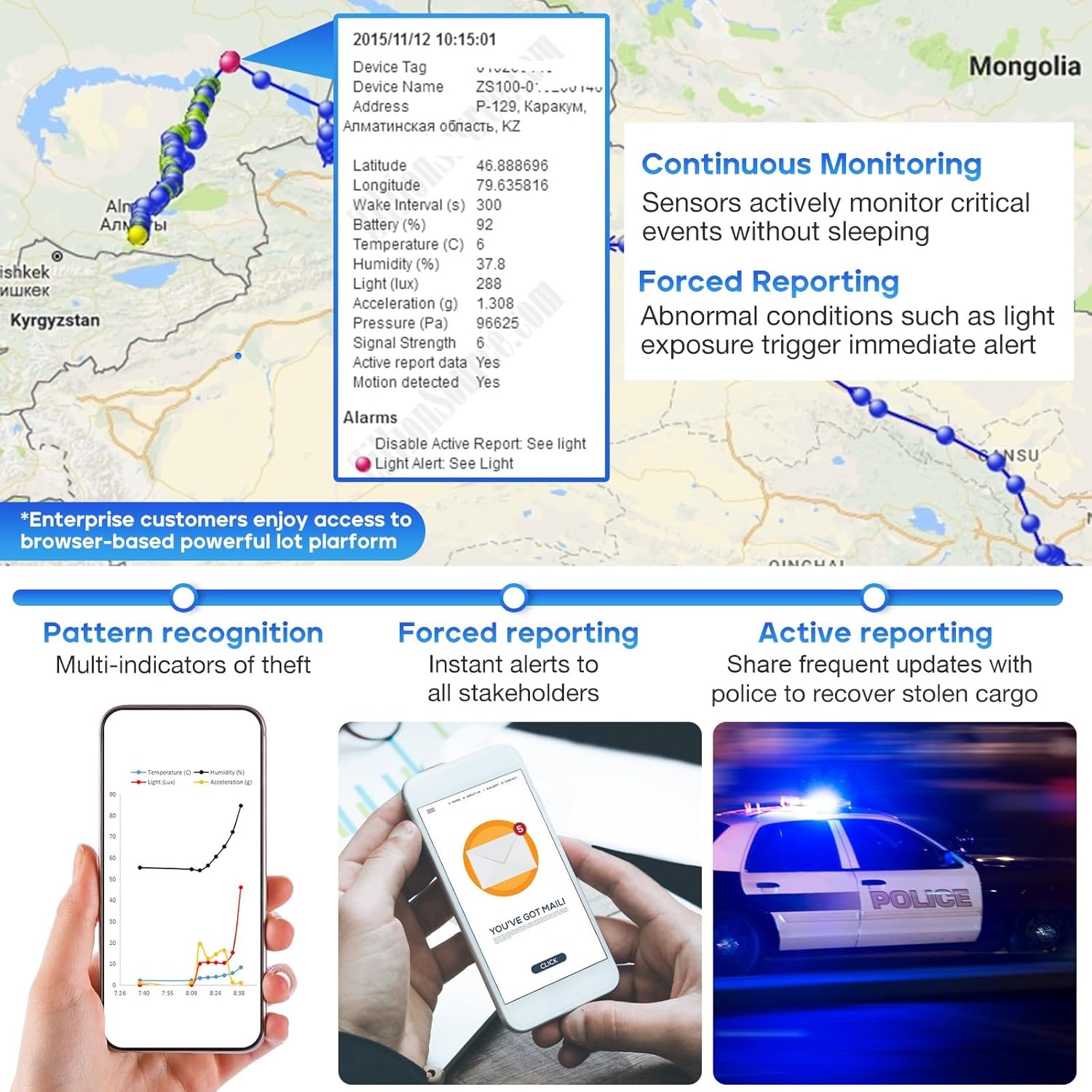
Image: The UBITracer ZS-300L device depicted with water splashes, highlighting its waterproof capabilities.
6. Troubleshooting
6.1 Device Not Activating or Connecting
- Check Battery: Ensure the device is fully charged.
- Signal Strength: The device relies on cellular service. If activation or connection is difficult, move the device to an area with better cellular reception.
- Subscription Status: Verify that your subscription plan is active and correctly linked to your device.
- App/Web Portal: Confirm you are using the correct login credentials for the UBITracer app or web portal.
6.2 Inconsistent Data or Location Updates
- Signal Interference: Poor cellular or GPS signal can lead to delayed or missing data. Ensure the device has a clear line of sight to the sky for optimal GPS performance and is in an area with good cellular coverage.
- Reporting Interval: Check your configured reporting interval in the app. More frequent reporting consumes more battery and data.
- Battery Level: Low battery can affect the device's ability to transmit data consistently.
6.3 Device Not Responding
If the device is unresponsive, try connecting it to a charger. If issues persist, refer to the detailed user guide available as a PDF or contact UBITracer customer support.
7. Specifications
| Feature | Detail |
|---|---|
| Model | ZS-300L |
| Package Dimensions | 3.58 x 3.54 x 1.34 inches |
| Item Weight | 6.7 ounces |
| Connectivity | Wireless (Cellular Data) |
| Special Features | Ambient Environment Monitoring, Customized Alerts, Location History, Multi-Sensor Tracking, Real Time Tracking |
| Color | Navy |
| Manufacturer | ZillionSource Technologies |
| First Available | June 7, 2023 |
| Supported Application | Tracking and Monitoring |
| Specific Uses | Camping, Hiking, Stolen Cargo Recovery, RV, Pet, Greenhouse, Cold Chain, Shipment, Valuables |
8. Support
For further assistance, please refer to the comprehensive User Guide PDF available online or within the UBITracer mobile application. You can also visit the official UBITracer website or contact customer support through the app or web portal for technical inquiries and service-related questions.
Official User Guide (PDF): Download Here
For business users, access the powerful UBITracer web portal for enterprise-grade device management, rule configuration, and data interchange.

