
Introduction
This manual provides instructions for the safe and effective use of your OttLite Clip-On LED Easel Lamp. This versatile lamp is designed to provide high-quality illumination for various tasks, including art, reading, and detailed work. Its flexible design allows for easy positioning and attachment to various surfaces.
The lamp features OttLite's exclusive ClearSun LED technology, engineered to reduce eyestrain by up to 51%. With a Color Rendering Index (CRI) of 95+, it ensures accurate color representation, which is beneficial for activities requiring precise color perception.
What's in the Box
Carefully unpack your OttLite Clip-On LED Easel Lamp and ensure all components are present:
- OttLite Clip-On LED Easel Lamp (integrated shade, flexible neck, and clip)
- Power Cable
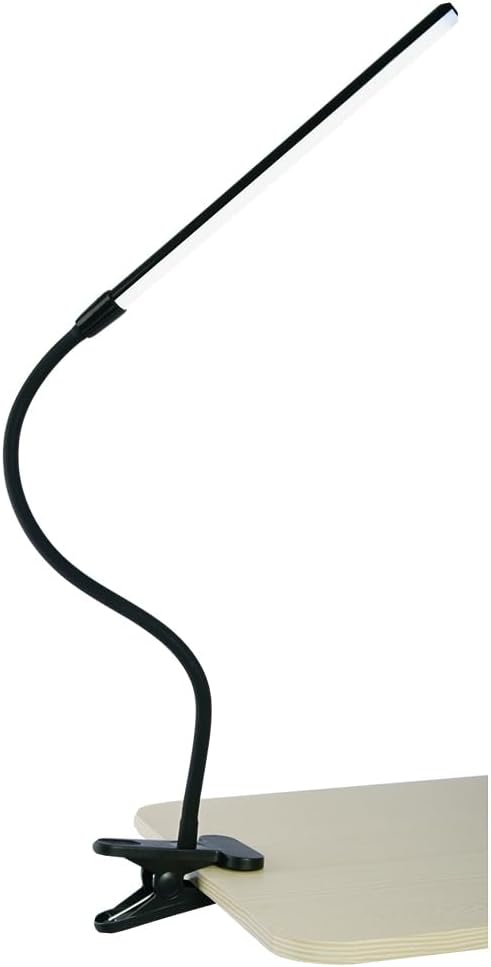
Figure 1: OttLite Clip-On LED Easel Lamp overview.
Setup
- Choose a Location: Select a stable surface such as an easel, desk, or shelf where you intend to use the lamp. Ensure the surface edge is suitable for clamping.
- Attach the Lamp: Open the spring-loaded clip and securely attach it to the edge of your chosen surface. The clip is designed to provide a firm grip.
- Position the Light: Adjust the flexible 16.6-inch (42.16 cm) neck to direct the 12.6-inch (32 cm) light shade precisely where illumination is needed. The neck will hold its position once adjusted.
- Connect Power: Plug the power cable into a standard electrical outlet.

Figure 2: Securely attaching the lamp clip to a surface.
Operating Instructions
- Power On/Off: Locate the on/off switch on the power cord. Press the switch to turn the lamp on or off.
- Adjusting Light Direction: Gently bend and twist the flexible neck to reposition the light source as required for your task.

Figure 3: On/off switch on the power cord.
The OttLite ClearSun LED provides smooth, uniform light with a Color Rendering Index (CRI) of 95+, ensuring accurate color perception and reduced eyestrain during extended use.
Maintenance
- Cleaning: Ensure the lamp is unplugged before cleaning. Wipe the lamp and shade with a soft, dry cloth. Do not use abrasive cleaners or solvents, as these may damage the finish.
- LED Care: The integrated LED light source is designed for long life and does not require replacement.
- Storage: When not in use for extended periods, store the lamp in a clean, dry place.
Troubleshooting
| Problem | Possible Cause | Solution |
|---|---|---|
| Lamp does not turn on. |
|
|
| Light flickers or is dim. |
|
|
Specifications
| Feature | Detail |
|---|---|
| Model Number | CSJ37G5W-CA |
| Brand | Ott-lite |
| Light Source Type | LED (ClearSun Technology) |
| Color Rendering Index (CRI) | 95+ |
| Brightness | 355 Lumens |
| Color Temperature | 5000 Kelvin |
| Shade Length | 12.6 inches (32 cm) |
| Flexible Neck Length | 16.6 inches (42.16 cm) |
| Product Dimensions (Overall) | 3"D x 4.5"W x 16.6"H |
| Item Weight | 1.21 pounds |
| Power Source | Corded Electric |
| Switch Type | Toggle (on cord) |
| Material | Metal |
| Finish Type | Painted |
| Indoor/Outdoor Usage | Indoor |
Warranty and Support
For warranty information or technical support, please refer to the documentation included with your purchase or contact OttLite Technologies directly. Keep your purchase receipt as proof of purchase.
You can typically find contact information on the manufacturer's official website or by searching for "OttLite support".