
Introduction
The Nikon INLINE XR series of muzzleloader riflescopes is engineered to enhance your shooting capabilities, particularly for extended range applications with a muzzleloader. This advanced riflescope technology facilitates accurate shots up to 300 yards. The ultra-compact INLINE XR 3-9x40 features the patented BDC 300 reticle and is available in various finishes. It provides a consistent five inches of eye relief across the entire magnification range, ensuring comfortable and safe use even with high-recoil muzzleloaders. The scope incorporates precision ¼-inch adjustments, a quick-focus eyepiece, spring-loaded instant zero-reset turrets, and fully multicoated optics for optimal brightness from dawn to dusk. The BDC 300 reticle can be precisely calibrated to match the ballistic drop of various sabot loads using Nikon's Spot On Ballistic Match Technology.
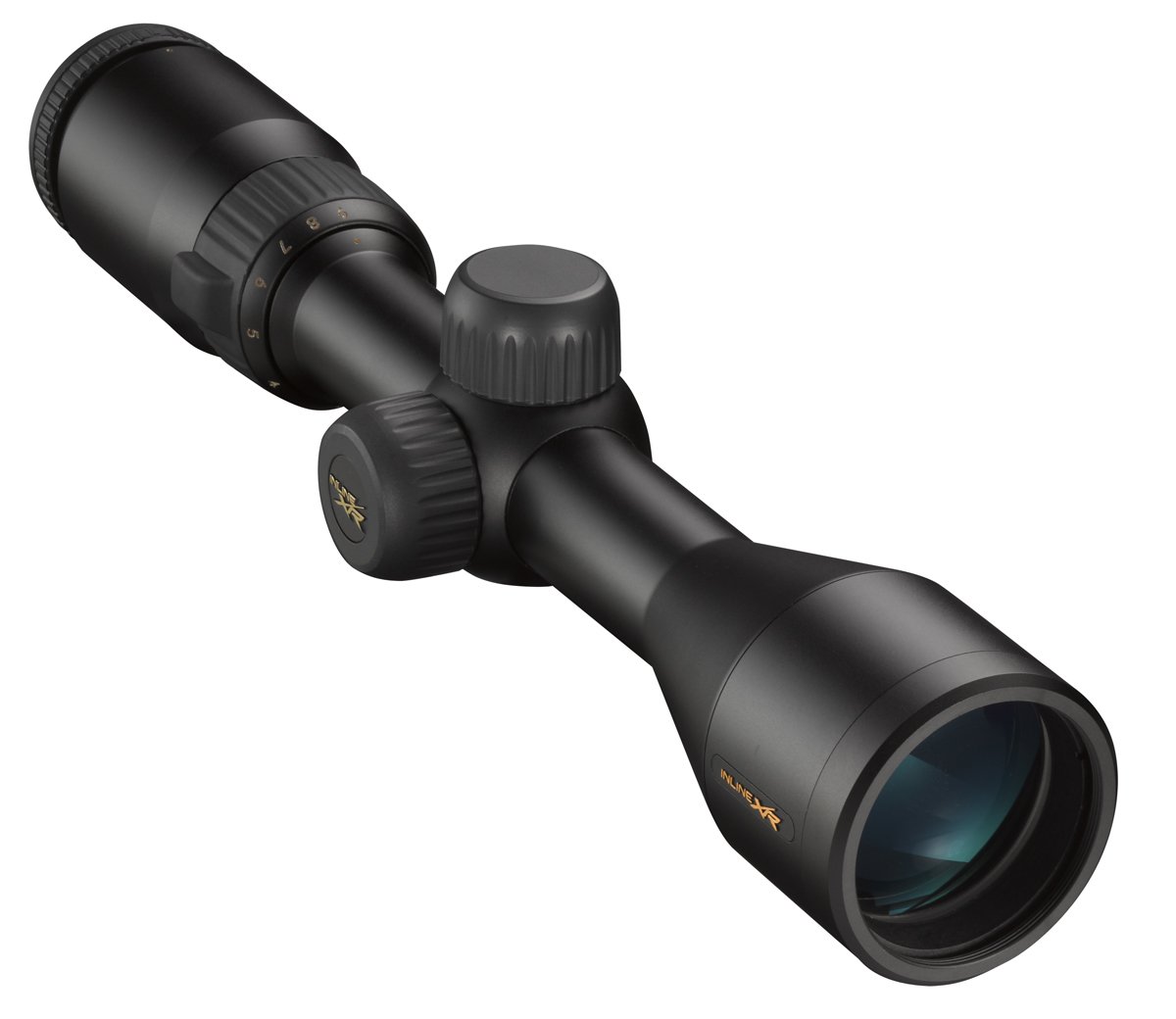
Image 1: The Nikon INLINE XR 3-9x40 Muzzleloader Riflescope. This image displays the riflescope, highlighting its compact design and the objective lens.
Key Features
- BDC 300 Reticle: Features Nikon's patented BDC 300 Reticle with a unique, open circle design for easier long-range shots.
- Consistent Eye Relief: Provides a consistent 5-inch eye relief, ensuring safety and comfort even with heavy recoil.
- Fully Multicoated Optics: Equipped with Nikon's fully multicoated optics for maximum brightness and light transmission, enhancing visibility in various lighting conditions.
- Zero-Reset Turrets: Adjustments are simplified with spring-loaded instant zero-reset turrets.
- Spot On Ballistic Match Technology: Optimized for use with Nikon's Spot On Ballistic Match Technology for precise reticle calibration.
Setup
Mounting the Riflescope
To mount the Nikon INLINE XR riflescope, use appropriate scope rings and a mounting base compatible with your muzzleloader. Ensure the scope is positioned to achieve the consistent 5-inch eye relief for comfortable and safe viewing. Securely tighten all mounting screws according to the torque specifications provided by your mount manufacturer. Improper mounting can affect accuracy and scope integrity.
Initial Adjustments
- Focusing the Reticle: Look through the eyepiece at a plain, bright background (like the sky). Rotate the quick-focus eyepiece until the reticle appears sharp and clear. This adjustment is crucial for accurate aiming.
- Parallax Adjustment: This model features a fixed parallax setting.
Operating the Riflescope
Magnification Adjustment
The INLINE XR 3-9x40 offers variable magnification from 3x to 9x. Rotate the magnification ring, typically located near the eyepiece, to adjust the power. Select a lower magnification for wider fields of view and quicker target acquisition, and a higher magnification for precise aiming at longer distances.
Zeroing the Riflescope
Zeroing is the process of aligning the riflescope's point of aim with the firearm's point of impact.
- Initial Shot: From a stable shooting position, fire a shot at a target at your desired zeroing distance (e.g., 100 yards).
- Adjust Windage and Elevation: Use the windage (horizontal) and elevation (vertical) adjustment turrets. Each click of the turret typically represents a ¼-inch adjustment at 100 yards. Turn the turrets in the direction indicated to move the point of impact towards the point of aim.
- Confirm Zero: Fire additional shots to confirm the adjustments and fine-tune as necessary until your shots consistently hit the desired point of aim.
- Reset Turrets: Once zeroed, lift the spring-loaded turrets, rotate them to the "0" mark, and push them back down to lock. This allows for easy return to your zero setting after making temporary field adjustments.
Using the BDC 300 Reticle
The BDC 300 reticle features unique ballistic circles designed to provide aiming points for various distances. To effectively use the BDC 300 reticle, it is recommended to utilize Nikon's Spot On Ballistic Match Technology. This online tool allows you to input your specific ammunition and environmental conditions to generate precise holdover values for each circle on the reticle, optimizing your long-range accuracy.
Maintenance
Cleaning the Lenses
To clean the lenses, first, use a soft brush or compressed air to remove any loose dust or debris. Then, gently wipe the lenses with a clean, soft lens cloth, preferably microfiber, and a small amount of lens cleaning fluid. Avoid using harsh chemicals or abrasive materials, as these can damage the lens coatings.
General Care and Storage
- Keep the riflescope protected from extreme temperatures and humidity.
- Store the scope in a protective case when not in use to prevent scratches and impacts.
- Regularly check all mounting screws for tightness to ensure the scope remains securely attached to the firearm.
Troubleshooting
Poor Image Clarity
- Ensure the reticle is properly focused for your eye.
- Clean the objective and eyepiece lenses for any smudges or dirt.
- Check for fogging, which may indicate extreme temperature changes or a seal issue.
Inconsistent Point of Impact
- Verify that the scope is securely mounted and all screws are tightened to specification.
- Check for any damage to the scope or mounting system.
- Ensure consistent shooting technique and ammunition.
Specifications
| Brand | Nikon |
| Model Name | INLINE XR |
| Model Number | 6792 |
| Magnification (Minimum) | 3x |
| Magnification (Maximum) | 9x |
| Objective Lens Diameter | 40 millimeters |
| Reticle Type | BDC 300 |
| Eye Relief | 5 inches (consistent) |
| Adjustment Click Value | ¼ MOA |
| Material | Metallic-Fiber |
| Item Weight | 14.72 ounces |
| Mounting Type | Picatinny Mount (Compatible) |
| Color | Matte Black |
Warranty and Support
For detailed warranty information, product registration, and customer support, please refer to the official Nikon Sport Optics website or contact Nikon customer service directly. Specific warranty terms and conditions may vary.