
SCHNEIDER SCVCO23DBE
SCHNEIDER SCVCO23DBE Multi-task Stick Vacuum Cleaner User Manual
Model: SCVCO23DBE
1. Introduction
Thank you for choosing the SCHNEIDER SCVCO23DBE Multi-task Stick Vacuum Cleaner. This appliance is designed to provide efficient cleaning for hard floors by combining vacuuming and mopping functions. Please read this manual thoroughly before operating the device to ensure safe and correct usage. Keep this manual for future reference.
Important Safety Instructions
- Always disconnect the appliance from the power supply before cleaning or maintenance.
- Do not immerse the appliance, power cord, or plug in water or other liquids.
- This appliance is for household use only. Do not use outdoors or for commercial purposes.
- Keep hair, loose clothing, fingers, and all parts of the body away from openings and moving parts.
- Do not pick up flammable or combustible materials, hot ashes, or large, sharp objects.
- Ensure the water tanks are correctly installed before operation.
- Supervise children to ensure they do not play with the appliance.
2. Product Overview
The SCHNEIDER SCVCO23DBE is a versatile cleaning device designed for hard floors. It integrates vacuuming and mopping capabilities into a single unit, featuring a dirt sensor for optimized cleaning.
Components Included
- SCHNEIDER SCVCO23DBE Stick Vacuum Cleaner unit
- Roller Brushes (for hard floors)
- User Manual
- Charging Base
- Cleaning Tool
Key Features
- Dirt Sensor Technology: The integrated dust sensor automatically adjusts suction power and water injection levels based on the detected dirt. An LED indicator on the screen changes from red (dirty floor) to blue (clean floor) to provide real-time cleaning status.
- Edge Cleaning Brush: Equipped with an exclusive brush designed to clean along baseboards, corners, and obstacles within 5mm, ensuring thorough cleaning in hard-to-reach areas.
- Long Battery Life: Powered by a 5200 mAh Lithium-ion battery, offering up to 50 minutes of continuous cleaning on a single charge, optimized by the dirt sensor.
- Dual Functionality: Simultaneously vacuums and mops hard floors, reducing cleaning time and effort.

Figure 2.1: The SCHNEIDER SCVCO23DBE Multi-task Stick Vacuum Cleaner on its charging base, showcasing its design and included cleaning tool.
3. Setup
3.1 Assembly
- Unpack all components from the packaging.
- Insert the handle into the main body of the vacuum cleaner until it clicks securely into place.
- Ensure the clean water tank and dirty water tank are correctly seated in their respective compartments.
- Place the roller brush into the brush head and secure it.
3.2 Initial Charging
Before first use, fully charge the appliance. This typically takes several hours.
- Place the vacuum cleaner on its charging base.
- Connect the power adapter to the charging base and plug it into a suitable wall outlet.
- The LED display will indicate the charging status. A full charge is indicated when the battery icon shows 100%.

Figure 3.1: The vacuum cleaner positioned on its charging base, ready for or undergoing charging.
4. Operating Instructions
4.1 Filling the Clean Water Tank
- Remove the clean water tank from the main unit.
- Open the tank cap and fill with clean tap water up to the 'MAX' line. For enhanced cleaning, a small amount of non-foaming, hard-floor cleaning solution can be added (refer to solution manufacturer's instructions).
- Close the cap securely and reinsert the tank into the appliance.
4.2 Powering On and Cleaning Modes
- Press the Power button on the handle to turn on the appliance.
- The appliance will typically start in automatic cleaning mode. In this mode, the dirt sensor will detect the level of dirt on the floor and adjust suction and water flow accordingly.
- Observe the LED indicator on the display: Red indicates a dirty area, while Blue indicates a clean area.
- Guide the vacuum cleaner across the hard floor surface. The combined vacuum and mop action will clean the floor.
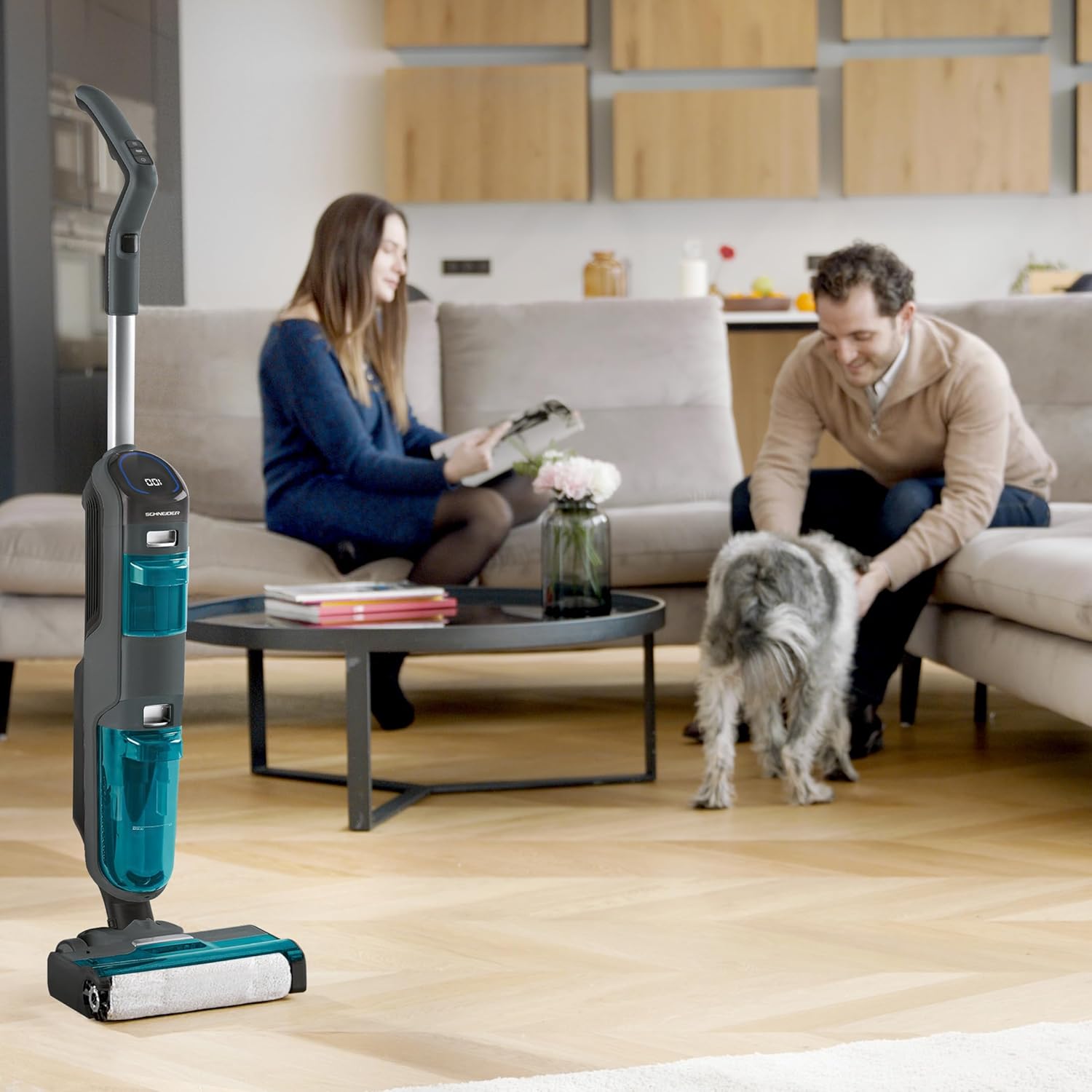
Figure 4.1: A user demonstrating the operation of the vacuum cleaner on a hard floor surface.
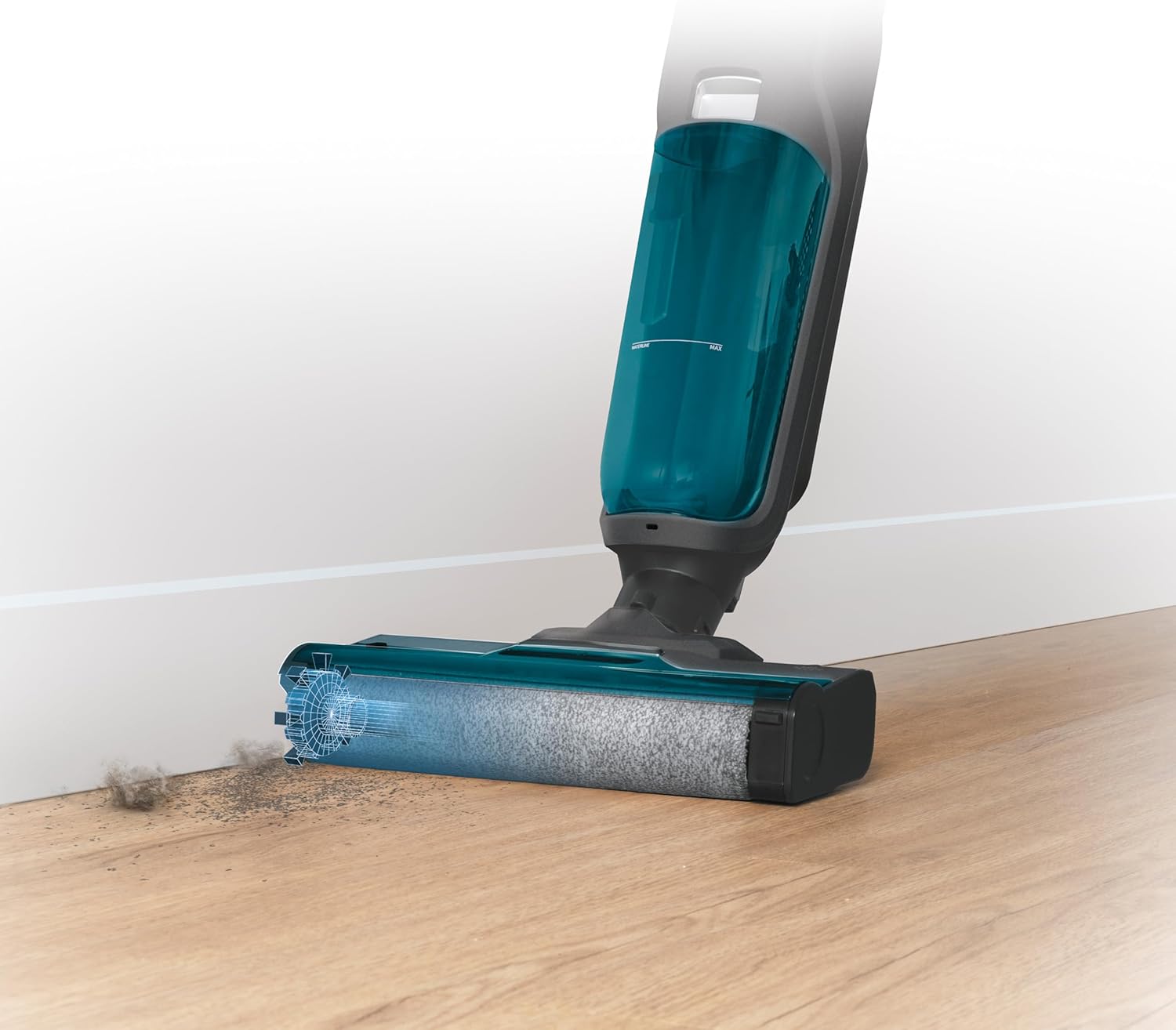
Figure 4.2: The brush head effectively cleaning dirt accumulated along a baseboard, highlighting its edge-cleaning capability.

Figure 4.3: A top-down view of the vacuum cleaner's handle and control panel, displaying the LED screen with cleaning status indicators.
5. Maintenance
Regular maintenance ensures optimal performance and extends the lifespan of your appliance.
5.1 Emptying and Cleaning the Dirty Water Tank
Empty the dirty water tank after each use or when the 'Dirty Water Tank Full' indicator appears.
- Turn off the appliance and remove the dirty water tank.
- Open the tank and carefully pour out the dirty water.
- Rinse the tank thoroughly with clean water. Use the provided cleaning tool to remove any solid debris or hair from the filter screen inside the tank.
- Allow the tank to air dry completely before reinserting it.
5.2 Cleaning the Roller Brush
The roller brush should be cleaned regularly to prevent tangles and maintain cleaning efficiency.
- Turn off the appliance and remove the brush cover.
- Carefully remove the roller brush.
- Use the cleaning tool to cut and remove any tangled hair or fibers from the brush.
- Rinse the roller brush under running water.
- Allow the brush to air dry completely before reinserting it.

Figure 5.1: The roller brush in action, demonstrating its ability to clean liquid spills and debris, emphasizing the need for regular cleaning.
5.3 Cleaning the Air Filter
The air filter should be cleaned periodically to maintain suction power.
- Locate the air filter, usually found near the dirty water tank.
- Remove the filter and tap it gently over a waste bin to dislodge dust.
- If heavily soiled, rinse the filter under cold running water. Ensure it is completely dry before reinserting.
6. Troubleshooting
If you encounter any issues with your SCHNEIDER SCVCO23DBE, please refer to the following common problems and solutions before contacting customer support.
| Problem | Possible Cause | Solution |
|---|---|---|
| Appliance does not turn on | Battery is depleted Power button not pressed correctly | Charge the battery fully Ensure the power button is pressed firmly |
| Poor suction power | Dirty water tank full Air filter clogged Roller brush tangled Obstruction in air path | Empty and clean the dirty water tank Clean or replace the air filter Clean the roller brush Check for and remove any blockages |
| Water not dispensing | Clean water tank empty Water nozzle clogged | Refill the clean water tank Clean the water nozzle (refer to maintenance section) |
| LED indicator remains red on clean floor | Dirt sensor is dirty Floor not completely clean | Wipe the dirt sensor with a damp cloth Continue cleaning the area until the indicator turns blue |
7. Specifications
Technical details for the SCHNEIDER SCVCO23DBE Multi-task Stick Vacuum Cleaner.
| Feature | Specification |
|---|---|
| Model Number | SCVCO23DBE |
| Brand | SCHNEIDER |
| Power | 150 Watts |
| Voltage | 18 Volts |
| Battery Type | Lithium-ion (5200 mAh) |
| Autonomy | Up to 50 minutes |
| Clean Water Tank Capacity | 680 Milliliters |
| Noise Level | 78 Decibels |
| Weight | 4.5 Kilograms |
| Dimensions (L x W x H) | 74 x 32 x 30 cm |
| Surface Recommendation | Hard Floor |
| Special Features | Dirt Sensor, Edge Cleaning Brush |
8. Warranty and Support
This product is covered by a manufacturer's warranty. Please refer to the warranty card included in your product packaging for specific terms and conditions, including the warranty period and coverage details.
For technical support, spare parts, or warranty claims, please contact SCHNEIDER customer service. Contact information can typically be found on the manufacturer's official website or on the product packaging.
When contacting support, please have your product model number (SCVCO23DBE) and proof of purchase readily available.
Related documentsSCVCO23DBE


Ask a question about this manual
Ask about setup, troubleshooting, compatibility, parts, safety, or missing instructions. Manuals+ will review the question and use this page’s manual context to help answer it.