1. Introduction and Overview
Welcome to the user manual for your truke BTG Neo Dual Pairing Earbuds, Model F200. These earbuds are designed to provide a versatile audio experience with features tailored for both gaming and music. This manual will guide you through the setup, operation, and maintenance of your new device.
Key features include dual device pairing, advanced 6-microphone Environmental Noise Cancellation (ENC), up to 80 hours of total playtime with the charging case, ultra-low latency of 35ms for gaming, 13mm titanium drivers, three preset EQ modes, fast charging, instant Bluetooth 5.3 connectivity, and IPX5 water and sweat resistance.

Product Overview Video
Video 1: A visual overview of the truke BTG Neo Dual Pairing Earbuds, highlighting their design and key functionalities.
2. Setup
2.1. What's in the Box
- Wireless Charging Case
- Type-C USB Cable
- 2 Pairs (S & L) extra Eartips
- Warranty Card
- User Manual
2.2. Charging the Earbuds and Case
Before first use, fully charge the earbuds and the charging case. The charging case has a 500mAh battery capacity. A full charge provides up to 80 hours of total music playback, with the earbuds offering 8 hours of playback on a single charge.
For quick power, a 10-minute fast charge can provide up to 200 minutes of gameplay.
- Place the earbuds into the charging case. Ensure they are correctly seated to initiate charging.
- Connect the Type-C USB cable to the charging port on the case and to a compatible USB power source.
- The indicator lights on the case will show the charging status. Refer to the case's specific light patterns for full charge indication.

2.3. Initial Pairing
The BTG Neo earbuds feature instant pairing for seamless connectivity via Bluetooth 5.3.
- Open the charging case. The earbuds will automatically enter pairing mode.
- On your device (smartphone, tablet, laptop), enable Bluetooth and search for available devices.
- Select "truke BTG Neo" from the list of devices.
- Once connected, you will hear an audio prompt, and the indicator lights on the earbuds will change.

3. Operating Instructions
3.1. Power On/Off
- Power On: Open the charging case, and the earbuds will automatically power on and attempt to connect to the last paired device.
- Power Off: Place the earbuds back into the charging case and close the lid. They will automatically disconnect and power off.
3.2. Dual Pairing
The BTG Neo earbuds support dual pairing, allowing you to connect and seamlessly switch between two devices.
- Pair the earbuds with your first device following the initial pairing steps (Section 2.3).
- Disable Bluetooth on the first device. The earbuds will re-enter pairing mode.
- Pair the earbuds with your second device.
- Enable Bluetooth on the first device again. The earbuds should now be connected to both devices simultaneously.
- To switch between devices, simply play audio or answer a call on the desired device. The earbuds will automatically switch connection.

3.3. Touch Controls
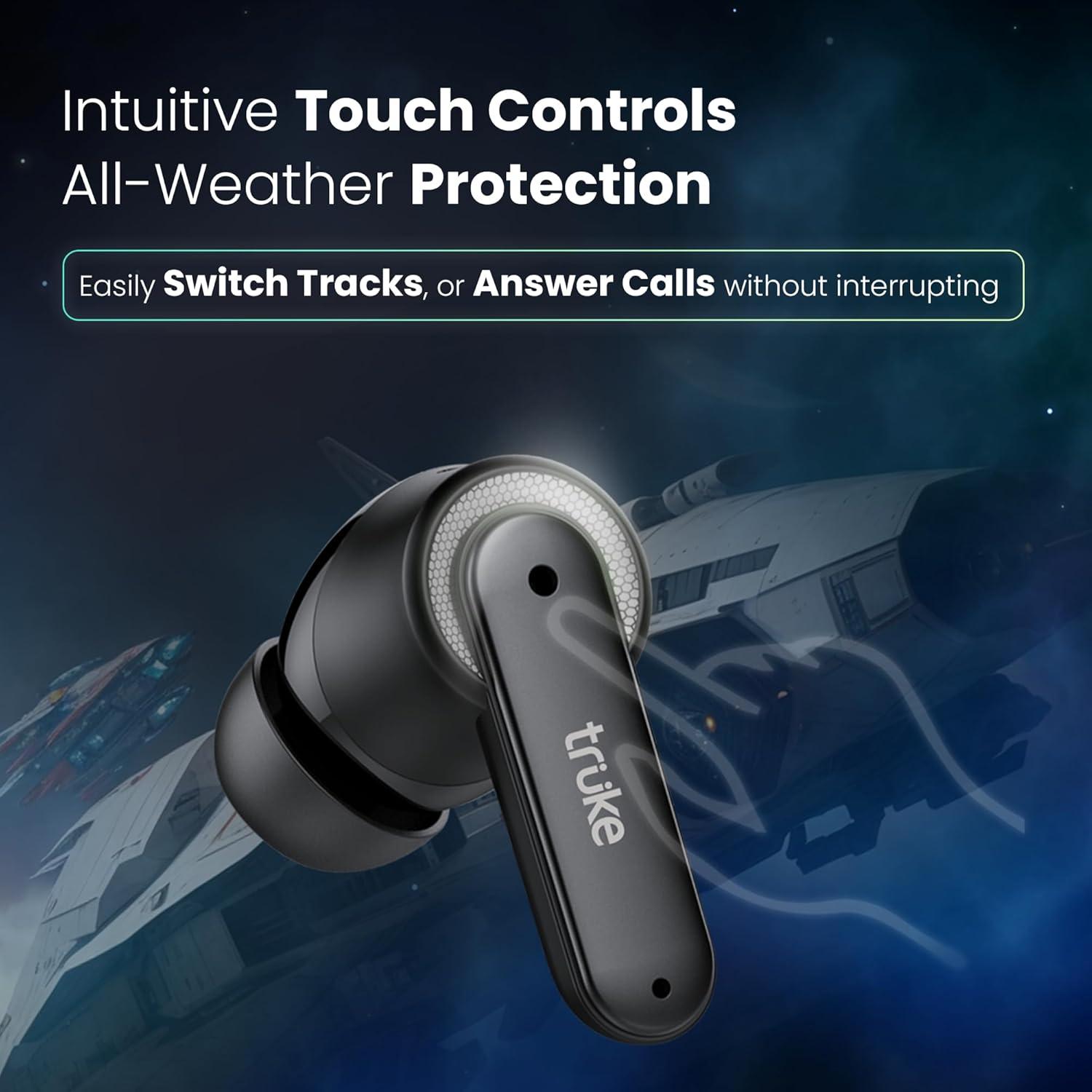
The earbuds feature intuitive touch controls for managing audio playback and calls.
- Play/Pause: Single tap on either earbud.
- Next Track: Double tap on the right earbud.
- Previous Track: Double tap on the left earbud.
- Answer/End Call: Single tap on either earbud.
- Reject Call: Long press on either earbud.
- Activate Voice Assistant: Triple tap on either earbud.
- Switch EQ Mode/Gaming Mode: Specific tap sequence (refer to the included quick start guide for exact sequence, typically a long press or multiple taps on one earbud).
3.4. EQ Modes
The BTG Neo earbuds offer three preset EQ modes to optimize your listening experience:
- Dynamic: A balanced sound profile suitable for general listening.
- Bass Boost: Enhances low frequencies for a more impactful bass.
- Movie: Optimized for cinematic audio, providing clear dialogue and immersive soundscapes.
To switch between these modes, use the designated touch control gesture (refer to the quick start guide for specific instructions).

4. Features
4.1. 6-Mic Advanced Environmental Noise Cancellation (ENC)
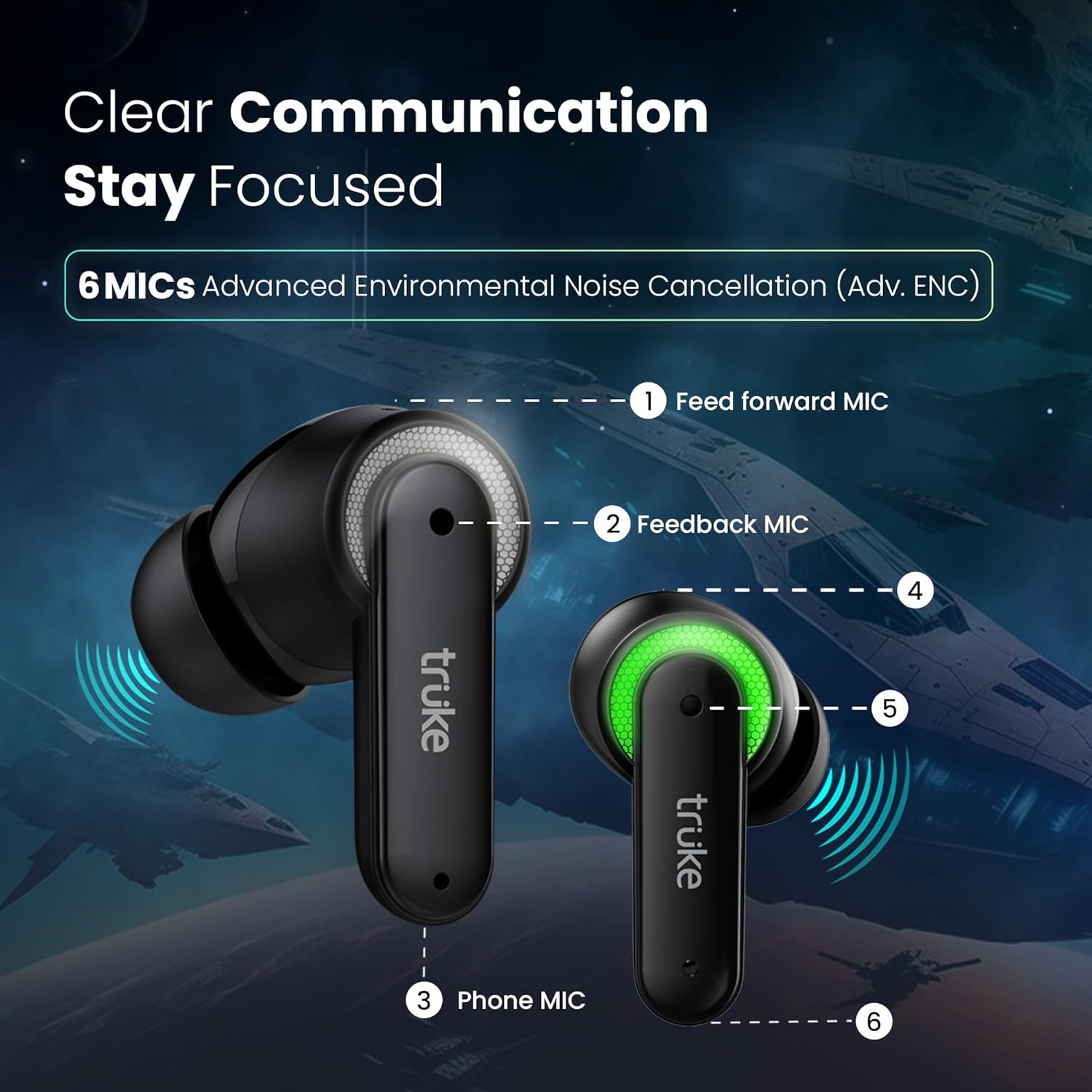
The BTG Neo earbuds are equipped with six built-in microphones and advanced ENC technology. This system works to capture your voice with clarity while filtering out background distractions, ensuring crystal-clear communication during calls or in-game chat.
4.2. 35ms Ultra-Low Latency
For an optimized gaming experience, the earbuds offer an ultra-low latency mode of up to 35ms. This minimizes audio delay, ensuring that sound effects and dialogue are synchronized with on-screen action.
4.3. 13mm Titanium Drivers
Equipped with powerful 13mm titanium drivers, the earbuds deliver enhanced audio quality across various frequencies, providing rich and immersive sound for both music and gaming.
4.4. IPX5 Water and Sweat Resistance
The BTG Neo earbuds have an IPX5 rating, making them resistant to water splashes and sweat. This protection allows for use during intense workouts or in light rain conditions, but they are not designed for submersion.
5. Maintenance
5.1. Cleaning
- Regularly clean the earbuds and charging case with a soft, dry, lint-free cloth.
- Remove ear tips and clean them with mild soap and water, then dry thoroughly before reattaching.
- Gently clean the charging contacts on both the earbuds and the case with a dry cotton swab to ensure proper charging.
- Avoid using abrasive materials, alcohol, or chemical cleaners.
5.2. Storage
When not in use, store the earbuds in their charging case to protect them from dust, damage, and to keep them charged.
6. Troubleshooting
If you encounter issues with your truke BTG Neo earbuds, try the following troubleshooting steps:
- No Sound/Connection Issues:
- Ensure both earbuds are charged.
- Turn off and on Bluetooth on your device.
- Forget/delete "truke BTG Neo" from your device's Bluetooth list and re-pair.
- Place earbuds back in the case, close the lid, wait a few seconds, then open to reset.
- One Earbud Not Working:
- Check if the non-working earbud is charged and its charging contacts are clean.
- Try resetting the earbuds (refer to the quick start guide for specific reset procedures).
- Charging Problems:
- Ensure the charging cable is securely connected to both the case and the power source.
- Verify the power source is functional.
- Clean the charging contacts on the earbuds and inside the case.
- Low Latency Not Active:
- Ensure you have activated the gaming/low latency mode via the touch controls.
- Check for any interference from other wireless devices.
If problems persist, please contact customer support.
7. Specifications
| Feature | Detail |
|---|---|
| Model Number | F200 |
| Product Dimensions | 6.5 x 2.6 x 5.1 cm |
| Item Weight | 50 g |
| Batteries | 3 Lithium Polymer batteries (included) |
| Wireless Communication | Bluetooth 5.3 |
| Connectivity Technologies | Wireless |
| Special Features | 13mm Big Titanium drivers with 3 preset EQ Modes, 35ms Ultra Low Latency mode, 6-Mic Environmental Noise Cancellation (ENC), 80H Playtime with Fast Charging, Dual Pairing |
| Audio Jack | USB Type-C (for charging) |
| Form Factor | In Ear |
| Colour | Black |
| Compatible Devices | All Bluetooth Devices, Laptops, Mobile Phones, Tablets, PC, Smart TVs, iOS, Android |
| Specific Uses | Gaming, Music |
| Connector Type | Wireless |
8. Warranty and Support
Your truke BTG Neo earbuds come with a 12-month warranty, ensuring quality and customer satisfaction. truke maintains a vast service network with over 350 active service centers for convenient and accessible support.
Customer Care Contact Information:
- Contact Number: +91 9354170767
- Email ID: support@eccentricindia.com


