
1. Introduction
This manual provides detailed instructions for the operation and maintenance of your Retekess TR636 Portable CD Player. Please read this manual thoroughly before using the device to ensure proper function and safety.
The Retekess TR636 is a versatile portable audio system designed for ease of use, offering multiple playback options and a clear sound experience. It features a lightweight and portable stereo design with two large speakers for enhanced sound quality and volume. The device includes Bluetooth 5.0 for wireless connectivity, an FM/AM radio tuner, a CD player compatible with various formats, USB playback, and an AUX input. It also offers a convenient sleep timer function and can be powered by either an AC cable or batteries.
2. Package Contents
Before setup, please verify that all items are present in the package:
- 1x Retekess TR636 CD Radio Unit
- 1x AC Power Cable
- 1x Remote Control
- 1x Owner's Manual (this document)

Figure 2.1: Contents of the Retekess TR636 package.
3. Setup
3.1 Power Connection
The Retekess TR636 offers two power options:
- AC Power: Connect the included AC power cable to the unit's power input and then to a standard wall outlet. This is recommended for indoor use.
- Battery Power: For portable use, insert 4 C-size batteries (not included) into the battery compartment located on the bottom of the unit. Ensure correct polarity.
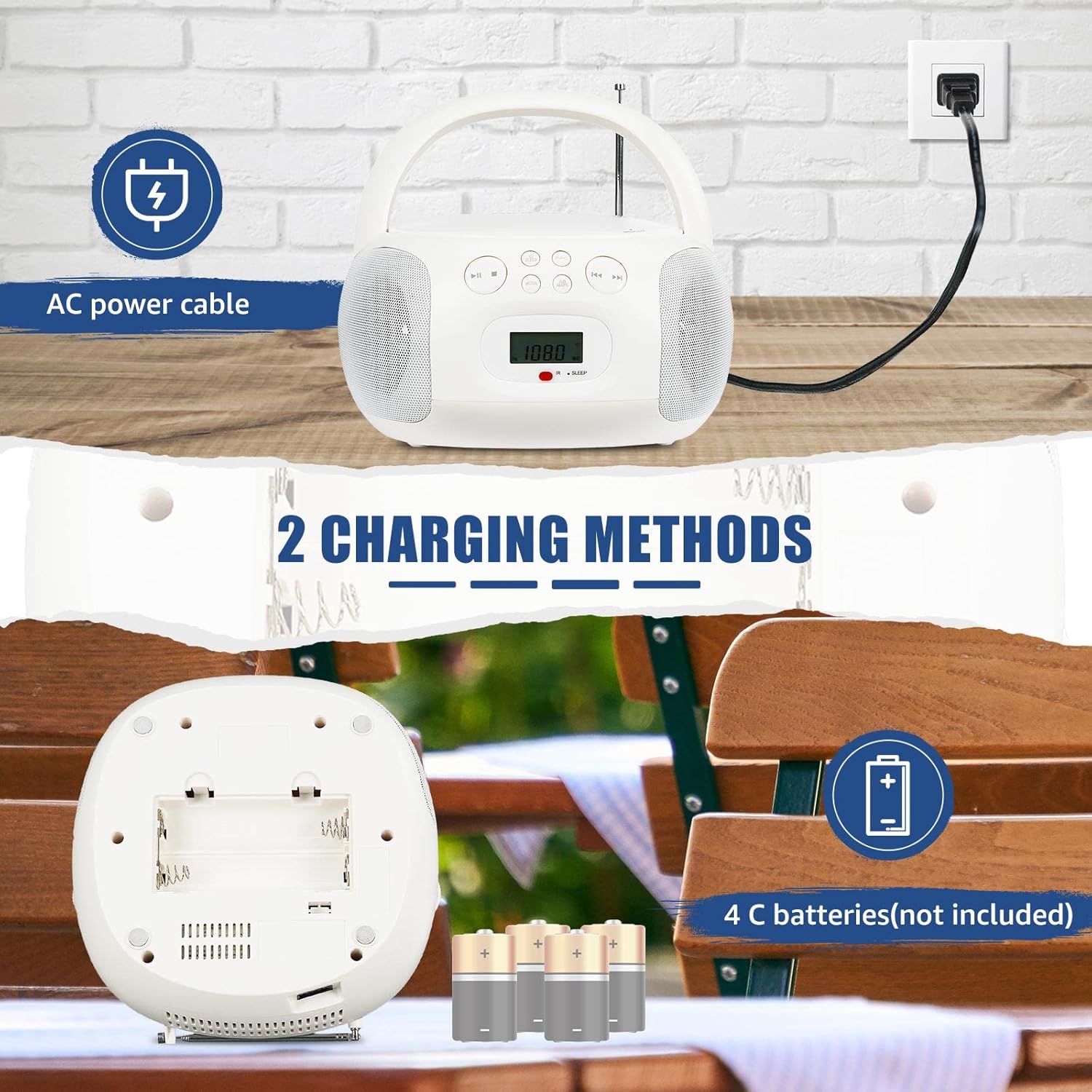
Figure 3.1: Powering the device using AC cable or C-batteries.
3.2 Initial Power On
Press the POWER button on the unit or remote control to turn on the device. The LCD screen will illuminate, displaying the current mode or time.
4. Operating Instructions
The Retekess TR636 features simple operation with clearly marked buttons for easy navigation.

Figure 4.1: Clearly marked buttons for easy operation.
4.1 CD Player Operation
- Open the CD compartment cover.
- Place a CD (CD, CD-R, CD-RW, MP3, or WMA format) onto the spindle with the label side facing up.
- Close the CD compartment cover securely.
- Press the MODE button to select CD mode.
- Press the PLAY/PAUSE button to start playback.
- Use the SKIP buttons (◀◀ / ▶▶) to navigate between tracks.
- Press the REPEAT button to repeat the current track or all tracks.
4.2 FM/AM Radio Operation
- Extend the telescopic antenna for optimal FM reception. For AM, rotate the unit for best reception.
- Press the MODE button to select FM or AM radio mode.
- Use the TUNE +/- buttons to manually tune to a station or press and hold to auto-scan for the next available station.
- To save a station, press the PROG/MEM button, then use the SKIP buttons to select a preset number, and press PROG/MEM again to confirm.
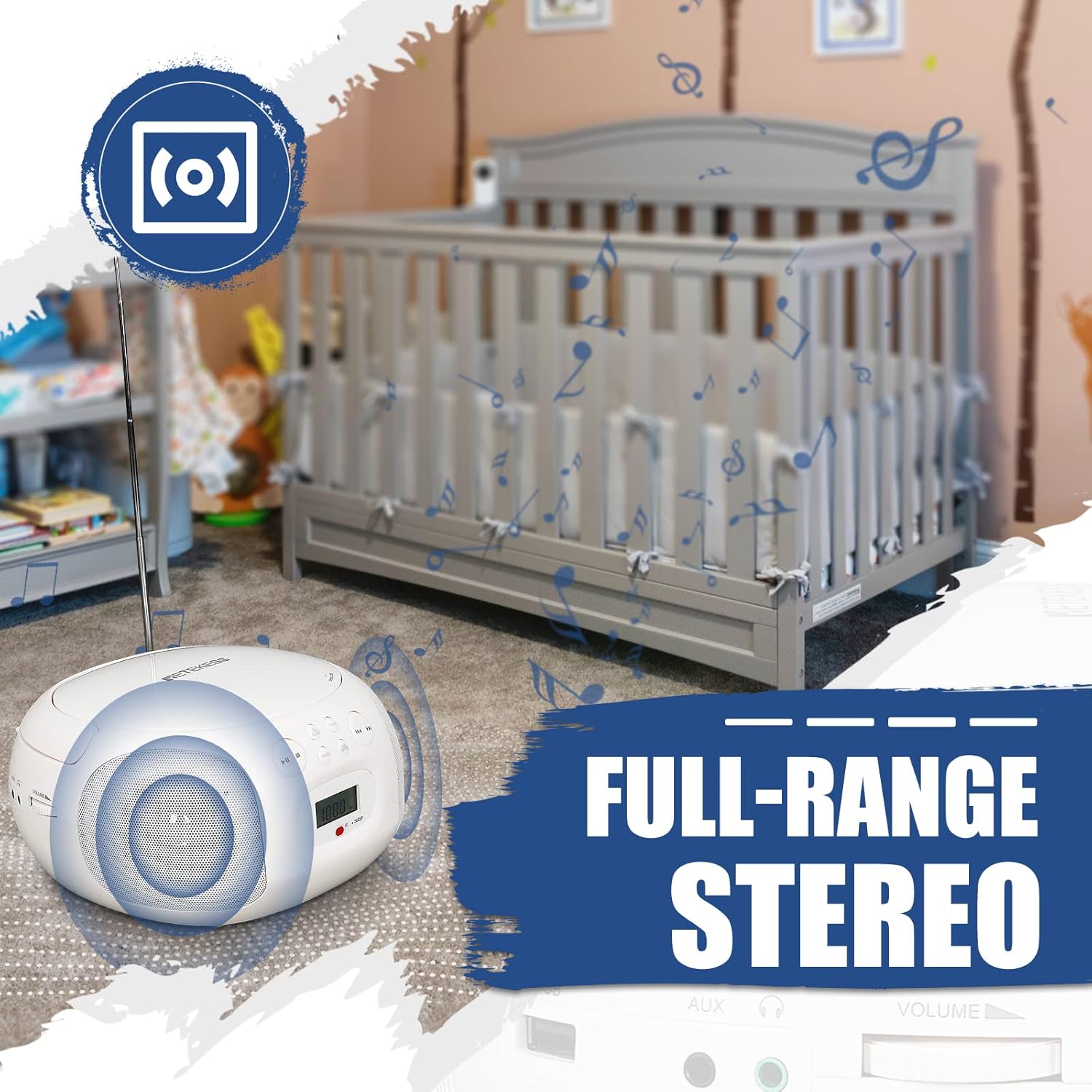
Figure 4.2: Retekess TR636 with extended antenna for radio reception.
4.3 Bluetooth Function
- Press the MODE button to select Bluetooth mode. The LCD screen will show 'BT' and the Bluetooth indicator will flash, indicating it's ready for pairing.
- On your mobile phone or other Bluetooth device, enable Bluetooth and search for 'TR636'.
- Select 'TR636' to pair. Once connected, the Bluetooth indicator will stop flashing.
- You can now play music from your device through the TR636. The Bluetooth 5.0 function also supports hands-free calls.

Figure 4.3: Connecting to the device via Bluetooth.
4.4 USB Playback
- Insert a USB flash drive (up to 64GB, not included) into the USB port.
- Press the MODE button to select USB mode.
- The device will automatically detect and play MP3/WMA files from the USB drive.
- Use the playback controls (Play/Pause, Skip) to manage your music.

Figure 4.4: USB port for playing MP3/WMA files.
4.5 AUX Input
Connect an external audio device (e.g., smartphone, MP3 player) to the 3.5mm AUX input jack using an audio cable (not included). Press the MODE button to select AUX mode, and audio from your external device will play through the TR636 speakers.
4.6 Headphone Jack
For private listening, plug 3.5mm headphones (not included) into the headphone jack. The speakers will automatically mute.
4.7 Sleep Timer
The sleep timer allows you to set a duration after which the unit will automatically turn off. Refer to the specific instructions in the full manual for setting the sleep timer, typically involving a SLEEP button on the remote or unit.
4.8 Remote Control
The included remote control allows convenient adjustment of functions from a distance. Ensure the remote has working batteries and is pointed towards the unit's IR receiver.

Figure 4.5: Multifunctional remote control for easy operation.
4.9 Product Summary Video
Video 4.1: A brief overview of the Retekess TR636 Portable CD Player's features and functions.
5. Maintenance
5.1 Cleaning
To clean the unit, use a soft, dry cloth. Do not use abrasive cleaners or solvents, as they may damage the surface. For the CD lens, use a specialized CD lens cleaner.
5.2 Battery Replacement
When using battery power, replace all 4 C-size batteries when the unit's performance diminishes. Ensure the unit is powered off and disconnected from AC power before opening the battery compartment.
6. Troubleshooting
| Problem | Possible Cause | Solution |
|---|---|---|
| No power | AC cable not connected; Batteries depleted or incorrectly inserted. | Check AC cable connection; Replace batteries or ensure correct polarity. |
| No sound | Volume too low; Headphones connected; Incorrect mode selected. | Increase volume; Disconnect headphones; Select correct input mode (CD, BT, FM/AM, AUX, USB). |
| CD not playing | CD inserted incorrectly; CD dirty or scratched; CD compartment not closed. | Reinsert CD correctly; Clean or replace CD; Ensure compartment is fully closed. |
| Bluetooth not connecting | Bluetooth not enabled on external device; Device too far; Already connected to another device. | Enable Bluetooth on your device; Move device closer; Disconnect from other Bluetooth devices. |
| Radio static/poor reception | Antenna not extended; Weak signal; Interference. | Fully extend FM antenna; Adjust unit position for AM; Move away from electronic devices causing interference. |
7. Specifications
| Feature | Specification |
|---|---|
| Brand | Retekess |
| Model | TR636 |
| Connectivity Technology | AUX, Bluetooth, USB |
| Color | White |
| Speaker Type | Stereo (2 speakers included) |
| Item Dimensions LxWxH | 27.2 x 24.4 x 13.3 cm |
| Power Source | Battery Powered (4 C-batteries, not included) / AC Power |
| Compatible Devices | Smartphone |
| Style | Classic |
| Item Weight | 1.21 Kilograms |
| Wattage | 3 watts |
| Surround Sound Channel Configuration | 2.0 |
| Supported Standards | MP3, WMA, Bluetooth, 3.5mm AUX |
| Bluetooth Support | Yes |
| Supported Audio Formats | CD, CD-R, CD-RW, MP3, WMA |
| Audio Output Mode | Stereo |
| Manufacturer | Retekess |
| Included Components | Owner's Manual |
| Country of Origin | China |
| ASIN | B0C7864V1F |
8. Warranty and Support
Your Retekess TR636 Portable CD Player comes with a standard manufacturer's warranty. For specific warranty details, please refer to the warranty card included in your package or contact Retekess customer support.
For technical assistance, troubleshooting beyond this manual, or to inquire about replacement parts, please visit the official Retekess website or contact their customer service department. Contact information can typically be found on the product packaging or the brand's official online presence.