Introduction
This manual provides essential information for the safe and effective installation, operation, and maintenance of the Focket NLQ3 125 4P Power Automatic Transfer Switch. This device is designed to automatically switch between a normal power supply and a backup power supply, ensuring continuous power in critical applications. It is suitable for emergency power supply systems rated 110V 100A at 50 or 60Hz AC and is specifically designed for domestic rail installation within PZ30 distribution boxes.
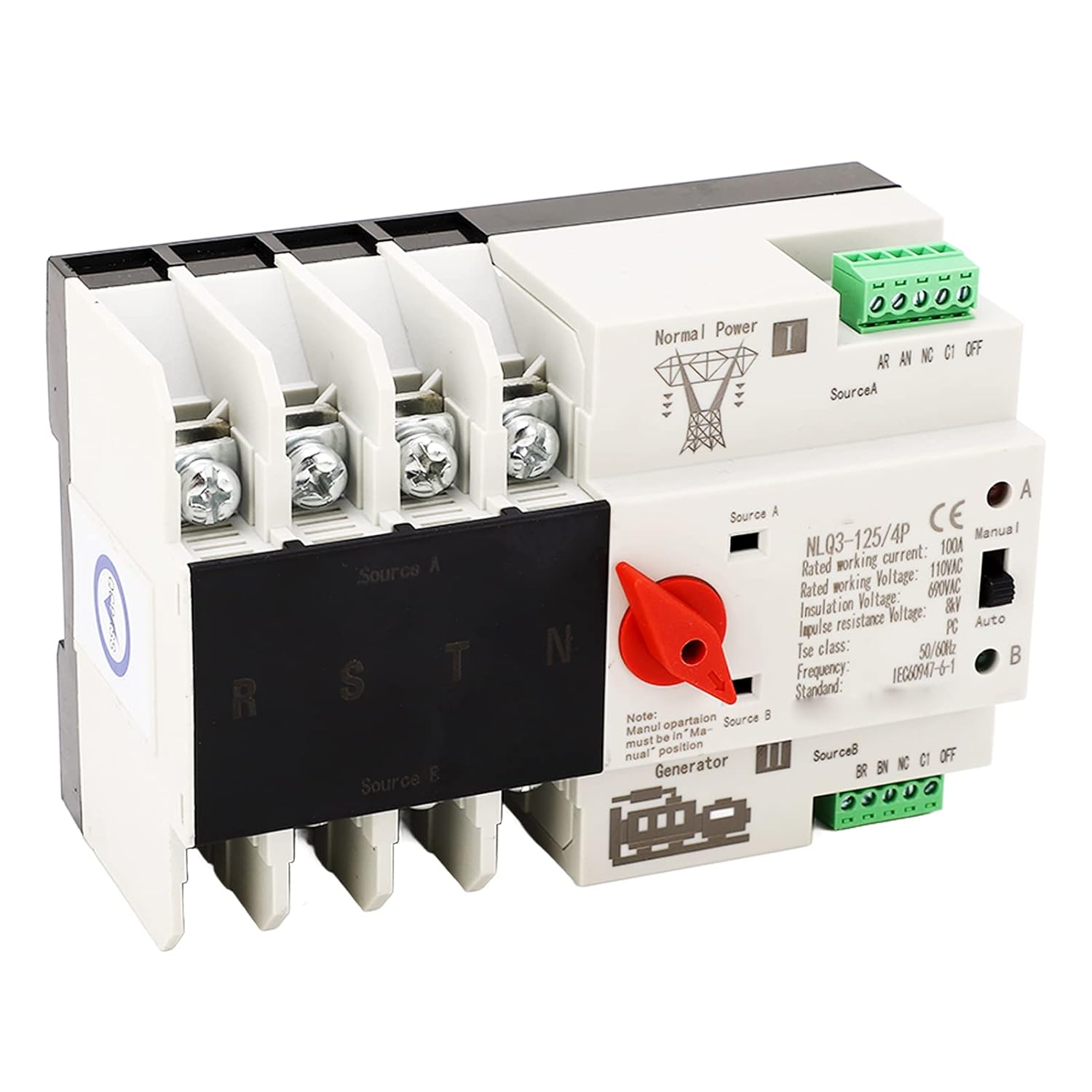
Figure 1: Focket NLQ3 125 4P Automatic Transfer Switch, showing its compact design and terminal connections.
Setup and Installation
Before proceeding with installation, ensure all power sources are disconnected to prevent electrical shock. This automatic transfer switch is designed for DIN rail mounting.
Pre-Installation Check
- Inspect the Automatic Transfer Switch (ATS) for any signs of damage or integrity issues before installation.
- Manually operate the ATS using the operating handle to open or close it. Verify the flexibility of the drive mechanism.
- Test the generation and disconnection conditions for each stage of the load for both normal and standby power to ensure proper functionality.
Wiring Instructions
Connect the wiring according to the provided diagram (refer to product packaging or specific wiring diagrams if available). Ensure all connections are secure and correctly polarized.
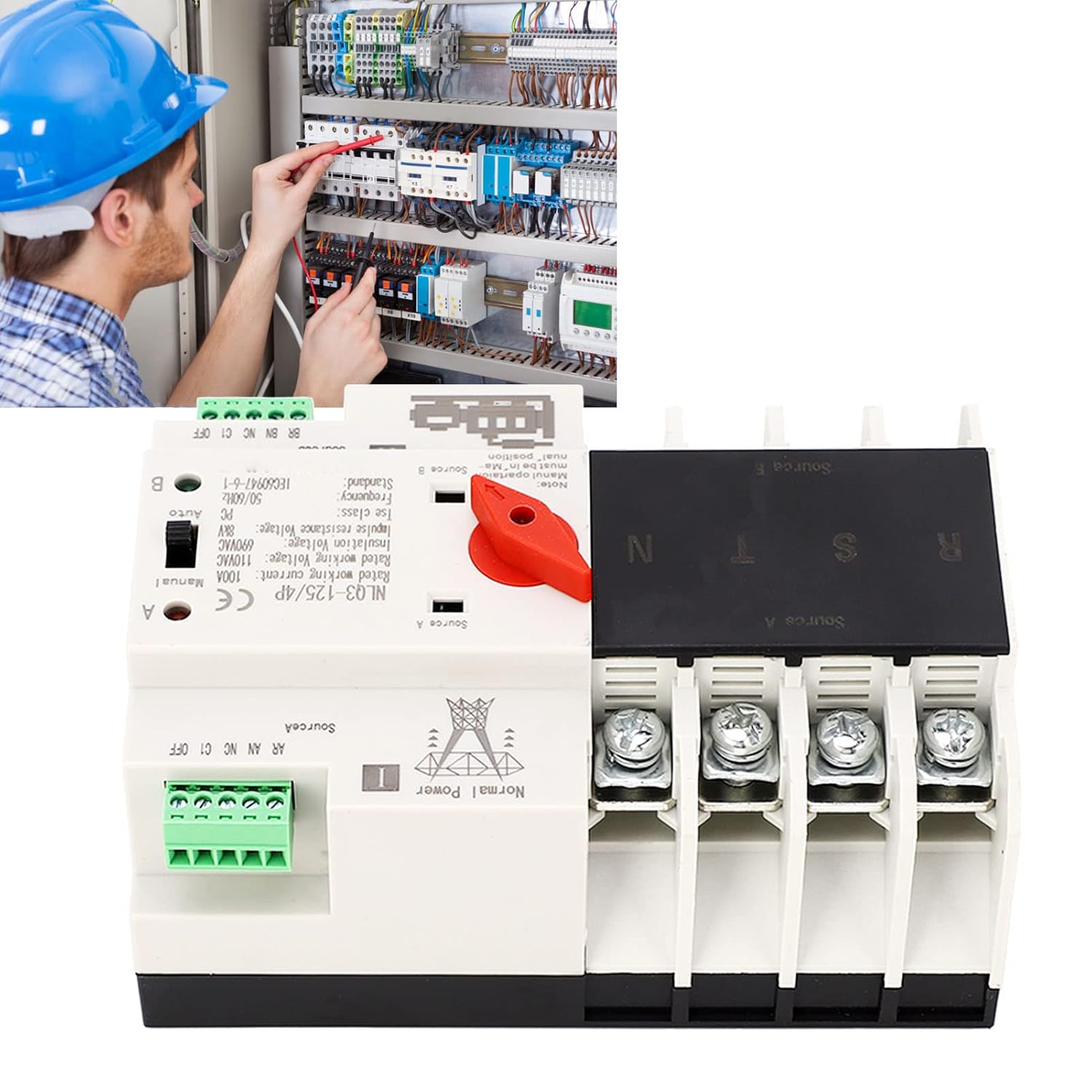
Figure 2: Proper installation of the automatic transfer switch by a qualified professional.
Environmental Conditions for Installation
- Temperature: The maximum ambient temperature should not exceed 40°C (104°F), and the minimum should not be lower than -5°C (23°F). The average temperature within a 24-hour period should not exceed 35°C (95°F).
- Altitude: The installation site's altitude should not be higher than 2000 meters (6562 feet).
- Humidity: When the maximum temperature reaches 40°C (104°F), the relative humidity should not exceed 50%. At lower temperatures, such as -5°C (23°F), higher relative humidity is permissible. For example, at 25°C (77°F), the relative humidity can be up to 90%. Special measures should be taken to address occasional condensation on the product's surface due to temperature changes.
Operating Instructions
The Focket NLQ3 125 4P Automatic Transfer Switch offers both automatic and manual operation modes, ensuring reliable power transfer.
Automatic Mode
In automatic mode, the switch continuously monitors the normal power supply. If the normal power supply becomes abnormal (e.g., power outage, voltage drop), the switch will immediately transfer the load to the backup power supply. This millisecond switching ensures uninterrupted power, maintaining continuity, reliability, and safety of the power supply.
Manual Mode
The device can also be operated manually using the integrated handle. This allows for controlled switching between power sources for maintenance or testing purposes. Ensure the switch is in the "Manual" position before attempting manual operation.
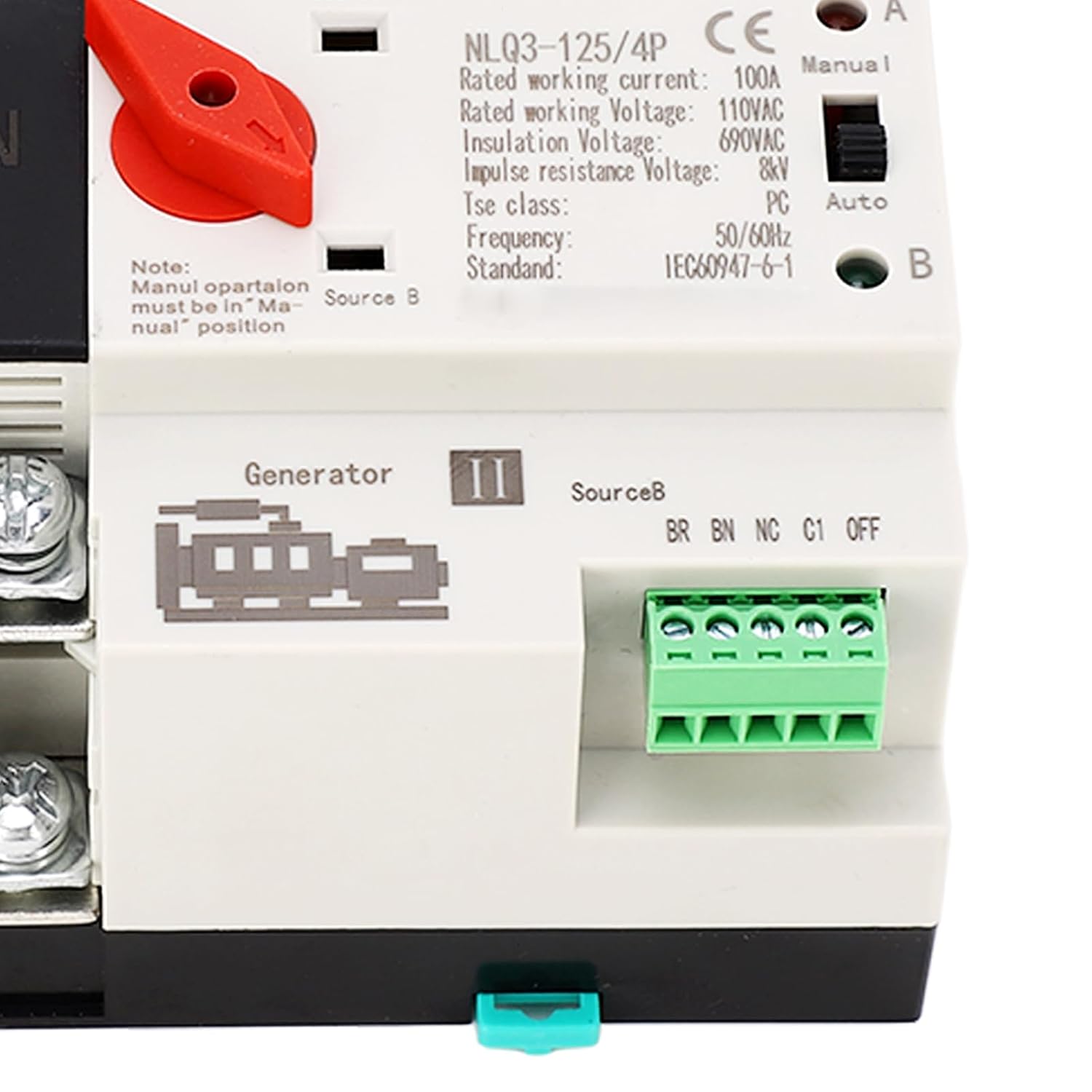
Figure 3: Detail of the switch mechanism, indicating manual and automatic operation options.
Maintenance
Regular maintenance ensures the longevity and reliable operation of your automatic transfer switch. Always disconnect all power before performing any maintenance.
- Cleaning: Periodically clean the exterior of the switch with a dry, soft cloth. Do not use abrasive cleaners or solvents.
- Inspection: Annually inspect all terminal connections to ensure they are tight and free from corrosion. Check for any signs of overheating, discoloration, or physical damage to the casing or internal components.
- Operational Check: If safe to do so, periodically test the automatic transfer function by simulating a power outage to ensure the switch transfers correctly.
Troubleshooting
If you encounter issues with your automatic transfer switch, consider the following common problems and solutions:
| Problem | Possible Cause | Solution |
|---|---|---|
| Switch does not transfer automatically. | Normal power supply not detected as abnormal; switch in manual mode; internal fault. | Verify normal power supply status. Ensure switch is set to "Auto" mode. Check wiring connections. If problem persists, contact support. |
| Switch makes unusual noises or smells. | Overload; loose connections; internal component failure. | Immediately disconnect power. Do not operate. This indicates a serious issue. Contact a qualified electrician or manufacturer support. |
| Power supply is intermittent after transfer. | Loose wiring; insufficient backup power; faulty switch. | Check all wiring connections for tightness. Ensure backup power source is stable and sufficient for the load. If issues continue, seek professional assistance. |
Important: If you experience issues such as the device burning out or self-destructing as reported by some users, immediately disconnect power and do not attempt to repair it yourself. Such incidents indicate a critical failure and require professional attention or replacement. Always prioritize safety.
Specifications
Detailed technical specifications for the Focket NLQ3 125 4P Automatic Transfer Switch:
| Parameter | Value |
|---|---|
| Item Type | Power Automatic Transfer Switch |
| Model | NLQ3 125 4P |
| Rated Current (le) | 100A |
| Insulation Voltage (Ui) | AC690V |
| Rated Voltage (Ue) | AC110V |
| Frequency | 50 or 60Hz |
| Rated Control Voltage (Us) | 110VAC (85% Us to 110% Us) |
| Level | PC level |
| Specification | 4P |
| Electrical Service Life | 2000 times |
| Mechanical Service Life | 5000 times |
| Rated Short Circuit Current | 50kA |
| Rated Impulse Withstand Voltage | 8kV |
| Auxiliary Circuit | 2 relays, each with two sets of contact capacity: AC110V 50HZ le=5y |
| Material | PC and silver (flame retardant PC, silver contacts) |
| Mounting Type | DIN Rail Mount |
| Connector Type | Din |
| Terminal Type | Screw |
| Product Dimensions (approx.) | 143mm x 96mm x 69mm (5.63 x 3.78 x 2.72 inches) |
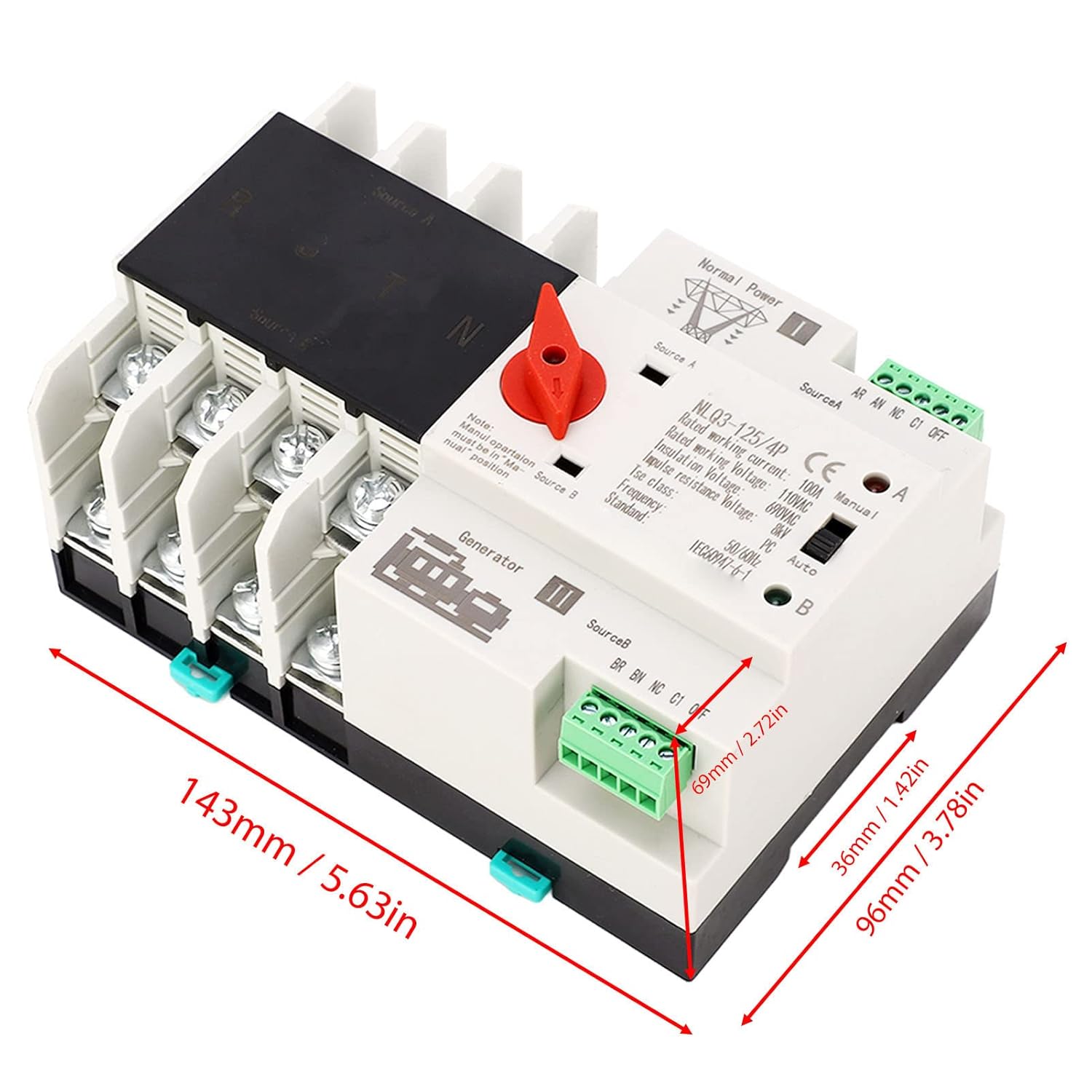
Figure 4: Approximate dimensions of the automatic transfer switch for installation planning.
Applications
The Focket NLQ3 125 4P Automatic Transfer Switch is designed for various applications where continuous power is critical and outages are not permissible. Its robust design ensures reliable performance in diverse environments.
- Residential Use: Ensuring uninterrupted power for homes, especially for critical systems like security, heating, or medical equipment.
- Commercial Buildings: Ideal for shopping malls, office buildings, and other commercial spaces to maintain essential services during power disruptions.
- Industrial Facilities: Suitable for factories and production lines where continuous operation is vital to prevent downtime and losses.
- Laboratories: Providing stable power for sensitive laboratory equipment and experiments.
- Agricultural Settings: Used in farms for critical systems like irrigation pumps or livestock environmental controls.
- Emergency Services: Can be integrated into systems for fire fighting equipment or other emergency response infrastructure.

Figure 5: Examples of environments where the automatic transfer switch provides essential backup power.
Warranty and Support
For warranty information, technical support, or service inquiries regarding your Focket NLQ3 125 4P Automatic Transfer Switch, please contact the seller or manufacturer directly. Keep your purchase receipt and product model number handy when contacting support.
Manufacturer: Focket
For further assistance, you may visit the Focket Store on Amazon.


