
TNICER T4
Contents
TNICER T4 Motorcycle Helmet Bluetooth Headset User Manual
Model: T4
Introduction
This user manual provides comprehensive instructions for the installation, operation, and maintenance of your TNICER T4 Motorcycle Helmet Bluetooth Headset. The T4 is designed to enhance your riding experience with advanced Mesh and Bluetooth intercom capabilities, audio multitasking, and superior noise reduction technology. Please read this manual thoroughly before using the device to ensure proper functionality and safety.
Product Overview
Key Features
- Mesh Network Technology: Connects to an almost unlimited number of T4 users within a mile range with robust reliability and automatic reconnection.
- Dual Mesh Modes: Group Mesh for automatic reconnection with known users, and Open Mesh for automatic search and joining of nearby networks.
- Bluetooth Intercom: Seamlessly connect with other T4 headsets and Bluetooth devices.
- Audio Multitasking: Allows simultaneous intercom conversation, music listening, phone calls, and GPS navigation without interruption.
- Excellent Noise Reduction: Built-in CSR's CVC technology and pro wind-noise-proof mic provide high-quality sound at speeds up to 120km/h.
- Hi-Fi Stereo Sound: High-power and high-definition headphones for clear audio.
- Interchangeable Colors: Includes trim pieces in white, red, and dark grey to match helmet style.
- Universal Connectivity: Supports Mesh, Bluetooth, and Mesh+Bluetooth simultaneous connections.
- IP67 Waterproof and Dustproof: Designed for reliable performance in various weather conditions.
Components Included in the Box
- T4 Intercom Unit (x1)
- Hi-Fi Speaker with Boom Mic (x1)
- Soft Tube Microphone (x1)
- User Manual (x1)
- Mounting Bracket (x2)
- Type-C Cable (x1)
- 3M Single Sided Silicone Pad (x2)
- 3M Double Sided Silicone Pad (x2)
- Big Square Velcro (x1)
- Small Square Velcro (x1)
- Replaceable Trim Piece (x2) - White, Dark Grey (Red is pre-installed)
- Round Velcro (x4)
- Metal Clip (x1)

Image: The TNICER T4 headset in red, shown with its interchangeable white and black trim pieces.

Image: Visual representation of the T4's HD speakers, Type-C charging port, and 1000mAh high-capacity battery.


Image: The T4 headset shown in its three interchangeable colors: red, white, and dark grey.
Setup
1. Charging the Device
Before first use, fully charge the T4 unit. Connect the provided Type-C cable to the charging port on the device and to a USB power source. The LED indicator will show charging status (specific LED behavior not provided, refer to quick start guide for details).
2. Installing the Headset on Your Helmet
The T4 can be mounted using the metal clip or adhesive pads. Choose the method that best suits your helmet and preference.
- Mounting Bracket Installation: Secure the mounting bracket to the side of your helmet using either the metal clip (slide between helmet shell and padding) or the 3M adhesive pads (clean surface thoroughly before applying).
- Speaker Placement: Attach the HD stereo speakers inside the helmet, aligning them with your ears. Use the provided Velcro pads to secure them. Ensure they are positioned comfortably and do not obstruct your ears.
- Microphone Placement: Choose between the boom mic (for open-face helmets) or the soft tube microphone (for full-face helmets). Attach the microphone to the inside of the helmet near your mouth, ensuring it is positioned to pick up your voice clearly while minimizing wind noise.
- Attaching the T4 Unit: Slide the T4 main unit onto the installed mounting bracket until it clicks securely into place. Connect the speaker and microphone cables to the corresponding ports on the T4 unit.

Image: The TNICER T4 headset properly installed on a motorcycle helmet.
Operating Instructions
Power On/Off
- Power On: Press and hold the Power button for approximately 3 seconds until the indicator light illuminates.
- Power Off: Press and hold the Power button for approximately 3 seconds until the indicator light turns off.
Volume Control
Use the volume up (+) and volume down (-) buttons on the unit to adjust the audio level.
Intercom Functionality
The T4 supports both Mesh and Bluetooth intercom connections.
Mesh Intercom
Mesh technology allows for robust and reliable connections with a large number of users.
- Open Mesh Mode: Automatically searches for nearby Mesh networks and joins the intercom. This mode supports an unlimited number of connections within a 1 km range in open terrain.
- Group Mesh Mode: For users who have previously connected, the T4 will automatically reconnect when they are within range. This mode supports up to 24 riders within a 1 km range in open terrain.
- Automatic Reconnection: If an intercom connection is lost, the T4 will intelligently search and automatically reconnect once back in range without affecting other team members.

Image: Illustration of the T4's Mesh and Bluetooth intercom capabilities, highlighting robust reliability.

Image: Visual explanation of Open Mesh and Group Mesh modes, showing how multiple riders connect.
Bluetooth Intercom Pairing
To pair with another Bluetooth headset:
- Ensure both T4 units are powered on and within close proximity.
- Enter pairing mode on both devices (refer to quick start guide for specific button presses).
- Once paired, the devices will connect automatically when in range.
Audio Multitasking
The T4's audio multitasking technology allows for a seamless audio experience without interruptions. You can:
- Have an intercom conversation while listening to music.
- Receive GPS navigation instructions during an intercom call or while listening to music.
- Make or receive phone calls without interrupting other audio sources.
Audio sources will overlay each other for a smooth listening experience, rather than cutting each other off.
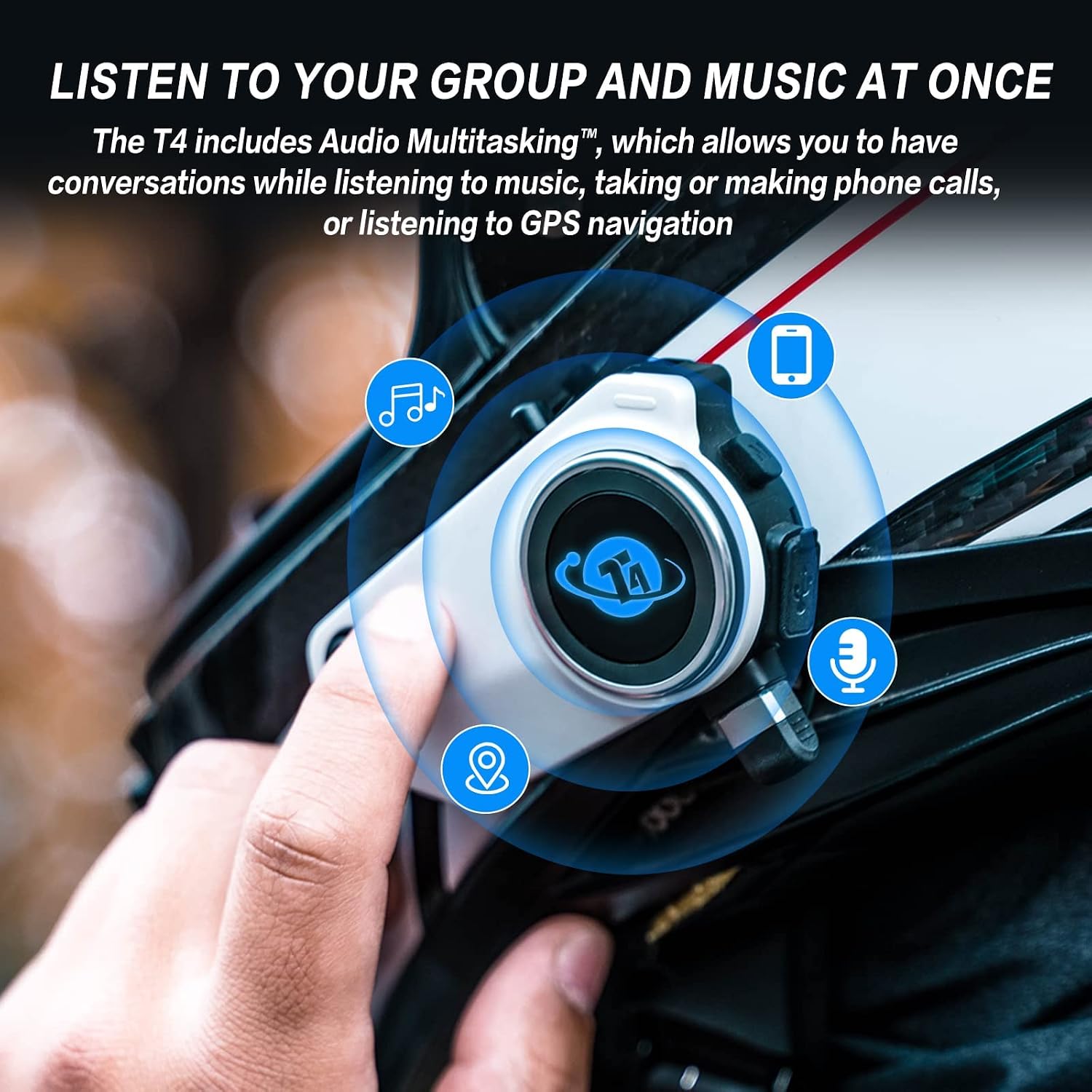
Image: The T4 headset demonstrating its audio multitasking capabilities, allowing simultaneous music, calls, and GPS.
Noise Reduction
The T4 incorporates CSR's CVC technology and a professional wind-noise-proof microphone to significantly reduce ambient noise. This ensures clear communication and high-quality audio even at high speeds (below 120 km/h).
Maintenance
Cleaning
- Wipe the T4 unit with a soft, damp cloth. Do not use harsh chemicals or abrasive cleaners.
- Ensure all ports are dry before charging or connecting cables.
Battery Care
- Charge the device regularly, even if not in frequent use, to maintain battery health.
- Avoid exposing the device to extreme temperatures, which can degrade battery performance.
Storage
When storing the T4 for extended periods, ensure it is fully charged and kept in a cool, dry place.

Image: The T4 headset is IP67 waterproof and dustproof, designed to withstand challenging riding conditions.
Troubleshooting
If you encounter issues with your TNICER T4 headset, please refer to the following common solutions:
| Problem | Possible Cause | Solution |
|---|---|---|
| Device does not power on. | Low battery; device frozen. | Charge the device fully. Perform a hard reset (refer to quick start guide for specific button combination). |
| No audio from speakers. | Speakers not connected; volume too low; faulty connection. | Ensure speakers are securely plugged in. Increase volume. Check speaker cable for damage. |
| Intercom connection issues. | Out of range; interference; incorrect pairing. | Move closer to other riders. Avoid areas with strong electromagnetic interference. Re-pair the devices. |
| Poor microphone quality. | Microphone mispositioned; wind noise. | Adjust microphone position closer to mouth. Ensure wind-noise-proof mic is correctly oriented. |
| Bluetooth device not pairing. | Device not in pairing mode; too many paired devices; interference. | Ensure T4 is in Bluetooth pairing mode. Clear previous pairings on both devices. Try pairing in a different location. |
For further assistance, please refer to the full user manual included in the product packaging or contact TNICER customer support.
Specifications
| Feature | Detail |
|---|---|
| Model Name | T4 |
| Connectivity Technology | Wireless (Bluetooth, Mesh) |
| Wireless Communication Technology | Bluetooth |
| Intercom Range | Up to 1 km (open terrain) |
| Mesh Intercom Users | Open Mesh: Unlimited; Group Mesh: Up to 24 riders |
| Noise Control | Active Noise Cancellation (CSR's CVC technology) |
| Waterproof Rating | IP67 |
| Battery Type | Lithium Polymer (1 included) |
| Charging Port | Type-C |
| Product Dimensions | 3.54 x 1.97 x 0.79 inches |
| Item Weight | 1.76 ounces (50 Grams) |
| Manufacturer | TNICER |
| Included Components | Cable, User Manual, Speakers, Microphones, Mounting Hardware |
Warranty and Support
The TNICER T4 Motorcycle Helmet Bluetooth Headset comes with a standard manufacturer's warranty. For detailed information regarding warranty terms, coverage, and duration, please refer to the warranty card included in your product packaging or visit the official TNICER website.
For technical support, troubleshooting assistance beyond this manual, or inquiries about replacement parts, please contact TNICER customer service. Contact information can typically be found on the product packaging, the official TNICER website, or the full user manual.
Note: Always retain your proof of purchase for warranty claims.
Official Product Videos
No official product videos from the seller are available for embedding at this time.
Documents and downloads
Ask a question about this manual
Ask about setup, troubleshooting, compatibility, parts, safety, or missing instructions. Manuals+ will review the question and use this page’s manual context to help answer it.