
OUBOTEK TP3000W
OUBOTEK 3000W Pure Sine Wave Inverter User Manual
Model: TP3000W
1. Introduction
This user manual provides detailed instructions for the safe and efficient operation of your OUBOTEK 3000 Watt Pure Sine Wave Inverter. This high-capacity inverter converts DC 12V power to stable AC 120V, suitable for a wide range of applications including RVs, boats, camping, solar systems, and home use. It features an LCD display, remote control, USB port, 4 AC outlets, and a terminal block for versatile connectivity.

Figure 1: OUBOTEK 3000W Pure Sine Wave Inverter and its components.
2. Package Contents
Please verify that all items listed below are included in your package:
- 1 x OUBOTEK 3000W Power Inverter
- 1 x Remote Control with Cable (9.8ft/3m length)
- 1 x 2AWG Battery Cables (Red & Black, 1.64ft)
- 1 x Grounding Wire
- 8 x 50A Spare Fuses
- 1 x Wrench
- 1 x Convenient Paste for Remote Controller
- 1 x User Manual (this document)
3. Product Features
- 3000W Pure Sine Wave Output: Provides 3000W continuous power and 6000W peak power, delivering clean, pure sine wave AC 120V from DC 12V with high efficiency, suitable for sensitive electronics.
- Professional LCD Display: The integrated LCD shows real-time battery voltage, output voltage, frequency, output waveform, loading power, and protection status, offering comprehensive monitoring.
- Wired Remote Control: Includes a wired remote controller with a 9.8ft (3m) cable for convenient operation. It features an ON/OFF button and displays battery power, input voltage, and working status.
- Multiple AC Outlets & Terminal Block: Equipped with 4 standard AC outlets (15 Amps each) and 1 AC terminal block (25 Amps) for diverse power needs.
- USB Port: A dedicated USB port is available for charging smaller electronic devices.
- Advanced Safety Protection: Built-in protections against low voltage, over voltage, overload, short circuit, and over temperature ensure safe operation and prolong appliance lifespan.
- Smart Cooling System: Cooling fans activate automatically when the internal temperature reaches 113°F (45°C) or when loading power is around 50%, maintaining optimal operating temperature.
4. Safety Information
Read all safety warnings and instructions carefully before installing or operating the inverter. Failure to follow these instructions may result in electric shock, fire, serious injury, or property damage.
- Ventilation: Ensure adequate ventilation around the inverter. Do not block ventilation openings.
- Environment: Install the inverter in a dry, cool, and well-ventilated area, away from direct sunlight, heat sources, and flammable materials. Avoid exposure to water or excessive humidity.
- Grounding: Always connect the inverter to a proper earth ground. Refer to the "Setup and Installation" section for grounding instructions.
- Battery Connection: Connect the inverter directly to a 12V DC battery or battery bank. Ensure correct polarity (positive to positive, negative to negative). Incorrect connection can damage the inverter and battery.
- Load Capacity: Do not exceed the inverter's continuous power rating (3000W) or peak power rating (6000W). Overloading can cause damage and trigger protection features.
- Protection Features: The inverter includes built-in protections for low voltage, over voltage, overload, short circuit, and over temperature. If a protection is triggered, the inverter may shut down. Address the cause before restarting.
- Maintenance: Disconnect all power before performing any maintenance or cleaning.
- Children and Pets: Keep the inverter out of reach of children and pets.
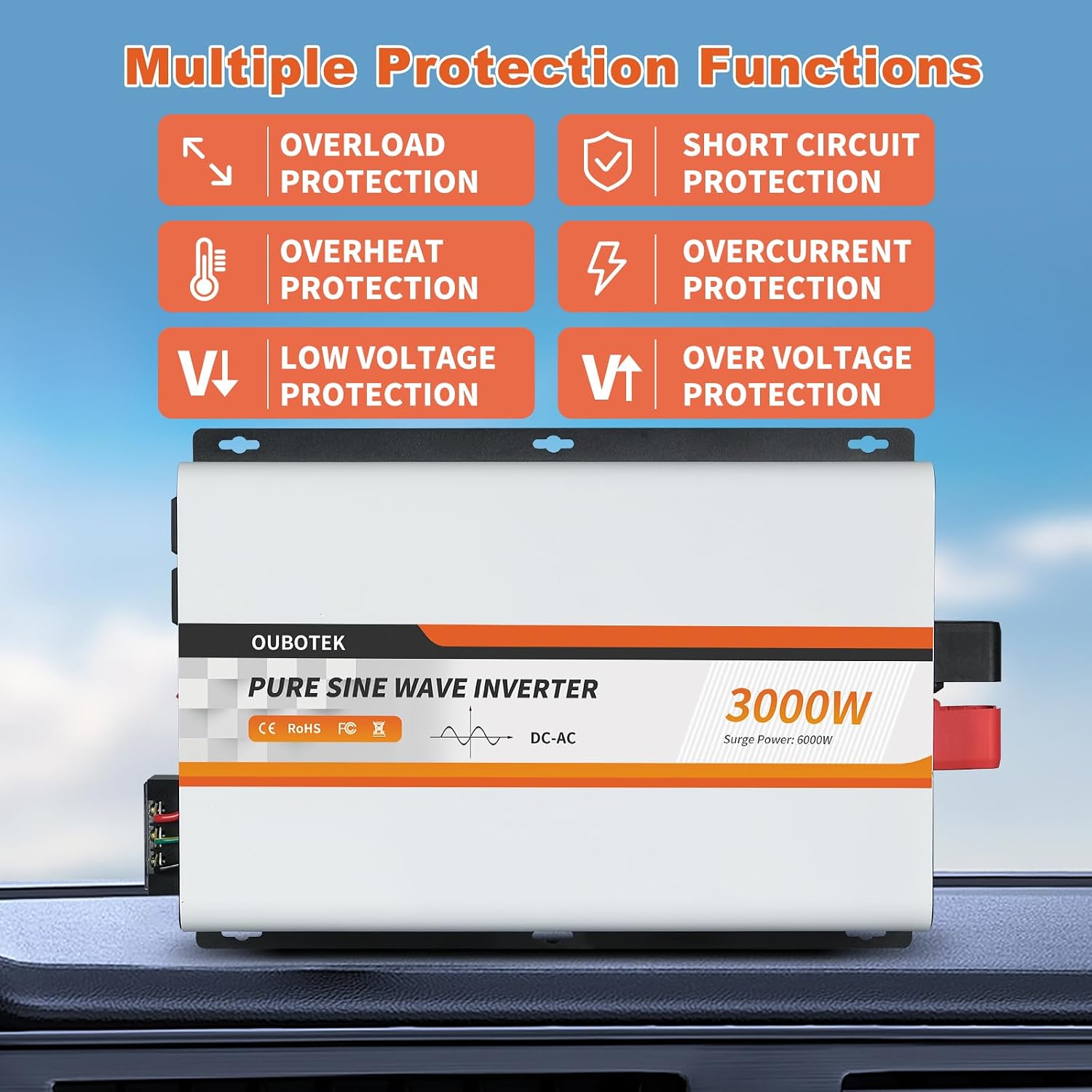
Figure 2: Inverter's Multiple Protection Functions.
5. Setup and Installation
Follow these steps for proper installation of your OUBOTEK Pure Sine Wave Inverter:
- Mounting the Inverter:
Choose a secure, dry, and well-ventilated location for mounting the inverter. Ensure there is sufficient space around the unit for air circulation, especially around the cooling fans. The inverter can be mounted horizontally or vertically using the integrated mounting brackets.
- Grounding the Inverter:
Connect the grounding wire (included) from the inverter's grounding terminal to a reliable earth ground point. This is crucial for safety.
- Connecting to DC Power Source (Battery):
Ensure the inverter's power switch is in the OFF position. Connect the red battery cable to the positive (+) terminal of the inverter and the positive (+) terminal of your 12V DC battery. Connect the black battery cable to the negative (-) terminal of the inverter and the negative (-) terminal of your 12V DC battery. Ensure connections are tight and secure. Use the provided 2AWG cables for optimal performance and safety.
- Connecting AC Loads:
You can connect AC appliances to the 4 standard AC outlets or use the AC terminal block for hardwiring. Ensure the total wattage of connected appliances does not exceed 3000W continuous power. For the terminal block, consult a qualified electrician if you are unsure about wiring.
- Connecting the Wired Remote Control:
Plug the remote control cable into the designated remote port on the inverter. The remote control allows for convenient power ON/OFF and monitoring from a distance. Ensure the inverter's main switch is OFF when using the remote control to power on/off the unit.

Figure 3: Inverter Structural Analysis (Front and Rear Panels).

Figure 4: Wired Remote Controller Connection.
6. Operating Instructions
Once installed, operating the inverter is straightforward:
- Powering On the Inverter:
After all connections are secure, switch the main power button on the inverter to the ON position. Alternatively, if using the remote control, ensure the inverter's main switch is OFF, then press the ON/OFF button on the remote control.
- Monitoring with the LCD Display:
The LCD display on the inverter provides real-time information. You can monitor:
- Battery Voltage (Input)
- AC Output Voltage
- Output Frequency
- Output Waveform (Pure Sine Wave indicator)
- Loading Power (Wattage being drawn)
- Protection Status (e.g., OV for Over Voltage, LV for Low Voltage, OT for Over Temperature, OL for Overload, SC for Short Circuit)
- Battery Capacity (Graphical indicator)
- Using the Remote Control:
The wired remote control mirrors key information from the main LCD display, including battery power, input voltage, and working status. Use its ON/OFF button to control the inverter remotely. Remember to keep the main inverter switch OFF when using the remote for power control.
- Cooling Fan Operation:
The inverter features a smart cooling system. The cooling fans will automatically start operating when the inverter's internal temperature reaches approximately 113°F (45°C) or when the loading power reaches about 50% of its capacity. This helps maintain optimal operating temperature and prevents overheating.
- Powering Off the Inverter:
To turn off the inverter, switch the main power button to the OFF position, or press the ON/OFF button on the remote control (if the main switch is OFF).

Figure 5: Smart LCD Display Details.

Figure 6: Inverter Cooling Fans.
7. Maintenance
Regular maintenance ensures the longevity and optimal performance of your inverter:
- Cleaning: Periodically clean the exterior of the inverter with a dry, soft cloth. Do not use liquid cleaners or solvents. Ensure ventilation openings are free from dust and debris.
- Connection Check: Regularly inspect all electrical connections (battery cables, AC output wires, grounding wire) to ensure they are tight and free from corrosion. Loose connections can lead to power loss or overheating.
- Fuse Replacement: If a fuse blows, replace it only with a fuse of the same type and rating (50A). Refer to the "Troubleshooting" section for fuse-related issues.
- Storage: If storing the inverter for an extended period, disconnect it from the battery and store it in a cool, dry place.
8. Troubleshooting
This section addresses common issues you might encounter with your inverter. The LCD display will often show a protection code to help diagnose the problem.
| Problem | Possible Cause | Solution |
|---|---|---|
| Inverter does not turn on / No output |
|
|
| Inverter shuts down during operation |
|
|
| AC output voltage is incorrect or unstable |
|
|
| Cooling fans run constantly or are very loud |
|
|
If the problem persists after attempting these solutions, please contact OUBOTEK customer support for assistance.
9. Specifications
| Feature | Detail |
|---|---|
| Model Name | TP3000W |
| Brand | OUBOTEK |
| Wattage (Continuous) | 3000 Watts |
| Peak Power | 6000 Watts |
| Input Voltage | DC 12V |
| Output Voltage | AC 120V |
| Output Waveform | Pure Sine Wave |
| Product Dimensions (L x W x H) | 15.75 x 10.04 x 3.74 inches (400 x 255 x 95 mm) |
| Item Weight | 12.36 pounds |
| Power Source | Battery Powered |
| Recommended Uses | Vehicle, RV, Boat, Camping, Solar System, Home Use |
| Manufacturer | OUBOTEK |
| Country of Origin | China |

Figure 7: Product Dimensions.
10. Warranty and Support
OUBOTEK products are designed for reliability and performance. For warranty information, technical support, or any inquiries regarding your 3000W Pure Sine Wave Inverter, please contact OUBOTEK customer service through the retailer where you purchased the product or visit the official OUBOTEK brand store online.
For additional resources, you may refer to the official User Manual (PDF) available for download.
Related documentsTP3000W


Ask a question about this manual
Ask about setup, troubleshooting, compatibility, parts, safety, or missing instructions. Manuals+ will review the question and use this page’s manual context to help answer it.