1. Introduction
Thank you for choosing the TESSAN Wall Multi-socket. This device is designed to expand your power options by providing multiple AC outlets and USB charging ports from a single wall socket. Please read this manual carefully before use to ensure safe and optimal operation.
2. Product Overview
The TESSAN Wall Multi-socket is a versatile 6-in-1 power solution, featuring 3 standard French AC outlets, 2 USB-A ports, and 1 USB-C port. Its compact design and intelligent charging capabilities make it ideal for various indoor environments.
Key Features:
- Expanded Connectivity: Converts one wall socket into three grounded AC outlets, two USB-A ports, and one USB-C port.
- Smart USB Charging: USB ports automatically detect connected devices to deliver optimal charging speeds, up to 2.4A for USB-A and 3A for USB-C.
- Non-Obstructive Design: Thoughtful spacing (14 mm between AC outlets) prevents larger plugs from blocking adjacent sockets, ensuring all ports are usable.
- Compact and Portable: Measuring 16.1 x 9.5 x 7.8 cm, its lightweight design is convenient for home, office, or travel.
- High Power Capacity: Supports a maximum power output of 4000W, suitable for various electronic devices and small appliances.

Image 2.1: The TESSAN Wall Multi-socket providing power to multiple devices simultaneously.
3. Setup
Setting up your TESSAN Wall Multi-socket is straightforward:
- Ensure the wall socket you intend to use is in good condition and provides the correct voltage (230V AC).
- Plug the TESSAN Wall Multi-socket directly into the wall socket. Ensure it is firmly seated.
- The device is now ready for use.

Image 3.1: Illustration of the non-obstructive design, allowing full use of wall sockets.
4. Operating Instructions
Using AC Outlets:
- Plug your devices directly into the three French AC outlets.
- Ensure the total power consumption of all connected AC devices does not exceed 4000W.
Using USB Charging Ports:
- Connect your USB-compatible devices (smartphones, tablets, smartwatches, etc.) to the USB-A or USB-C ports using appropriate charging cables.
- The USB-A ports provide up to 2.4A, and the USB-C port provides up to 3A for fast charging.
- The multi-socket automatically detects your device's charging requirements to deliver the optimal current.

Image 4.1: Fast charging capabilities and compact dimensions of the multi-socket.

Image 4.2: Examples of devices compatible with the USB charging ports.
5. Safety Information
- Indoor Use Only: This product is designed for indoor use in dry locations only. Do not use it outdoors or in wet environments.
- Avoid Overloading: Do not exceed the maximum load of 4000W (16A, 230V). Overloading can cause overheating and potential damage to the device or connected appliances.
- Proper Insertion: Ensure all plugs are fully inserted into the outlets. Loose connections can cause overheating.
- Children Safety: Keep out of reach of children.
- Discontinue Use if Damaged: If the multi-socket appears damaged, stops working correctly, or if you notice any unusual smells or sounds, unplug it immediately and discontinue use.
- LED Indicator: A small blue LED light indicates when the USB ports are active. This light is designed to be subtle and not disruptive, even in dark environments.
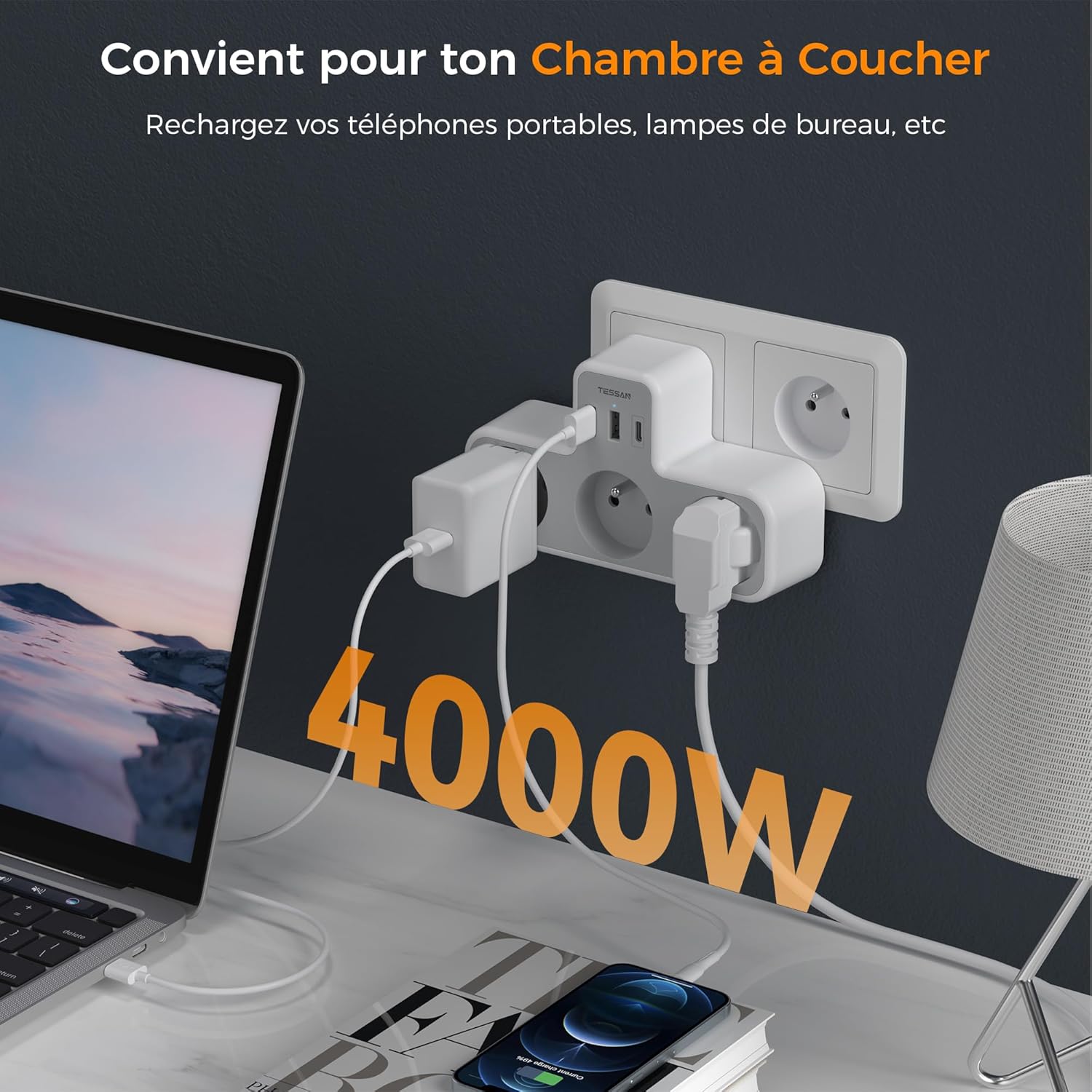
Image 5.1: The multi-socket supports up to 4000W, suitable for various devices.

Image 5.2: The subtle blue LED indicator is designed not to affect sleep.
6. Maintenance
- Cleaning: Disconnect the multi-socket from the wall outlet before cleaning. Use a dry, soft cloth to wipe the surface. Do not use liquid cleaners or aerosols.
- Storage: When not in use for extended periods, unplug the device and store it in a cool, dry place away from direct sunlight and moisture.
7. Troubleshooting
- No Power to Devices:
- Ensure the multi-socket is firmly plugged into a working wall outlet.
- Check if the total power consumption of connected devices exceeds 4000W. Unplug some devices if overloaded.
- Test the wall outlet with another device to confirm it is functional.
- Slow USB Charging:
- Ensure you are using a high-quality charging cable.
- Verify your device supports fast charging if expecting higher speeds.
- Some devices may limit charging speed if multiple high-power devices are connected simultaneously.
- LED Indicator Not Lighting Up:
- The LED only lights up when USB ports are active. Ensure a device is connected to a USB port and drawing power.
- If no power is supplied to any port, refer to "No Power to Devices" above.
8. Specifications
| Manufacturer | Zhuhai Tessan Power Technology CO., LTD. |
| Product Dimensions (L x W x H) | 16.1 x 9.5 x 7.8 cm |
| Weight | 250 grams |
| Size | USB C X1 et USB A X2 |
| Color | Gray |
| Material | Plastic |
| Shape | Rectangular prism |
| Voltage | 230 Volts (AC) |
| Amperage | 16 A (Max for AC outlets), 3 A (Max for USB-C), 2.4 A (Max for USB-A) |
| Electrical Socket Format | Type F (French standard) |
| Total Number of Power Outlets | 3 |
| Total Number of USB Ports | 3 (1 USB-C, 2 USB-A) |
| Recommended Uses | Electronic charging, varied indoor use |
| Batteries Included? | No |
| Batteries Required? | No |
9. Warranty and Support
TESSAN products are manufactured to high-quality standards. For information regarding warranty coverage, technical support, or customer service, please refer to the contact information provided with your purchase or visit the official TESSAN website. Please retain your proof of purchase for warranty claims.


