
Introduction
Thank you for purchasing the AGLUCKY Countertop Ice Maker. This manual provides essential information for the safe operation, installation, maintenance, and troubleshooting of your new appliance. Please read this manual thoroughly before use and retain it for future reference.
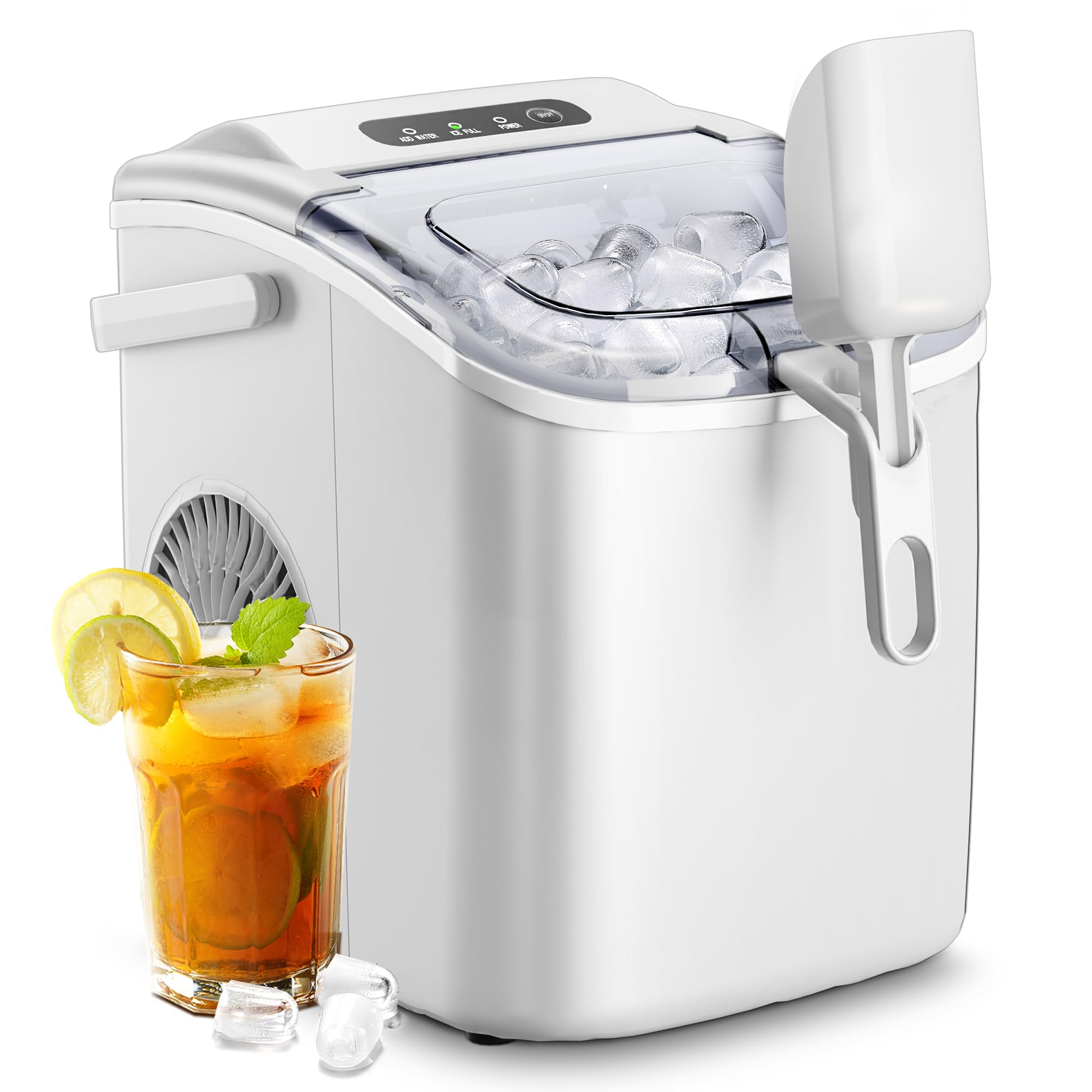
Image: AGLUCKY Countertop Ice Maker, showing the unit with its transparent lid open, revealing the ice basket filled with bullet-shaped ice cubes, and an ice scoop.
Important Safety Instructions
To reduce the risk of fire, electric shock, or injury when using your ice maker, follow these basic precautions:
- Read all instructions before use.
- Do not touch the evaporator or ice blades when the unit is operating.
- Do not immerse the appliance, power cord, or plug in water or other liquids.
- Supervise children when the appliance is in use.
- Unplug the ice maker from the power outlet before cleaning or when not in use.
- Do not operate any appliance with a damaged cord or plug, or after the appliance malfunctions or has been damaged in any manner. Contact customer service for assistance.
- Do not use outdoors.
- Ensure the power cord is not hanging over the edge of a table or counter, or touching hot surfaces.
- Do not place the appliance on or near a hot gas or electric burner, or in a heated oven.
- Always place the ice maker on a level surface.
- Use only potable water in the ice maker.
- Do not use the appliance for anything other than its intended purpose.
Product Overview and Components
Familiarize yourself with the parts of your AGLUCKY Countertop Ice Maker for proper operation and maintenance.

Image: A diagram illustrating the AGLUCKY Ice Maker with its dimensions (11.7" H x 8.7" W x 11.2" D) and key components labeled, including the ice basket and ice scoop.
Components:
- Ice Maker Unit: The main appliance.
- Ice Basket: Removable basket for collecting ice cubes.
- Ice Scoop: For serving ice.
- Water Reservoir: Internal tank for water supply.
- Control Panel: Buttons and indicator lights for operation.
- Drain Plug: Located at the bottom for water drainage.
Setup Instructions
1. Unpacking
- Remove all packaging materials, including foam and tape.
- Remove the ice basket and ice scoop from inside the ice maker.
- Clean the interior of the ice maker with a soft cloth and warm water.
2. Placement
- Place the ice maker on a stable, level surface away from direct sunlight and heat sources (e.g., stoves, furnaces, radiators).
- Ensure there is at least 4 inches (10 cm) of space around the unit for proper ventilation.
- Do not block the ventilation openings.
3. First Use Preparation
- Before first use, or after extended storage, clean the unit thoroughly. Refer to the "Maintenance and Cleaning" section.
- Allow the ice maker to stand upright for at least 1 hour before plugging it in, especially if it was transported horizontally. This allows the refrigerant to settle.
Operating Instructions
1. Control Panel Overview
The control panel features indicator lights and a button for easy operation.

Image: Close-up of the AGLUCKY Ice Maker's control panel, showing the 'ADD WATER', 'ICE FULL', 'POWER' indicator lights, and the 'ON/OFF Self-Cleaning' button.
- ADD WATER Indicator: Illuminates when the water reservoir is low and needs refilling.
- ICE FULL Indicator: Illuminates when the ice basket is full. The ice making process will pause.
- POWER Indicator: Illuminates when the unit is powered on.
- ON/OFF Self-Cleaning Button: Press to turn the unit on or off. Press and hold for 5 seconds to activate the self-cleaning mode.
2. Making Ice
- Fill the Water Reservoir: Open the lid and pour potable water into the reservoir up to the MAX fill line. Do not overfill.
- Plug In: Connect the ice maker to a grounded electrical outlet.
- Power On: Press the 'ON/OFF' button to start the ice making cycle. The POWER indicator will light up.
- Ice Production: The first batch of ice cubes will be ready in approximately 6-8 minutes. The ice maker will continue to produce ice until the ice basket is full or the water reservoir is empty.
- Ice Collection: When the ICE FULL indicator lights up, remove ice from the basket using the provided scoop. The ice making cycle will resume automatically once ice is removed.
- Add Water: If the ADD WATER indicator lights up, add more water to the reservoir. The unit will automatically resume ice production after water is added.

Image: A visual representation of the ice making process, showing bullet-shaped ice cubes forming on the evaporator rods and dropping into a glass with a beverage.
Maintenance and Cleaning
Regular cleaning and maintenance will ensure the longevity and optimal performance of your ice maker.
1. Self-Cleaning Function
The ice maker features an automatic self-cleaning mode for convenience.

Image: A transparent view of the AGLUCKY Ice Maker, showing water circulating within the unit during the self-cleaning process.
- Ensure the water reservoir is filled with clean water.
- Press and hold the 'ON/OFF Self-Cleaning' button for approximately 5 seconds. The unit will enter self-cleaning mode.
- The cleaning cycle will run for a set period, circulating water through the system.
- Once the cycle is complete, drain the water from the unit by removing the drain plug at the bottom.
- Replace the drain plug securely.
2. Manual Cleaning
- Unplug the ice maker before cleaning.
- Remove the ice basket.
- Clean the interior with a soft cloth dampened with a mild detergent solution. Rinse thoroughly with clean water.
- Wipe down the exterior with a soft, damp cloth.
- Ensure all parts are dry before reassembling and using the unit.
3. Storage
- Before storing, ensure the unit is completely drained and dry.
- Store the ice maker in a cool, dry place, away from direct sunlight.
Troubleshooting Guide
If you encounter issues with your ice maker, refer to the following table for common problems and solutions.
| Problem | Possible Cause | Solution |
|---|---|---|
| Ice maker not working | No power; Unit not plugged in; Power outlet faulty. | Check power cord connection; Try a different outlet; Ensure unit is switched ON. |
| ADD WATER indicator is on | Water reservoir is empty. | Fill the water reservoir with potable water up to the MAX line. |
| ICE FULL indicator is on | Ice basket is full; Ice sensor is blocked. | Remove ice from the basket; Ensure nothing is obstructing the ice sensor. |
| Ice cubes are small or not forming | Water temperature too high; Ambient temperature too high; Insufficient water. | Use colder water; Place unit in a cooler environment; Ensure water reservoir is full. |
| Unusual noise during operation | Normal operation sounds (compressor, water pump); Unit not level. | Ensure unit is on a level surface; If noise is excessive or unusual, contact customer support. |
Specifications
Technical details for the AGLUCKY Countertop Ice Maker Z5822H-WHITE.
| Feature | Detail |
|---|---|
| Brand | AGLUCKY |
| Model Name | countertop ice maker |
| Model Number | Z5822H-WHITE |
| Capacity | 26 Pounds (ice production per 24 hours) |
| Voltage | 115 Volts |
| Refrigerant | R600a |
| Product Dimensions | 11.7 x 8.7 x 11.2 inches |
Warranty and Customer Support
For warranty information or if you require further assistance, please contact AGLUCKY customer support. Refer to your purchase documentation for specific warranty terms and contact details.
Please have your model number (Z5822H-WHITE) and purchase date available when contacting support.


