
1. Introduction
Thank you for choosing the Cuifati Smart Watch Magnetic USB Charging Cable. This manual provides essential information for the safe and efficient use of your new charging cable. Please read it thoroughly before use and retain it for future reference.
This magnetic USB charging cable is designed to provide a fast, stable, and safe charging experience for compatible smartwatches.
2. Product Features
- Safety Protection: Built-in voltage regulator with overvoltage and overcurrent protection to prevent damage to your device during charging.
- Compatibility: Specifically designed for RT2 LS10 smart bracelets.
- Fast Charging: Connects to PC or laptop USB ports for efficient and stable charging.
- Stable Current Transmission: Constructed with premium ABS and PVC materials and copper wires for reliable power delivery.
- Magnetic Connection: Features a touch-and-charge magnetic design for easy and stable connection.

Image: The Cuifati Smart Watch Magnetic USB Charging Cable, showing the USB-A connector and the magnetic charging head.
3. Compatibility
This charging cable is exclusively designed for the following smartwatch models:
- • RT2 Smart Bracelet
- • LS10 Smart Bracelet
Note: This cable is an accessory and does not include the smartwatch itself.
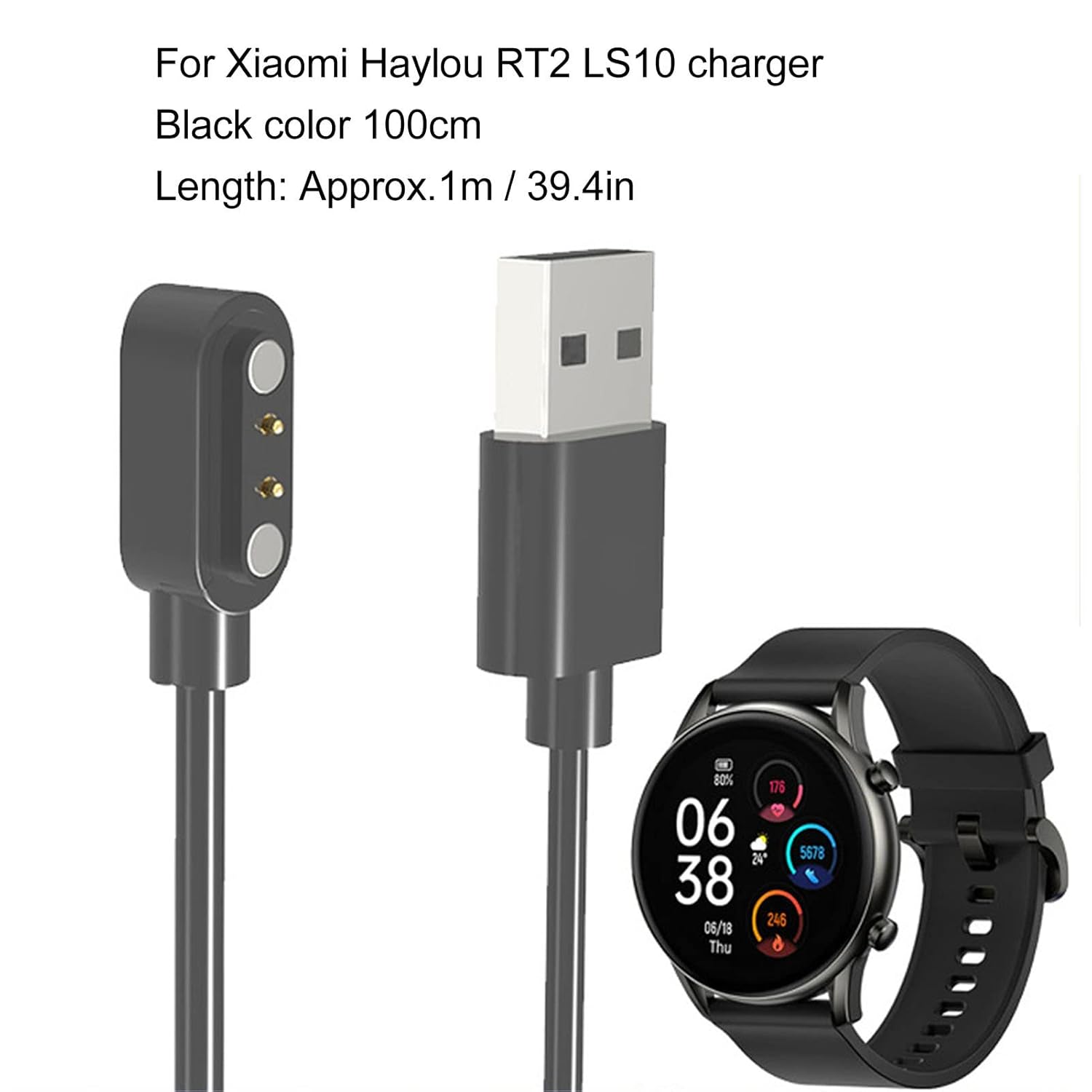
Image: The charging cable alongside a compatible smartwatch, illustrating its intended use.
4. Setup and Operating Instructions
4.1 Connecting the Charger
- Locate a USB-A port on your computer, laptop, or a compatible USB wall adapter.
- Insert the USB-A end of the charging cable into the USB port.
- Align the magnetic charging head with the charging contacts on the back of your RT2 or LS10 smartwatch. The magnetic connection will snap into place.
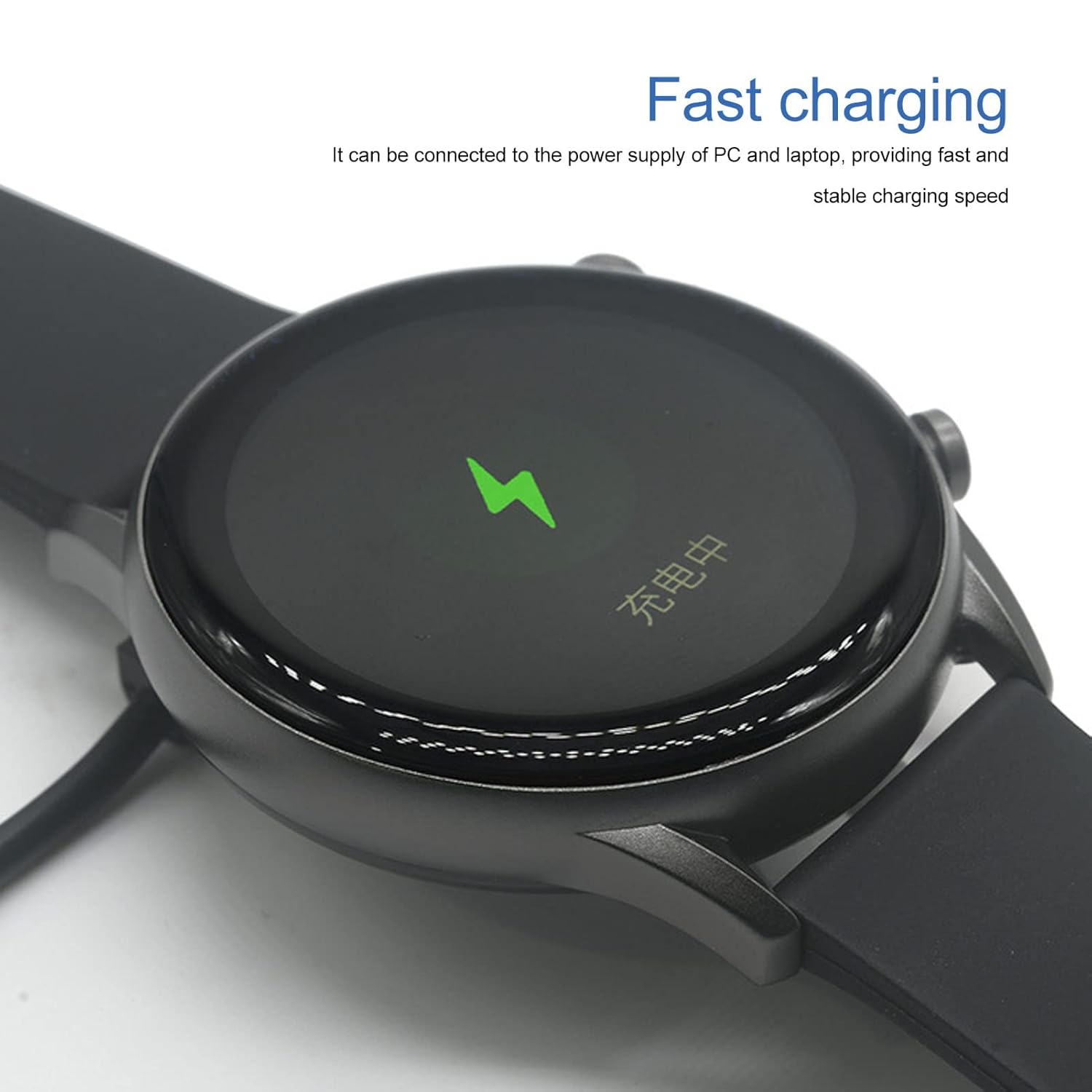
Image: A smartwatch connected to the magnetic charging cable, showing the cable securely attached to the watch's charging port.
4.2 Charging Process
- Once connected, your smartwatch display should indicate that it is charging (e.g., a battery icon with a lightning bolt).
- The cable provides a stable and fast charging experience. Charging time may vary depending on the smartwatch's battery level and the power source.
- The built-in voltage regulator protects your device from overcurrent and overvoltage during the charging process.

Image: A smartwatch screen displaying a charging indicator, confirming the device is receiving power.
5. Safety Information
- Do not expose the cable to extreme temperatures, direct sunlight, or moisture.
- Avoid bending or twisting the cable excessively, as this may damage the internal wires.
- Keep out of reach of children.
- Use only with compatible devices as specified in this manual.
- If the cable appears damaged, discontinue use immediately.
6. Maintenance
- Clean the cable and magnetic contacts periodically with a soft, dry cloth to ensure optimal connection.
- Store the cable in a cool, dry place when not in use.
7. Troubleshooting
| Problem | Possible Cause | Solution |
|---|---|---|
| Smartwatch not charging. |
|
|
| Slow charging. |
|
|
8. Specifications
| Feature | Detail |
|---|---|
| Brand | Cuifati |
| Model Number | Cuifati0ebyqsx5fk |
| Connector Type | USB-A (Input), Magnetic (Output) |
| Cable Type | USB Charging Cable |
| Compatible Devices | RT2 Smart Bracelet, LS10 Smart Bracelet, PC, Laptop |
| Special Features | Fast Charging, Magnetic Connection, Overvoltage Protection, Overcurrent Protection |
| Cable Length | Approx. 1 meter (39.4 inches) |
| Material | ABS, PVC, Copper Wire |
| Package Dimensions | 3.94 x 1.97 x 0.79 inches |
| Item Weight | 0.46 ounces |
9. Warranty and Support
For warranty information and customer support, please refer to the product packaging or contact the manufacturer directly. Keep your purchase receipt as proof of purchase.
Manufacturer: Cuifati
For further assistance, please visit the Cuifati Store on Amazon.


