
Introduction
This manual provides essential instructions for the safe and efficient use of the CBBEXP AL1340 IO-Link Master. Please read this manual thoroughly before installation, operation, or maintenance to ensure proper functionality and to prevent damage to the device or injury to personnel. Keep this manual for future reference.
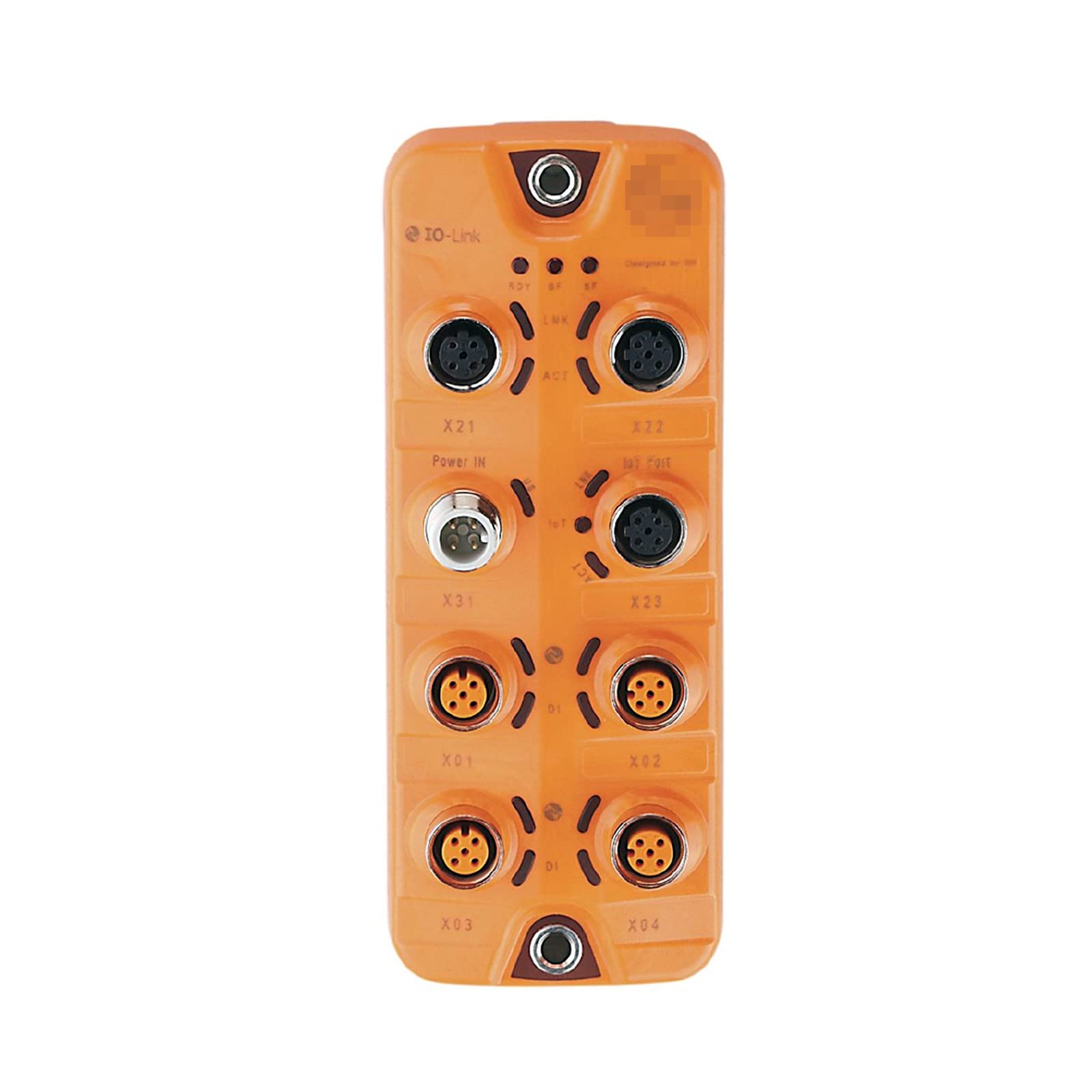
Figure 1: The CBBEXP AL1340 IO-Link Master, new and sealed in its original packaging.
Safety Instructions
Observe all local and national safety regulations when installing and operating this device. Only qualified personnel should perform installation, wiring, and maintenance procedures. Disconnect power before performing any work on the device.
- Ensure proper grounding to prevent electrical shock.
- Do not expose the device to moisture or extreme temperatures.
- Use only specified power supplies and cables.
- Avoid physical damage to the device and its connectors.
Setup and Installation
Follow these steps for proper installation of the AL1340 IO-Link Master:
- Unpacking: Carefully remove the AL1340 IO-Link Master from its packaging. Inspect for any visible damage.
- Mounting: Mount the device securely in a suitable enclosure or panel, ensuring adequate ventilation.
- Power Connection: Connect the appropriate power supply to the device's power input terminals. Refer to the specifications section for voltage requirements.
- Network Connection: Connect the IO-Link Master to your industrial network (e.g., Ethernet/IP, PROFINET) using a standard network cable.
- IO-Link Device Connection: Connect your IO-Link compatible sensors and actuators to the designated IO-Link ports on the master. Ensure correct pin assignments.
- Configuration: Access the device's web interface or use the provided software tool for initial configuration. Set network parameters and configure IO-Link ports as required by your application.
Operating Instructions
Once installed and configured, the AL1340 IO-Link Master operates as an interface between your control system and IO-Link devices.
- Power On: Apply power to the device. Observe the status LEDs for proper boot-up and network connection.
- Device Communication: The master will automatically detect and establish communication with connected IO-Link devices.
- Data Exchange: Process data (inputs/outputs) and parameter data are exchanged between the IO-Link devices and the control system via the master.
- Monitoring: Use the configuration software or web interface to monitor device status, diagnostic information, and process values.
- Parameterization: Adjust IO-Link device parameters through the master's interface as needed for your application.
Maintenance
The AL1340 IO-Link Master is designed for minimal maintenance. Regular checks can help ensure long-term reliability.
- Cleaning: Keep the device clean and free from dust and debris. Use a soft, dry cloth for cleaning. Do not use abrasive cleaners or solvents.
- Connection Checks: Periodically inspect all cable connections for tightness and signs of wear or damage.
- Firmware Updates: Check the manufacturer's website for available firmware updates to ensure optimal performance and security. Follow update instructions carefully.
- Environmental Conditions: Ensure the operating environment remains within the specified temperature and humidity ranges.
Troubleshooting
This section provides solutions to common issues you might encounter with the AL1340 IO-Link Master.
| Problem | Possible Cause | Solution |
|---|---|---|
| Device not powering on. | No power supply, incorrect voltage, faulty cable. | Check power connections, verify voltage, replace cable if damaged. |
| No network communication. | Incorrect network settings, faulty network cable, network switch issue. | Verify IP address and subnet mask, check cable, ensure network switch is operational. |
| IO-Link device not detected. | Incorrect wiring, faulty IO-Link device, master port not configured. | Check wiring, test IO-Link device, configure master port in software. |
| Incorrect process data. | IO-Link device parameterization error, incorrect data mapping. | Review IO-Link device parameters, check data mapping in control system. |
Technical Specifications
- Model: AL1340
- Type: IO-Link Master
- Manufacturer: CBBEXP
- Condition: New, sealed in box
- ASIN: B0C71F87ST
- Date First Available: June 3, 2023
- Further detailed specifications (e.g., power supply, number of ports, communication protocols, operating temperature) can be found in the product datasheet.
Warranty Information
The CBBEXP AL1340 IO-Link Master comes with a One-Year Warranty from the date of purchase. This warranty covers defects in materials and workmanship under normal use. It does not cover damage resulting from improper installation, misuse, unauthorized modification, or external causes such as accidents or power fluctuations.
For warranty claims or service, please contact your supplier or CBBEXP customer support with your proof of purchase.
Customer Support
For technical assistance, troubleshooting guidance beyond this manual, or inquiries regarding the AL1340 IO-Link Master, please contact your distributor or the manufacturer, CBBEXP. Refer to your purchase documentation for specific contact details.
Zhengbang Automation, specializing in PLC hardware, is a supplier of this product. You may consult them for model and quantity inquiries.