1. Introduction
Thank you for choosing the Lydsto G4 Robot Vacuum and Mop Combo. This device is designed to provide efficient and convenient cleaning for your home, combining both vacuuming and mopping functionalities. Please read this manual thoroughly before use to ensure proper operation and maintenance.
2. Package Contents
Verify that all items are present in the package:
- Lydsto G4 Robot Vacuum and Mop Combo
- Charging Base
- Remote Control (with battery)
- Spare Side Brushes (2 pairs)
- Mop Pad
- Spare HEPA Filter
- Cleaning Tool
- User Manual
3. Product Overview

Figure 3.1: The Lydsto G4 Robot Vacuum, accompanied by its remote control and a smartphone displaying the Lydsto application. This image illustrates the primary components included with the device, highlighting its compact design and various control options.

Figure 3.2: A user interacting with the Lydsto mobile application on a smartphone. The app displays a detailed cleaning map of the home, allowing for real-time monitoring and customization of cleaning areas and schedules.
The Lydsto G4 features a circular design with integrated sensors for navigation and obstacle avoidance. It includes a dustbin for vacuumed debris and a water tank for mopping. Control is available via the included remote control or the dedicated Lydsto mobile application.
4. Setup
4.1 Charging the Robot
- Place the charging base against a wall in an open area, ensuring there are no obstacles within 1 meter (3 feet) to the sides and 2 meters (6 feet) in front.
- Connect the power adapter to the charging base and plug it into a wall outlet.
- Place the robot onto the charging base. Ensure the charging contacts on the robot align with those on the base. The robot will automatically return to the dock for recharging when its battery is low or after completing a cleaning cycle.
- Allow the robot to fully charge before its first use. A full charge typically takes several hours.
4.2 Installing Side Brushes
Gently press the side brushes onto the square posts at the bottom of the robot until they click into place.
4.3 Connecting to the Mobile App
Download the Lydsto app from your smartphone's app store. Follow the in-app instructions to connect your robot vacuum to your home Wi-Fi network. This enables advanced features such as real-time mapping, scheduled cleaning, and remote control.
5. Operating Instructions
5.1 Starting a Cleaning Cycle
Press the power button on the robot or the 'Start' button on the remote control/app to begin a cleaning cycle. The robot will automatically navigate and clean your floors.
5.2 Cleaning Modes
The Lydsto G4 offers various cleaning modes:
- Silent Mode (800Pa): Ideal for quiet operation and energy saving, providing up to 120 minutes of cleaning time.
- Standard Mode (1600Pa): Offers strong suction power for deep and effective cleaning.
- Spot Cleaning: Focuses on a specific area for intensive cleaning.
- Edge Cleaning: Cleans along walls and furniture edges.
5.3 Navigation and Obstacle Avoidance
The robot utilizes bow navigation to cover areas systematically, reducing cleaning repetition. It is equipped with sensors for obstacle avoidance and can climb over obstacles up to 15mm (0.6 inches) high, such as door sills and low carpets.
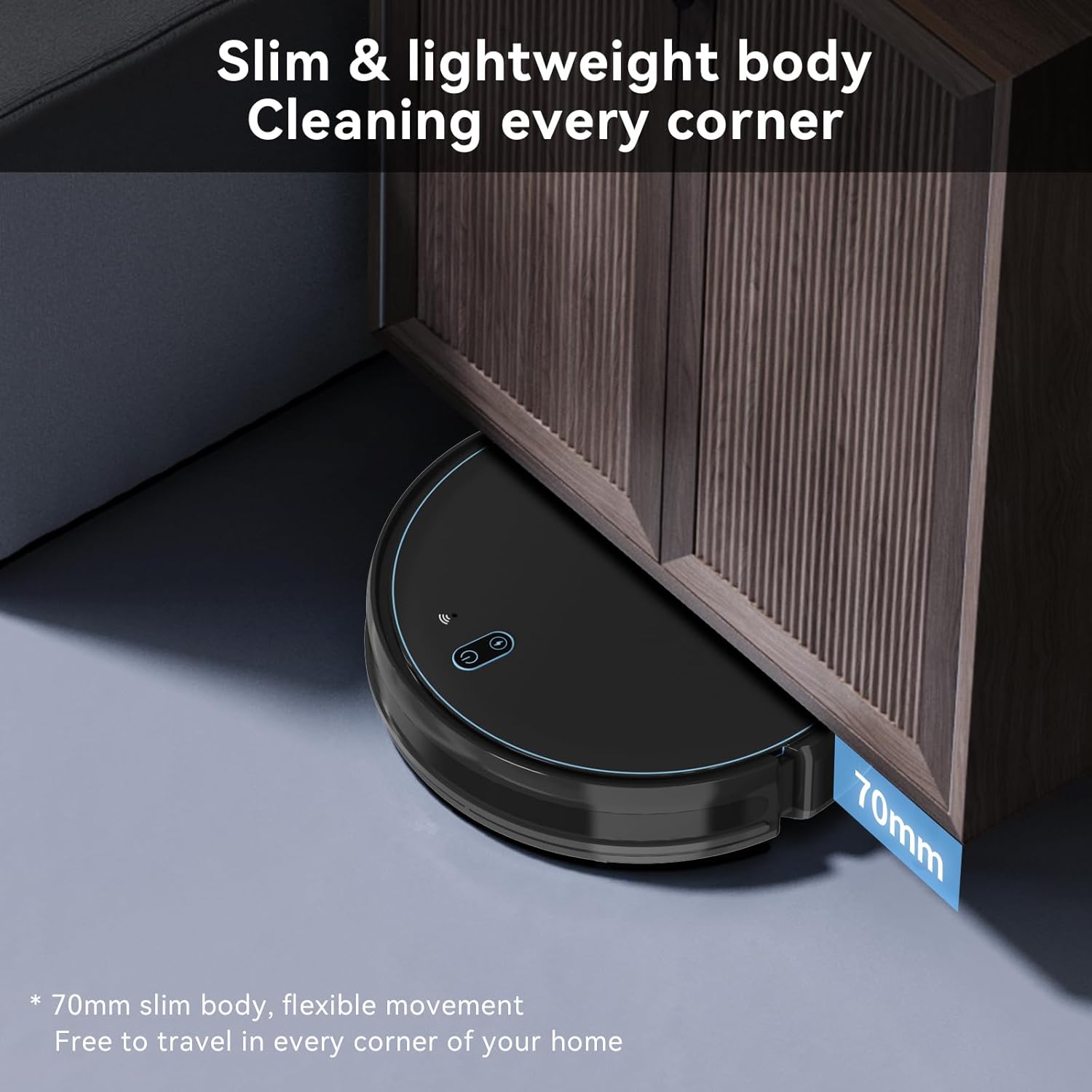
Figure 5.1: The Lydsto G4 Robot Vacuum demonstrating its ability to clean under low furniture. Its 70mm slim body allows it to access hard-to-reach areas, ensuring comprehensive cleaning throughout your home.

Figure 5.2: The Lydsto G4 Robot Vacuum operating quietly in a room. The brushless motor ensures a low noise level of approximately 70dB, allowing for a comfortable home environment during cleaning.
6. Mopping Function
The Lydsto G4 is equipped with a mopping function for hard floors. It uses a large-capacity 230mL water tank.

Figure 6.1: The Lydsto G4 Robot Vacuum illustrating its mopping capability. It features a 3-level controllable water tank, allowing users to adjust water flow for different floor types and cleaning needs (110mL/h, 180mL/h, 240mL/h).
6.1 Filling the Water Tank
- Remove the water tank from the robot.
- Open the water tank cap and fill it with clean water. Do not use cleaning solutions or detergents, as they may clog the system.
- Securely close the cap and reinsert the water tank into the robot.
6.2 Attaching the Mop Pad
Attach the mop pad to the bottom of the water tank module. Ensure it is securely fastened.
6.3 Adjusting Water Flow
Through the Lydsto app, you can select from three levels of water adjustment to suit different floor types and cleaning requirements.
7. Maintenance
Regular maintenance ensures optimal performance of your Lydsto G4 robot vacuum.
7.1 Emptying the Dustbin
The dustbin should be emptied after each cleaning cycle. Remove the dustbin from the robot, open its lid, and discard the collected debris. Rinse the dustbin with water if necessary, and allow it to air dry completely before reinserting.
7.2 Cleaning the Filter
Tap the HEPA filter to remove loose dirt. For a more thorough cleaning, gently brush off any accumulated dust. Replace the filter every 3-6 months, or as needed, to maintain suction performance.
7.3 Cleaning Side Brushes
Periodically check the side brushes for tangled hair or debris. Remove any obstructions and clean the brushes. Replace worn or damaged brushes with new ones.
7.4 Cleaning the Mop Pad
After each mopping session, remove the mop pad and wash it thoroughly with water. The mop pad is washable and reusable. Allow it to dry completely before reattaching.
7.5 Cleaning Sensors and Charging Contacts
Wipe the robot's sensors and charging contacts on both the robot and the charging base with a clean, dry cloth to ensure proper functionality.
8. Troubleshooting
| Problem | Possible Cause | Solution |
|---|---|---|
| Robot does not turn on or charge. | Charging contacts are dirty or misaligned. Battery is completely depleted. | Clean charging contacts on both robot and base. Ensure robot is properly docked with a slight gap (approx. 1/2 inch) from the back of the charger if direct contact prevents charging. Allow sufficient time for initial charge. |
| Robot gets stuck frequently. | Too many obstacles (cables, small objects, low furniture). | Clear the cleaning area of loose cables, small objects, and adjust furniture if it traps the robot. |
| Poor cleaning performance. | Dustbin full, filter clogged, brushes tangled or worn. | Empty dustbin. Clean or replace filter. Clean or replace side brushes. |
| Mopping function is ineffective. | Water tank empty, mop pad dirty, water flow setting too low. | Refill water tank. Clean mop pad. Adjust water flow setting in the app. |
| Robot does not return to charging base. | Charging base is blocked or out of range. | Ensure charging base is in an open area and not blocked. Manually place robot on base if necessary. |
9. Specifications
| Feature | Specification |
|---|---|
| Model | G4 |
| Brand | Lydsto |
| Dimensions | 30 x 30 x 6.99 cm (11.8 x 11.8 x 2.75 inches) |
| Weight | 3.21 kg (7.08 lbs) |
| Suction Power | 800Pa (Silent Mode), 1600Pa (Standard Mode) |
| Battery Capacity | 2600mAh Lithium Ion |
| Battery Life | Up to 120 minutes |
| Water Tank Capacity | 230 mL |
| Noise Level | Approx. 70dB |
| Climbing Ability | 15mm (0.6 inches) |
| Special Features | Anti-Fall, Obstacle Avoidance, APP Intelligent Control |
| Surface Recommendation | Wood, Carpet (low pile) |
10. Warranty and Support
For warranty information, technical support, or to inquire about replacement parts (such as brushes, filters, and mop pads), please contact Lydsto customer service through their official website or the contact information provided with your purchase documentation. Please have your product model (G4) and purchase details ready when contacting support.