
De'Longhi PACEX390LN-6ALBK
Contents
De'Longhi Pinguino Portable Air Conditioner Instruction Manual
Model: PACEX390LN-6ALBK
Brand: De'Longhi
Introduction
This instruction manual provides comprehensive guidance for the safe and efficient operation, setup, and maintenance of your De'Longhi Pinguino Portable Air Conditioner. Designed for rooms up to 700 square feet, this versatile unit offers 3-in-1 functionality: cooling, dehumidifying, and fan modes, ensuring optimal comfort. Its portable design with pre-attached wheels and a built-in handle allows for easy relocation, and the intuitive front-facing lighted display simplifies setting adjustments.

Image: Front view of the De'Longhi Pinguino Portable Air Conditioner, showcasing its sleek black design and control panel.
Setup and Installation
Proper setup is crucial for the performance of your portable air conditioner. Follow these steps to ensure correct installation:
- Unpacking: Carefully remove the unit and all accessories from the packaging. Retain packaging for future storage or transport.
- Placement: Position the air conditioner on a flat, stable surface, ensuring at least 12 inches (30 cm) of clear space around the unit for proper airflow. Avoid placing it near heat sources or in direct sunlight.
- Window Kit Installation:
- Assemble the window kit components according to the diagrams provided in the quick start guide.
- Insert the exhaust hose into the designated opening on the back of the unit and secure it.
- Extend the window kit to fit your window opening (vertical or horizontal) and secure it in place.
- Attach the other end of the exhaust hose to the window kit adapter, ensuring a tight seal to prevent air leakage.
- Power Connection: Plug the power cord into a grounded electrical outlet. Ensure the voltage matches the unit's requirements (115 Volts AC).

Image: The portable air conditioner with its exhaust hose properly installed in a window, demonstrating the setup for venting hot air.

Image: The portable air conditioner positioned in a living room, illustrating typical placement and the exhaust hose extending towards a window.
Operating Instructions
Your De'Longhi Pinguino offers multiple operating modes for customized comfort. All settings can be adjusted via the control panel or the included remote control.
Control Panel Overview:
The unit features a front-facing lighted display that dims automatically. Buttons include Power, Mode, Fan Speed, Temperature Up/Down, and Timer.

Image: A detailed view of the control panel on the De'Longhi Pinguino Portable Air Conditioner, showing the digital display and various function buttons.
Operating Modes:
- Cooling Mode: Select this mode for air conditioning. Adjust the desired temperature using the Up/Down arrows. The unit will cool the room to the set temperature.
- Dehumidifying Mode: Ideal for reducing humidity in the air without significant cooling. The unit will extract moisture from the room.
- Fan Mode: Circulates air without cooling or dehumidifying. Choose from multiple fan speeds (e.g., Low, Medium, High) for air circulation.
Timer Function:
The 24-hour timer allows you to program the unit to turn on or off automatically, helping to save energy and maintain comfort according to your schedule.
Remote Control:
The included remote control provides convenient access to all functions from a distance. Ensure clear line of sight to the unit's receiver for optimal performance.
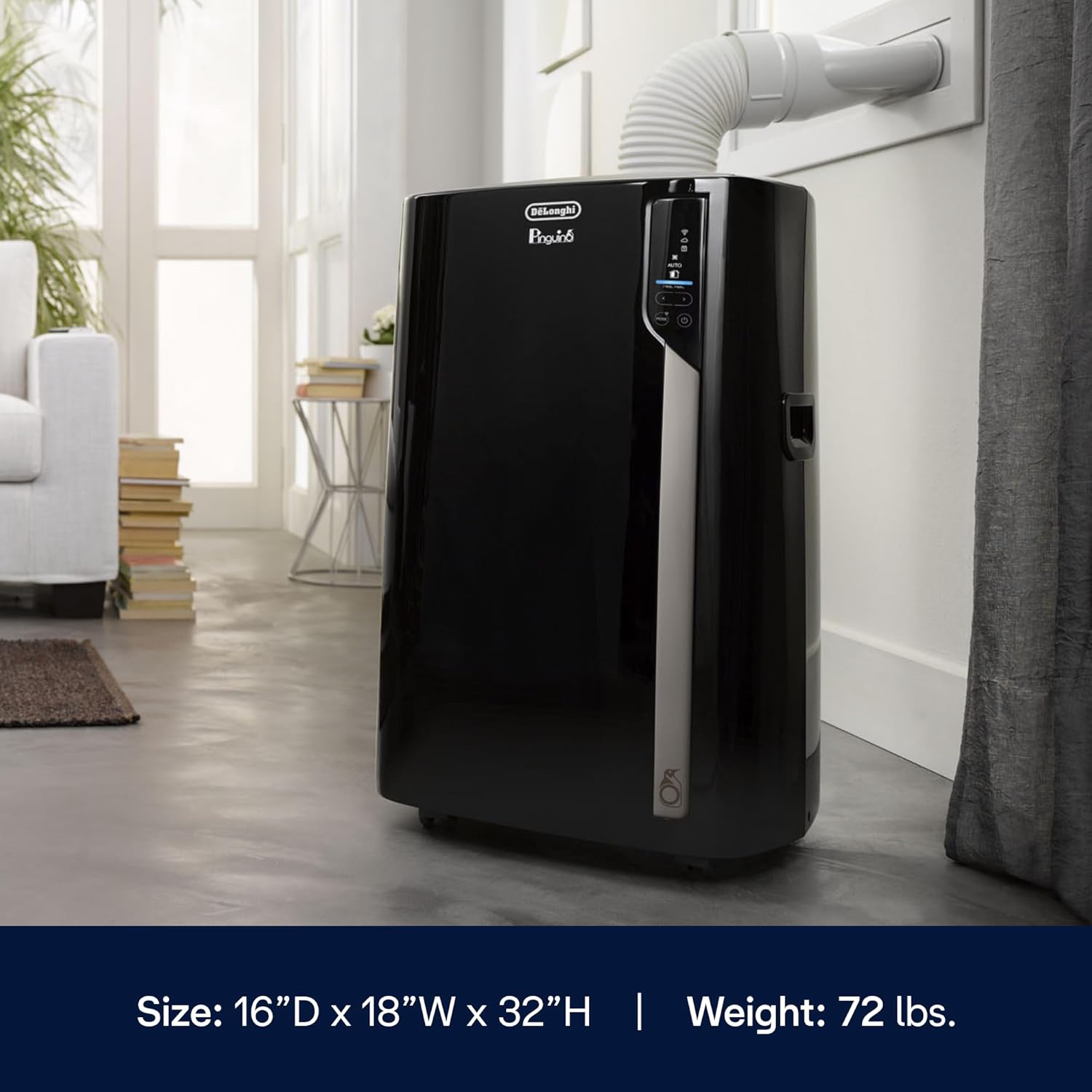
Image: A hand holding the remote control for the De'Longhi Pinguino Portable Air Conditioner, with the unit visible in the background.
Maintenance
Regular maintenance ensures the longevity and efficiency of your air conditioner. Always unplug the unit before performing any maintenance.
Washable Filter Cleaning:
The washable filter screens impurities from entering the unit and should be cleaned regularly (e.g., every two weeks or as needed, depending on usage and air quality). To clean:
- Locate the filter access panel, typically on the back or side of the unit.
- Remove the filter.
- Rinse the filter under running water until clean. For stubborn dirt, use a mild detergent.
- Allow the filter to air dry completely before reinserting it into the unit. Do not use a dryer or direct heat.

Image: A close-up view of the De'Longhi Pinguino's air filter area, indicating where the washable filter is located for easy access and cleaning.
Water Drainage:
During dehumidifying operation, water condensation will collect inside the unit. The unit may have an auto-evaporation system, but in high humidity conditions, manual drainage may be required. Refer to the full user manual for specific drainage instructions for your model.
Troubleshooting
Before contacting customer support, review the following common issues and their solutions:
| Problem | Possible Cause | Solution |
|---|---|---|
| Unit does not turn on | No power; power cord unplugged; circuit breaker tripped. | Ensure unit is plugged in; check power outlet; reset circuit breaker. |
| Insufficient cooling | Dirty air filter; exhaust hose not properly installed; room too large; windows/doors open. | Clean air filter; check exhaust hose connection; ensure room size is within unit's capacity; close windows/doors. |
| Unit is noisy | Unit not on a flat surface; fan speed too high. | Place unit on a flat, stable surface; reduce fan speed. |
| Water leakage | Drain plug not secured; water tank full (if applicable). | Ensure drain plug is tightly closed; drain water tank if full. |
Specifications
| Feature | Detail |
|---|---|
| Brand Name | De'Longhi |
| Model Info | PACEX390LN-6ALBK |
| Item Weight | 84.8 pounds |
| Product Dimensions | 16 x 18 x 32 inches (16"D x 18"W x 32"H) |
| Installation Type | Portable |
| Color | Black |
| Voltage | 115 Volts (AC) |
| Cooling Power | 3412 Watts |
| Special Feature | Portable |
| Refrigerant | R 410A |
| Room Coverage | Up to 700 sq. ft. |
Warranty and Support
For warranty information, product registration, or technical assistance, please refer to the warranty card included with your product or visit the official De'Longhi website. You may also contact customer support for further assistance.
For customer support, please refer to the contact information provided in your product packaging or on the official De'Longhi website.
Ask a question about this manual
Ask about setup, troubleshooting, compatibility, parts, safety, or missing instructions. Manuals+ will review the question and use this page’s manual context to help answer it.