
1. Introduction
This manual provides detailed instructions for the installation, operation, and maintenance of your Broan-NuTone LoProfile Series LP510R ventilation fan. Please read this manual thoroughly before beginning installation or operation to ensure proper function and safety. This ventilation fan is designed to effectively remove moisture and reduce the risk of mold or mildew in most full baths, offering selectable CFM and continuous run capabilities.
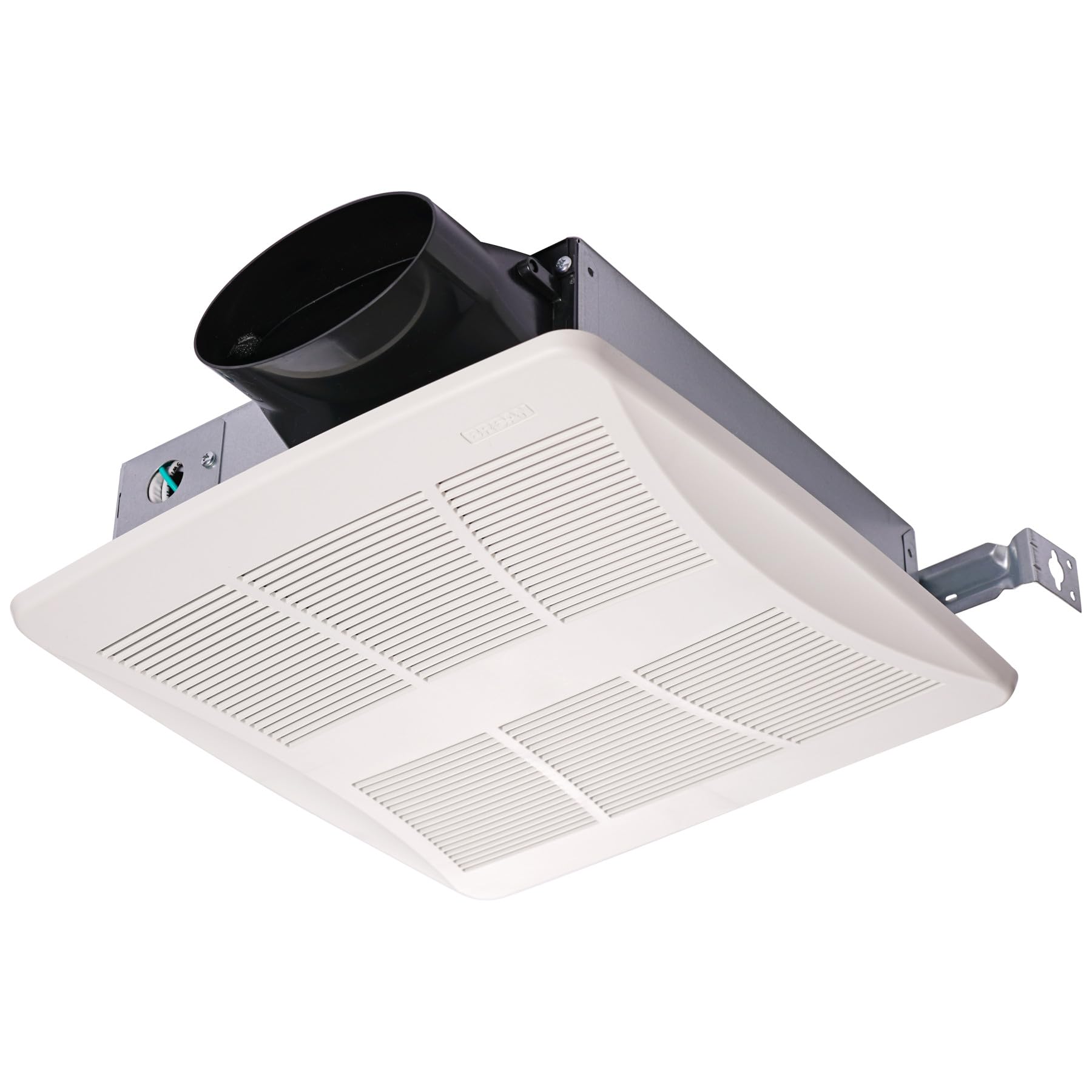
Figure 1: Broan-NuTone LoProfile Series LP510R Ventilation Fan. This image displays the compact design of the ventilation fan, suitable for various installation environments.
2. Safety Information
Always follow basic safety precautions when installing, operating, or servicing this appliance to reduce the risk of fire, electric shock, or injury to persons.
- WARNING: Disconnect power at the service panel before installation or servicing.
- All wiring must be performed by a qualified electrician in accordance with all applicable codes and standards, including fire-rated construction codes and standards.
- This unit is designed for general ventilating use only. Do not use to exhaust hazardous or explosive materials and vapors.
- To prevent motor bearing damage and noisy and/or unbalanced impellers, keep drywall spray, construction dust, etc., off power unit.
- Always use a GFCI protected branch circuit when installing over bathtubs or showers.
- Ensure proper ducting to the outside. Do not vent exhaust air into spaces within walls or ceilings or into attics, crawl spaces, or garages.
- This product is designed for ceiling or wall installation only.
3. Setup and Installation
Careful installation ensures optimal performance and longevity of your ventilation fan.
- Preparation: Ensure the power supply is disconnected. Unpack the fan and inspect for any shipping damage.
- Mounting Location: Select a suitable location for ceiling or wall mounting. The fan is powerful enough for rooms up to 90 sq. ft.
- Duct Connection: Connect the 4-inch oval ductwork to the fan's exhaust port. For specific installations, an optional 4-inch oval to 3-inch round duct adapter (S1110515) may be required and is sold separately. Ensure all duct connections are sealed to prevent air leakage.
- Wiring: Connect the fan to a GFCI protected branch circuit if installing over a bathtub or shower. Follow the wiring diagram provided with the unit for correct electrical connections. This unit is hardwired and requires permanent installation.
- Secure Installation: Securely mount the fan housing according to local building codes and manufacturer guidelines.
- Final Checks: Once installed, ensure all connections are tight and the fan is properly secured before restoring power.
4. Operating Instructions
The LoProfile Series LP510R offers flexible operation modes to suit your ventilation needs.
- Power On/Off: The fan is controlled via a touch method. Activate or deactivate the fan using the connected wall switch or control panel.
- Selectable CFM: This fan features selectable airflow speeds of 50, 80, and 100 Cubic Feet Per Minute (CFM). Adjust the CFM setting based on room size and ventilation requirements. Refer to the internal switch or control for adjustment.
- Continuous Run Technology: The fan includes built-in continuous run technology. This allows the fan to operate at a lower, continuous speed to maintain constant air circulation and moisture removal.
- Adjustable Low CFM Setting: Fine-tune the continuous run speed to prevent over-ventilating and maximize energy efficiency. This setting helps maintain optimal indoor air quality without excessive energy consumption.
- Adjustable Time Delay: Utilize the adjustable time delay feature to set how long the fan will run at high speed after activation before automatically returning to a continuous lower speed. This is useful for clearing humidity after showers.
5. Maintenance
Regular maintenance ensures efficient and quiet operation of your ventilation fan.
- Power Disconnection: Always disconnect power at the service panel before performing any maintenance.
- Cleaning the Grille: Remove the fan grille and wash it with warm soapy water. Rinse thoroughly and dry completely before reattaching.
- Cleaning the Fan Housing: Use a damp cloth to wipe down the fan housing and impeller blades. Avoid getting water into the motor or electrical components.
- Motor Lubrication: The motor is permanently lubricated and requires no oiling.
- Reassembly: Reattach the grille and restore power.
6. Troubleshooting
Refer to the following table for common issues and their solutions.
| Problem | Possible Cause | Solution |
|---|---|---|
| Fan does not operate. | No power, loose wiring, faulty switch. | Check circuit breaker/fuse. Verify all wiring connections. Test wall switch. |
| Fan is noisy. | Loose mounting, dirty impeller, duct obstruction. | Ensure fan is securely mounted. Clean impeller and housing. Check ductwork for obstructions. |
| Poor air movement. | Duct obstruction, incorrect CFM setting, fan too small for room. | Check ductwork for blockages. Adjust CFM setting to a higher speed. Ensure fan is appropriate for room size (up to 90 sq. ft.). |
7. Specifications
Key technical specifications for the Broan-NuTone LoProfile Series LP510R ventilation fan.
| Feature | Detail |
|---|---|
| Model Number | LP510R |
| Brand | Broan-NuTone |
| Electric Fan Design | Exhaust Fan |
| Product Dimensions (D x W x H) | 3.38"D x 10.25"W x 3.38"H |
| Mounting Type | Ceiling Mount/Wall Mount |
| Noise Level | 0.4 / 0.9 / 1.2 Sones (depending on CFM setting) |
| Speed (CFM) | Selectable 50, 80, 100 CFM |
| Control Method | Touch |
| Efficiency | High Efficiency, ENERGY STAR Certified |
| Special Features | Selectable CFM, Continuous Run, TRUE CFM, Quiet Performance, Adjustable Settings, ASHRAE 62.2 Compliant |
| Installation Type | Hardwired, Permanent |
| Recommended Room Size | Up to 90 sq. ft. |
| Duct Connection | 4" oval (optional 4" oval to 3" round adapter sold separately) |
8. Warranty and Support
For warranty information, technical support, or to purchase replacement parts, please visit the official Broan-NuTone website or contact their customer service department. Keep your purchase receipt as proof of purchase for warranty claims.
You can find more information and support at the Broan-NuTone Store on Amazon.


