
Introduction
Thank you for choosing the Ufree Electric Razor for Men. This manual provides essential information for the safe and effective use, setup, operation, and maintenance of your new 5-blade foil shaver. Please read these instructions carefully before first use and keep them for future reference.
Safety Information
Always dry the shaver thoroughly after use to prevent bacterial growth. Be cautious while using the shaver near water and do not submerge it. Use the pop-up trimmer carefully to avoid cuts. For a comfortable shaving experience, ensure your skin is clean and well-lubricated with shaving cream or gel.
What's Included

Image: The Ufree Electric Shaver with its accessories.
- Ufree Electric Shaver
- USB Type-C Charging Cable
- Protective Cap
- Cleaning Brush
Setup
Initial Charging
Before the first use, fully charge the shaver. The intelligent LED display will show the remaining power, reminding you to charge in a timely manner. The Type-C fast charging interface ensures a full charge in approximately 2 hours, providing up to 90 minutes of runtime.

Image: The shaver being charged via its Type-C port.
Operating Instructions
General Use
- Remove the electric shaver from its packaging.
- Fully charge the shaver before the first use.
- Clean the shaver head and body with running water if needed.
- Apply shaving cream or gel (optional).
- Turn on the shaver and adjust the speed setting if required.
- Gently move the shaver over your skin in circular motions.
- Use the pop-up trimmer for detailed grooming of mustache, sideburns, and neck.
- Rinse the shaver head under running water after shaving.
- Allow the shaver to air dry naturally.
Speed Modes
The Ufree Electric Shaver offers adjustable two-speed modes: Normal Mode (7500 RPM) for daily grooming and Enhanced Mode (8500 RPM) for easily capturing and cutting thick stubble without pulling. Select the appropriate mode for your shaving needs.

Image: Illustration of the shaver's two speed modes.
Wet & Dry Shaving
This electric razor is IPX5 waterproof, allowing for versatile use with foam, gel, or even in the shower. This feature provides flexibility for your preferred shaving method and simplifies cleaning.
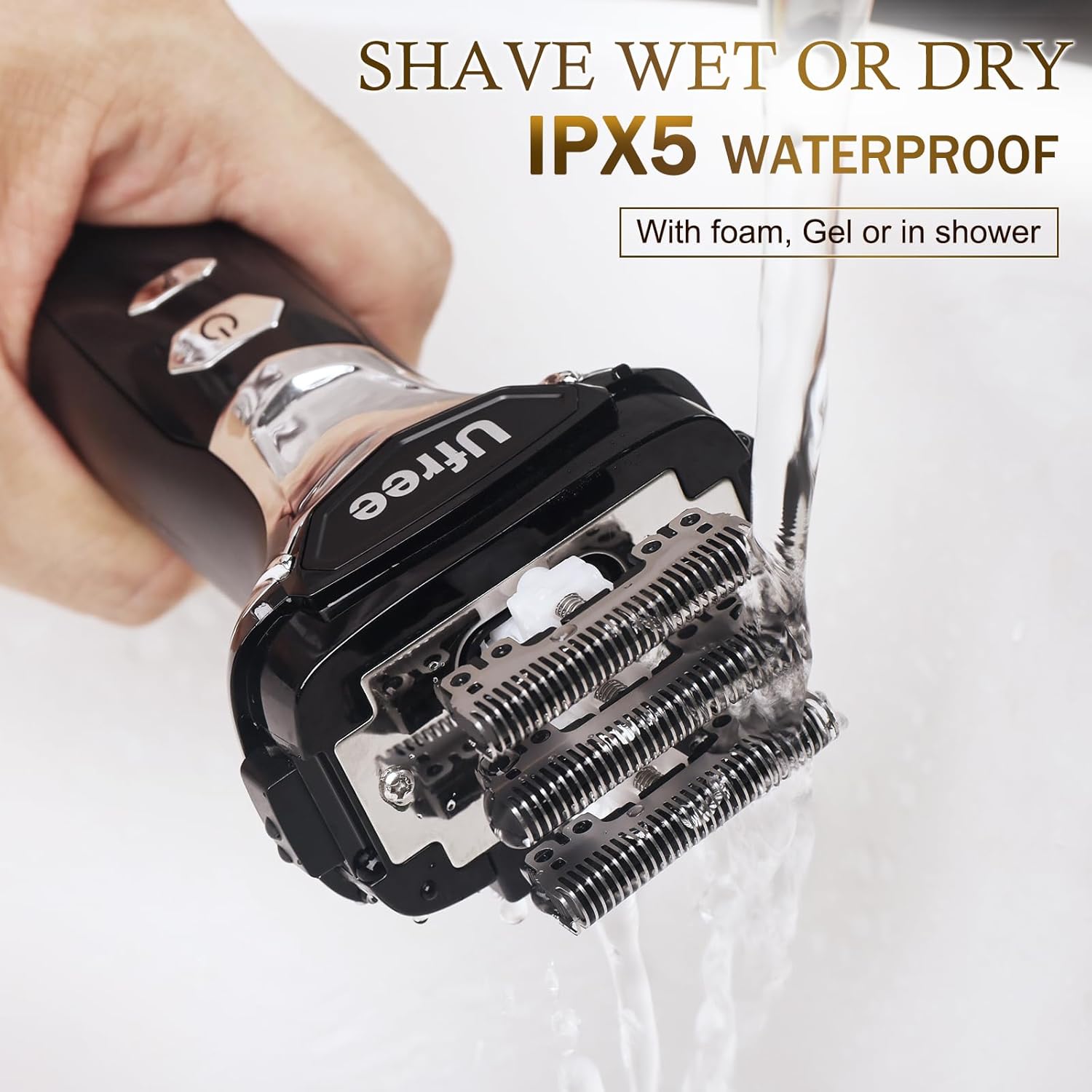
Image: The shaver being used in a wet environment.
Pop-up Trimmer
The integrated pop-up trimmer allows for detailed grooming of mustaches, sideburns, and the neck area, providing precision for your desired style.

Image: The pop-up trimmer in action.

Image: The shaver being used for facial and sideburn grooming.
Maintenance
Cleaning
After each use, simply rinse the shaver head under running water. The IPX5 waterproof design allows for easy and thorough cleaning. For optimal performance, allow the face shaver to air dry naturally after each cleaning.
Image: The shaver being cleaned under running water.
Blade Care
The shaver head is removable for easier and more thorough cleaning of the blades. To remove the head, press the release buttons on the sides of the shaver. After cleaning, securely pop the head back onto the shaver.

Image: Instructions for removing the shaver head for cleaning.
Troubleshooting
- Shaver not turning on or holding charge: Ensure the shaver is fully charged using the provided Type-C cable. If the issue persists, contact customer support.
- Reduced shaving performance: Clean the shaver head thoroughly after each use. Ensure the blades are free from hair and debris. If performance does not improve, consider replacing the shaver head if available.
- Skin irritation: Ensure your skin is clean before shaving. Use shaving cream or gel for a smoother glide. Shave in the direction of hair growth initially, then against it for a closer shave if comfortable.
Specifications
| Feature | Detail |
|---|---|
| Model Number | AMU-1898 |
| Blade System | Advanced 5-Blade Foil Shaver |
| Motor Speed | 7500 RPM (Normal), 8500 RPM (Enhanced) |
| Waterproof Rating | IPX5 (Wet & Dry Use) |
| Battery Type | High-capacity Lithium Battery |
| Runtime | Up to 90 minutes on a full charge |
| Charging Time | 2 hours (Type-C Fast Charging) |
| Special Features | Pop-up Beard Trimmer, LED Display, Travel Lock |
| Recommended Uses | Facial, Beard, Sideburn, Hairline |
| Package Dimensions | 7.52 x 5.98 x 2.2 inches |
| Item Weight | 1 Pound |
Warranty and Support
Ufree offers a one-year warranty for this 5-blade men's shaver. If you encounter any problems with your product, please do not hesitate to contact us. We are dedicated to providing a satisfactory solution for all our customers.
For support, please refer to the contact information provided with your product packaging or visit the official Ufree website.