
1. Important Safety Instructions
Please read all instructions carefully before using your Wapaneus Heated Electric Throw Blanket. Retain this manual for future reference.
- The blanket is ETL certified, ensuring high standards of performance and safety.
- Features overheat protection and short-circuit protection design for peace of mind.
- Do not stack electric throws.
- Always turn off the power and unplug the blanket when leaving the room or when not in use.
- Avoid covering the thermostat/controller with electric blankets when in use.
- If the thermostat flashes red, unplug the thermostat and reconnect the power supply.


2. Product Overview
The Wapaneus Foot Pocket Heated Electric Throw Blanket is designed for warmth and comfort. It features a double-sided 220GSM flannel material and integrated heating wires.


3. Setup
- Unpack the heated blanket and controller from its packaging.
- Ensure the blanket is laid flat and free from folds or creases.
- Connect the controller cord securely to the blanket's connector.
- Plug the power cord into a standard electrical outlet. The control line is approximately 10.2 ft (or 15 ft as per some product images) long.

4. Operating Instructions
The blanket features a user-friendly controller to adjust heat and timer settings.
- Power On/Off: Press the power button on the controller to turn the blanket on or off.
- Heat Settings: The blanket offers 10 heat settings, ranging from 95℉ to 113℉. Use the '+' and '-' buttons to select your desired warmth level.
- Timer Settings: The blanket has an auto-off function that can be set for up to 4 hours. Some product images indicate a 1-12 hour timer function. Please refer to your specific product's controller for exact timing options.
- Foot Pocket: Utilize the integrated foot pocket for targeted warmth to your feet, which can also help improve circulation.


5. Maintenance
The blanket is machine washable for easy care. Follow these steps to ensure longevity:
- Always remove the heating controller and unplug the power cord before washing.
- Wash the throw by machine or hand in water below 30℃/86℉. Use a delicate or gentle cycle if machine washing.
- Do not use commercial dryers or laundromat dryers, as excessive heat can damage the internal wiring.
- To dry, preheat your dryer on the 'low' temperature setting for 2 minutes.
- Place the throw into the dryer and tumble dry for 10 minutes at a low temperature.
- Remove the throw while it is still damp and gently stretch it to its original size.
- Drape the heated product over a clothesline or a shower rod to air dry. Do not use clothespins.
- The heated product must be COMPLETELY dry before reconnecting the power plug or control plug.


6. Troubleshooting
- Blanket not heating: Ensure the controller is securely connected to the blanket and the power cord is firmly plugged into a working electrical outlet.
- Thermostat flashing red: This indicates a potential issue. Unplug the thermostat from the blanket and the power supply, then reconnect it. If the issue persists, contact customer support.
- Uneven heating: Ensure the blanket is laid flat without excessive folds or items stacked on top, which can cause heat concentration.
7. Specifications
| Feature | Detail |
|---|---|
| Model Number | HLT1-LT-F |
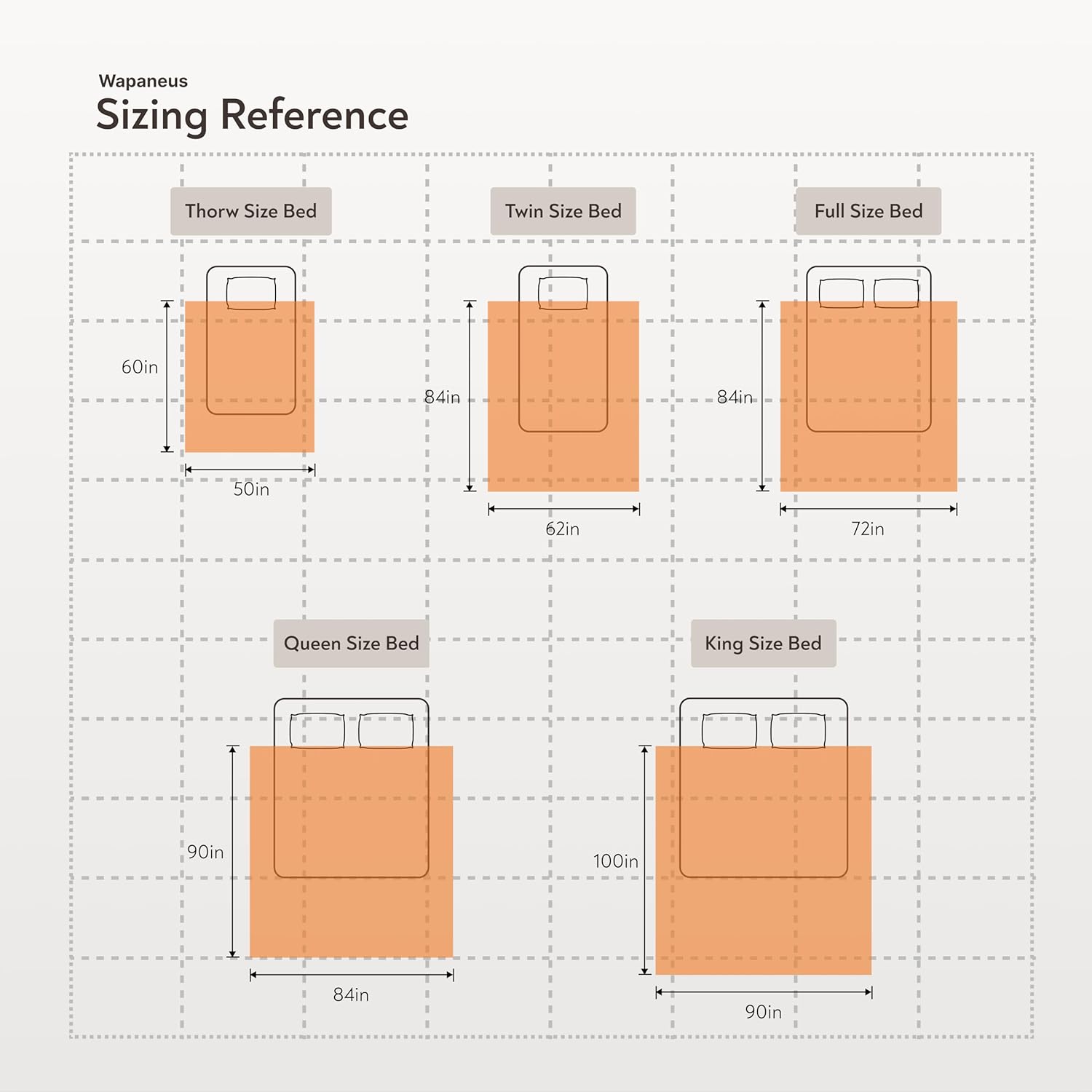
| Dimensions | 50"W x 60"L |
| Material | Flannel (220GSM) |
| Color | Mushroom |
| Heating Levels | 10 (95℉ to 113℉) |
| Auto Shut-Off | Up to 4 hours (some models 1-12 hours) |
| Special Feature | Foot Pocket |
| Care Instructions | Machine Washable (below 30℃/86℉) |
| Item Weight | 3.45 pounds |
| Manufacturer | Ningbo Royal Peace Household Products Co.,Ltd |
8. Warranty and Support
For any quality-related issues or support needs, please contact Wapaneus customer service. We are committed to providing a satisfactory solution within 24 hours.
Please refer to the official Wapaneus website or your product packaging for specific warranty details and contact information.
Visit the Wapaneus Store for more information.
