
1. Product Overview
The Wapaneus Heated Blanket (Model HLB-LT-FF) is a full-size electric blanket designed for warmth and comfort. It features a double-sided 220GSM flannel material, offering a soft and skin-friendly experience. This blanket includes 10 heat settings and a 12-hour timer function for personalized comfort.

Figure 1: Fast Heating Performance. The blanket quickly reaches desired temperatures, providing warmth in a short time.
The blanket's design ensures even and consistent heat distribution, promoting relaxation and improved sleep quality. It is suitable for various uses, whether relaxing on a sofa, working, or sleeping in bed.
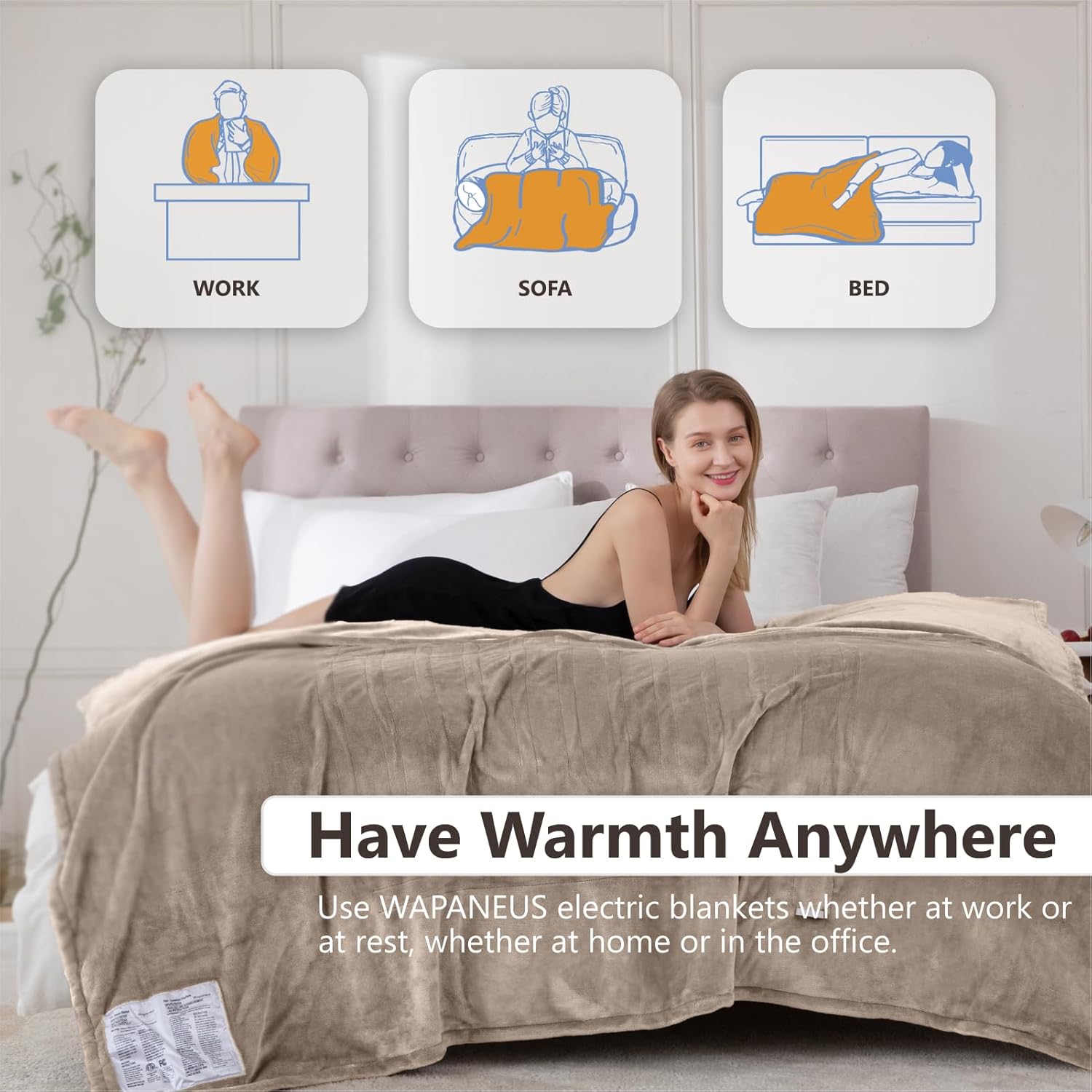
Figure 2: Versatile Usage. The heated blanket can be used in various settings for warmth and comfort.
2. Safety Instructions
Your safety is paramount. Please read and follow all instructions carefully before using the heated blanket.
- ETL Certified: This heated blanket is ETL certified, ensuring high standards of performance and safety.
- Overheat Protection: The blanket features built-in overheat protection to prevent excessive temperatures.
- Short-Circuit Protection: Designed with short-circuit protection for enhanced safety.
- Do Not Stack: Do not stack electric blankets or place heavy objects on the blanket while in use. This can lead to overheating and potential damage.
- Thermostat Placement: Avoid covering the thermostat or control unit with the electric blanket when in use. Ensure it has adequate ventilation.
- Power Off When Leaving: Always remember to turn off and unplug the power when leaving the room or when the blanket is not in use.

Figure 3: Avoid Stacking. Do not stack electric blankets to prevent overheating.

Figure 4: Keep Controller Uncovered. Ensure the thermostat is not covered during operation.

Figure 5: Unplug When Not in Use. Always disconnect power when leaving the room or not using the blanket.
3. Setup
Follow these steps to set up your Wapaneus Heated Blanket:
- Unpack: Carefully remove the blanket and controller from its packaging.
- Connect Controller: Locate the connector on the blanket and the corresponding plug on the controller cord. Align the arrows and firmly push the plug into the connector until it clicks securely into place.
- Position Blanket: Spread the blanket evenly over your bed or desired surface, ensuring the heating wires are not bunched or folded.
- Plug In: Plug the power cord from the controller into a standard electrical outlet.
Video 1: Connecting the Controller. This video demonstrates how to properly connect the control unit to the heated blanket.
4. Operating Instructions
The Wapaneus Heated Blanket features an easy-to-use controller with multiple heat and timer settings.
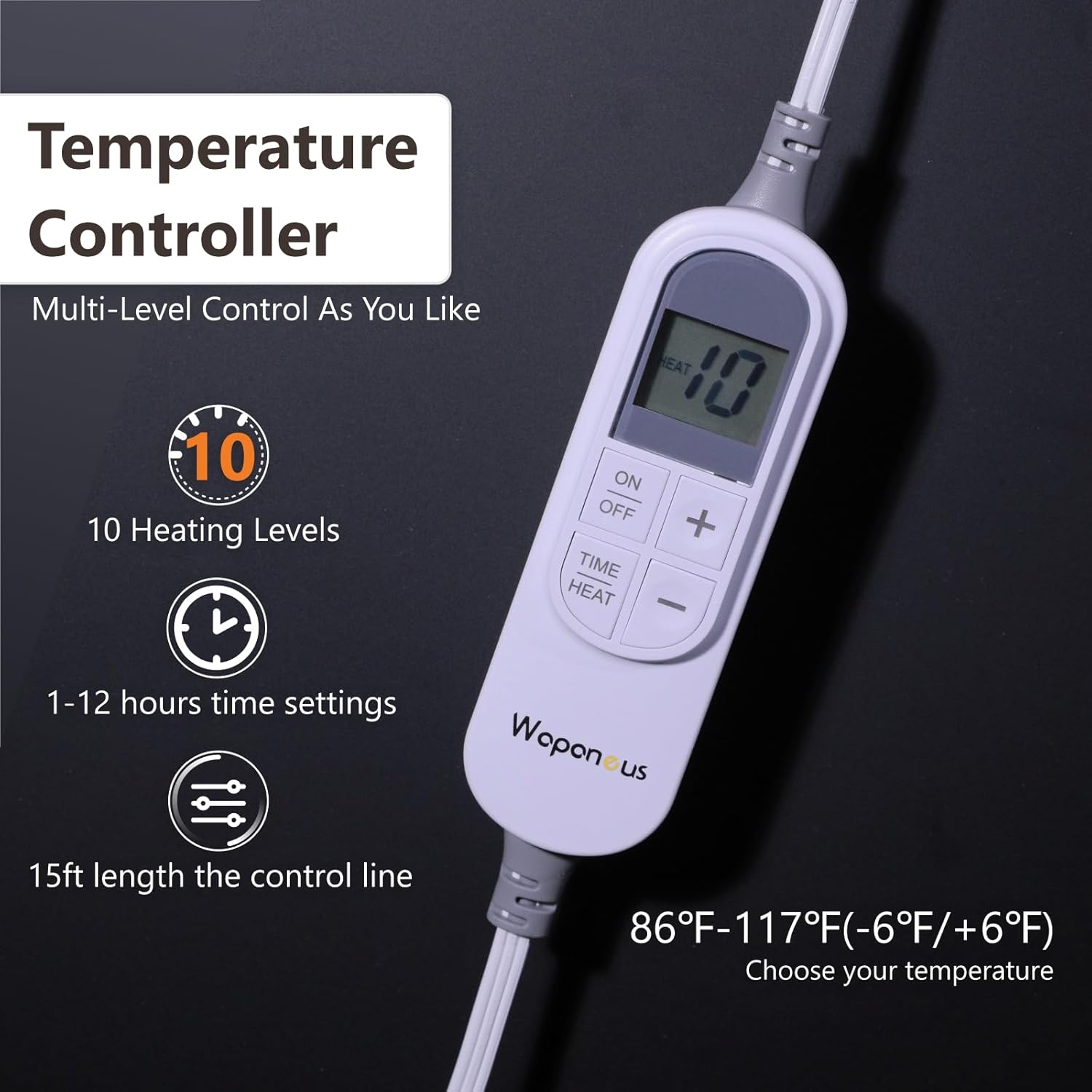
Figure 6: Temperature Controller. The digital controller allows selection of heat levels and timer settings.
- Power On/Off: Press the 'ON/OFF' button to turn the blanket on or off.
- Adjust Heat Settings: Use the '+' and '-' buttons to select one of the 10 available heat levels. The display will show the current heat level.
- Set Timer: Press the 'TIME' button to cycle through the 12-hour timer settings. The display will show the selected duration. The blanket will automatically shut off after the set time.
- Pre-heating: For optimal comfort, it is recommended to turn on the blanket 15-30 minutes before use to allow it to pre-heat.
Video 2: Controller Functions. This video illustrates how to use the heat and timer settings on the controller.
5. Maintenance and Care
Proper care will extend the life of your heated blanket. Always ensure the blanket is unplugged and the controller is detached before cleaning.
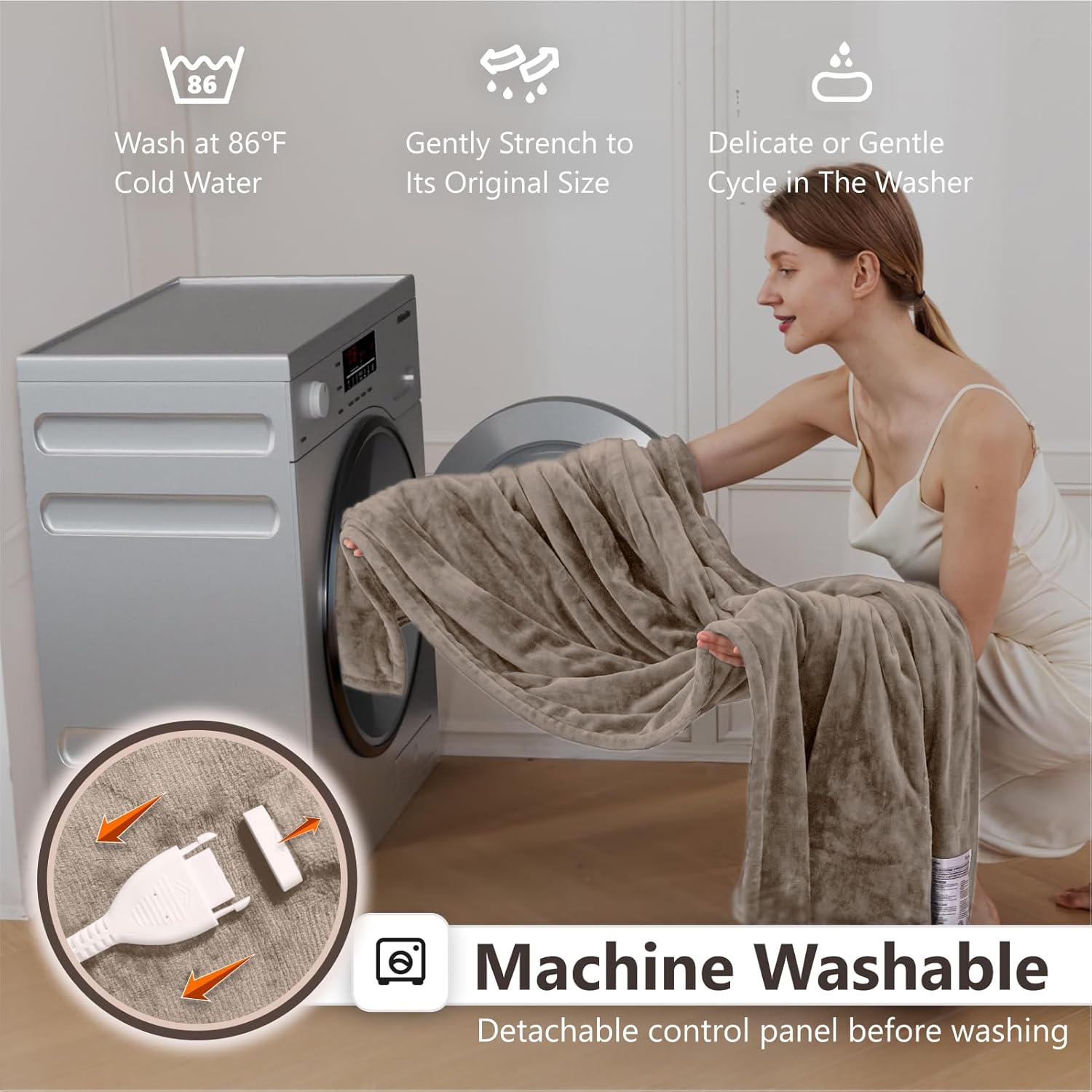
Figure 7: Machine Washable Design. The detachable controller allows for easy machine washing.
Washing Instructions:
- Detach Controller: Remove the heating controller from the blanket.
- Machine Wash: Place the blanket in the washing machine. Wash either by machine or hand in water below 30℃ (86℉) on a delicate or gentle cycle.
- Rinse Thoroughly: Ensure all soap is rinsed out.
Drying Instructions:

Figure 8: Dryer Instructions. Follow these steps for safe and effective drying.
- Preheat Dryer: Preheat the dryer on the "low" temperature setting for 2 minutes.
- Tumble Dry: Place the blanket into the dryer and tumble dry for 10 minutes at a low temperature.
- Remove While Damp: Remove the blanket while it is still damp and gently stretch it to its original size.
- Air Dry: Drape the heated product over a clothesline or a shower rod. DO NOT use clothespins, as they can damage the internal wiring.
- Ensure Complete Dryness: The heated product must be COMPLETELY dry before reconnecting the power plug or control plug.
Caution: Do not use commercial dryers or the dryers at your local laundromat. They get too hot and would damage the wiring of the heated product.
6. Troubleshooting
If your heated blanket is not functioning as expected, please refer to the following common issues and solutions:
| Problem | Possible Cause | Solution |
|---|---|---|
| Blanket not heating | Power cord not securely plugged in; Controller not connected properly; Power outlet malfunction; Overheat protection activated. | Ensure all connections are secure. Try a different outlet. Unplug for 30 minutes to reset overheat protection, then try again. |
| Uneven heating | Blanket is bunched or folded; Internal wiring issue. | Spread the blanket flat and ensure no folds. If problem persists, contact customer service. |
| Controller display not working | Power issue; Controller malfunction. | Check power connections. Try unplugging and replugging. If still not working, contact customer service. |
| Blanket turns off unexpectedly | Timer setting reached; Overheat protection activated; Loose connection. | Check timer setting. Unplug for 30 minutes to reset overheat protection. Ensure all connections are secure. |
If you experience any issues not listed here, or if the suggested solutions do not resolve the problem, please contact Wapaneus customer service for assistance.
7. Specifications
| Feature | Detail |
|---|---|
| Brand | Wapaneus |
| Model Number | HLB-LT-FF |
| Size | 72" x 84" (Full Size) |
| Material | 220GSM Flannel |
| Color | Mushroom |
| Heating Levels | 10 |
| Timer Settings | 1-12 Hours |
| Safety Features | ETL Listed, Overheat Protection, Short-Circuit Protection |
| Care Instructions | Machine Washable (water below 30℃/86℉), Tumble Dry Low (specific instructions apply) |
| Product Dimensions | 84"L x 72"W |
| Item Weight | 5.33 pounds (2.42 Kilograms) |
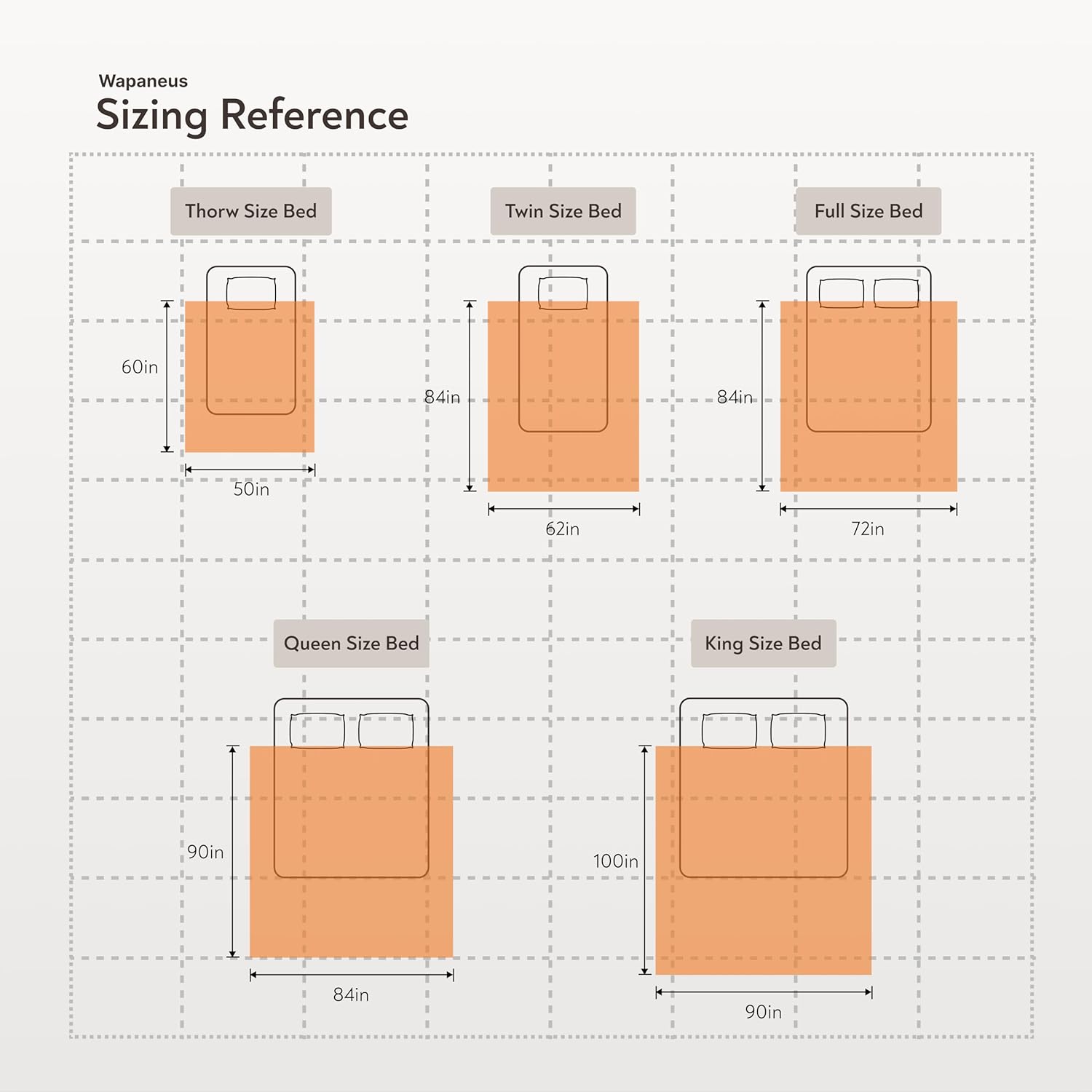
Figure 9: Sizing Reference. This diagram provides a visual guide to different blanket sizes.
8. Warranty and Support
Wapaneus is committed to providing high-quality products and excellent customer service.
- After-Sale Service: If you encounter any quality-related issues with your product, please feel free to contact us immediately.
- Response Time: We are committed to providing a satisfactory solution within 24 hours.
- Contact Information: Please refer to the contact details provided in your product packaging or on the official Wapaneus website for support.
